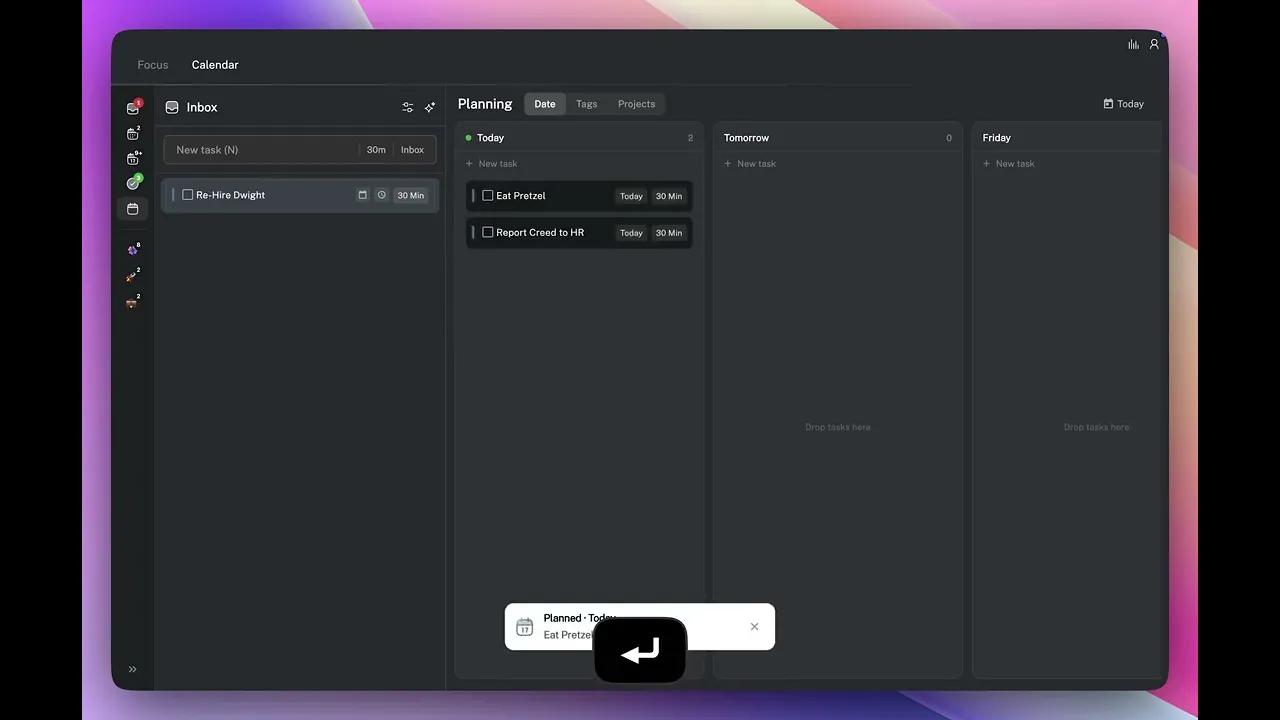
A simple structure for planning your week in Aftertone. What to review, what to carry forward, and how to set yourself up for a focused week.
Written By: Haroon Ahmad
2 min read
What We'll Cover
Why Sunday evening is the right time to plan
A five-step planning session that takes 15 minutes
How to set three priorities and block time before the week fills up
Using 5 and Cmd+7 to see and schedule across the full week
A weekly planning session takes 15 minutes. Do it Sunday evening or Monday morning before anything else opens — the goal is to set the week before it sets itself.
Step 1: Complete your weekly review first
Before you plan, spend 10 minutes reading last week's report and answering three questions: what got done, what didn't, and what you'll do differently. See The Weekly Report and Review for the full process. Planning from a clear picture of last week is significantly more useful than planning cold.
Step 2: Clear and triage your inbox
Open the Planning view with 5 and go through every task in your inbox (use your arrow keys to navigate quickly). For each one, decide: does this belong in this week, a future week, or nowhere? Press S to schedule a task as a time block immediately, press P to plan it to a specific future date, drag it directly onto a date, or press Backspace anything that no longer needs to happen. Break down any tasks that are too vague or too large to schedule as-is.
Step 3: Set three priorities for the week
Before you start blocking time, decide what the 3 most important outcomes are for this week. These are not necessarily the tasks with the closest deadlines — they are the things that, if done by Friday, would make the week a success. Drag them to the top of the inbox so they are the first tasks you see during daily planning.
Step 4: Block time for your top three priorities first
In the Calendar view, use Cmd+7 to view your entire week view. Then drag each of your top 3 priorities onto a time slot before you schedule anything else. Put them in your best working hours. Once those blocks are in place, fill in the rest of the week around them.
Step 5: Leave 20 percent of your calendar empty
Do not block every hour. Leave at least 20 percent of your calendar empty — this is where meetings get added, tasks run over, and unexpected work lands. Anything scheduled to full capacity will fall apart by Tuesday.
👉 Try it now — Do this now if it is Sunday or Monday morning. If it is not, put a recurring 15-minute block in your calendar for Sunday evening and use it as your weekly planning anchor.
A weekly planning session takes 15 minutes. Do it Sunday evening or Monday morning before anything else opens — the goal is to set the week before it sets itself.
Step 1: Complete your weekly review first
Before you plan, spend 10 minutes reading last week's report and answering three questions: what got done, what didn't, and what you'll do differently. See The Weekly Report and Review for the full process. Planning from a clear picture of last week is significantly more useful than planning cold.
Step 2: Clear and triage your inbox
Open the Planning view with 5 and go through every task in your inbox (use your arrow keys to navigate quickly). For each one, decide: does this belong in this week, a future week, or nowhere? Press S to schedule a task as a time block immediately, press P to plan it to a specific future date, drag it directly onto a date, or press Backspace anything that no longer needs to happen. Break down any tasks that are too vague or too large to schedule as-is.
Step 3: Set three priorities for the week
Before you start blocking time, decide what the 3 most important outcomes are for this week. These are not necessarily the tasks with the closest deadlines — they are the things that, if done by Friday, would make the week a success. Drag them to the top of the inbox so they are the first tasks you see during daily planning.
Step 4: Block time for your top three priorities first
In the Calendar view, use Cmd+7 to view your entire week view. Then drag each of your top 3 priorities onto a time slot before you schedule anything else. Put them in your best working hours. Once those blocks are in place, fill in the rest of the week around them.
Step 5: Leave 20 percent of your calendar empty
Do not block every hour. Leave at least 20 percent of your calendar empty — this is where meetings get added, tasks run over, and unexpected work lands. Anything scheduled to full capacity will fall apart by Tuesday.
👉 Try it now — Do this now if it is Sunday or Monday morning. If it is not, put a recurring 15-minute block in your calendar for Sunday evening and use it as your weekly planning anchor.