Best Motion App Alternatives in 2026
Motion reshuffles your day without asking, costs $34/month, and has no free tier. The 9 best Motion alternatives in 2026 by control level and price.
Written By The Aftertone Team

Best Motion App Alternatives in 2026
Quick answer: Motion's auto-scheduling is its selling point and its biggest frustration — it reshuffles your day without asking, costs $34/month with no free tier, and never tells you whether the schedule it built actually worked. The best alternative depends on what broke down for you:
Morgen — AI scheduling suggestions you approve, not automation that runs without you ($15/mo, all platforms)
Reclaim AI — Motion-style auto-scheduling, free tier available (Google Calendar only)
Aftertone — intentional planning with real AI feedback on how your week went ($30/month, Mac)
Sunsama — mindful daily planning ritual you control ($20/mo, all platforms)
Routine — clean, free, calendar-first option (free tier, Mac / Windows / iOS)
This guide covers alternatives to Motion — the AI productivity scheduler and task manager. If you are looking for alternatives to Motion the creative analytics platform, that is a different product.
Motion's pitch arrived at exactly the right moment. Somewhere around 2022, a specific kind of knowledge worker — smart, overcommitted, exhausted by manual scheduling — decided they were willing to try anything. Motion offered an answer: give us your tasks and deadlines, and we'll build your day. No more choosing what to work on. No more deciding where to fit the proposal draft. The AI will handle it.
For a specific slice of the market, that promise delivered. Motion has genuinely helped people whose primary problem is scheduling paralysis — the inability to convert a task list into an ordered day. For those users, surrendering the decision to AI is a genuine relief.
But Motion's vocal critic base is just as real as its fans. The complaints cluster around a specific experience: the calendar reshuffles in ways that feel wrong, the AI's prioritisation doesn't match your intuition about what actually matters, and fixing the automatic decisions requires more friction than making them manually in the first place. The promise of never thinking about scheduling again turns out, for many users, to generate more scheduling anxiety rather than less — because the schedule is always changing and never quite feels like yours.
Here are the nine best Motion alternatives in 2026, with an honest account of what each one offers and who it's actually for.
Why people switch from Motion
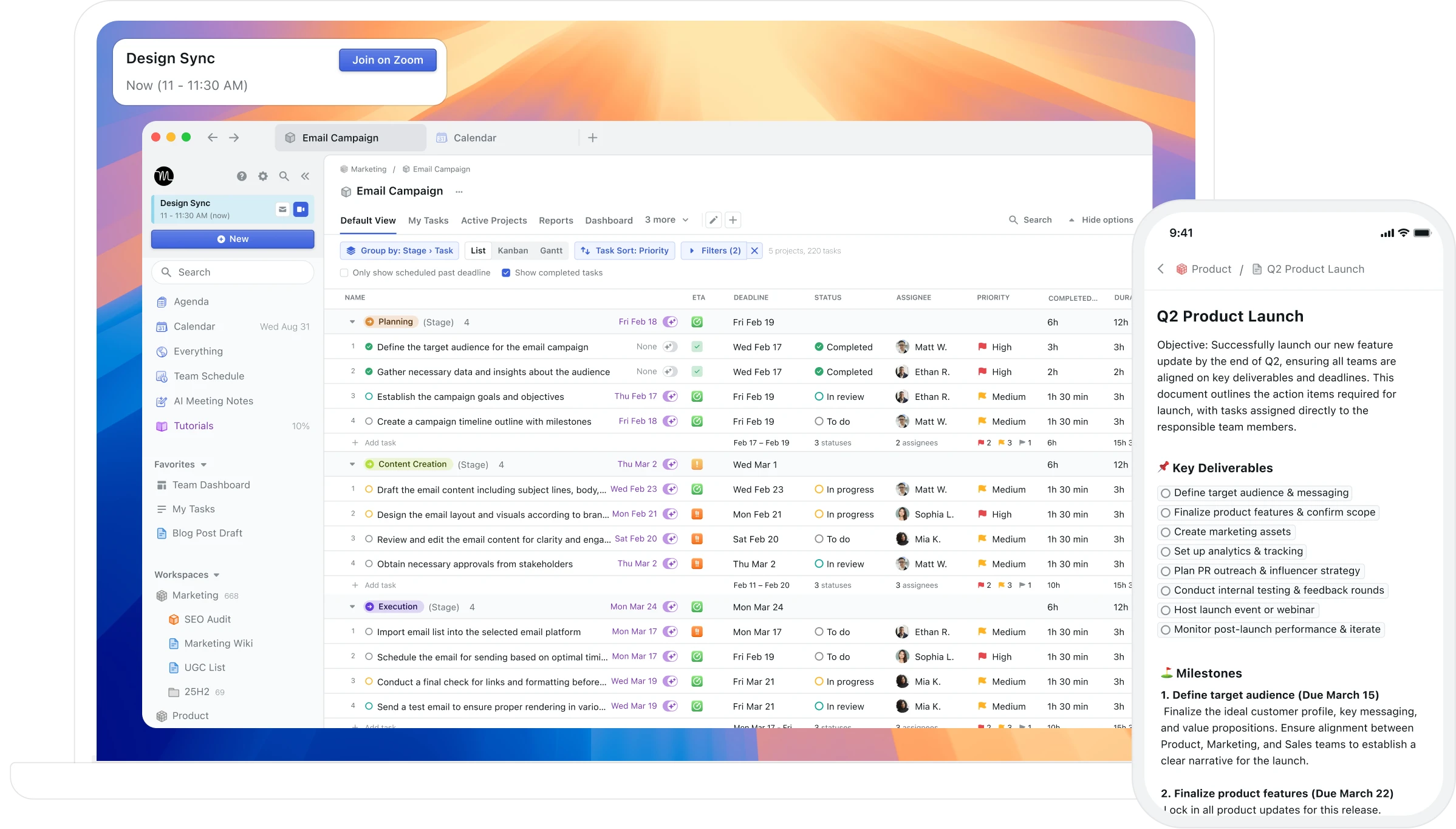
The complaints about Motion aren't random — they cluster around a few specific pain points worth naming before you pick a replacement:
Unpredictable rescheduling. When a meeting appears or a task runs long, Motion reshuffles everything. Users consistently describe feeling that their schedule no longer belongs to them. Tasks get bumped without warning; you end the day having done what Motion decided, not what you intended. BJ Fogg's behaviour design research shows that implementation intentions — specific plans you form yourself for when and how you'll do something — dramatically increase follow-through. When Motion reshuffles those intentions without your input, the psychological benefit of having committed to a specific time disappears.
$34/month with no free tier. Motion requires a credit card even for its trial. At $408/year for individuals, it's one of the most expensive personal productivity tools available. Several capable alternatives cost a fraction of that — or nothing.
No feedback on whether the schedule worked. Motion builds a schedule but has no mechanism to tell you whether it worked. After six months of Motion-managed days, you know what was scheduled. You don't know which patterns produced your best output or what your calendar history reveals about your most productive conditions.
Opaque AI decisions. Motion doesn't explain why it scheduled things the way it did. You can't always tell if the day it built is well-structured or just technically filled.
Cluttered interface. The combination of project management, task scheduling, and calendar in one dense view overwhelms users who wanted a simpler daily planning tool.
No Mac-native integration. Motion has no native macOS app in the Apple sense — no Spotlight, Siri, or Apple Watch support. For Mac-first users, this is a daily friction point.
Data lock-in. Motion doesn't have clean export options. Extracting your task history if you decide to leave isn't straightforward.
How we evaluated these tools
We focused on tools that can genuinely replace Motion's core job: helping individuals plan, schedule, and execute their days. The criteria we used:
Planning philosophy. Does the tool use full automation, AI-assisted suggestions, guided ritual, or manual control? Each approach suits different people.
Feedback and insight. Does the tool tell you anything about whether your schedule is working — not just what was planned, but what actually happened?
Pricing and value. Motion is expensive with no free option. We favoured tools that are priced honestly relative to what they deliver, and called out free tiers explicitly.
Platform support. Mac-only, cross-platform, or web-only — each matters depending on your setup.
Calendar integrations. Whether the tool works with Google Calendar, Apple Calendar / iCloud, or Outlook.
We ranked alternatives by how well they serve the most common reasons people leave Motion — not by how similar they are to Motion's feature set.
What Motion does well, and where it stops
The auto-scheduling is Motion's core feature and its most controversial one. The AI builds a complete daily schedule from your task list, meeting requests, and deadlines. When a new urgent task appears, the schedule reshuffles automatically to accommodate it. The daily standup replaces the scheduling decision: you confirm the plan the AI generated rather than building it from scratch.
For users who've genuinely struggled with converting tasks to scheduled time — who routinely reach 5pm with important work unstarted because they never decided when to do it — Motion's automation addresses a real problem. The removal of that decision has genuine psychological value for people who find it paralysing.
Where Motion draws consistent criticism: the automatic reshuffling creates a calendar that never feels stable. And at $34/month, there is no mechanism to tell you whether the schedule it's building is actually working — after months of Motion-managed days, you have a record of what the AI scheduled, not an understanding of whether it's making you more effective.
At a glance: all alternatives compared
App | Planning style | AI scheduling | Feedback / reports | Free tier | Price (paid) | Platform |
|---|---|---|---|---|---|---|
Morgen | AI-assisted, you approve | Suggestions only | Limited | No | $15/mo (annual) | All platforms |
Reclaim AI | Full auto (like Motion) | Full auto | Basic stats | Yes | From $8/mo | Web (Google Cal) |
Aftertone | Intentional time blocking | Advisory / silent | AI weekly and daily reports | Free trial | $30/month | Mac only |
Sunsama | Guided daily ritual | None (manual) | Weekly review | 14-day trial | $20/mo (annual) | All platforms |
Akiflow | Fast manual time blocking | AI tagging only | None | 7-day trial | $19/mo (annual) | Mac, Win, mobile (beta) |
Routine | Calendar-first, manual | None | None | Yes | $12/mo | Mac, Win, iOS |
Clockwise | Team schedule optimisation | Team-level auto | Team analytics | Yes | From $6.75/mo | Web (Google Cal) |
SkedPal | AI within your rules | Constrained auto | None | No | ~$9.95/mo | Web, mobile |
Notion Calendar | Clean calendar viewer | None | None | Yes (free) | Free | Mac, iOS, Web |
Motion (reference) | Full autopilot | Full auto | None | No | $34/mo | All platforms |
1. Morgen — best for AI scheduling you control
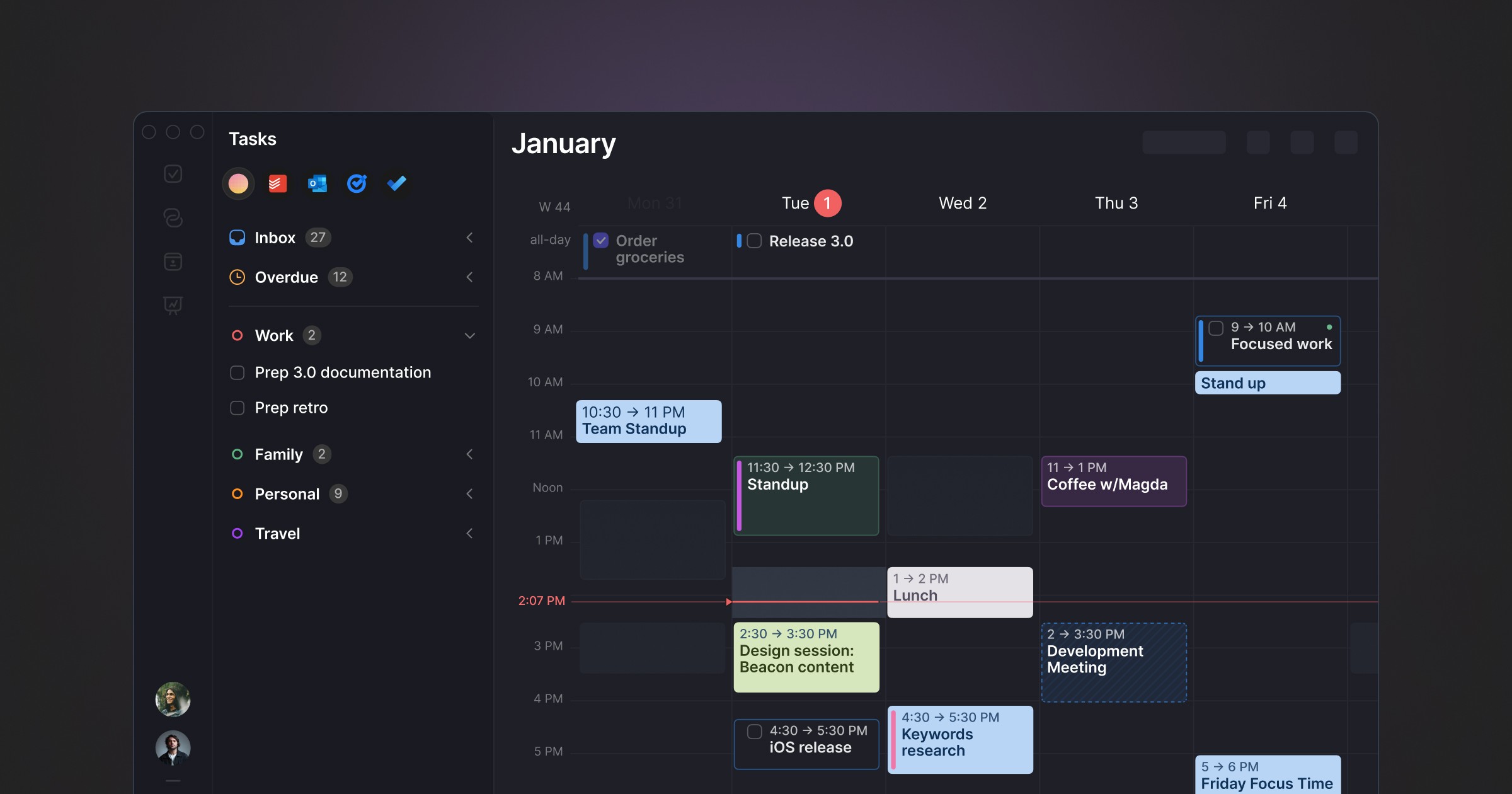
Best for: Cross-platform users who want smart daily planning assistance without ceding control of their calendar to an algorithm.
Morgen is currently the most-recommended Motion alternative among productivity researchers and tool reviewers. It occupies a distinctive position: AI-powered daily planning without full autopilot. The AI Planner analyses your tasks, priorities, and available time and proposes a day plan — but you review and approve it before it becomes your schedule. Nothing moves without your say.
It pulls tasks from Notion, ClickUp, Todoist, Linear, Asana, and others into a unified inbox, and helps you place them into calendar blocks with scheduling suggestions based on energy levels and task batching. Frames let you template your ideal day structure so the AI works within your declared constraints rather than treating all available time as equivalent.
Pros:
AI suggestions with full human approval — the core problem with Motion, directly addressed
Cross-platform: Windows, macOS, Linux, iOS, Android
Strong multi-tool integrations: Notion, Linear, Todoist, ClickUp, Asana, Obsidian, iCloud, Outlook, Google
Buffer and travel time automation
Built-in booking links and meeting scheduler
Privacy-focused — tasks and calendar data handled carefully
Cons:
No free tier — 14-day trial only
Limited historical feedback on scheduling patterns
Team features less developed than ClickUp or Asana
Pricing: $15/month billed annually. Team plans from $10/seat/month annually.
Calendars: Google Calendar, Outlook, iCloud, Fastmail.
Why switch from Motion: You want AI that suggests rather than decides — you stay in control of your schedule, the AI just makes building it faster and smarter.
2. Reclaim AI — best free Motion alternative

Best for: Google Calendar users who want Motion-style auto-scheduling at a fraction of the price — including free.
Reclaim AI is the most direct replacement for Motion's scheduling automation at a dramatically lower price. Where Motion takes full control of your schedule and reshuffles it wholesale, Reclaim operates at the edges: it protects focus time, schedules habits and flexible tasks into available slots, and generates smart scheduling links — but it's less disruptive and easier to override when something changes.
The free tier is genuinely functional, not a stripped-down teaser. For individuals who want Motion's core scheduling logic without the $34/month price tag, Reclaim is the answer.
Pros:
Free tier available — full access to core features at no cost
Auto-schedules tasks, habits, and focus blocks around your existing meetings
Smart scheduling links — share availability without back-and-forth
Slack status sync — automatic DND during focus blocks
Integrates with Todoist, Asana, Linear, ClickUp, Jira, Google Tasks
Cons:
Google Calendar only — no Outlook, no iCloud
No dedicated mobile app — relies on Google Calendar for mobile
No historical analysis of scheduling patterns
Interface is functional but not particularly refined
Pricing: Free forever plan. Paid from $8/month (annual).
Calendars: Google Calendar only.
Why switch from Motion: You want auto-scheduling without the $34/month price tag. Reclaim delivers the core scheduling automation Motion is known for, at a fraction of the cost, with a working free tier.
3. Aftertone — best for intentional planning with feedback

Best for: Mac users who want AI that observes and reports rather than controls — keeping them in charge of their schedule while surfacing the scheduling intelligence Motion doesn't provide.
Aftertone is a Mac-native calendar and task manager built on behavioural science, and its philosophical difference from Motion is explicit in how it's designed: Motion's AI manages your schedule for you. Smart Capture converts pasted text or a screenshot into structured tasks instantly. Auto-Extend keeps the session running when you finish a task early. Pause holds your place. Aftertone's AI analyses your schedule and tells you what it reveals.
This distinction matters more than it might sound. Peter Gollwitzer's three decades of implementation intention research show consistently that people who form their own specific plans — deciding for themselves when, where, and how they'll act — follow through at significantly higher rates than people who accept externally generated plans. Motion gives you the externally generated plan. Aftertone helps you build better plans yourself, informed by AI analysis of your own history.
The AI weekly and daily reports are the core feature that no other tool in this category offers. They surface patterns across your scheduling history that you can't easily notice in the moment: which time slots consistently produce real output, how your meeting-to-deep-work ratio has trended, whether the structure of your calendar this week resembles your most or least productive periods. The Focus Screen supports execution: when it's time to work, distractions are removed, making starting easier — grounded in Roy Baumeister's research on decision fatigue and environmental design.
At $30/month, the pricing structure is also fundamentally different from every subscription alternative. Aftertone costs less than three months of Motion's individual plan and pays for itself within that period.
Pros:
AI weekly and daily reports — the only tool in this category that analyses your scheduling patterns over time
Focus Screen — narrows to the current task at execution time, removing visual load
Native task management built into the calendar view, not bolted on
Two-way Google Calendar sync
$30/month. Smart Zoning moves tasks directly onto the calendar with keyboard shortcuts. 7-day free trial, no card required.
Built on 45 principles from behavioural science and cognitive psychology
Cons:
Mac only — iOS coming; no Windows or Android currently
No auto-scheduling — Aftertone informs and improves your planning decisions rather than making them for you
Individual tool only — not built for teams
Pricing: $30/month. Free trial available. No subscription.
Calendars: Google Calendar (two-way sync), Apple Calendar / iCloud.
Why switch from Motion: You want to own your schedule — not outsource it — and you want an honest account of how your weeks are actually going. Aftertone costs less than three months of Motion's subscription and compounds in value the longer you use it.
4. Sunsama — best for mindful daily planning
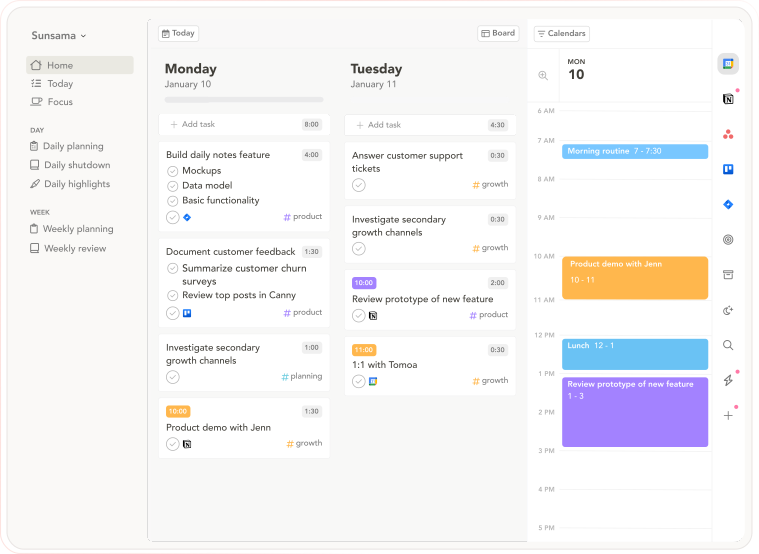
Best for: People who want intentional daily planning as the explicit counterpoint to Motion's automated approach.
Sunsama is the philosophical opposite of Motion: instead of AI building your day, Sunsama walks you through building it deliberately yourself. The morning ritual asks you to pull tasks from connected tools, estimate time against your calendar, and commit to the plan. The commitment is the point — you chose it, which means the psychological ownership that Motion's automation removes is preserved.
Pros:
Guided daily planning ritual — pulls tasks from connected tools, estimates time, locks in a realistic day
Weekly objectives — set goals and link daily tasks to them
Daily Shutdown feature — structured end-of-day review and reflection
Integrations with Asana, Trello, Notion, ClickUp, Todoist, Gmail, Slack
Cross-platform: macOS, Windows, web, iOS, Android
14-day free trial, no credit card required
Cons:
No AI auto-scheduling — everything is manual
The daily ritual takes 15–20 minutes; users who want speed find it slow
No AI analysis of historical scheduling patterns
$20/month annually is still meaningful for individual users
Pricing: $20/month billed annually ($26/month monthly). 14-day free trial, no credit card required.
Calendars: Google Calendar, Outlook.
Why switch from Motion: You want a calmer approach to planning — one that emphasises intentionality and self-reflection over automation. If Motion's AI-generated schedule never felt like yours, Sunsama's guided deliberate planning is the corrective.
5. Akiflow — best for fast task consolidation
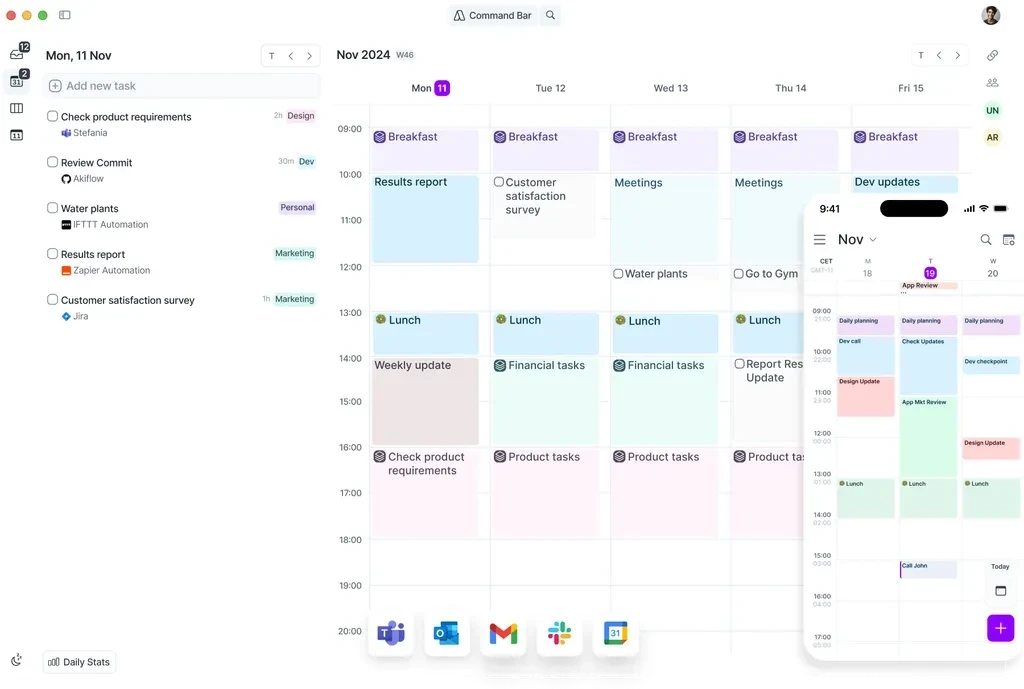
Best for: Power users who want fast task consolidation and manual time blocking without delegating decisions to AI.
Akiflow occupies the manual-control end of the scheduling spectrum that Motion abandons. It pulls tasks from Notion, Linear, Gmail, Jira, Slack, Asana, Trello, and others into a unified inbox, then gives you keyboard shortcuts to schedule them into your calendar. You make the scheduling decisions — Akiflow just makes those decisions faster via a command bar and drag-and-drop calendar integration.
Pros:
Task consolidation from 30+ sources into one unified inbox
Command bar for fast task capture and scheduling
Smart scheduling links — share availability for external meetings
AI tagging automatically categorises and organises tasks on import
Available on Mac, Windows, and mobile (beta)
Cons:
No AI auto-scheduling — you make every scheduling decision manually
$34/month on the monthly plan (same as Motion) — $19/month annually
No historical analysis of scheduling performance
Mobile app still in beta
No free tier — 7-day trial only
Pricing: $19/month billed annually ($34/month monthly). 7-day free trial.
Calendars: Google Calendar, Outlook, iCloud.
Why switch from Motion: You want fast manual scheduling with task consolidation from many tools, without an AI that reshuffles your day without asking. Akiflow is for people who want control back, not a different kind of automation.
6. Routine — best free calendar-first option
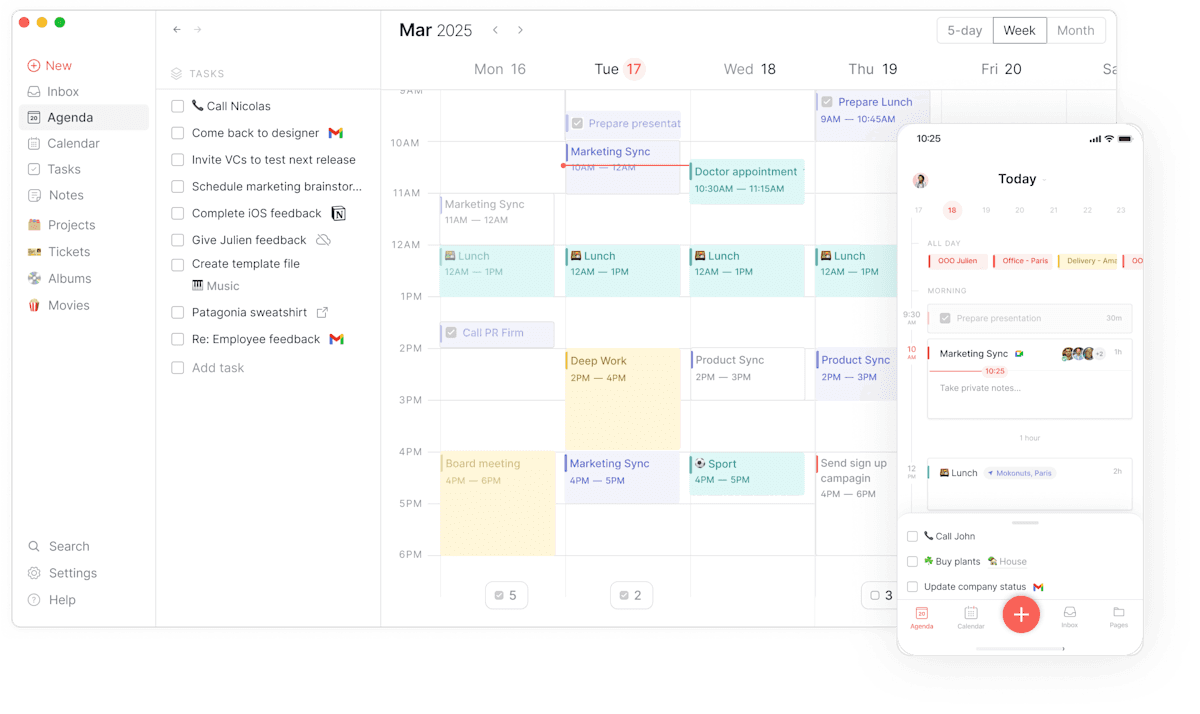
Best for: Users who want a clean, fast, calendar-first daily planner with a generous free tier and no AI complexity.
Routine is a calendar-centred planner focused on helping you visualise how you spend your day through time blocking, with a daily planning workflow that encourages reflection and consistency. It's deliberately simpler than Motion or Morgen — no AI scheduling engine, no complex integrations — which makes it faster to start and easier to maintain as a habit.
Pros:
Free tier available — genuinely functional without paying
Clean, fast interface — optimised for keyboard shortcuts and minimal mouse usage
Daily reset feature — encourages regular planning and reflection
Available on Mac, Windows, iOS
Calendar and task management in one view
Cons:
No AI scheduling or planning suggestions
No historical analysis of scheduling patterns
Fewer integrations than Akiflow or Morgen
Not suitable for complex project management
Pricing: Free tier available. Paid plan at $12/month.
Calendars: Google Calendar, Outlook, iCloud.
Why switch from Motion: You want something simpler and cheaper. If Motion's complexity was the problem rather than its automation philosophy, Routine is the reset — clean, fast, and free to start.
7. Clockwise — best for teams
UPDATE: Clockwise shut down in March 2026.
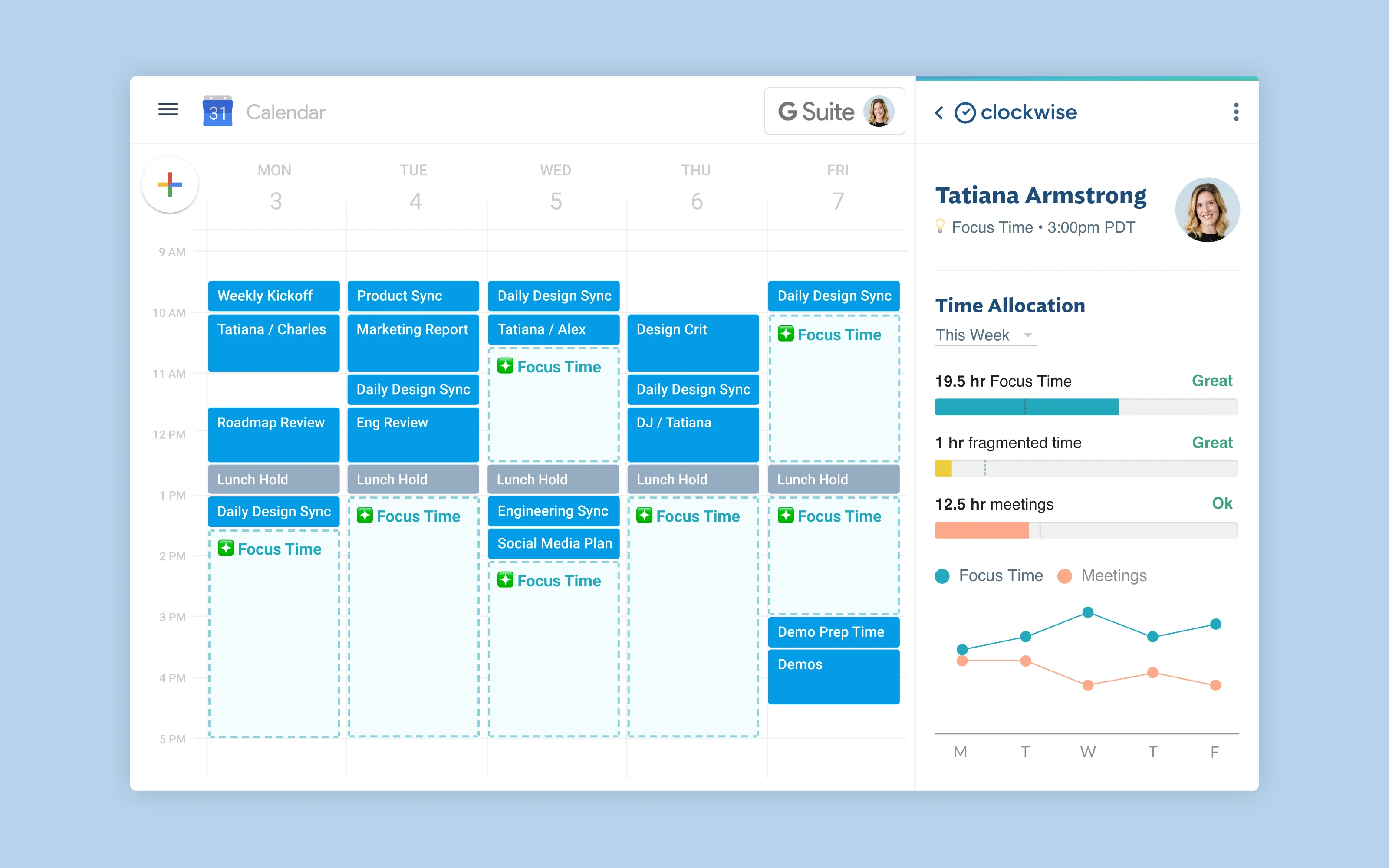
Best for: Teams who want AI to optimise everyone's schedule together, not just individuals managing their own task lists.
Clockwise is an AI-powered calendar assistant that operates at the team level. Where Motion manages personal task lists, Clockwise arranges meetings intelligently so that everyone on a team gets longer uninterrupted focus blocks. If the group's stand-up is at 10am and a code review is at 2pm, Clockwise identifies that moving the code review to 10:30 creates a clean afternoon for the whole team.
Pros:
Team-level schedule optimisation — moves meetings to create longer focus blocks for everyone
Focus time protection — automatically blocks and defends focus time
Smart meeting scheduling across participants
Free tier available
Works within Google Calendar — no separate app to learn
Cons:
Google Calendar only — no Outlook or iCloud
Individual planning features are limited — it's a team tool first
No personal task management
No historical analysis of individual scheduling patterns
Pricing: Free tier. Paid plans from $6.75/user/month (annual).
Calendars: Google Calendar only.
Why switch from Motion: Your core problem is team scheduling fragmentation, not personal task management. Clockwise optimises the group's calendar; Motion manages the individual's task list. They're solving different problems.
8. SkedPal — best for configurable AI scheduling
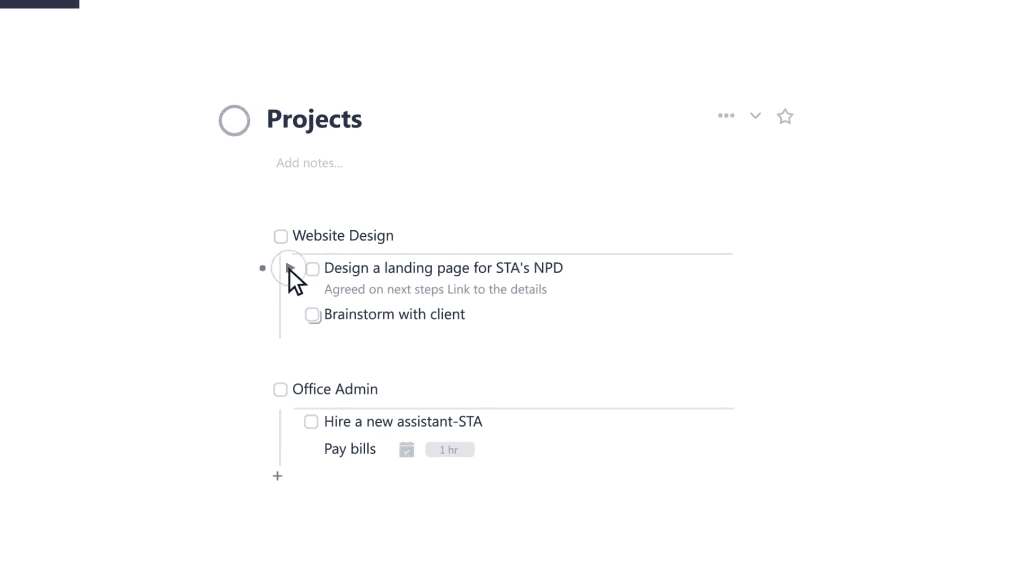
Best for: Power users who want Motion-style AI scheduling but with energy-aware constraints rather than pure deadline-and-priority logic.
SkedPal has been doing AI-powered task scheduling since before Motion existed. The philosophy: you define the rules (Time Maps — which hours can hold which kinds of work, based on your energy levels and focus capacity), and the AI schedules within those rules. This gives you Motion's scheduling efficiency with more structural control. The AI respects your declared energy windows rather than treating all available time as equivalent.
Pros:
Time Maps — define energy-aware scheduling windows the AI must respect
Highly customisable — more scheduling constraints than Motion allows
Significantly cheaper than Motion at ~$9.95/month
Works with Google Calendar, Outlook, iCloud
Cons:
Steep learning curve — configuring Time Maps takes meaningful upfront investment
Must manually trigger schedule updates — doesn't auto-reschedule continuously like Motion
No native mobile app — web and PWA only
Interface shows its age compared to newer tools
No free tier
Pricing: ~$9.95/month.
Calendars: Google Calendar, Outlook, iCloud.
Why switch from Motion: You want AI scheduling with energy-based constraints. Motion treats all available slots as equal; SkedPal lets you define which hours are for deep work, which are for shallow tasks, and schedules accordingly.
9. Notion Calendar — best free option for Notion users
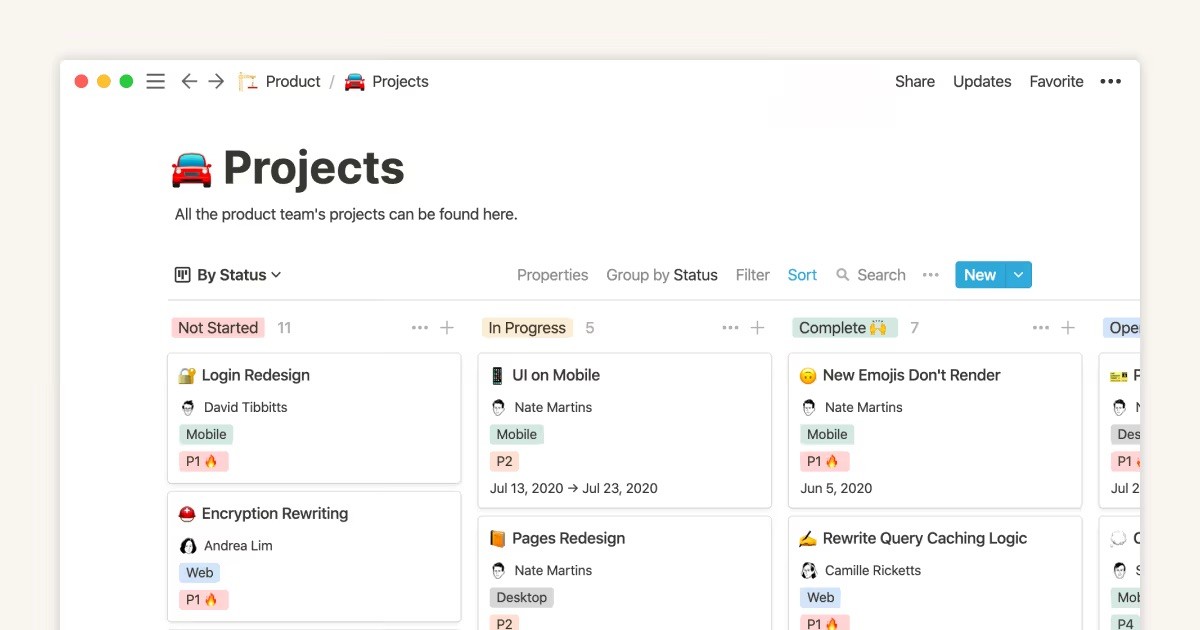
Best for: People who already live in Notion and want a free, clean calendar layer without any AI scheduling complexity.
Notion Calendar (formerly Cron) is a fast, well-designed calendar app for Mac and iOS that integrates natively with Google Calendar and the Notion workspace. It doesn't try to automate your day — instead, it gives you clean tools to design your own planning system, particularly useful if you already use Notion for tasks, docs, and projects and want your calendar to connect to that workspace seamlessly.
Pros:
Completely free
Native Notion integration — link calendar events to Notion pages and databases
Fast, polished Mac and iOS apps
Clean two-way Google Calendar sync
Keyboard-first design
Cons:
No task management — purely a calendar viewer
No AI scheduling or planning suggestions
No historical analysis of scheduling patterns
No Windows or Android app
Limited value if you don't already use Notion
Pricing: Free.
Calendars: Google Calendar.
Why switch from Motion: You want free and you're comfortable planning manually. Notion Calendar is the strongest zero-cost option if you don't need AI scheduling.
Who Motion is actually right for
Motion works for users whose specific problem is scheduling paralysis — people who genuinely cannot convert their task list into a daily plan without significant friction and avoidance. If deciding what to work on is the bottleneck, and the constant reshuffling doesn't bother you because you never felt ownership of your schedule to begin with, Motion's automation is a net positive. Some users genuinely thrive in it, and the reviews from those users are sincere.
The honest constraint: Motion generates schedules but doesn't analyse them. After months of Motion-managed days, you have a record of what the AI scheduled. You don't have insights into which scheduling conditions produced your best output, how your patterns have evolved, or what your calendar history reveals about your most productive working structures. The AI that builds the plan has no view on whether the plan is working.
The AI that builds vs the AI that understands
There are two different jobs for AI in scheduling. The first is generative: take the task list and produce a schedule. Motion does this. The second is analytical: take the scheduling history and produce insight. Very few tools do this, and Motion isn't one of them.
The generative job is more obviously useful because you can see it working — the schedule appears. The analytical job is harder to see but arguably more valuable in the long run, because it compounds. Each week of calendar data makes the next week's insights more accurate. Each insight makes the next week's planning more informed. After six months, you understand your own productivity patterns in a way that no amount of auto-scheduling reveals.
Motion builds the plan. Aftertone is built to understand the patterns that make plans work. The question is which job is actually the bottleneck for you right now.
Frequently asked questions
What is the best free alternative to Motion?
Reclaim AI has the strongest free tier of any Motion alternative — it auto-schedules tasks, habits, and focus time into Google Calendar at no cost. Notion Calendar and Routine also have free tiers. Clockwise is free for individuals and teams with basic needs. None match Motion's full feature set, but Reclaim comes closest to replicating the core automation without the price.
Why are people switching away from Motion?
The most common reasons: Motion is expensive ($34/month with no free tier), its AI reshuffles your entire day without warning when any plan changes, the interface is dense and cluttered, and there's no feedback mechanism to tell you whether the schedule it built actually worked. Many users also describe a loss of ownership — the schedule feels like it belongs to the app, not to them.
How much does Aftertone cost?
Yes — Aftertone is $30/month with a 7-day free trial for Mac.
Which Motion alternative works best for Mac users?
Aftertone is the strongest Mac-native option — built specifically for macOS with a Focus Screen, native Google Calendar sync, and AI weekly and daily reports that analyse your scheduling patterns over time. Morgen and Akiflow both have solid Mac apps but are cross-platform tools first. Routine has a good Mac app and a free tier if budget is a priority.
Which Motion alternatives work with Google Calendar?
Most do. Reclaim AI works exclusively within Google Calendar. Morgen, Akiflow, Sunsama, Routine, Aftertone, and SkedPal all sync two-way with Google Calendar. Clockwise also runs as a Google Calendar layer, specifically for teams. If you're on iCloud or Outlook, Morgen, Akiflow, SkedPal, and Aftertone all support those too.
