Best Akiflow Alternatives for Mac in 2026: 7 Compared
Akiflow is fast but expensive with no AI analysis. The 7 best Akiflow alternatives in 2026 with behavioral AI, focus tools, and better pricing.
Written By The Aftertone Team
Best Akiflow Alternatives for Mac in 2026
Quick answer: Akiflow pulls tasks from everywhere and lets you schedule them fast — but at $19–34/month with no AI analysis and no execution support. The best alternative depends on what you need beyond speed:
Aftertone — behavioral AI and Focus Screen for the work that comes after planning ($30/month, Mac)
Sunsama — guided daily ritual with deep integrations ($20/mo)
Morgen — AI scheduling suggestions with cross-platform support ($15/mo)
Akiflow is built for speed. The command bar pulls tasks from 30+ tools into a unified inbox and lets you schedule them with keyboard shortcuts. If your job involves managing inputs from Slack, email, Jira, and Linear simultaneously, Akiflow consolidates that chaos faster than anything else.
But speed of capture isn't the same as quality of output. Akiflow has no view on whether the schedule you built works. No focus mode, no weekly and daily reports, no behavioral analysis. It's a fast inbox for tasks that leaves execution and evaluation entirely to you.
Here are the seven best Akiflow alternatives in 2026.
Why people look for Akiflow alternatives
The frustrations are specific:
Expensive for what it delivers. At $19/month annual ($34 monthly), Akiflow costs as much as tools that offer AI scheduling, focus protection, and weekly and daily reports.
No execution support. Once you've scheduled tasks, you're on your own. No focus mode, no distraction management.
No feedback. After months of Akiflow-scheduled days, you have a record of what was planned but no insight into what worked.
Speed over structure. The command-bar-first design prioritises task capture speed over daily planning quality.
How we evaluated these tools
We focused on tools that address Akiflow's gaps: planning depth, execution support, AI analysis, and honest pricing. Tools are ranked by how well they serve users who've outgrown pure task consolidation.
What Akiflow does well, and where it stops
The unified inbox and command bar are genuinely best-in-class for task consolidation. Pulling tasks from Slack, Gmail, Notion, Jira, Linear, Asana, and Trello into one view with keyboard-driven scheduling is fast and fluid. AI tagging auto-categorises imported tasks. Scheduling links handle external meeting coordination.
Where it stops: Akiflow is a scheduling speed tool. It doesn't help with execution, doesn't analyse your patterns, and doesn't tell you whether the days you're scheduling are actually productive. The gap between fast planning and effective output is the gap Akiflow doesn't close.
At a glance: all alternatives compared
App | Price | AI scheduling | Focus tools | Free tier | Platform |
|---|---|---|---|---|---|
Aftertone | $30/month | Silent/advisory | Focus Screen | Free trial | Mac only |
Sunsama | $20/month billed annually ($26/month monthly) | None | None | No | All platforms |
Motion | $34/month ($19/month annual) | Full auto | None | No | All platforms |
Morgen | $15/month billed annually | Suggestions | None | No | All platforms |
Fantastical | Free basic (limited views) | None | None | No | Apple only |
Todoist | Free tier | None | None | Yes | All platforms |
Routine | Free tier available | None | None | Yes | All platforms |
1. Aftertone — mac users who want ai that observes and reports rather than controls — keeping y

Best for: Mac users who want AI that observes and reports rather than controls — keeping you in charge while surfacing the scheduling intelligence other tools don't provide
Aftertone is a Mac-native calendar and task manager built on behavioural science. Smart Capture converts pasted text or a screenshot into structured tasks instantly. The philosophical difference from most alternatives is explicit: instead of automating your schedule, Aftertone analyses what actually happens when you execute it. The AI weekly and daily reports surface patterns across your scheduling history — which time slots produce real output, how your meeting-to-deep-work ratio trends, whether your calendar structure this week resembles your most or least productive periods. The Focus Screen supports execution: when it's time to work, everything except the current task disappears. Auto-Extend keeps sessions live when you finish early. Pause holds your place.
Pros:
AI weekly and daily reports — the only tool in this category that analyses your scheduling patterns over time
Focus Screen — narrows to the current task at execution time, removing visual load
Native task management built into the calendar view, not bolted on
Two-way Google Calendar sync
$30/month — 7-day free trial, no card required
Built on 45 principles from behavioural science and cognitive psychology
Cons:
Mac only — iOS coming; no Windows or Android currently
No auto-scheduling — Aftertone informs and improves your planning rather than making decisions for you
Individual tool only — not built for teams
Google Calendar sync only (no Outlook, no iCloud events)
Pricing: $30/month. Smart Zoning moves tasks directly onto the calendar with keyboard shortcuts. Free trial available. No subscription.
Calendars: Google Calendar (two-way sync).
Why switch from Akiflow: You want to own your schedule — not outsource it — and you want honest feedback on how your weeks are actually going. Aftertone costs less than a few months of most subscriptions and compounds in value the longer you use it.
2. Sunsama — people who want intentional daily planning as a deliberate counterpoint to autom
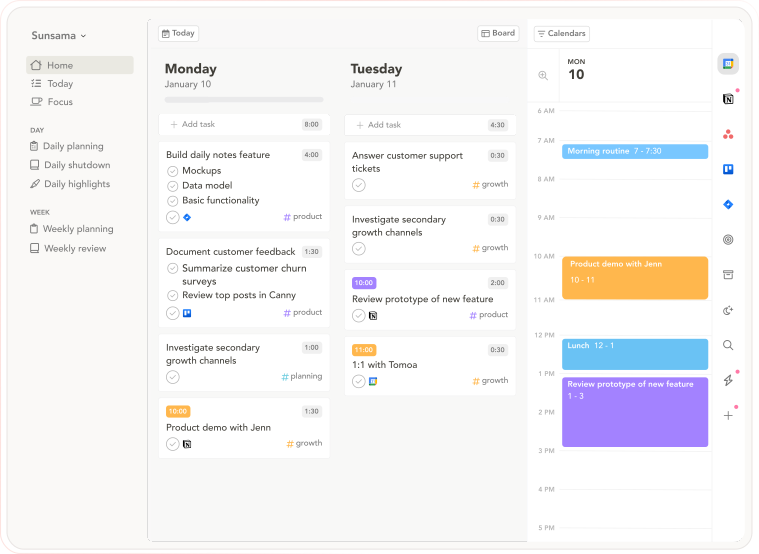
Best for: People who want intentional daily planning as a deliberate counterpoint to automated scheduling — slow, guided, and ritualistic
Sunsama is the philosophical opposite of auto-scheduling tools: instead of AI building your day, Sunsama walks you through building it deliberately yourself. The morning ritual asks you to pull tasks from connected tools, estimate time against your calendar, and commit to the plan. The evening shutdown reviews completion. The commitment is the point — you chose it, which preserves the psychological ownership that automation removes.
Pros:
Guided daily planning ritual — pulls tasks from connected tools, estimates time, locks in a realistic day
Daily Shutdown feature — structured end-of-day review and reflection
Integrations with Asana, Trello, Notion, ClickUp, Todoist, Gmail, Slack, Linear, Jira
Cross-platform: macOS, Windows, web, iOS, Android
14-day free trial, no credit card required
Cons:
$20/month annually — expensive for a planning layer
No AI auto-scheduling — everything is manual
The daily ritual takes 15–20 minutes; speed-oriented users find it slow
No AI analysis of historical scheduling patterns
Pricing: $20/month billed annually ($26/month monthly). 14-day free trial, no credit card required.
Calendars: Google Calendar, Outlook.
Why switch from Akiflow: Sunsama takes a different approach that may better fit your specific workflow and priorities.
3. Motion — users who want full ai auto-scheduling — the ai builds and continuously reshuffl
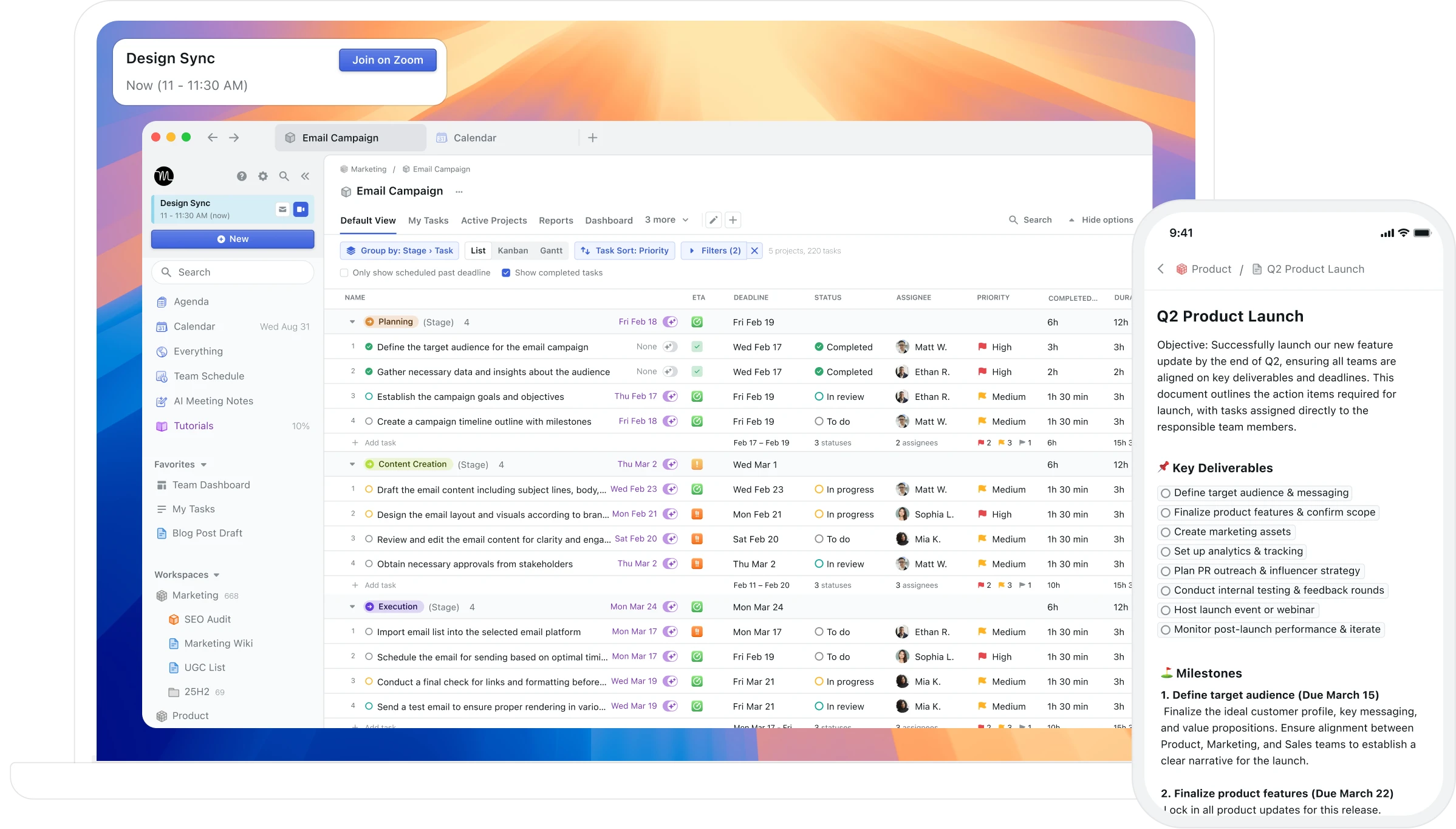
Best for: Users who want full AI auto-scheduling — the AI builds and continuously reshuffles your day based on tasks, deadlines, and priorities
Motion takes full control of your calendar. Give it your tasks and deadlines, and it generates a complete daily schedule. When a meeting appears or a task runs long, the entire day reshuffles automatically. For users whose primary problem is scheduling paralysis — who genuinely cannot convert a task list into an ordered day — this automation addresses a real problem.
Pros:
Full AI auto-scheduling — converts your task list into a complete daily plan
Automatic rescheduling when priorities change or meetings appear
Project management features for team coordination
Cross-platform: Mac, Windows, iOS, Android, web
Cons:
$34/month with no free tier — one of the most expensive personal productivity tools
Unpredictable rescheduling creates a calendar that never feels stable or yours
No feedback on whether the schedule actually worked — no AI analysis of patterns
Dense, cluttered interface that overwhelms users who wanted simpler planning
No Mac-native integration (no Spotlight, Siri, or Apple Watch)
Pricing: $34/month ($19/month annual). No free tier. 7-day trial requires credit card.
Calendars: Google Calendar, Outlook.
Why switch from Akiflow: Motion takes a different approach that may better fit your specific workflow and priorities.
4. Morgen — cross-platform users who want ai scheduling suggestions they approve, not automa
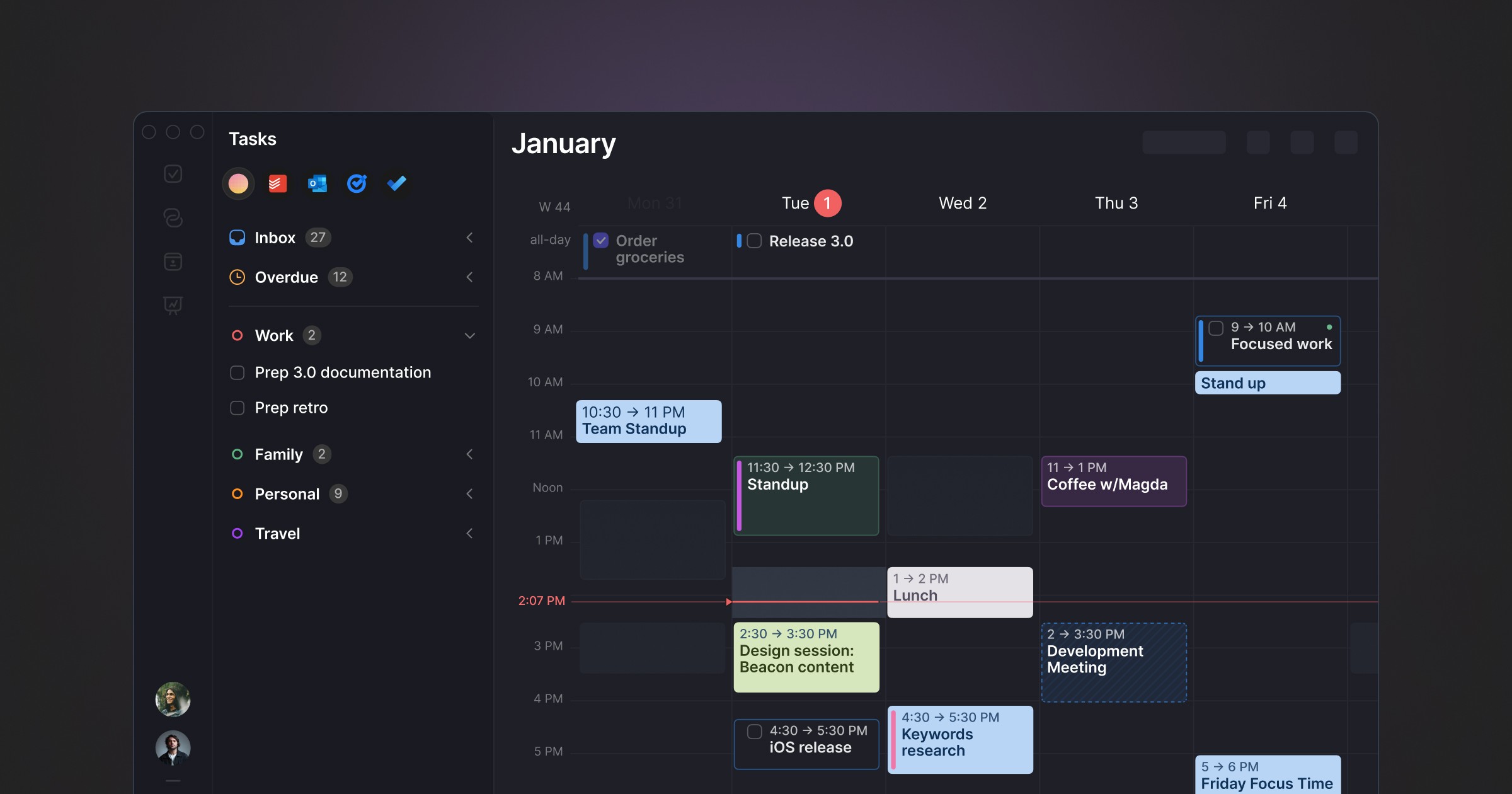
Best for: Cross-platform users who want AI scheduling suggestions they approve, not automation that runs without them
Morgen occupies a distinctive position: AI-powered daily planning without full autopilot. The AI Planner analyses your tasks, priorities, and available time and proposes a day plan — but you review and approve it before it becomes your schedule. Nothing moves without your say. It pulls tasks from Notion, ClickUp, Todoist, Linear, Asana, and others into a unified inbox.
Pros:
AI suggestions with full human approval — no unpredictable reshuffling
Cross-platform: Windows, macOS, Linux, iOS, Android
Strong multi-tool integrations: Notion, Linear, Todoist, ClickUp, Asana, Obsidian
Built-in booking links and meeting scheduler (replaces Calendly)
Buffer and travel time automation
Cons:
No free tier — 14-day trial only
Limited historical feedback on scheduling patterns
Task management is basic — most users pair it with another tool
Electron-based, not Mac-native
Pricing: $15/month billed annually. Team plans from $10/seat/month annually.
Calendars: Google Calendar, Outlook, iCloud, Fastmail.
Why switch from Akiflow: Morgen takes a different approach that may better fit your specific workflow and priorities.
5. Fantastical — users who want the best-designed native calendar on apple platforms with fast na
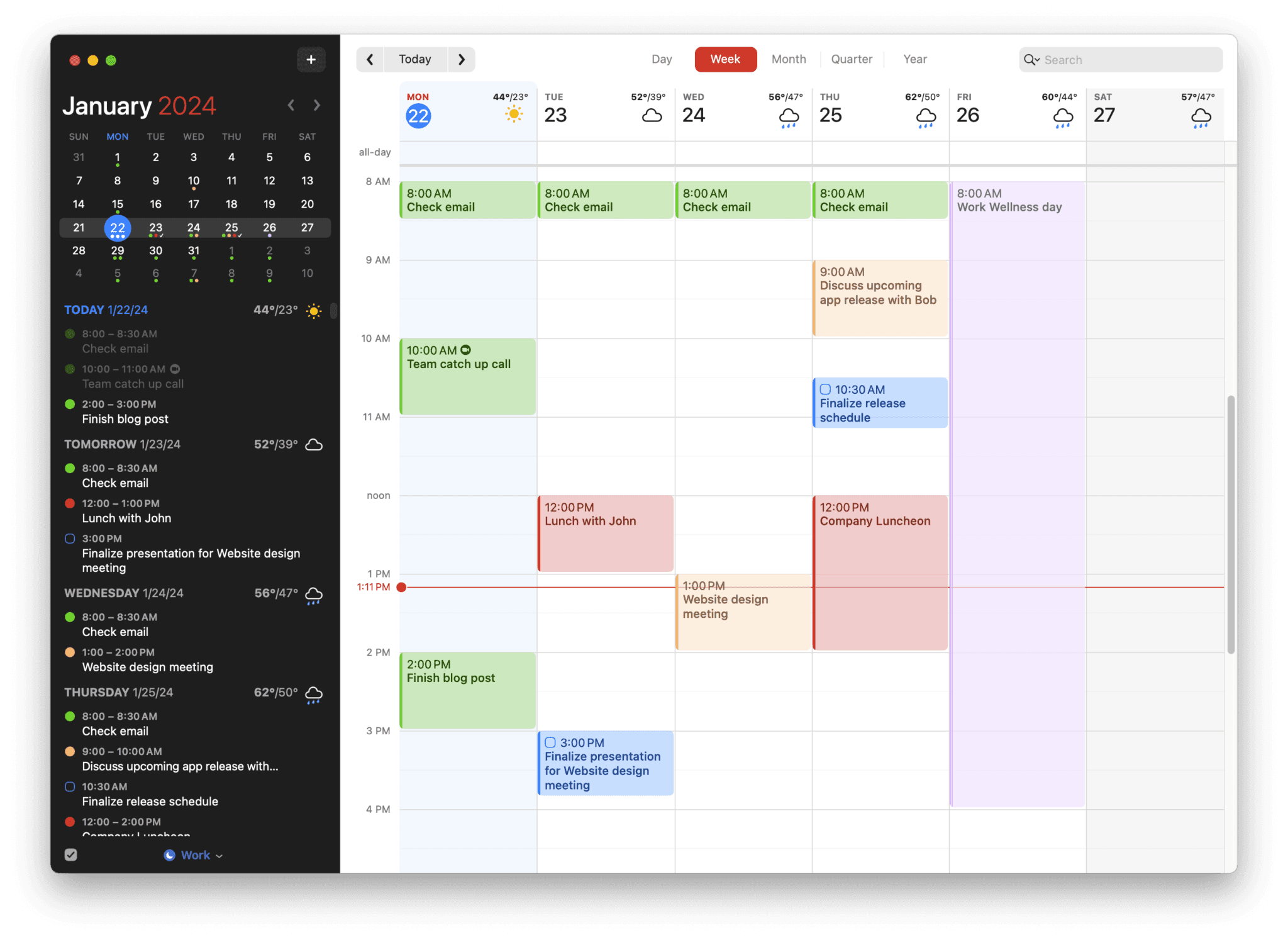
Best for: Users who want the best-designed native calendar on Apple platforms with fast natural language event creation
Fantastical is the premium calendar app for Apple users. Natural language event creation ("Meeting with Sarah tomorrow at 2pm for 30 minutes") is the fastest way to add events on any platform. Calendar sets let you group calendars by context (work, personal, side project) and switch between them instantly. The design is polished, the Apple Watch app is excellent, and the ecosystem integration is deep.
Pros:
Natural language event creation — fastest event entry available
Calendar sets — group and switch calendar views by context
Mac-native with Apple Watch, iOS, iPad, and widget support
Weather integration in calendar views
Scheduling proposals for finding meeting times
Cons:
$40/year subscription — no lifetime option
No AI scheduling or planning assistance
No task management — relies on Apple Reminders integration
No productivity analysis or weekly and daily reports
Apple ecosystem only — no Windows or Android
Pricing: Free basic (limited views). Premium: $4.99/mo or $39.99/yr. Family: $7.99/mo.
Calendars: Google Calendar, Outlook, iCloud, Exchange, CalDAV.
Why switch from Akiflow: Fantastical takes a different approach that may better fit your specific workflow and priorities.
6. Todoist — cross-platform task management with natural language input, massive integration
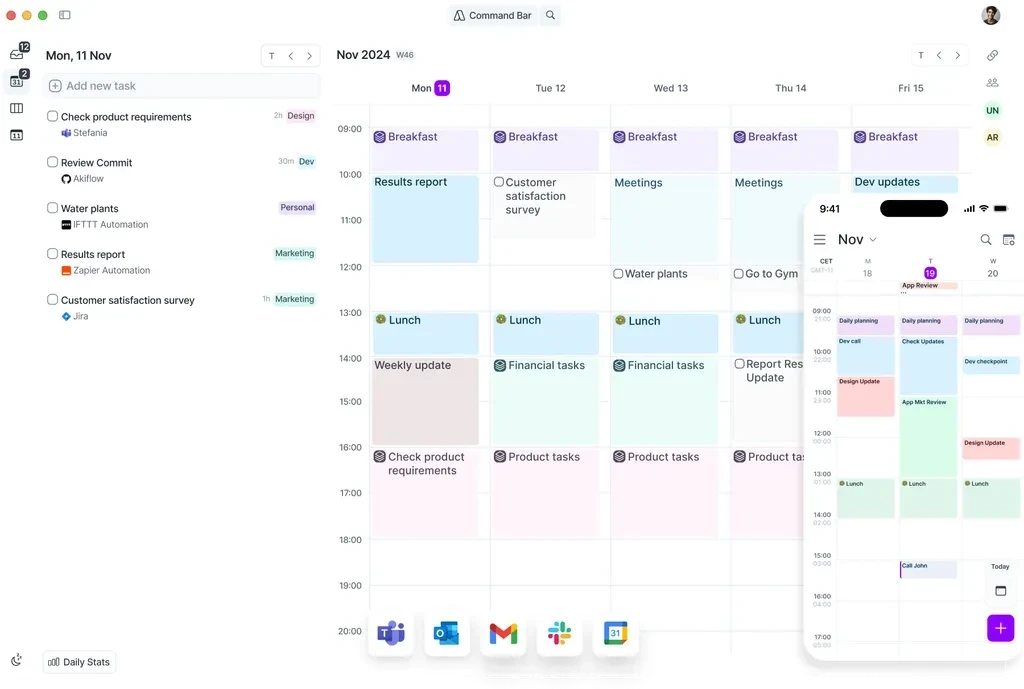
Best for: Cross-platform task management with natural language input, massive integration ecosystem, and a genuine free tier
Todoist is the most widely used task manager in the world. Natural language input ("Submit report every Friday at 3pm #work p1") makes task creation fast. 90+ integrations connect it to virtually every tool in your stack. The free tier is genuinely functional for personal use. Todoist AI (assistant features) adds smart scheduling suggestions and task decomposition.
Pros:
Natural language task creation — fast and intuitive
90+ integrations with every major productivity tool
Cross-platform: Mac, Windows, Linux, iOS, Android, web
Genuine free tier for personal use
Todoist AI for smart scheduling suggestions
Team/shared projects with comments and assignments
Cons:
No time blocking — it's a task list, not a calendar
No Focus Screen or execution support
No AI analysis of productivity patterns
Calendar integration is view-only (no native time blocking)
Pricing: Free tier. Pro: $5/mo or $48/year. Business: $8/user/mo.
Calendars: Google Calendar, Outlook (view events in Todoist, not full sync).
Why switch from Akiflow: Todoist takes a different approach that may better fit your specific workflow and priorities.
7. Routine — users who want a clean, fast, calendar-first daily planner with a generous free
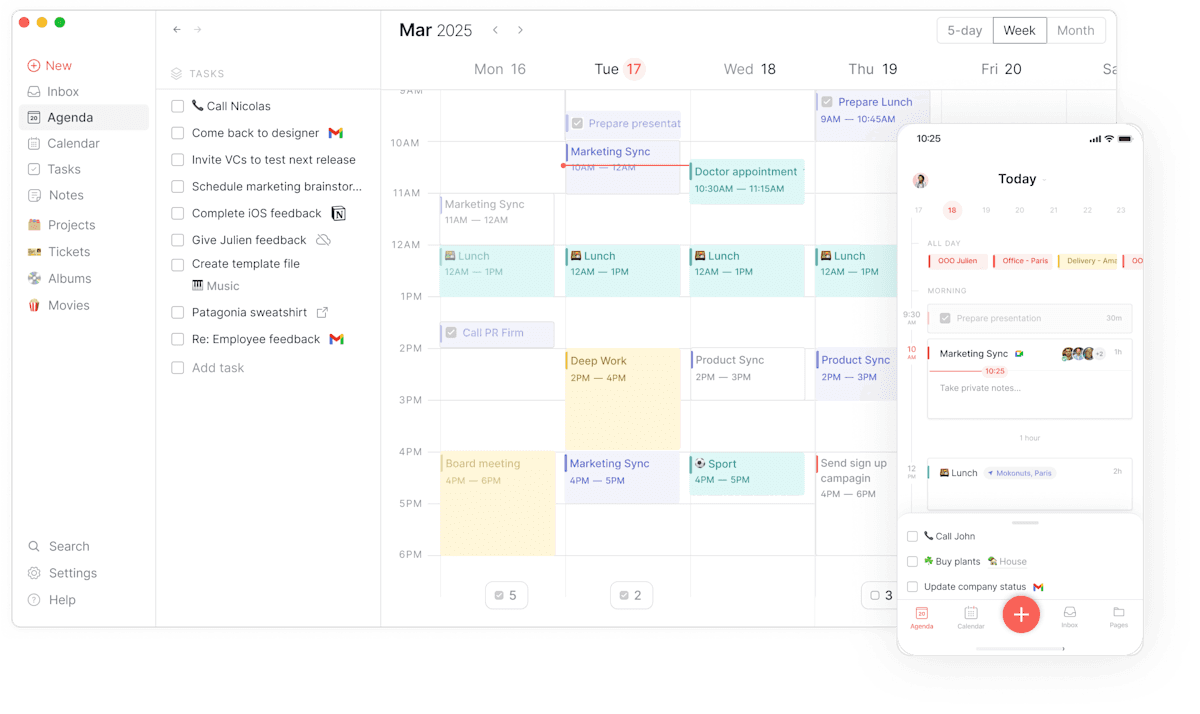
Best for: Users who want a clean, fast, calendar-first daily planner with a generous free tier and no AI complexity
Routine is a calendar-centred planner focused on helping you visualise how you spend your day through time blocking. It's deliberately simpler than Motion or Morgen — no AI scheduling engine, no complex integrations — which makes it faster to start and easier to maintain as a habit.
Pros:
Free tier available — genuinely functional without paying
Clean, fast interface optimised for keyboard shortcuts
Daily reset feature encourages regular planning and reflection
Available on Mac, Windows, iOS
Calendar and task management in one view
Cons:
No AI scheduling or planning suggestions
No historical analysis of scheduling patterns
Fewer integrations than Akiflow or Morgen
Not suitable for complex project management
Pricing: Free tier available. Paid plan at $12/month.
Calendars: Google Calendar, Outlook, iCloud.
Why switch from Akiflow: Routine takes a different approach that may better fit your specific workflow and priorities.
Who Akiflow is still right for
If your primary bottleneck is task consolidation — you receive work inputs from 5+ tools and need them in one place fast — Akiflow is purpose-built for that job. Developers and project managers who live in Jira, Linear, Slack, and email benefit most from the unified inbox.
Frequently asked questions
What is the best Akiflow alternative in 2026?
It depends on your priorities. For Mac users who want behavioral AI and a Focus Screen for deep work, Aftertone is $30/month with a 7-day free trial. For cross-platform users, Morgen and Sunsama are strong options. See the comparison table above to match your specific needs.
Is there a free Akiflow alternative?
Todoist has the strongest free tier. Aftertone provides a free trial of the full system. Check the comparison table for free tier details across all options.
Which Akiflow alternative works best on Mac?
Aftertone is the strongest Mac-native option — built specifically for macOS with a Focus Screen, native Google Calendar sync, and AI weekly and daily reports. Fantastical is the best pure calendar for Mac. Both are one-time or annual purchases, not monthly subscriptions.
How much does Aftertone cost?
Yes — Aftertone is $30/month with a 7-day free trial, no card required. Things 3 is a one-time purchase for task management. BusyCal and Structured offer lifetime options for calendar management.
