Best Sunsama Alternatives for Mac in 2026: 8 Compared
Sunsama costs $240/year and stops at planning. The 8 best Sunsama alternatives in 2026 with behavioral AI, focus tools, and one-time pricing options.
Written By The Aftertone Team

Best Sunsama Alternatives for Mac in 2026
The best Sunsama alternative depends on what broke down: Aftertone for Mac users who want AI analysis of whether their planning is producing results, Akiflow for keyboard-driven speed across many tools, Motion for full AI auto-scheduling, and Reclaim AI for a free alternative that auto-protects focus time in Google Calendar.
Quick answer: Sunsama's guided daily ritual costs $204–$240/year and stops at planning — it never tells you whether the plans you committed to actually worked. The best alternative depends on what you need next:
Aftertone — AI that analyses your week and tells you what worked ($30/month, Mac)
Akiflow — fast task consolidation without the ritual overhead (~$19/mo)
Motion — full AI auto-scheduling instead of manual planning ($34/mo)
Morgen — AI suggestions you approve, cross-platform ($15/mo)
Sunsama arrived at the right time for a specific kind of knowledge worker: someone overwhelmed by reactive work who needed scaffolding to plan deliberately. The morning ritual, the evening shutdown, the integration breadth — all of it works if planning discipline is the problem you haven't solved yet. BJ Fogg's behaviour design research shows this precisely: the structured trigger and routine is what builds consistency, not motivation. Sunsama is that trigger made into a product.
But Sunsama's ceiling is real. It structures your intentions. It has no mechanism to tell you whether the plans you committed to translated into outcomes. After months of Sunsama-guided days, you know what you planned. You don't know whether your planning is actually making you more effective — because Sunsama never looks back at the data.
Here are the eight best Sunsama alternatives in 2026, with an honest account of what each one offers and who it's actually for.
Why people look for Sunsama alternatives
The reasons people leave Sunsama cluster around a few specific frustrations:
$204–$240/year for a planning layer. Sunsama doesn't manage tasks or provide AI insights — it structures your morning and evening. At $17–$20/month depending on billing cycle, that's expensive for scaffolding.
No feedback on whether the plan worked. After six months, you know what you planned. You don't know which planning patterns produced your best work. Attention residue research shows that patterns across sessions — not just individual session quality — determine whether a planning system is actually working.
The ritual takes time. The morning planning session takes 15–20 minutes. Speed-oriented users find this overhead unacceptable once they've internalized the planning habit.
No execution support. Once you've planned your day, Sunsama offers nothing to help you actually do the work. No focus mode, no distraction blocking, no context-aware current-task view. The cognitive cost of task switching between planning and execution tools compounds this gap.
Mac users wanting native performance. Sunsama is cross-platform, which means it's not native anywhere. Mac-first users notice the difference.
How we evaluated these tools
We focused on tools that can genuinely replace Sunsama's core job: helping individuals plan and execute their days with intention. The criteria:
Planning philosophy. Does it use guided ritual, AI suggestions, full automation, or manual control?
Feedback and insight. Does it tell you whether your plans actually worked?
Execution support. Does it help during the work itself, not just the planning?
Pricing honesty. Sunsama is expensive — we favoured tools priced fairly relative to what they deliver.
Integration depth. Sunsama pulls from many tools — alternatives need comparable breadth or a strong reason to go without.
What Sunsama does well, and where it stops
Sunsama's philosophy is explicit: slow down, plan with intention, and close the day deliberately. The morning session pulls tasks from connected tools (Asana, Trello, Notion, ClickUp, Todoist, Gmail, Slack, Linear, Jira), estimates time against the calendar, and commits to a daily plan. The evening shutdown reviews completion. The ritual design is clearly influenced by David Allen's GTD shutdown sequence — his principle that the mind is for having ideas, not storing them — and Cal Newport's approach to structured working days. Newport's concept of the time-blocked day as a contract with yourself rather than a wish list is essentially what Sunsama operationalises as a guided morning ritual.
At $20/month it's among the most expensive productivity calendars. What you're paying for is scaffolding. Sunsama won't analyse your week, identify patterns, or tell you whether the plans you committed to actually translated into outcomes. It structures your intentions. What happens during execution is opaque.
At a glance: all alternatives compared
App | Price | AI scheduling | Focus tools | Free tier | Platform | Best for |
|---|---|---|---|---|---|---|
Aftertone | $30/month | Silent/advisory | Focus Screen | Free trial | Mac only | Mac users who want AI analysis of scheduling patterns and a Focus Screen |
Akiflow | $19/month billed annually ($34/month monthly) | None | None | No | All platforms | Power users with tasks across 10+ tools who want keyboard-driven triage |
Motion | $34/month ($19/month annual) | Full auto | None | No | All platforms | Users who want AI to build and reschedule their day automatically |
Reclaim AI | Free forever plan | Full auto | Focus blocks | Yes | All platforms | Google Calendar users who want free auto-protection of focus blocks |
Morgen | $15/month billed annually | Suggestions | None | No | All platforms | Cross-platform users who want AI planning suggestions they approve |
Fantastical | Free (limited) / $4.99/mo or $39.99/yr | None | None | No | Apple only | Apple ecosystem users who want the best-designed native calendar |
Routine | Free tier available | None | None | Yes | All platforms | Users who want a free, clean calendar-first daily planner |
Notion Calendar | Free | None | None | Yes | All platforms | Notion users who want free, well-designed calendar integration |
1. Aftertone — mac users who want ai that observes and reports rather than controls — keeping y

Best for: Mac users who want AI that observes and reports rather than controls — keeping you in charge while surfacing the scheduling intelligence other tools don't provide
Aftertone is a Mac-native calendar and task manager built on behavioural science. Smart Capture converts pasted text or a screenshot into structured tasks instantly. The philosophical difference from most alternatives is explicit: instead of automating your schedule, Aftertone analyses what actually happens when you execute it. The AI weekly and daily reports surface patterns across your scheduling history — which time slots produce real output, how your meeting-to-deep-work ratio trends, whether your calendar structure this week resembles your most or least productive periods. The Focus Screen supports execution: when it's time to work, everything except the current task disappears.
Pros:
AI weekly and daily reports — the only tool in this category that analyses your scheduling patterns over time
Focus Screen — narrows to the current task at execution time, removing visual load
Native task management built into the calendar view, not bolted on
Two-way Google Calendar sync
$30/month. Auto-Extend keeps the session running when you finish a task early. Pause holds your place. 7-day free trial, no card required.
Built on 45 principles from behavioural science and cognitive psychology
Cons:
Mac only — iOS coming; no Windows or Android currently
No auto-scheduling — Aftertone informs and improves your planning rather than making decisions for you
Individual tool only — not built for teams
Google Calendar sync only (no Outlook, no iCloud events)
Pricing: $30/month. Free trial available. 7-day free trial, no card required.
Calendars: Google Calendar (two-way sync).
Why switch from Sunsama: You want to own your schedule — not outsource it — and you want honest feedback on how your weeks are actually going. Aftertone costs less than a few months of most subscriptions and compounds in value the longer you use it.
2. Akiflow — power users who want fast task consolidation from many sources and manual time b
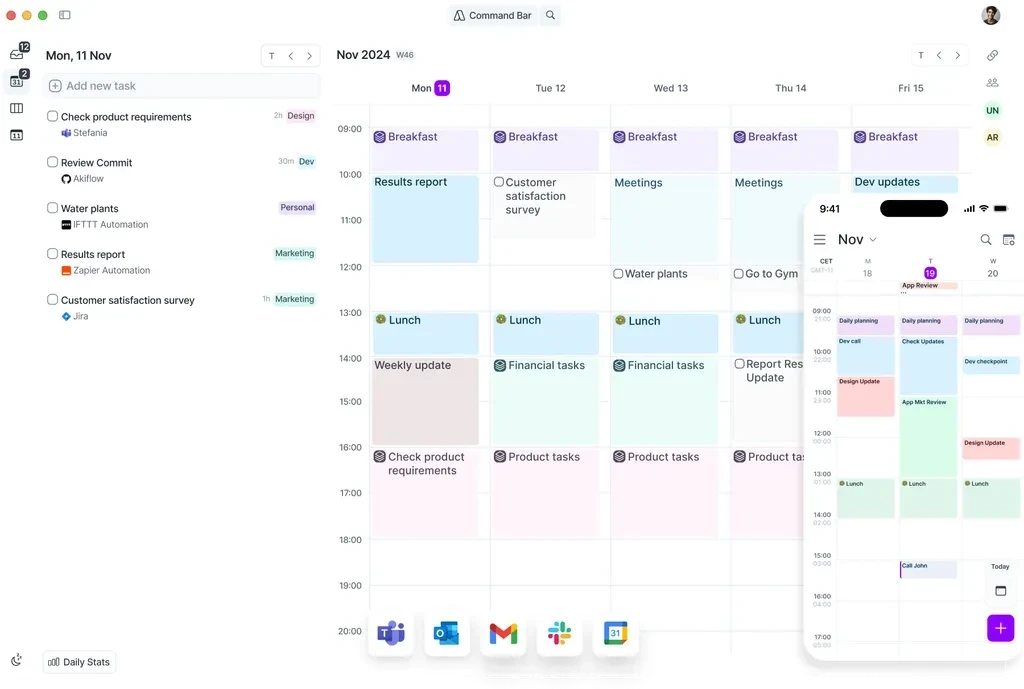
Best for: Power users who want fast task consolidation from many sources and manual time blocking without delegating decisions to AI
Akiflow occupies the manual-control end of the scheduling spectrum. It pulls tasks from Notion, Linear, Gmail, Jira, Slack, Asana, Trello, and 30+ other sources into a unified inbox, then gives you keyboard shortcuts to schedule them into your calendar. You make every scheduling decision — Akiflow just makes those decisions faster via a command bar and drag-and-drop calendar integration.
Pros:
Task consolidation from 30+ sources into one unified inbox
Command bar for fast task capture and scheduling via keyboard
Smart scheduling links — share availability for external meetings
AI tagging automatically categorises and organises tasks on import
Available on Mac, Windows, and mobile (beta)
Cons:
$19/month annually ($34/month monthly) — same as Motion on monthly
No AI auto-scheduling — you make every scheduling decision manually
No historical analysis of scheduling performance
No free tier — 7-day trial only
Mobile app still in beta
Pricing: $19/month billed annually ($34/month monthly). Smart Zoning moves tasks onto the calendar with keyboard shortcuts. 7-day free trial.
Calendars: Google Calendar, Outlook, iCloud.
Why switch from Sunsama: Akiflow takes a different approach that may better fit your specific workflow and priorities.
3. Motion — users who want full ai auto-scheduling — the ai builds and continuously reshuffl
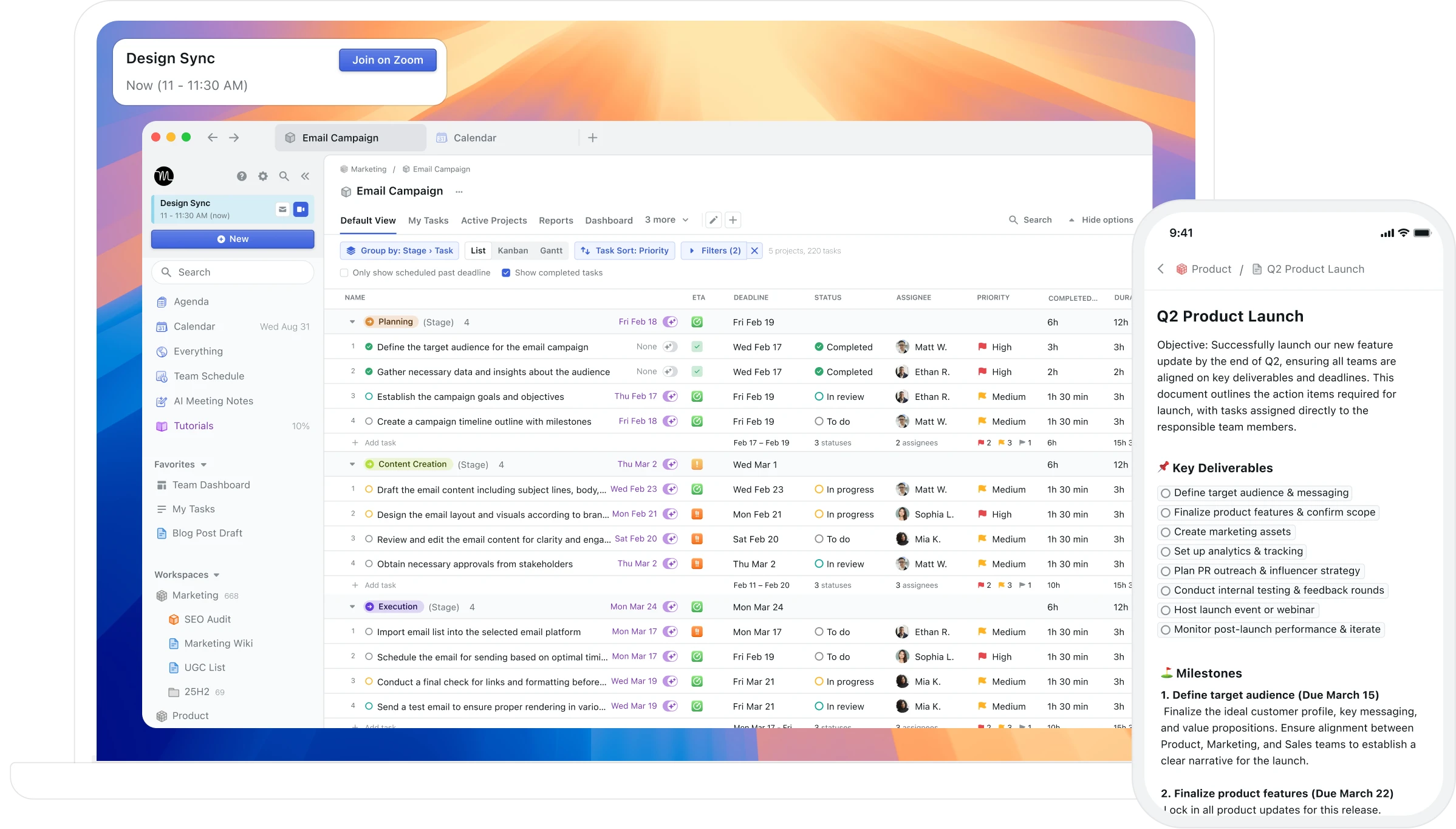
Best for: Users who want full AI auto-scheduling — the AI builds and continuously reshuffles your day based on tasks, deadlines, and priorities
Motion takes full control of your calendar. Give it your tasks and deadlines, and it generates a complete daily schedule. When a meeting appears or a task runs long, the entire day reshuffles automatically. For users whose primary problem is scheduling paralysis — who genuinely cannot convert a task list into an ordered day — this automation addresses a real problem.
Pros:
Full AI auto-scheduling — converts your task list into a complete daily plan
Automatic rescheduling when priorities change or meetings appear
Project management features for team coordination
Cross-platform: Mac, Windows, iOS, Android, web
Cons:
$34/month with no free tier — one of the most expensive personal productivity tools
Unpredictable rescheduling creates a calendar that never feels stable or yours
No feedback on whether the schedule actually worked — no AI analysis of patterns
Dense, cluttered interface that overwhelms users who wanted simpler planning
No Mac-native integration (no Spotlight, Siri, or Apple Watch)
Pricing: $34/month ($19/month annual). No free tier. 7-day trial requires credit card.
Calendars: Google Calendar, Outlook.
Why switch from Sunsama: Motion takes a different approach that may better fit your specific workflow and priorities.
4. Reclaim AI — google calendar users who want auto-scheduling at a fraction of motion's price —

Best for: Google Calendar users who want auto-scheduling at a fraction of Motion's price — including free
Reclaim AI is the most direct replacement for Motion-style scheduling automation at a dramatically lower price. It protects focus time, schedules habits and flexible tasks into available slots, and generates smart scheduling links — but it's less disruptive and easier to override. The free tier is genuinely functional, not a stripped-down teaser.
Pros:
Free tier available — full access to core features at no cost
Auto-schedules tasks, habits, and focus blocks around existing meetings
Smart scheduling links — share availability without back-and-forth
Slack status sync — automatic DND during focus blocks
Integrates with Todoist, Asana, Linear, ClickUp, Jira, Google Tasks
Cons:
Google Calendar only — no Outlook, no iCloud
No dedicated mobile app — relies on Google Calendar for mobile
No historical analysis of scheduling patterns
Interface is functional but not particularly refined
Pricing: Free forever plan. Paid from $8/month (annual).
Calendars: Google Calendar only.
Why switch from Sunsama: Reclaim AI takes a different approach that may better fit your specific workflow and priorities.
5. Morgen — cross-platform users who want ai scheduling suggestions they approve, not automa
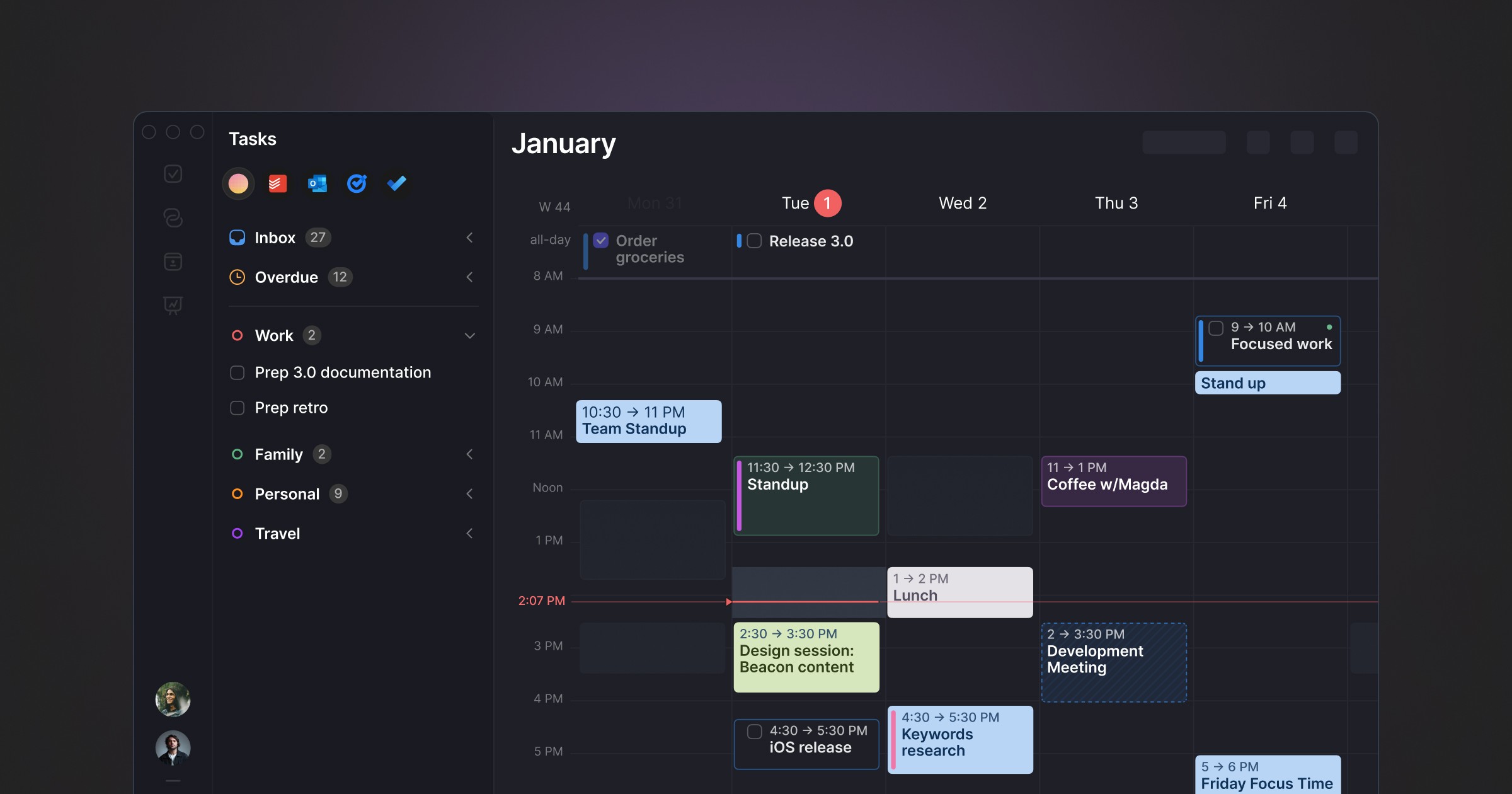
Best for: Cross-platform users who want AI scheduling suggestions they approve, not automation that runs without them
Morgen occupies a distinctive position: AI-powered daily planning without full autopilot. The AI Planner analyses your tasks, priorities, and available time and proposes a day plan — but you review and approve it before it becomes your schedule. Nothing moves without your say. It pulls tasks from Notion, ClickUp, Todoist, Linear, Asana, and others into a unified inbox.
Pros:
AI suggestions with full human approval — no unpredictable reshuffling
Cross-platform: Windows, macOS, Linux, iOS, Android
Strong multi-tool integrations: Notion, Linear, Todoist, ClickUp, Asana, Obsidian
Built-in booking links and meeting scheduler (replaces Calendly)
Buffer and travel time automation
Cons:
No free tier — 14-day trial only
Limited historical feedback on scheduling patterns
Task management is basic — most users pair it with another tool
Electron-based, not Mac-native
Pricing: $15/month billed annually. Team plans from $10/seat/month annually.
Calendars: Google Calendar, Outlook, iCloud, Fastmail.
Why switch from Sunsama: Morgen takes a different approach that may better fit your specific workflow and priorities.
6. Fantastical — users who want the best-designed native calendar on apple platforms with fast na
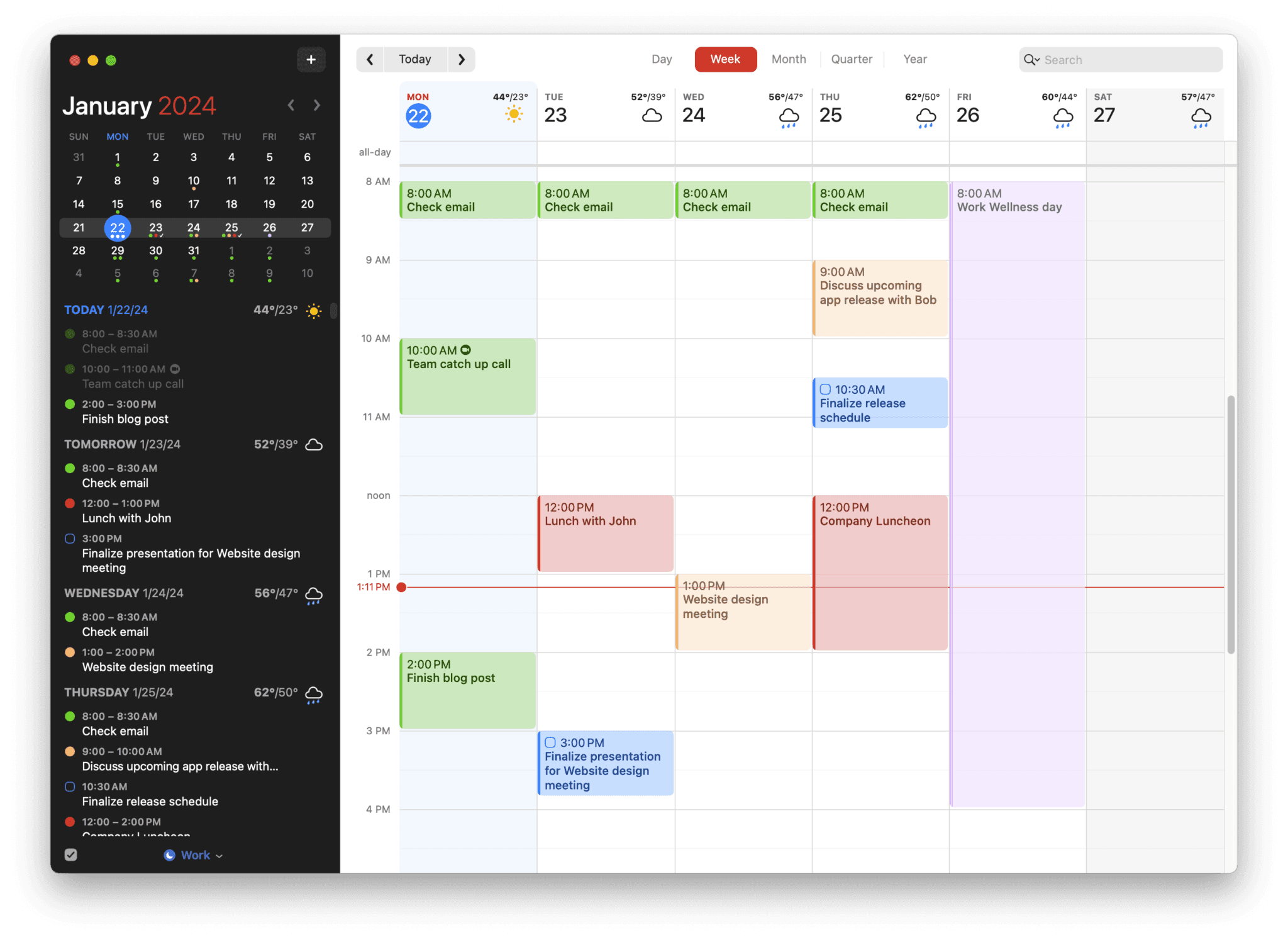
Best for: Users who want the best-designed native calendar on Apple platforms with fast natural language event creation
Fantastical is the premium calendar app for Apple users. Natural language event creation ("Meeting with Sarah tomorrow at 2pm for 30 minutes") is the fastest way to add events on any platform. Calendar sets let you group calendars by context (work, personal, side project) and switch between them instantly. The design is polished, the Apple Watch app is excellent, and the ecosystem integration is deep.
Pros:
Natural language event creation — fastest event entry available
Calendar sets — group and switch calendar views by context
Mac-native with Apple Watch, iOS, iPad, and widget support
Weather integration in calendar views
Scheduling proposals for finding meeting times
Cons:
$40/year subscription — no lifetime option
No AI scheduling or planning assistance
No task management — relies on Apple Reminders integration
No productivity analysis or weekly and daily reports
Apple ecosystem only — no Windows or Android
Pricing: Free basic (limited views). Premium: $4.99/mo or $39.99/yr. Family: $7.99/mo.
Calendars: Google Calendar, Outlook, iCloud, Exchange, CalDAV.
Why switch from Sunsama: Fantastical takes a different approach that may better fit your specific workflow and priorities.
7. Routine — users who want a clean, fast, calendar-first daily planner with a generous free
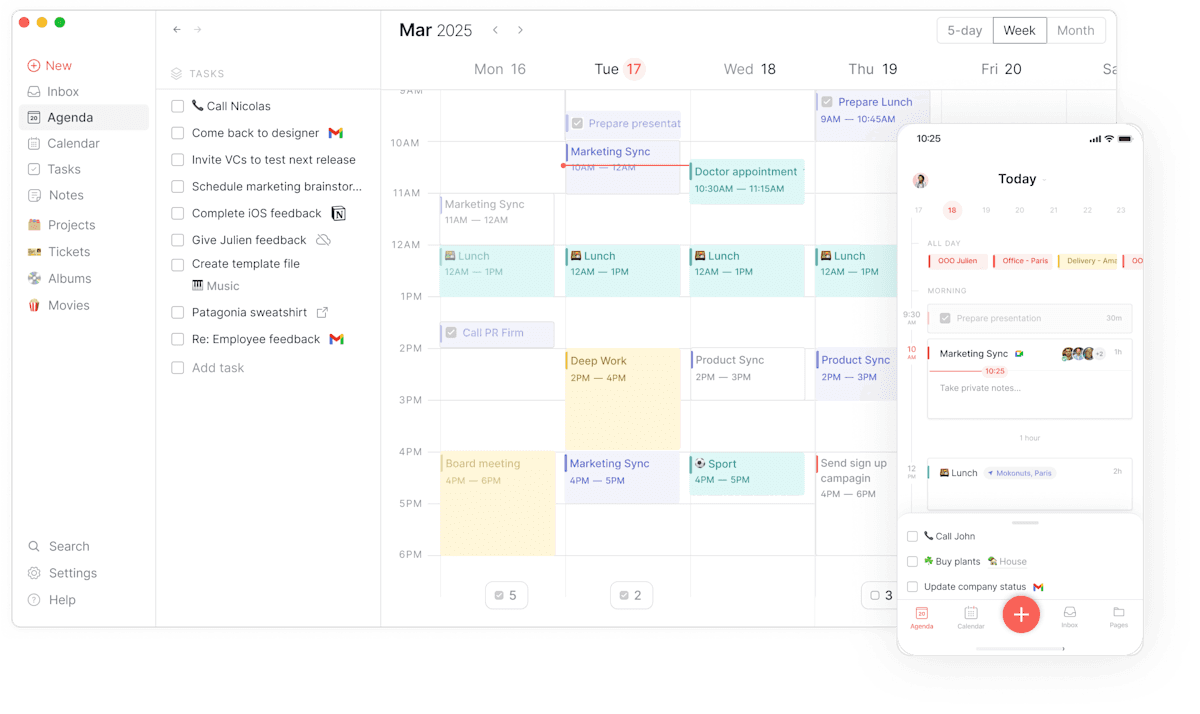
Best for: Users who want a clean, fast, calendar-first daily planner with a generous free tier and no AI complexity
Routine is a calendar-centred planner focused on helping you visualise how you spend your day through time blocking. It's deliberately simpler than Motion or Morgen — no AI scheduling engine, no complex integrations — which makes it faster to start and easier to maintain as a habit.
Pros:
Free tier available — genuinely functional without paying
Clean, fast interface optimised for keyboard shortcuts
Daily reset feature encourages regular planning and reflection
Available on Mac, Windows, iOS
Calendar and task management in one view
Cons:
No AI scheduling or planning suggestions
No historical analysis of scheduling patterns
Fewer integrations than Akiflow or Morgen
Not suitable for complex project management
Pricing: Free tier available. Paid plan at $12/month.
Calendars: Google Calendar, Outlook, iCloud.
Why switch from Sunsama: Routine takes a different approach that may better fit your specific workflow and priorities.
8. Notion Calendar — people who already live in notion and want a free, clean calendar layer without
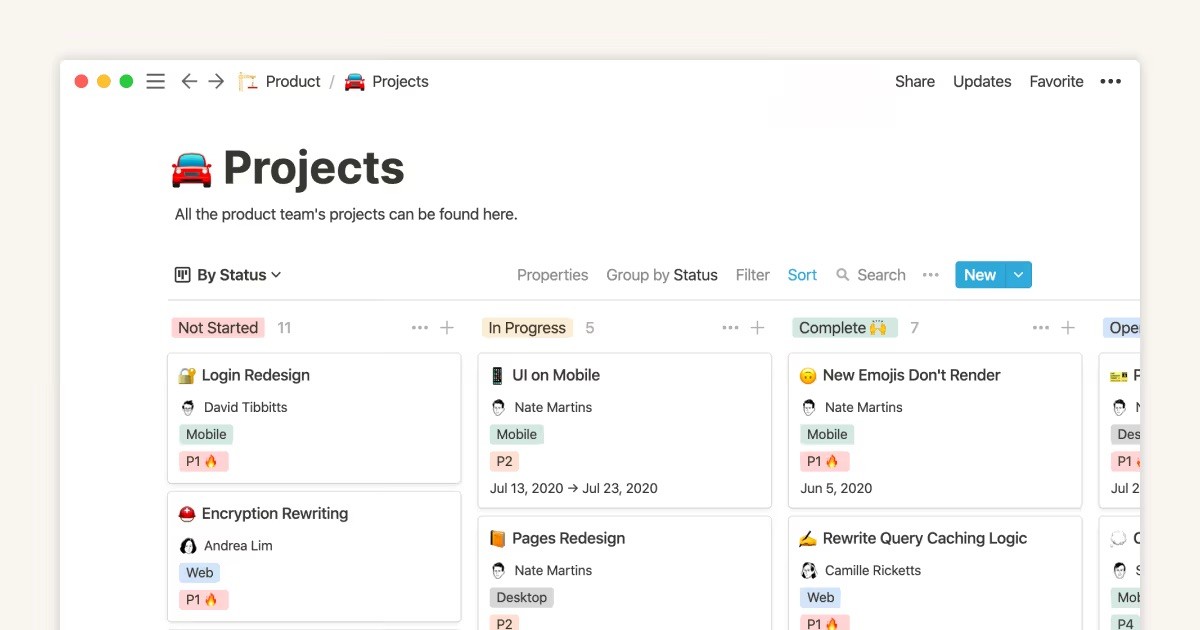
Best for: People who already live in Notion and want a free, clean calendar layer without AI scheduling complexity
Notion Calendar (formerly Cron) is a fast, well-designed calendar app for Mac and iOS that integrates natively with Google Calendar and the Notion workspace. It doesn't try to automate your day — it gives you clean tools to design your own planning system, particularly useful if you already use Notion for tasks, docs, and projects.
Pros:
Completely free
Native Notion integration — link calendar events to Notion pages and databases
Fast, polished Mac and iOS apps
Clean two-way Google Calendar sync
Keyboard-first design
Cons:
No task management — purely a calendar viewer
No AI scheduling or planning suggestions
No historical analysis of scheduling patterns
No Windows or Android app
Limited value if you don't already use Notion
Pricing: Free.
Calendars: Google Calendar.
Why switch from Sunsama: Notion Calendar takes a different approach that may better fit your specific workflow and priorities.
Who Sunsama is still right for
If your problem is reactive work — you arrive at your desk without a plan and respond to whatever appears — Sunsama's structure solves that directly. The daily ritual is genuinely well-designed and the integration breadth covers most knowledge worker tool stacks. For users who've tried to plan manually and can't maintain the habit, having the app enforce the ritual adds real value.
The ceiling is also real. Sunsama is planning infrastructure. It has no mechanism to observe how the work you planned actually went, surface patterns in your productivity behaviour, or tell you whether the planning discipline you've built is translating into the outcomes you're working toward.
The planner and the analyst
Sunsama helps you build a plan. It doesn't help you understand whether the plan worked. For users who've answered the planning question — who can now sit down and map out a structured day — the next question isn't how to plan better. It's whether the plans you're building are actually producing the results you want. That's an analytical question, and it requires a tool that looks back at the data. Aftertone is built for that next question.
Frequently asked questions
What is the best Sunsama alternative in 2026?
It depends on your priorities. For Mac users who want behavioral AI and a Focus Screen for deep work, Aftertone is $30/month with a 7-day free trial. For cross-platform users, Morgen and Sunsama are strong options. See the comparison table above to match your specific needs.
Is there a free Sunsama alternative?
Reclaim AI has the strongest free tier. Aftertone provides a free trial of the full system. Check the comparison table for free tier details across all options.
Which Sunsama alternative works best on Mac?
Aftertone is the strongest Mac-native option — built specifically for macOS with a Focus Screen, native Google Calendar sync, and AI weekly and daily reports. Fantastical is the best pure calendar for Mac. Both are one-time or annual purchases, not monthly subscriptions.
Is Sunsama worth it in 2026?
Sunsama is worth it if the guided daily planning ritual is specifically what you need — if you currently have no consistent planning practice and the structured morning session would force one. The $17–$20/month is justified as scaffolding if it changes how you start your day. It's not worth it if you've already internalised the planning habit and just need a faster tool, or if you want feedback on whether your planning is producing better results — which Sunsama never provides. In those cases, Akiflow costs less and moves faster, and Aftertone adds the analytical layer Sunsama is missing.
What is the cheapest Sunsama alternative?
Reclaim AI's free tier is the cheapest option that covers auto-scheduling of focus blocks in Google Calendar. Routine has a functional free tier for manual daily planning. TickTick Premium costs approximately $36/year — a fraction of Sunsama's $204/year — and covers task management with a calendar view and habit tracking. None of these replicate Sunsama's guided ritual, but each covers a specific part of what brings users to Sunsama at a significantly lower cost.
How much does Aftertone cost?
Aftertone is $30/month with a 7-day free trial, no card required. It covers native Mac task management, Google Calendar sync, a Focus Screen for single-task execution, and AI weekly and daily reports on scheduling patterns.
