Getting Started
Plan
Execute
Evaluate
Advanced
Best Practices
Plan
Article 10 of 15
Recurring Tasks/Events
How to set tasks or events that repeat on a schedule, when to use them, and how they interact with your inbox and planning view.
Written By: Niall Jawad
2 min read
What We'll Cover
How to set a task or event to repeat on a schedule
The difference between scheduled and unscheduled recurring tasks/events
How to edit one instance or all future instances
Every recurrence interval available
What the recurring badge looks like
What happens when an instance is missed
Some work happens every week without fail. Your Monday planning session. The Friday client update. The daily standup notes. Creating these manually each time is friction that adds up. Recurring tasks remove it — set the task once, and Aftertone adds it to your inbox on schedule automatically.
How to create a recurring task or event
Create a task as normal, then open the task detail panel by clicking on it. Find the Repeat field and choose your schedule. You can choose from: daily, weekly (on specific days), monthly, yearly, or weekdays only. Each option creates a fresh instance on the scheduled day.
Recurring tasks appear in your Today panel on the day they are due, ready to schedule like any other task. They do not appear on your calendar until you give them a time block.
Scheduled and unscheduled recurring tasks/events
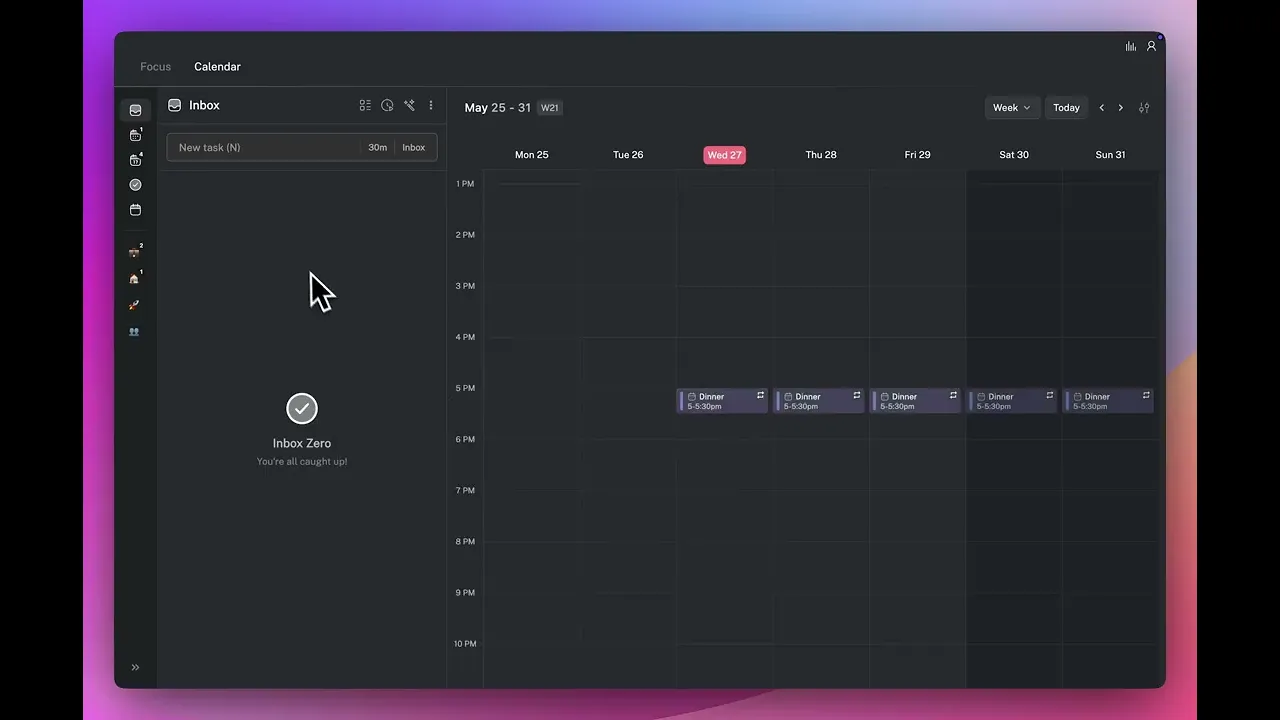
Recurring tasks work for both unscheduled and scheduled tasks. An unscheduled recurring task lands in your inbox each time it is due and waits for you to give it a time block during your morning planning. A scheduled recurring task is automatically placed into the same time block each time — useful for fixed commitments like a daily review or a weekly team check-in that always happens at the same time.
💡 Tip — Use unscheduled recurring tasks for work that recurs regularly but does not always happen at the same time. Use scheduled recurring tasks for commitments with a fixed time that never moves.
What to use recurring tasks/events for
Recurring tasks work best for work that is genuinely repetitive and has a consistent scope. Weekly reports, daily planning sessions, regular client check-ins, invoice runs, team standups. The test is simple: if you would create this task from scratch every week and it would always look the same, it should be recurring.
Do not use recurring tasks for work that looks different every time even if it happens regularly. A weekly strategy review where the agenda changes is better as a calendar event. A monthly project that involves different deliverables each time is better as individual tasks created when the scope is clear.
Completing a recurring task/event
Completing an instance marks it as done and schedules the next one automatically. Completions appear in your weekly report like any other task.
Missed instances
If you miss a recurring task, the next instance still appears on its scheduled day — the series does not shift. The missed instance stays in your completed or unfinished list depending on how you handled it.
The recurring badge
Recurring tasks display a visual recurring badge in the inbox so you can tell at a glance that completing this instance will generate another.
Editing or stopping a recurring task/event
Click on any instance of a recurring task to open the detail panel. You can edit just that instance — changing the title, notes, or time block without affecting future occurrences — or edit all future instances if the recurring task itself needs to change. To stop a recurring task entirely, open it and click Remove Recurrence. Aftertone will not create any further instances.
👉 Try it now — Find one task you create manually every week and turn it into a recurring task. Open it, set the repeat schedule, and save it. The next time that day arrives, it will already be in your inbox waiting.