The Best Time Blocking Apps in 2026: 9 Tools Compared
The 9 best time blocking apps in 2026 — from full AI auto-schedulers (Motion, Reclaim) to manual-first tools (Akiflow, Sunsama) to simple visual planners.
Written By The Aftertone Team

The Best Time Blocking Apps in 2026
The best time blocking app in 2026 is Aftertone for Mac users who want focus-protected blocking with AI pattern analysis, Motion for full auto-scheduling, Akiflow for multi-platform task consolidation, and Sunsama for a structured daily planning ritual. For free options, Reclaim AI auto-protects focus blocks in Google Calendar and Routine offers a clean free tier.
Quick answer: Time blocking works — but only if you actually protect and execute the blocks you create. The best time blocking app depends on your planning style:
AI auto-scheduling (the tool does the blocking for you):
Motion — best for full AI auto-scheduling ($19/mo)
FlowSavvy — best budget individual auto-scheduler (free / $14/mo)
Reclaim AI — best free auto-protection for Google Calendar (free tier)
Manual blocking with AI assistance (you decide, AI helps):
Aftertone — best for focus-protected blocking with AI weekly pattern reports ($30/month, Mac)
Akiflow — best keyboard-driven task consolidation + time blocking ($19/mo)
Morgen — best cross-platform with AI planner suggestions ($15/mo)
Sunsama — best guided daily planning ritual ($20/mo)
Simple and free:
Structured — best visual timeline (free / $29.99/yr)
Routine — best free calendar-first planner (free)
Time blocking is the most research-supported scheduling method available. Implementation intentions — specific plans for when and where you'll do something — dramatically increase follow-through compared to open-ended to-do lists. Research on task switching costs shows why unblocked time disappears: without structure, attention fragments across low-value reactive work. The question isn't whether time blocking works. It's which tool helps you create blocks, protect them during execution, and learn from whether they worked.
Here are the eight best time blocking apps in 2026.
What makes a time blocking app worth using
A good time blocking tool does three things: makes it easy to create blocks, protects those blocks during execution, and tells you whether the blocks worked. Most tools only do the first. The best ones address all three.
Block creation. How fast can you turn a task into a calendar block? Manual drag-and-drop, AI suggestions, or full auto-scheduling?
Execution protection. When it's time to work the block, does the tool help you focus? Attention residue research shows that even arriving at a block with unresolved tasks from before degrades the quality of the session. Or are you staring at a calendar full of distractions?
Feedback. After a week of time blocking, do you know which blocks produced real output and which were wasted?
How we evaluated these tools
Each tool was tested specifically for time blocking quality — not general calendar features. We assessed block creation speed, focus/execution support, rescheduling flexibility, AI depth, and whether the tool provides any feedback on block effectiveness.
At a glance: all alternatives compared
App | Price | AI scheduling | Focus tools | Free tier | Platform | Best for |
|---|---|---|---|---|---|---|
Aftertone | $30/month | Silent/advisory | Focus Screen | Free trial | Mac only | Mac users who want focus-protected blocking with AI weekly pattern analysis |
Motion | $34/month ($19/month annual) | Full auto | None | No | All platforms | Users who want AI to schedule and reschedule everything automatically |
Sunsama | $20/month billed annually ($26/month monthly) | None | None | No | All platforms | Users who want a guided daily planning ritual with mindful time allocation |
Reclaim AI | Free forever plan | Full auto | Focus blocks | Yes | All platforms | Google Calendar users who want free auto-protection of focus blocks |
Morgen | $15/month billed annually | Suggestions | None | No | All platforms | Cross-platform users who want AI planning suggestions they approve |
FlowSavvy | Free / $14/mo | None | None | No | All platforms | Individuals who want affordable auto-scheduling with aggressive rescheduling |
Structured | Free tier | None | None | No | All platforms | Users who want a visual timeline-based day planner |
Routine | Free tier available | None | None | Yes | All platforms | Users who want a free, clean calendar-first time blocking planner |
1. Aftertone — best for Mac users who want focus-protected blocking with AI scheduling feedback

Best for: Mac users who want AI that observes and reports rather than controls — keeping you in charge while surfacing the scheduling intelligence other tools don't provide
Aftertone is a Mac-native calendar and task manager built on behavioural science. Smart Capture converts pasted text or a screenshot into structured tasks instantly. The philosophical difference from most alternatives is explicit: instead of automating your schedule, Aftertone analyses what actually happens when you execute it. The AI weekly and daily reports surface patterns across your scheduling history — which time slots produce real output, how your meeting-to-deep-work ratio trends, whether your calendar structure this week resembles your most or least productive periods. The Focus Screen supports execution: when it's time to work, everything except the current task disappears.
Pros:
AI weekly and daily reports — the only tool in this category that analyses your scheduling patterns over time
Focus Screen — narrows to the current task at execution time, removing visual load
Native task management built into the calendar view, not bolted on
Two-way Google Calendar sync
$30/month. Auto-Extend keeps the session running when you finish a task early. Pause holds your place. Smart Zoning moves tasks onto the calendar with keyboard shortcuts. 7-day free trial, no card required.
Built on 45 principles from behavioural science and cognitive psychology
Cons:
Mac only — iOS coming; no Windows or Android currently
No auto-scheduling — Aftertone informs and improves your planning rather than making decisions for you
Individual tool only — not built for teams
Google Calendar sync only (no Outlook, no iCloud events)
Pricing: $30/month. Free trial available. 7-day free trial, no card required.
Calendars: Google Calendar (two-way sync).
2. Motion — best for full AI auto-scheduling that builds and reschedules your blocks
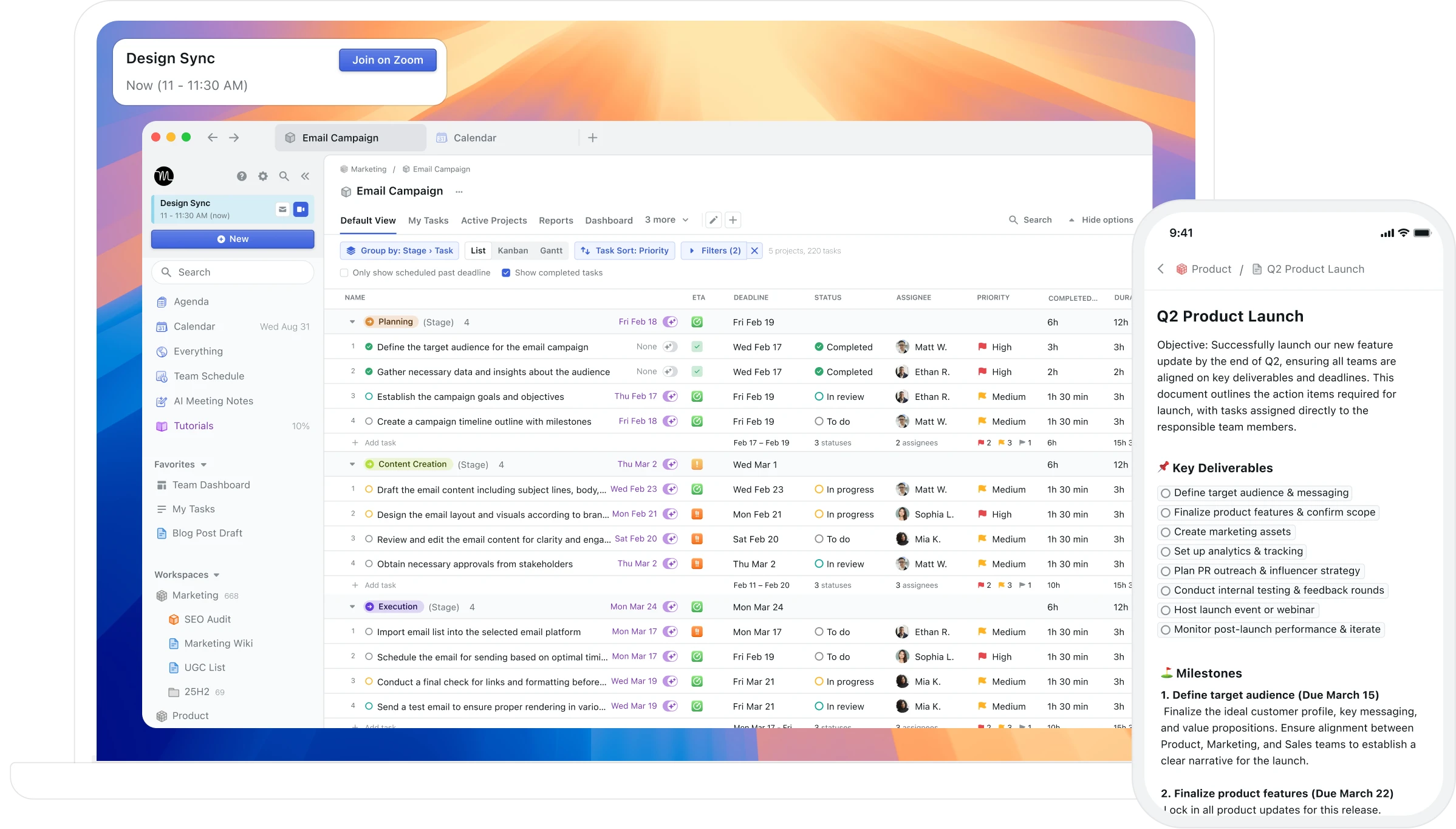
Best for: Users who want full AI auto-scheduling — the AI builds and continuously reshuffles your day based on tasks, deadlines, and priorities
Motion takes full control of your calendar. Give it your tasks and deadlines, and it generates a complete daily schedule. When a meeting appears or a task runs long, the entire day reshuffles automatically. For users whose primary problem is scheduling paralysis — who genuinely cannot convert a task list into an ordered day — this automation addresses a real problem.
Pros:
Full AI auto-scheduling — converts your task list into a complete daily plan
Automatic rescheduling when priorities change or meetings appear
Project management features for team coordination
Cross-platform: Mac, Windows, iOS, Android, web
Cons:
$34/month with no free tier — one of the most expensive personal productivity tools
Unpredictable rescheduling creates a calendar that never feels stable or yours
No feedback on whether the schedule actually worked — no AI analysis of patterns
Dense, cluttered interface that overwhelms users who wanted simpler planning
No Mac-native integration (no Spotlight, Siri, or Apple Watch)
Pricing: $34/month ($19/month annual). No free tier. 7-day trial requires credit card.
Calendars: Google Calendar, Outlook.
3. Sunsama — best for intentional guided daily time blocking
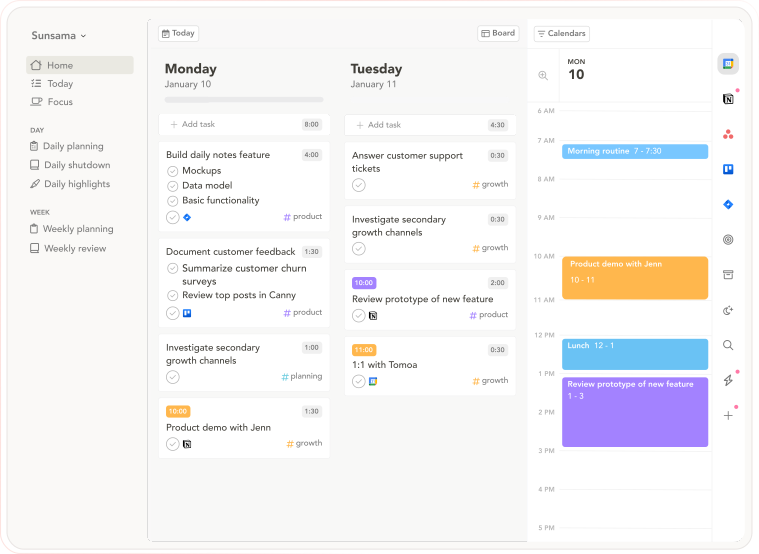
Best for: People who want intentional daily planning as a deliberate counterpoint to automated scheduling — slow, guided, and ritualistic
Sunsama is the philosophical opposite of auto-scheduling tools: instead of AI building your day, Sunsama walks you through building it deliberately yourself. The morning ritual asks you to pull tasks from connected tools, estimate time against your calendar, and commit to the plan. The evening shutdown reviews completion. The commitment is the point — you chose it, which preserves the psychological ownership that automation removes.
Pros:
Guided daily planning ritual — pulls tasks from connected tools, estimates time, locks in a realistic day
Daily Shutdown feature — structured end-of-day review and reflection
Integrations with Asana, Trello, Notion, ClickUp, Todoist, Gmail, Slack, Linear, Jira
Cross-platform: macOS, Windows, web, iOS, Android
14-day free trial, no credit card required
Cons:
$20/month annually — expensive for a planning layer
No AI auto-scheduling — everything is manual
The daily ritual takes 15–20 minutes; speed-oriented users find it slow
No AI analysis of historical scheduling patterns
Pricing: $20/month billed annually ($26/month monthly). 14-day free trial, no credit card required.
Calendars: Google Calendar, Outlook.
4. Reclaim AI — best free time blocking automation for Google Calendar
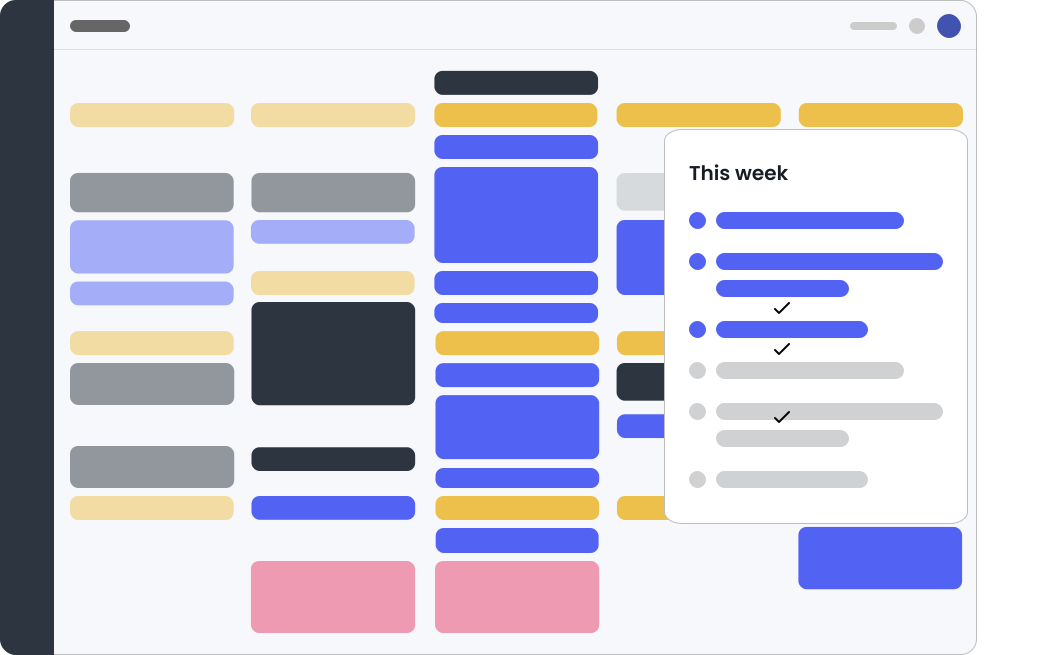
Best for: Google Calendar users who want auto-scheduling at a fraction of Motion's price — including free
Reclaim AI is the most direct replacement for Motion-style scheduling automation at a dramatically lower price. It protects focus time, schedules habits and flexible tasks into available slots, and generates smart scheduling links — but it's less disruptive and easier to override. The free tier is genuinely functional, not a stripped-down teaser.
Pros:
Free tier available — full access to core features at no cost
Auto-schedules tasks, habits, and focus blocks around existing meetings
Smart scheduling links — share availability without back-and-forth
Slack status sync — automatic DND during focus blocks
Integrates with Todoist, Asana, Linear, ClickUp, Jira, Google Tasks
Cons:
Google Calendar only — no Outlook, no iCloud
No dedicated mobile app — relies on Google Calendar for mobile
No historical analysis of scheduling patterns
Interface is functional but not particularly refined
Pricing: Free forever plan. Paid from $8/month (annual).
Calendars: Google Calendar only.
5. Morgen — best for cross-platform users who want AI suggestions they approve
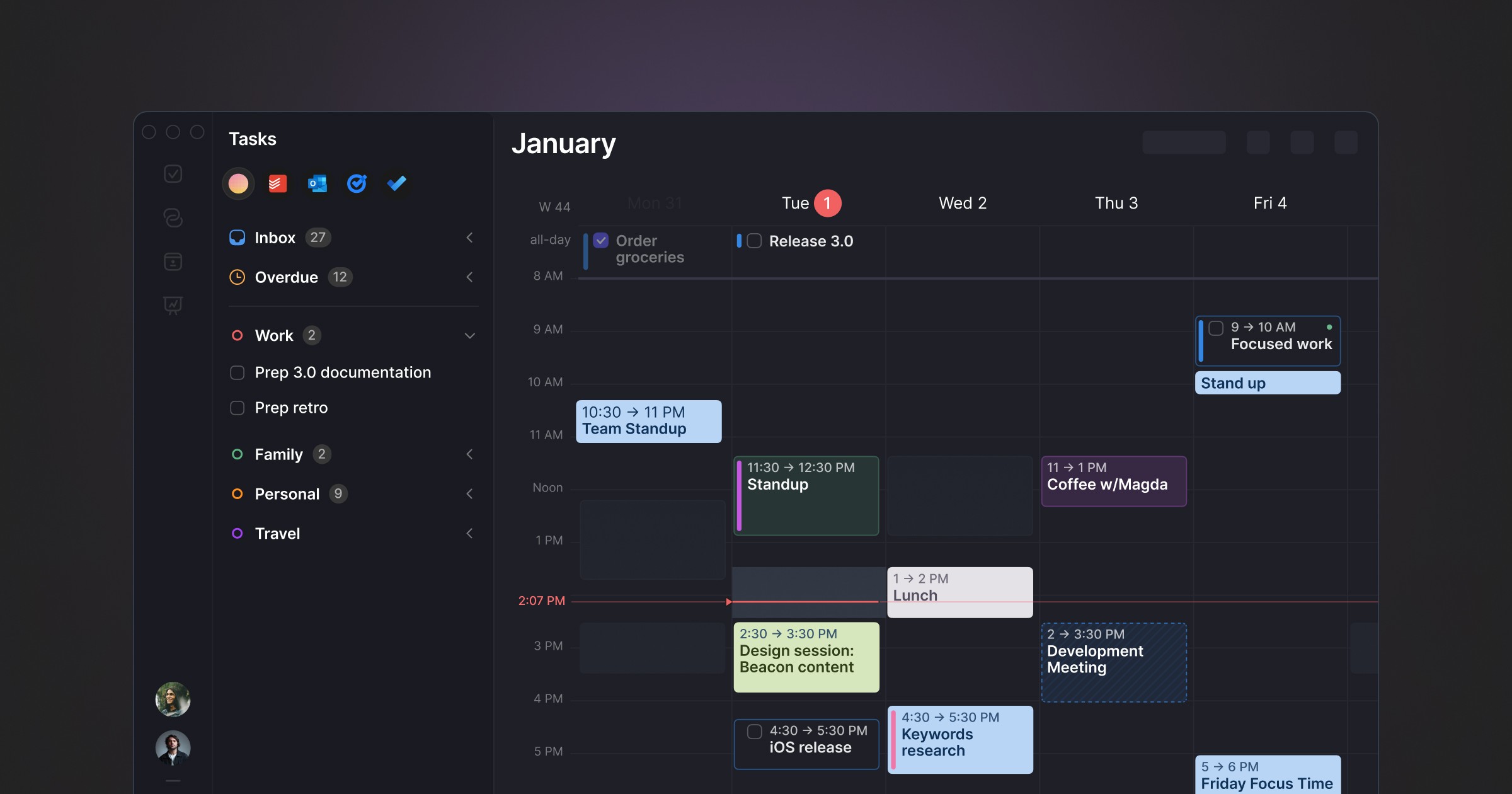
Best for: Cross-platform users who want AI scheduling suggestions they approve, not automation that runs without them
Morgen occupies a distinctive position: AI-powered daily planning without full autopilot. The AI Planner analyses your tasks, priorities, and available time and proposes a day plan — but you review and approve it before it becomes your schedule. Nothing moves without your say. It pulls tasks from Notion, ClickUp, Todoist, Linear, Asana, and others into a unified inbox.
Pros:
AI suggestions with full human approval — no unpredictable reshuffling
Cross-platform: Windows, macOS, Linux, iOS, Android
Strong multi-tool integrations: Notion, Linear, Todoist, ClickUp, Asana, Obsidian
Built-in booking links and meeting scheduler (replaces Calendly)
Buffer and travel time automation
Cons:
No free tier — 14-day trial only
Limited historical feedback on scheduling patterns
Task management is basic — most users pair it with another tool
Electron-based, not Mac-native
Pricing: $15/month billed annually. Team plans from $10/seat/month annually.
Calendars: Google Calendar, Outlook, iCloud, Fastmail.
6. FlowSavvy — best budget auto-scheduler for individuals
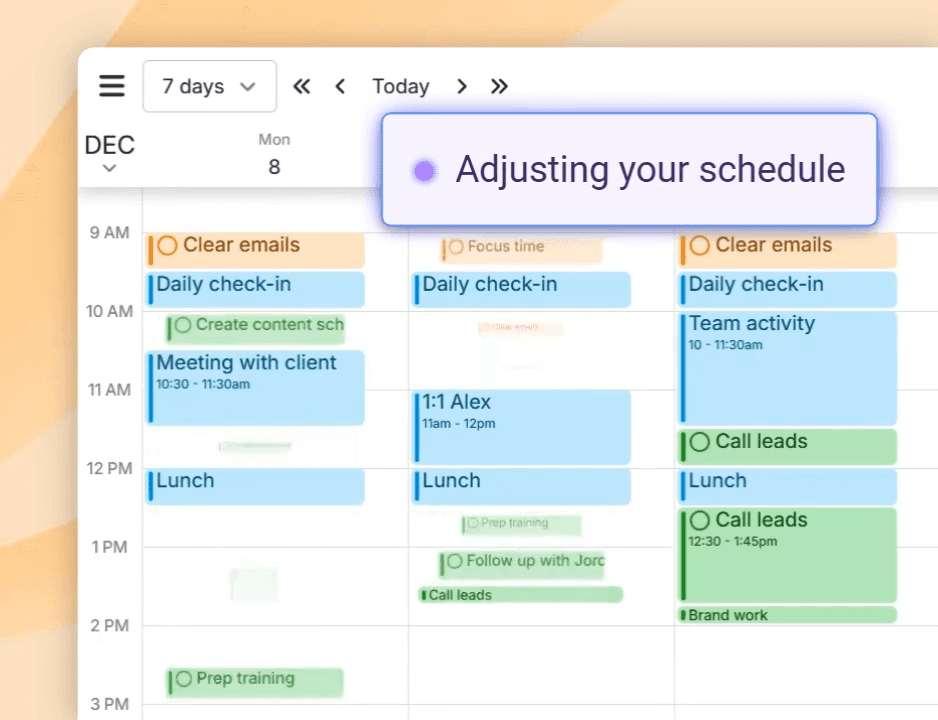
Best for: Budget-conscious users who want auto-scheduling for time blocking without Motion's price tag
FlowSavvy is a time blocking app with auto-scheduling built specifically for individual users. It's simpler than Motion — no project management, no team features — but covers the core auto-scheduling use case at $7/month.
Pros:
Auto-scheduling focused on individual time blocking
Significantly cheaper than Motion at $7/month
Clean, focused interface without feature bloat
Google Calendar integration
Cons:
Less sophisticated AI than Motion or Reclaim
Smaller team and less mature product
Limited integrations
No free tier
Pricing: $7/month.
Calendars: Google Calendar.
7. Structured — best visual timeline for simple personal time blocking
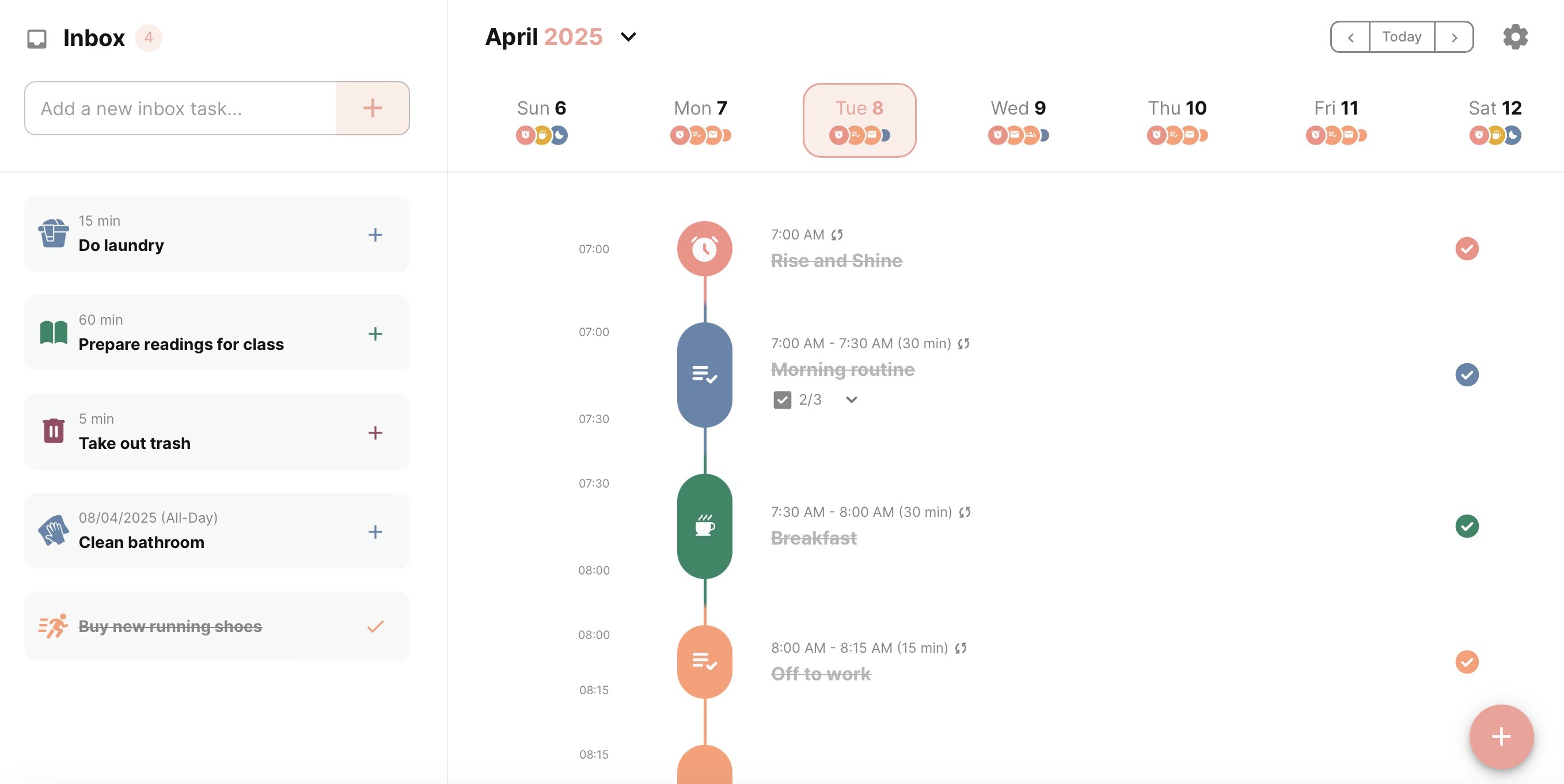
Best for: Visual thinkers who want a simple timeline view of their day with drag-and-drop task scheduling on Apple devices
Structured presents your day as a clean visual timeline — tasks and events stacked vertically with colour-coded blocks. Drag tasks up and down to reschedule. The simplicity is the point: no AI, no complex integrations, just a visual day plan you can build and adjust in seconds.
Pros:
Visual timeline makes your day structure immediately clear
Simple drag-and-drop scheduling
Lifetime purchase option at $64.99 — no subscription needed
Apple-native: Mac, iPhone, iPad, Apple Watch
Import events from Apple Calendar and Google Calendar
Cons:
No AI features of any kind
No deep calendar sync — imports events but doesn't fully integrate
No productivity analysis or weekly and daily reports
Apple only — no Windows or Android
Limited task management compared to Todoist or Things 3
Pricing: Free tier. Pro: $6.49/mo, $19.99/yr, or $64.99 lifetime.
Calendars: Apple Calendar, Google Calendar (import).
8. Routine — best free calendar-first daily planner
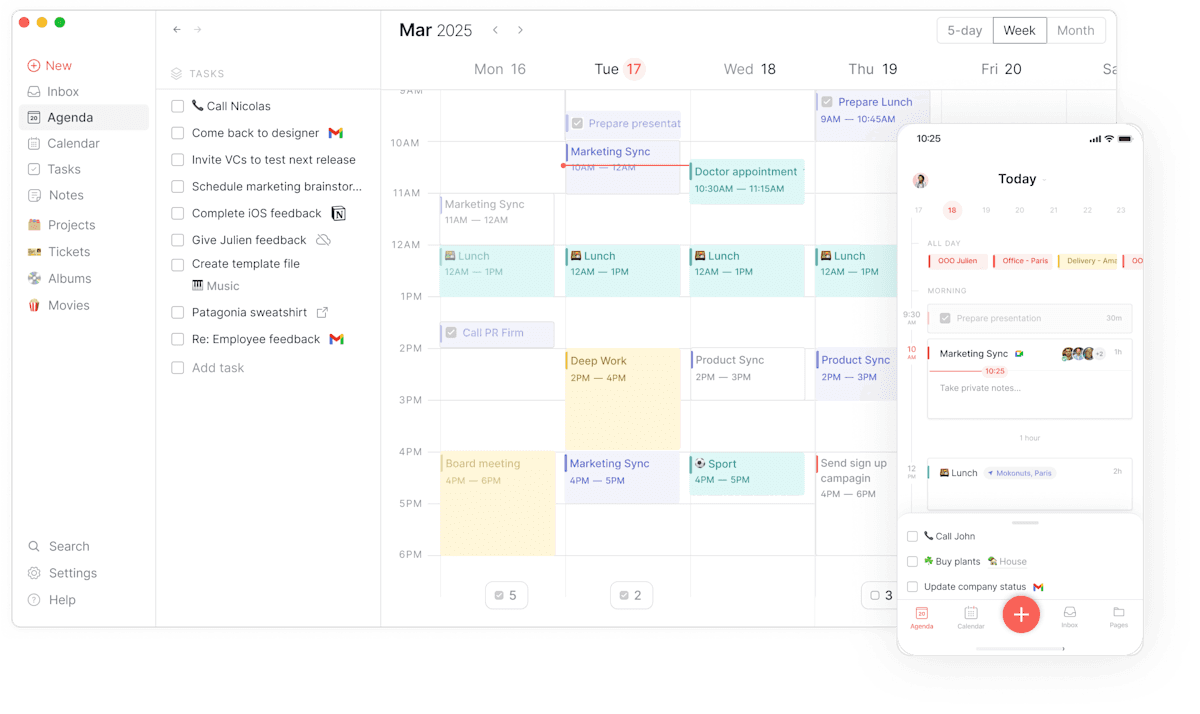
Best for: Users who want a clean, fast, calendar-first daily planner with a generous free tier and no AI complexity
Routine is a calendar-centred planner focused on helping you visualise how you spend your day through time blocking. It's deliberately simpler than Motion or Morgen — no AI scheduling engine, no complex integrations — which makes it faster to start and easier to maintain as a habit.
Pros:
Free tier available — genuinely functional without paying
Clean, fast interface optimised for keyboard shortcuts
Daily reset feature encourages regular planning and reflection
Available on Mac, Windows, iOS
Calendar and task management in one view
Cons:
No AI scheduling or planning suggestions
No historical analysis of scheduling patterns
Fewer integrations than Akiflow or Morgen
Not suitable for complex project management
Pricing: Free tier available. Paid plan at $12/month.
Calendars: Google Calendar, Outlook, iCloud.
9. Akiflow — best keyboard-driven task consolidation with time blocking
Best for: Power users who pull tasks from 10+ tools (Slack, Gmail, Asana, Linear, Notion, Jira) and want to drag them directly onto their calendar with keyboard-first speed — without delegating scheduling decisions to AI.
Akiflow is the fastest manual time blocking tool available. The command bar lets you capture, schedule, and rearrange blocks entirely via keyboard without touching the mouse. A universal inbox pulls tasks from 30+ sources into one place, and you drag them onto the calendar to create time blocks. When the day shifts, "Replan Undone Tasks" suggests the next available slots. The time blocks are written back to Google Calendar or Outlook as real events — colleagues see you as busy during blocked time.
Where Akiflow differs from Morgen and Sunsama: it's built for speed and consolidation rather than ritual or AI suggestions. If your primary problem is that your tasks live in five different tools and your calendar lives in a sixth, Akiflow collapses all of those into a single keyboard-driven time blocking interface.
Pros:
Universal inbox from 30+ sources — Slack, Gmail, Asana, Linear, Notion, Jira, Trello, and more
Keyboard-driven command bar — capture, schedule, and rearrange without the mouse
Blocks written back to Google Calendar/Outlook as real events — shows busy to teammates
Replan Undone Tasks — suggests next available slots when the day shifts
Available on Mac, Windows, and mobile (beta)
Cons:
$19/month annually — same as Motion with less automation
No AI auto-scheduling — every block is placed manually
Steep learning curve — takes a week to get comfortable with the interface
No focus execution mode — blocking and doing are separate problems
Pricing: $19/month billed annually ($34/month monthly). 7-day free trial.
Calendars: Google Calendar, Outlook, iCloud.
Time blocking vs auto-scheduling
The tools in this guide split into two camps: those that help you create time blocks yourself (Aftertone, Sunsama, Structured, Routine) and those that create blocks for you automatically (Motion, Reclaim, FlowSavvy). The research favours self-created plans — Gollwitzer's implementation intention studies found completion rates of 91% for people who scheduled specific times versus 35% for those with vague intentions, precisely because the intention was self-formed. The science of time blocking shows why this specificity matters: you formed the intention yourself. Auto-scheduling removes that psychological ownership. But auto-scheduling also removes the friction of deciding, which helps people who struggle with planning paralysis. The right approach depends on which problem is bigger for you.
Frequently asked questions
What is the best time blocking app in 2026?
It depends on your planning style. For full AI auto-scheduling where the tool builds the plan, Motion ($19/month) or FlowSavvy (free / $14/month). For manual blocking with keyboard speed and task consolidation, Akiflow ($19/month). For guided daily planning ritual, Sunsama ($20/month). For cross-platform AI suggestions you approve, Morgen ($15/month). For Mac users wanting focus protection and AI analysis of whether blocks are working, Aftertone ($30/month). For free auto-protection of focus time in Google Calendar, Reclaim AI.
Is there a free time blocking app?
Yes — several. Reclaim AI has a functional free tier for auto-protecting focus blocks in Google Calendar. FlowSavvy has a free tier for individual auto-scheduling. Structured has a free tier for visual timeline planning. Routine is primarily free. Google Calendar itself is free and supports manual time blocking. Most paid tools offer free trials: Aftertone 7 days, Sunsama 14 days, Motion 7 days, Morgen 14 days, Akiflow 7 days.
Which time blocking app works best on Mac?
Aftertone is the strongest Mac-native time blocking system — native macOS app, Focus Screen for single-task execution during blocks, AI weekly and daily reports on whether the blocks are producing real output. Akiflow has a strong Mac app with keyboard-driven time blocking. Structured has a native Mac app for visual timeline planning. All three are genuinely Mac-native; the right choice depends on whether your bottleneck is scheduling intelligence, task consolidation, or visual planning.
How much does Aftertone cost?
Aftertone is $30/month with a 7-day free trial, no card required. It covers calendar and task management in one native Mac app, plus a Focus Screen for execution and AI weekly and daily reports on scheduling patterns. For comparison: Motion is $19/month, Morgen $15/month, Sunsama $20/month, Akiflow $19/month. Aftertone is the most expensive option on this list but is the only one that closes the feedback loop — telling you whether the blocks you created are producing real output.
What is the difference between time blocking and auto-scheduling?
Time blocking is the practice of assigning specific tasks to specific calendar slots — you decide what goes where. Auto-scheduling is when an AI tool makes those placement decisions for you: you add tasks with deadlines, and the AI places them in available slots and reschedules the cascade when things change. Auto-scheduling (Motion, FlowSavvy, Reclaim) removes planning friction but also removes the psychological ownership that makes implementation intentions effective. Manual time blocking (Akiflow, Morgen, Sunsama) takes more effort but research suggests self-created plans produce stronger follow-through. The right approach depends on whether your bottleneck is planning paralysis (use auto-scheduling) or execution failure despite good plans (use manual blocking with focus protection).
