Aftertone vs Morgen (2026): Productivity System vs Unified Calendar
Written By The Aftertone Team
Aftertone vs Morgen (2026)
TL;DR
Aftertone: $30/month. macOS productivity system — tasks, time blocking, Smart Zoning, Focus Screen, Smart Capture, behavioural AI, weekly and daily reports. All one app.
Morgen: €15/mo (annual) or €30/mo monthly. No free plan (discontinued March 2025); 14-day free trial + 30-day money-back guarantee. Unified calendar connecting Google, Outlook, iCloud, and more. AI Planner suggests time block placements. Cross-platform: Mac, Windows, Linux, iOS, Android, web.
Key difference: Morgen makes your calendars work together. Aftertone replaces the need to live in a calendar app at all.
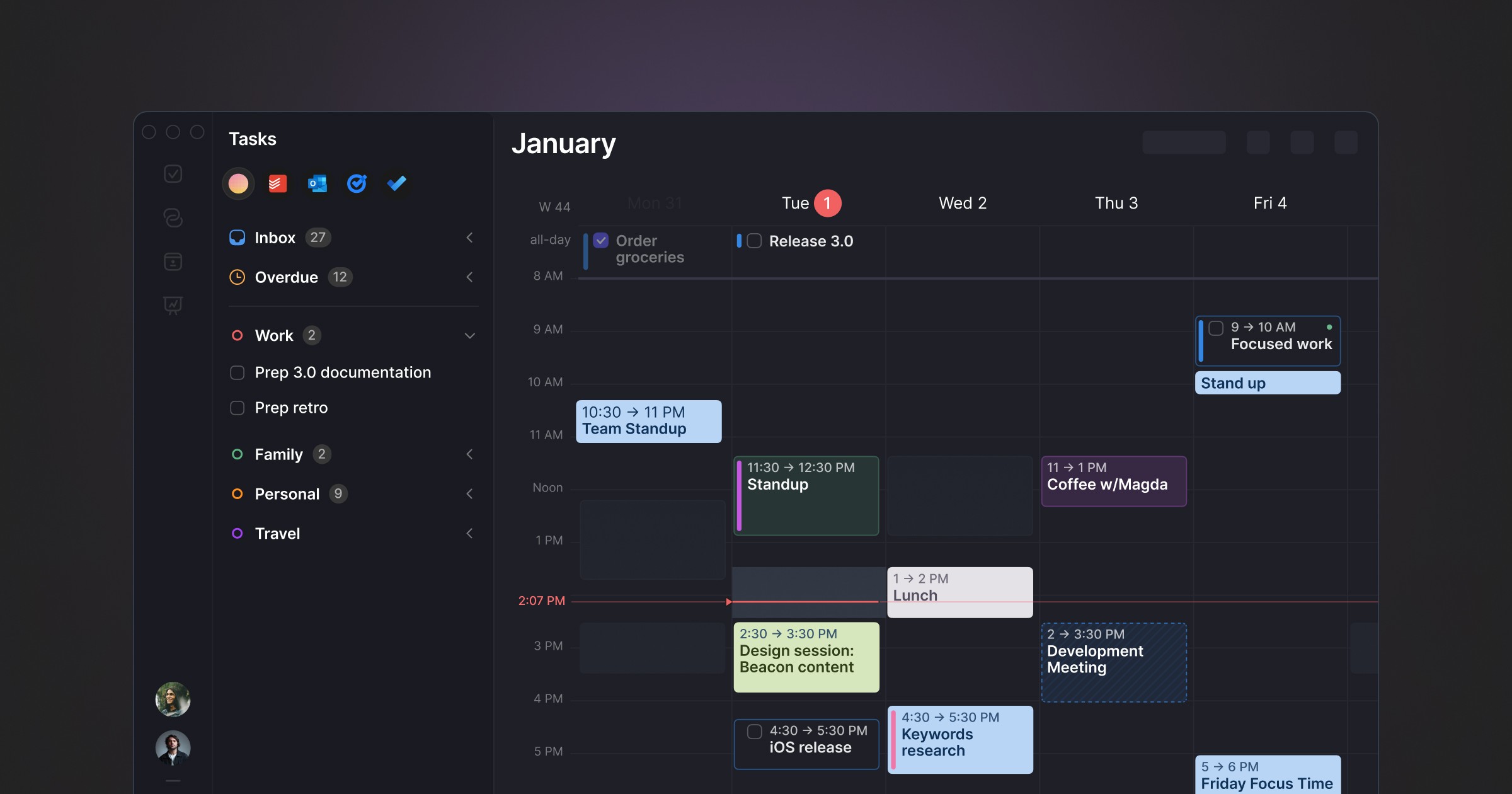
Morgen is a well-designed calendar app — it connects Google, Outlook, iCloud, Apple Calendar, and Exchange into one clean view, adds basic task management, scheduling links, and an AI Planner that suggests where to put your tasks. It runs on Mac, Windows, Linux, iOS, Android, and web.
If your frustration is that Google Calendar looks tired and you want something better, Morgen is a step up. The interface is calm and the cross-platform coverage is broad.
But it's still a calendar with tasks bolted on. The task management is basic — most users pair it with Todoist or ClickUp. There's no focus mode, no behavioural AI, no weekly reports. Morgen helps you see your day. What happens once you start working is entirely up to you.
Aftertone picks up where that leaves off. Tasks live inside time blocks. Time blocks are protected by a Focus Screen that adapts while you work. AI runs silently across your week and surfaces patterns you wouldn't spot yourself. The whole thing is $30/month, runs natively on macOS, and syncs with Google Calendar — adding the system that a calendar alone can't provide.
Side-by-Side
Feature | Aftertone | Morgen |
|---|---|---|
Pricing | $30/month | €15/mo annual (€180/yr) or €30/mo monthly. No free plan. 14-day free trial. |
Free trial | 7 days, no card required | 14-day free trial + 30-day money-back guarantee |
Platform | macOS (iOS/Android coming) | macOS, Windows, Linux, iOS, Android, Web |
Core identity | Productivity system: plan, execute, evaluate, optimise | Unified calendar with basic task management and scheduling |
Task management | Native — keyboard shortcut capture, Smart Zoning (keyboard time blocking), schedule with S, project tags, filtering | Basic — create tasks, drag to calendar. No projects, no system-level capture. Most users pair with Todoist or ClickUp. |
Time blocking | Visual time blocks with daily structure | Drag tasks onto calendar grid. AI Planner suggests placements. |
AI | Silent behavioral AI — stalled tasks, time drift, energy tracking. Smart Capture (paste text or screenshot → structured tasks). Weekly and daily insight reports. | AI Planner suggests time block placements. You approve manually. No behavioral analysis. |
Focus Screen | Context-aware — current task, overdue flags, 1-2-3 shortcuts to pull tasks forward, Auto-Extend, Pause, auto calendar updates | None |
Weekly reports | Automated, AI-generated, personalised | None |
Calendar support | Google Calendar, two-way sync | Google, Outlook, iCloud, Apple Calendar, CalDAV, Exchange — all unified |
Meeting scheduling | Not included | Scheduling links + booking pages (replaces Calendly) |
Integrations | Google Calendar | Todoist, Notion, ClickUp, Linear, Zoom, Teams, Zapier |
Mobile | iOS/Android coming | iOS + Android (paid tiers only) |
Privacy | Local macOS app | GDPR compliant, no calendar data stored on servers |
Independently owned | Yes | Yes |
Where Aftertone pulls ahead

It's a system, not a calendar skin
Morgen makes your existing calendars look better and adds light task management. Aftertone gives you a four-phase workflow: plan your day with time blocks, execute with a Focus Screen that adapts to your work, evaluate with automated end-of-week analysis, optimise with AI-generated suggestions. Morgen covers the first step. Aftertone covers all four.
Task management that stands on its own
Morgen's task management is widely described as "basic" in reviews — create tasks, add a deadline, drag them onto the calendar. No project structure, no tags, no keyboard shortcut capture from outside the app. Most serious users pair Morgen with Todoist, ClickUp, or Notion, which means managing two apps instead of one. Aftertone's task management is native and complete. Hit a keyboard shortcut from anywhere on your Mac, type the task, tag it to a project, move on. One app, one system.
AI that observes instead of suggesting
Morgen's AI Planner looks at your tasks and suggests where to place them on your calendar. Helpful for morning planning, but it learns nothing about how your week actually went. Aftertone's AI runs across your entire week silently — tracking which tasks keep getting pushed, where your planned time diverges from actual time, when your energy peaks and dips. Then it delivers a weekly report with specific suggestions for next week. Morgen helps you place blocks. Aftertone helps you understand why some blocks work and others don't.
The Focus Screen
Morgen has no execution mode. When it's time to work, you're looking at a calendar view with other events, other tasks, and sidebars competing for your attention. Aftertone's Focus Screen takes over and shows your current task — nothing else. If something's overdue, it surfaces it. Finish early and it presents your upcoming tasks as 1-2-3 options — pick one and your calendar updates automatically. You work inside a stripped-back environment built to keep you in flow. Morgen can't do this at any price tier.
Where Morgen is the better fit
Morgen's biggest advantage is cross-platform. Mac, Windows, Linux, iOS, Android, and web — if you need to plan from multiple devices and operating systems, Morgen goes everywhere. Aftertone is macOS-only for now.
If you juggle calendars across a work Google account, a personal Gmail, an Outlook calendar, and iCloud, Morgen brings them all into one view. Aftertone syncs with Google Calendar only.
Scheduling links and booking pages replace Calendly. If you schedule external meetings regularly, that saves a separate subscription.
There's a free Basic plan, though it's limited to one calendar with no mobile access — more of a preview than a usable free tier. For more alternatives, see the full best Morgen alternatives guide.
Who should choose Morgen
If you need cross-platform support beyond macOS, Morgen may be the better fit today. If you rely heavily on integrations with other tools in your stack, check whether Morgen connects to what you use daily. And if Morgen's specific approach — its unique features and design philosophy — matches how you prefer to work, it's worth trying.
But if you want a productivity system that goes beyond planning into execution, evaluation, and optimisation — with behavioral AI that learns your patterns and a Focus Screen that protects your attention — Aftertone goes deeper.
Frequently asked questions
Is Morgen better than Aftertone?
It depends on what you need. Morgen has its own strengths — particularly if you need broader platform support or specific integrations. Aftertone is stronger on execution: its Focus Screen, behavioral AI, and weekly reports create a four-phase productivity system (plan, execute, evaluate, optimise) that most competitors don't attempt.
Does Aftertone work on Windows or Linux?
Not yet. Aftertone is currently macOS-only, built as a native Mac app for performance and deep OS integration. iOS and Android apps are in development. If you need Windows or Linux support today, Morgen may be a better short-term choice.
Can I use Aftertone with Google Calendar?
Yes. Aftertone syncs with Google Calendar via two-way sync. Your time blocks, events, and schedule changes appear in both apps. Aftertone adds the productivity layer — tasks, Focus Screen, AI insights — on top of your existing calendar.
How much does Aftertone cost?
Aftertone is $30/month with a 7-day free trial — no card required to start. Every feature is included: Focus Screen, Smart Capture, Smart Zoning, behavioural AI, weekly and daily reports, and unlimited projects.
What if I'm switching from Morgen to Aftertone?
Aftertone syncs with Google Calendar, so any events you have there will appear automatically. For tasks, you'll need to recreate them in Aftertone — but the keyboard shortcut capture makes this fast. Most users are fully set up within a day.
Related reading
For more context on how Aftertone compares in the broader productivity landscape, see Best Morgen Alternatives (2026), Best Mac Calendar Apps for Time Blocking (2026) and Productivity Methods Compared.
Bottom line
Morgen is a better-looking calendar. Aftertone is a productivity system. If you need all your calendars in one polished view, Morgen does that. But if you want time blocking with native task management, a Focus Screen that protects your attention while you work, AI that learns your patterns over time, and weekly reports that actually help you improve — Aftertone goes meaningfully deeper. Try Aftertone free at aftertone.io.
