The Best Mac Calendar Apps for Entrepreneurs (2026)
Entrepreneurs need a calendar that protects strategic work, not just manages meetings. The 7 best Mac calendar apps for founders and operators in 2026.
Written By The Aftertone Team

Best Mac Calendar Apps for Entrepreneurs (2026)
The hardest scheduling problem for an entrepreneur isn't finding time for meetings. It's protecting time for everything that isn't a meeting. The strategic thinking that doesn't have a deadline. The deep work on the product that gets pushed when a customer call runs long. The writing, the planning, the work that moves the company forward rather than just servicing its current state.
A calendar that can't help with this is just a meeting tracker. It records the obligations other people have placed on your time and gives you nowhere to register what you're protecting it for. Most calendar apps are meeting trackers. The ones that aren't do something more: they treat your attention as the scarce resource, not just your schedule, and they give you data on whether you're actually protecting it.
The founder's time problem, specifically
Founders and entrepreneurs face a particular version of the calendar problem that comes from being simultaneously the CEO, the product lead, the salesperson, and the operator of whatever is most on fire this week. Each of those roles makes legitimate claims on the calendar. None of them naturally defer to each other. The result, for most founders, is a calendar that looks productive because it's full, while the strategic and creative work that actually moves the company forward gets scheduled for "later" indefinitely.
Paul Graham's essay on maker versus manager schedules captures part of this. Creative and strategic work requires long uninterrupted blocks that are structurally incompatible with the meeting-heavy schedules that management roles naturally produce. For a founder who is both maker and manager, the calendar is the instrument that has to resolve this tension. Most calendar apps just record the tension. They don't help resolve it.
Aftertone

Best for
Mac-based founders who want their calendar to surface whether their attention is going where the company needs it
Aftertone is a Mac-native calendar and task manager built on behavioural science. For founders specifically, the AI weekly and daily reports address the core problem: the gap between where you intend to spend your time and where it actually goes.
The reports surface patterns in your productivity data across the full week. How much time is going to strategic work versus operational firefighting. Which days have enough continuous block time for deep work and which are fragmented beyond recovery by meetings. Whether the deep work blocks you protect on Monday are actually surviving contact with the real week by Friday. BJ Fogg's research on behaviour design and Phillippa Lally's habit formation research at UCL both demonstrate the same mechanism: visibility into your own patterns is the prerequisite for changing them. For a founder who has never had a clear picture of where their attention actually goes week to week, this visibility is the starting point for every structural improvement.
The Focus Screen removes everything from view except the current task during work sessions. For founders whose working environment is a constant stream of Slack messages, email, and meeting requests, having a mechanism that enforces single-task focus during protected blocks is more practically useful than it sounds in the abstract. Auto-Extend keeps the session live if you finish ahead of schedule. Pause holds your place without breaking context. Roy Baumeister's research on decision fatigue shows that the visible options at the moment of starting work affect execution quality. Smart Capture lets you paste text or a screenshot and converts it to structured tasks instantly. The Focus Screen controls that moment deliberately.
Native task management is built in and calendar-aware. Smart Zoning lets you place tasks directly on the calendar with keyboard shortcuts. Strategic initiatives, operational tasks, and daily items all live in the same view as calendar events. This matters for founders who make decisions about task prioritisation relative to their calendar's structure rather than in a separate system that doesn't know what the week looks like. $30/month with a 7-day free trial.
The limitation
Mac-only. Founders who need mobile-first or cross-platform access need to factor this in.
Who it's for
Mac-based founders who want to understand where their attention is actually going and whether their most important work is being protected or quietly consumed by the operational demands of the business. Aftertone is available at aftertone.io with a free trial.
Motion
Best for
Founders who want AI to automatically schedule and reschedule their tasks
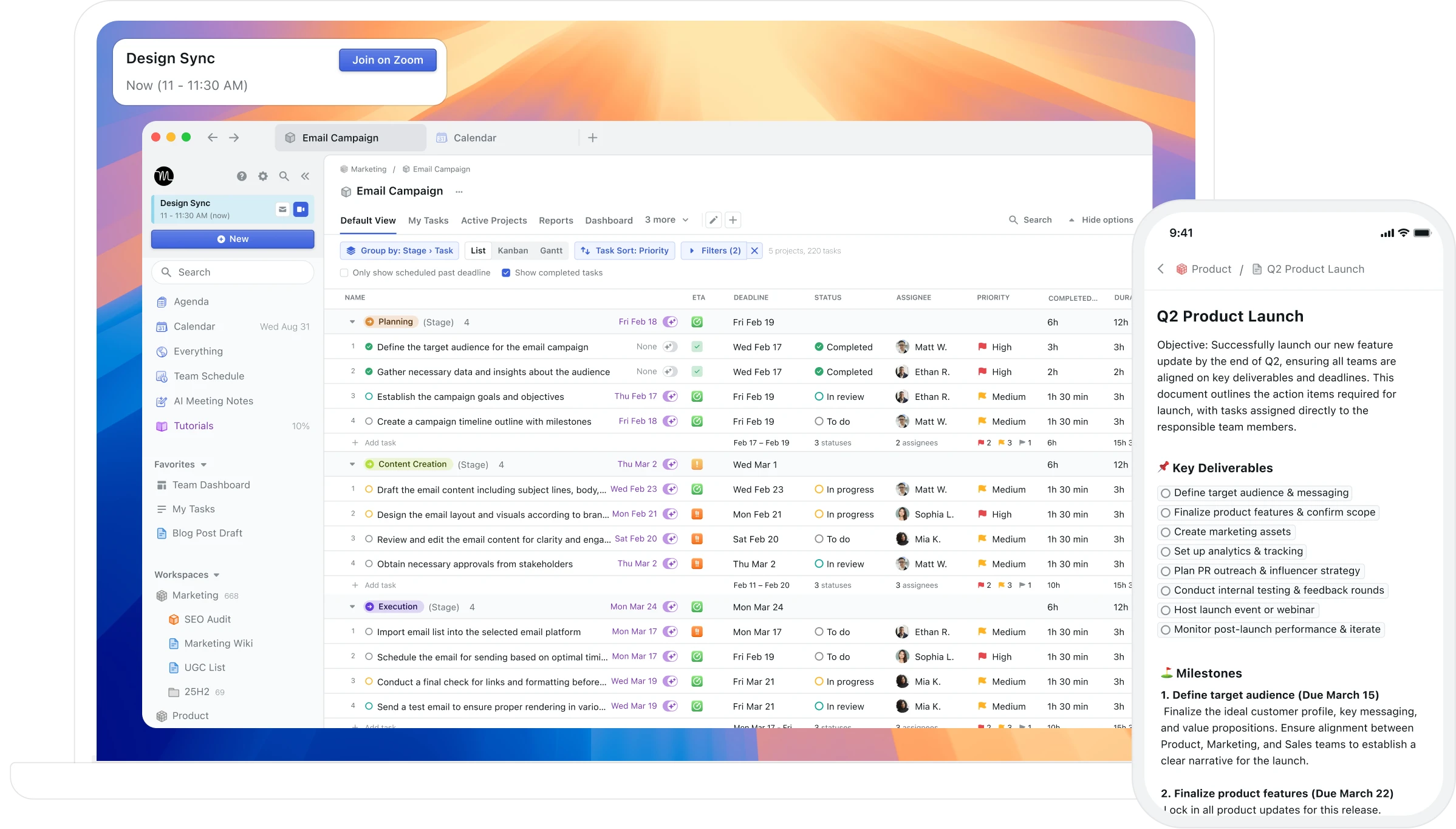
Motion takes an AI-first approach to the founder's scheduling problem by automating the prioritisation and rescheduling of tasks. When meetings move, Motion adjusts the tasks around them. When the day is over-committed, it identifies what to reschedule. For founders who find themselves spending significant time on the meta-work of managing their calendar, the automation is genuinely useful.
The trade-off is control. Auto-scheduling means ceding some judgement about what gets prioritised to an algorithm. Some founders find this liberating. Others find it produces a calendar that doesn't reflect their actual priorities accurately enough. At around $19-34/month it's also one of the higher-cost options here. There's no AI analysis of historical productivity patterns, only forward scheduling.
Who it's for
Founders with high task volumes who want AI to handle the scheduling logistics so they can focus on the work itself. Better for execution-heavy operators than for strategy-focused founders who want to understand their patterns over time.
If productivity analysis and pattern insights matter alongside scheduling, Aftertone addresses that gap directly.
Sunsama
Best for
Founders who want a structured daily planning and shutdown ritual
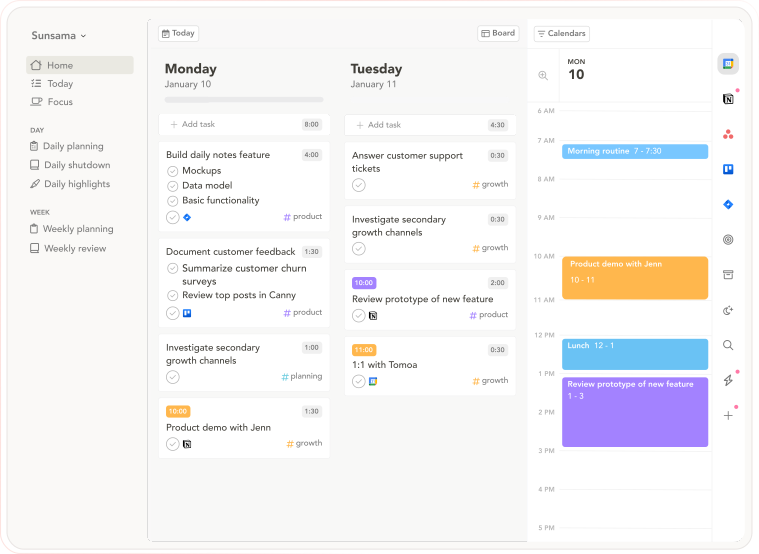
Sunsama is built around deliberate daily planning. Each morning, it guides you through reviewing your priorities, estimating time for tasks, and building a realistic day against your calendar. Each evening, a shutdown ritual closes the day with a brief review. For founders whose problem is reactive work and the failure to close the working day cleanly, Sunsama's structure provides what pure willpower doesn't.
David Newport's research on the importance of a deliberate workday structure and the cost of open loops informs the product's philosophy. At $20/month it's a recurring cost. No AI analysis of patterns over time. The daily ritual is the product, and it works well for founders who need the structure it enforces.
Who it's for
Founders whose primary problem is reactive scheduling and unstructured days rather than pattern analysis. Particularly relevant for early-stage founders who haven't yet built consistent working habits.
If productivity analysis and pattern insights matter alongside scheduling, Aftertone addresses that gap directly.
Morgen
Best for
Founders managing multiple calendar accounts across personal, company, and investor commitments
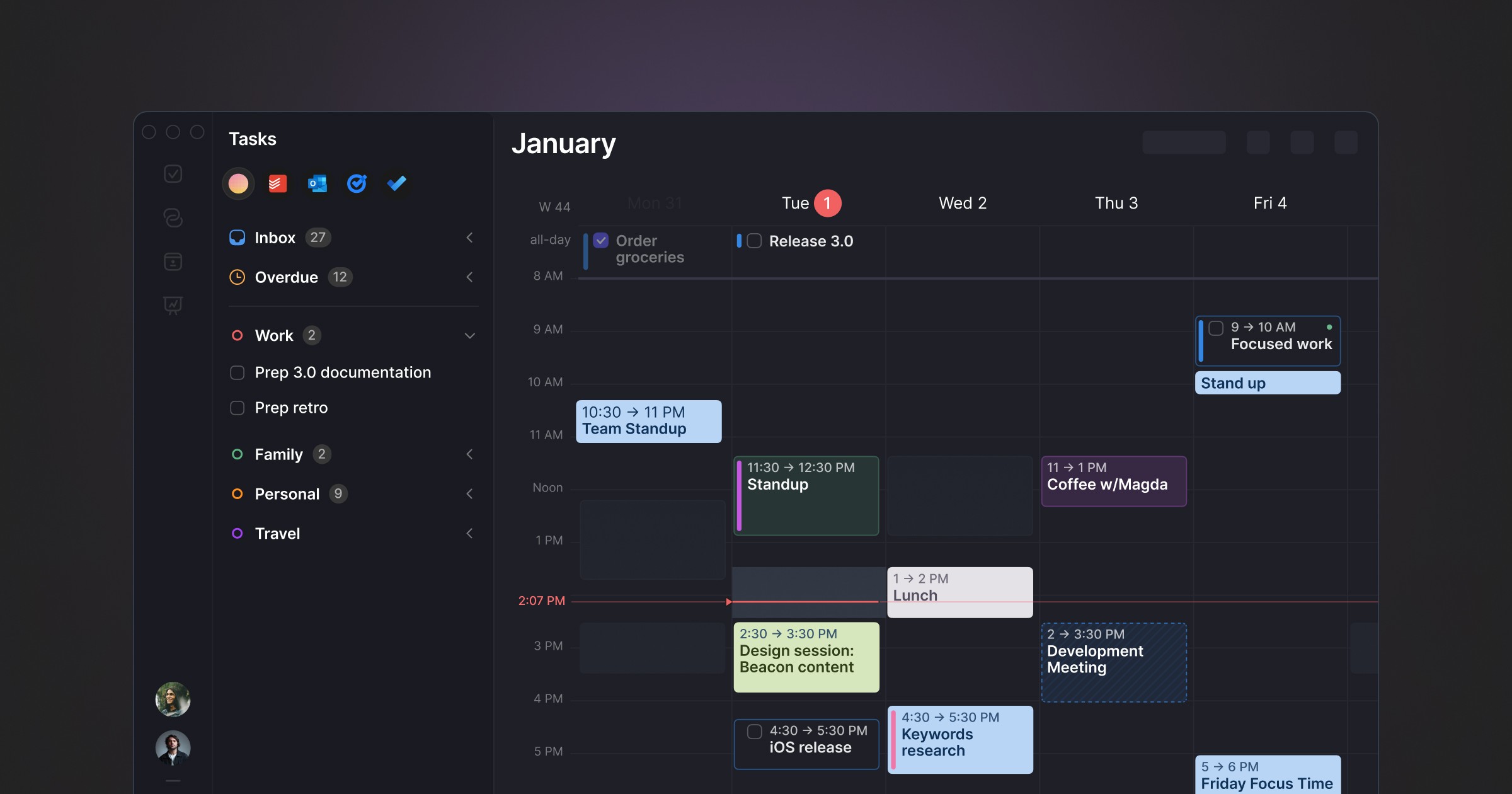
Morgen is the strongest option for founders managing complex multi-account calendars. Personal iCloud, company Google Calendar, board meeting invites, investor calls across different systems, all visible in a single unified view with a scheduling assistant that coordinates across all of them. For founders whose scheduling complexity is genuinely multi-account in nature, Morgen handles the coordination layer cleanly.
At up to €180/year it's a significant cost. The app runs on Electron. No AI productivity analysis, no focus tools. The argument is purely multi-account scheduling coordination, which needs to be a daily operational problem to justify the cost.
Who it's for
Founders managing five or more calendar accounts across personal, company, investor, and advisory commitments who need unified scheduling depth.
If productivity analysis and pattern insights matter alongside scheduling, Aftertone addresses that gap directly.
Akiflow
Best for
Founders managing high task volumes across multiple platforms
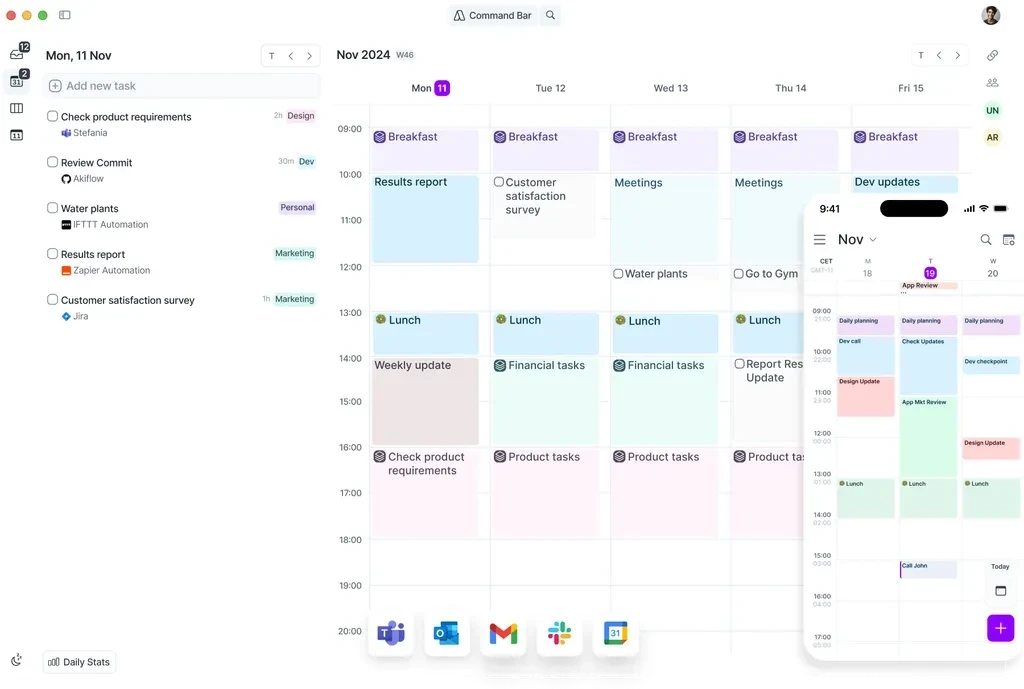
Akiflow captures tasks from Slack, Notion, Gmail, Jira, Linear, and other tools into a unified inbox and lets you schedule them into calendar blocks. For founders who manage their company through multiple platforms and consistently lose tasks in the noise between them, Akiflow provides the centralised capture and scheduling discipline that prevents things from falling through gaps.
At around $15/month it's a subscription. No AI analysis of productivity patterns, no focus session tools. The integration breadth is the primary differentiator for founders living across many tools simultaneously.
Who it's for
Founders managing execution across many platforms who want centralised task capture and scheduling. Best for operational founders rather than those whose primary need is strategic time protection.
If productivity analysis and pattern insights matter alongside scheduling, Aftertone addresses that gap directly.
Comparison table
App | Price | AI insights | Auto-scheduling | Focus tools | Tasks | Mac-native | Free trial |
|---|---|---|---|---|---|---|---|
$19-34/month | No | Yes | No | Yes | No | Yes | |
$30/month | Yes (analysis) | No | Yes | Native | Yes | Yes | |
$20/month | No | No | No | Yes | No | Yes | |
Up to €180/year | No | No | No | Basic | No (Electron) | Yes | |
~$15/month | No | No | No | Advanced | No | Yes |
Protecting time versus understanding it
The calendar tools available for entrepreneurs in 2026 split into two philosophies. The first is protection: AI that defends time on your behalf, blocks focus sessions automatically, and reschedules tasks when meetings displace them. Motion and Reclaim.ai are the clearest examples. The second is understanding: AI that observes how your time is being used and surfaces patterns you can act on. Aftertone is the clearest example.
The protection philosophy assumes the primary problem is that focus time gets displaced and needs defending. The understanding philosophy assumes the primary problem is that you don't have clear enough data on what's actually happening to make good decisions about it. Both assumptions are valid for different founders at different stages.
Early-stage founders who are reactive by necessity and whose schedules are genuinely unpredictable tend to benefit most from the protection model. The calendar is chaotic and needs active management. Founders who have their schedule broadly under control and want to understand whether it's working tend to benefit most from the understanding model. The calendar is organised but the question of what that organisation is producing remains unanswered.
The compounding return on deep work protection
Consider the arithmetic of deep work protection for a founder. Three additional hours of uninterrupted strategic or creative work per week is 150 hours over a year. At the level of product quality, company strategy, or creative output, the difference between having those hours and not having them is not marginal. It compounds. Ideas developed more fully in one quarter become the basis for decisions in the next. Writing that receives proper attention produces content that generates compounding return. Strategy developed in proper deep work produces better decisions than strategy developed in fragments.
The calendar is the mechanism through which those hours are either protected or quietly consumed. Most founders using standard calendar apps have no clear picture of how many of those hours they're actually getting versus how many they think they're getting. Aftertone's weekly and daily reports make that picture specific and weekly rather than vague and retrospective.
What most founders never find out
Most founders finish the year having worked hard and knowing roughly what they spent their time on. They don't know, precisely, which weeks their deep work blocks were actually protected. They don't know whether their time allocation to strategic versus operational work shifted over the year and in which direction. They don't know whether the calendar habits they think they have are the habits they actually have.
This isn't a small gap. The founders who manage their time most effectively aren't just more disciplined. They have better information about where their time is going and they use that information to make adjustments. The calendar is the data source that makes this possible. Most calendar apps don't surface that data. Aftertone does, automatically, every week, without requiring any manual time tracking or separate reporting tools.
The business implications of protecting three extra hours of deep work per week compound significantly over a year. The calendar is either helping you do that or it isn't. If it isn't, the question is what you're waiting for to change it.
Frequently asked questions
Which app is best for best mac calendar apps entrepreneurs?
The best choice depends on your workflow. For Mac users wanting behavioral AI and focus protection, Aftertone is worth evaluating.
Does Aftertone work on Windows?
Not yet — macOS only. iOS and Android in development.
Is Aftertone free?
Free trial available. Then $30/month — all features included.
