Motion vs Reclaim.ai: Which Is Better in 2026?
Motion takes over your calendar ($34/month, no free tier). Reclaim works within it (free tier, $10/month). One difference that settles the comparison.
Written By The Aftertone Team

Motion vs Reclaim.ai: Which Is Better in 2026?
Motion and Reclaim.ai are both AI scheduling tools for Google Calendar users, and they're frequently compared because they overlap. But the overlap is narrower than it appears. Both schedule tasks automatically. After that, they diverge significantly in philosophy, scope, and what they ask of the user.
The shortest version: Motion takes over your calendar. Reclaim works within it. That distinction matters more than almost anything else in the comparison.
Motion — full AI schedule autonomy
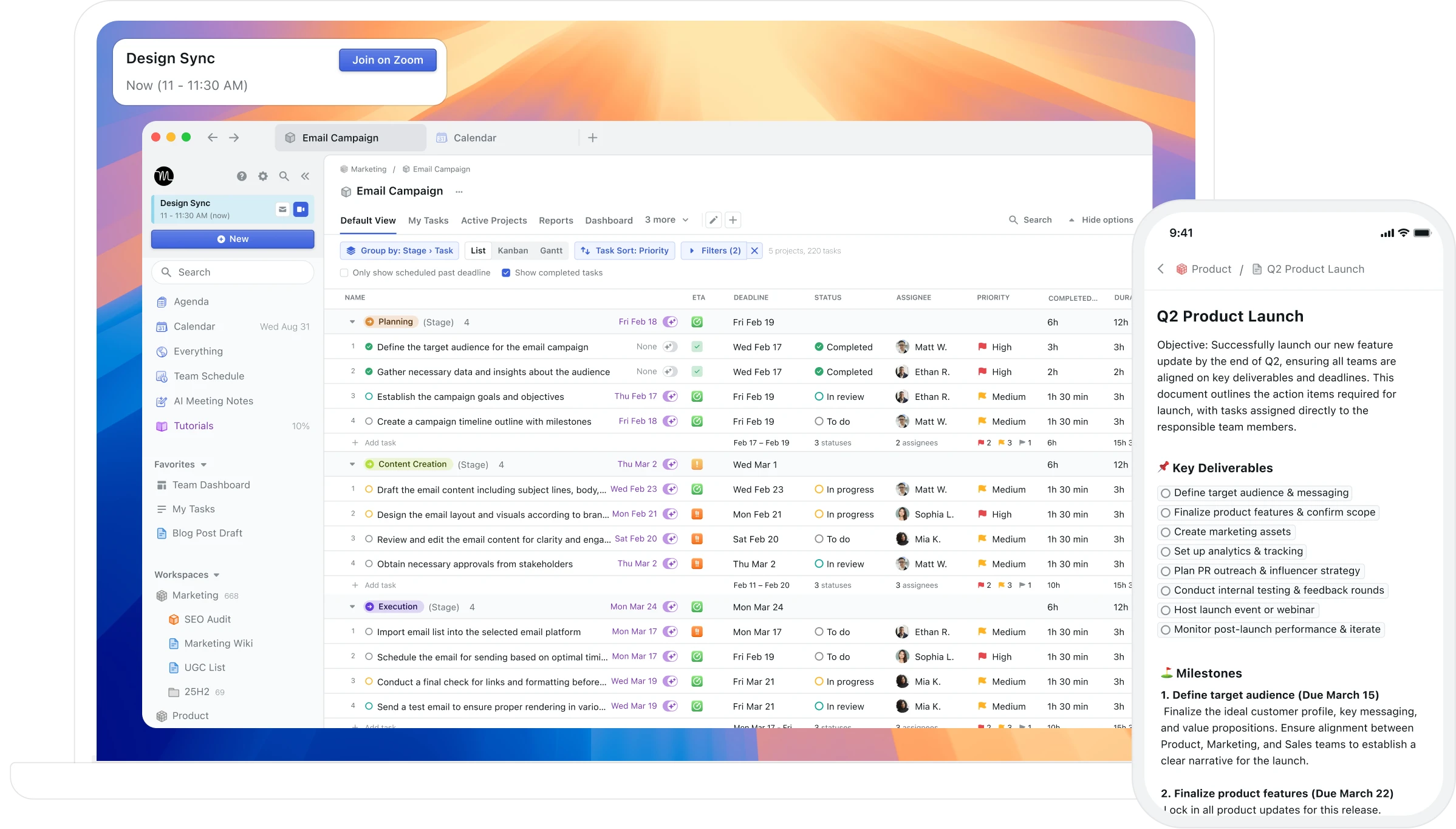
Motion is the most ambitious auto-scheduler available. It takes your task list, deadlines, and meeting commitments and builds a complete daily schedule. The AI manages the whole thing — scheduling, rescheduling, adjusting when conditions change. You enter the inputs; the AI produces the schedule. The calendar is no longer something you manage; it's something the AI manages for you.
What this produces, in practice, is a schedule that is often well-optimised for deadline adherence and that changes daily as the AI rebuilds it. Users who trust the AI and have high tolerance for that unpredictability find it genuinely freeing. Users who want to plan their day intentionally and know in advance what the structure of their day looks like find it disorienting. At ~$34/month.
Reclaim.ai — assistive AI within your calendar

Reclaim.ai takes a different approach. It automates specific, defined functions — creating and defending focus blocks, scheduling recurring habits, adding buffer time around meetings, scheduling tasks from connected tools into available slots — but it does all of this within the structure the user sets up, not autonomously. You define the parameters; Reclaim executes within them. The calendar remains recognisably yours.
This is why Reclaim users tend to stick with it longer than Motion users: the automation is useful without being alienating. The focus block is where you said it should be. The buffer time appears reliably. The habits are protected. Free tier; paid from $10/month.
Direct comparison
Feature | Motion | Reclaim.ai |
|---|---|---|
Scheduling philosophy | Full AI autonomy | Assistive automation |
Calendar predictability | Low (daily rebuilds) | High (user-defined) |
Habit protection | Via task system | Yes (dedicated feature) |
Buffer time | No | Yes (automatic) |
Task scheduling | Yes (primary feature) | Yes (from connected tools) |
Calendar service | Google Calendar, Outlook | Google Calendar only |
Price | ~$34/month | Free / from $10/month |
AI pattern analysis | No | No |
When Motion wins
Motion wins when the scheduling overhead is the problem. High task volume, multiple deadlines, constant meeting additions — for users who spend meaningful time each day figuring out when things will get done, Motion removes that problem. The schedule appears. The tasks get placed. The deadline is either achievable or flagged as at risk. For this profile, the $34/month price and the loss of calendar predictability are a worthwhile trade.
When Reclaim wins
Reclaim wins when the protection problem is the problem. Focus blocks that keep getting claimed by meetings, habits that fall off when the calendar gets busy, buffer time that never materialises — Reclaim automates the defensive layer that most users are bad at maintaining manually. The automation is surgical rather than total. For users who want to maintain ownership of their schedule while automating the structural protections, Reclaim is the better fit at a meaningfully lower price.
Aftertone — AI insight rather than AI automation on Mac

Best for
Mac users who want neither tool's automation approach but do want AI that analyses their scheduling behaviour and surfaces patterns over time
Aftertone is a Mac-native calendar and task manager built on behavioural science. Smart Capture converts pasted text or a screenshot into structured tasks instantly. Smart Zoning moves tasks directly onto the calendar with keyboard shortcuts. Auto-Extend keeps the session running when you finish a task early. Pause holds your place. The contrast with both Motion and Reclaim is in the AI's role: neither automates your schedule nor protects specific time slots, but reads your scheduling history and surfaces the intelligence that makes better manual scheduling decisions possible — which week structures produce your best output, how meeting density has been trending, whether the current calendar configuration resembles your historically productive or unproductive periods. $30/month with a 7-day free trial. The AI as advisor, not operator.
Which to choose
If your Google Calendar needs structural protection — recurring focus time, habit windows, buffer time — start with Reclaim's free tier. If the protection isn't enough and you want task scheduling automation as well, evaluate Motion on a trial. If neither automation approach fits and you use a Mac, Aftertone's weekly and daily intelligence reports address the question both tools leave unanswered: whether the calendar, however it's being managed, is actually working.
Frequently asked questions
Which app is best for motion vs reclaim ai?
The best choice depends on your workflow. For Mac users wanting behavioral AI and focus protection, Aftertone is worth evaluating.
Does Aftertone work on Windows?
Not yet — macOS only. iOS and Android in development.
Is Aftertone free?
Free trial: 7 days, no card required. Then $30/month.
