Best Reclaim AI Alternatives in 2026: 7 Apps Tested
Reclaim AI works inside Google Calendar only. The 7 best Reclaim alternatives in 2026 with standalone apps, behavioral AI, and multi-calendar support.
Written By The Aftertone Team

Best Reclaim AI Alternatives in 2026
Quick answer: Reclaim AI auto-schedules habits and focus time inside Google Calendar — but it's a calendar layer, not a standalone system. The best alternative depends on what you need beyond scheduling automation:
Aftertone — behavioral AI that analyses your week, with a Focus Screen for execution ($30/month, Mac)
Motion — full auto-scheduling with project management ($34/mo)
Morgen — AI suggestions you approve, cross-platform ($15/mo)
SkedPal — energy-aware constrained AI scheduling (~$10/mo)
Reclaim AI works well for what it does: protecting habits, scheduling focus blocks, and keeping your Google Calendar from being eaten by meetings. But it runs entirely inside Google Calendar with no standalone interface, no task management depth, and no analysis of whether your scheduling patterns are actually producing results.
Here are the seven best Reclaim AI alternatives in 2026.
Why people look for Reclaim AI alternatives
The reasons cluster around a few specific frustrations:
Google Calendar only. Reclaim doesn't work with Outlook, iCloud, or Apple Calendar. If you're not on Google Workspace, Reclaim isn't an option.
No standalone app. Reclaim runs as a calendar layer — there's no dedicated interface to plan or review your day outside of Google Calendar.
No feedback on whether the schedule worked. Reclaim protects focus time but doesn't tell you whether that protected time was productive.
Basic task management. Task input is limited compared to dedicated task managers. Most users pair Reclaim with Todoist or Asana.
Pricing tiers create feature gaps. The free tier is useful but paid features ($8–18/mo) add up.
How we evaluated these tools
We focused on tools that address the specific gaps people experience with Reclaim: scheduling intelligence, execution support, standalone interfaces, and multi-calendar support. Tools are ranked by how well they serve the most common reasons people look beyond Reclaim.
What Reclaim AI does well, and where it stops
Reclaim's core strength is habit scheduling and focus time protection. Define recurring patterns — "90 minutes of deep work every morning," "lunch at 12:30," "gym at 6pm" — and Reclaim automatically finds and defends those slots around your meetings. Smart scheduling links let you share availability without back-and-forth. Slack status syncs automatically during focus blocks.
Where it stops: Reclaim doesn't know whether your focus blocks were productive. It protects the time but has no view on what happened inside it. There's no analysis layer, no weekly and daily reports, no pattern recognition across your scheduling history.
At a glance: all alternatives compared
App | Price | AI scheduling | Focus tools | Free tier | Platform |
|---|---|---|---|---|---|
Aftertone | $30/month | Silent/advisory | Focus Screen | Free trial | Mac only |
Motion | $34/month ($19/month annual) | Full auto | None | No | All platforms |
Morgen | $15/month billed annually | Suggestions | None | No | All platforms |
SkedPal | ~$9 | Constrained auto | None | No | All platforms |
FlowSavvy | $7/month | None | None | No | All platforms |
Sunsama | $20/month billed annually ($26/month monthly) | None | None | No | All platforms |
Clockwise | Check current availability — product was acquired in early 2026 | None | Focus blocks | Yes | All platforms |
1. Aftertone — mac users who want ai that observes and reports rather than controls — keeping y

Best for: Mac users who want AI that observes and reports rather than controls — keeping you in charge while surfacing the scheduling intelligence other tools don't provide
Aftertone is a Mac-native calendar and task manager built on behavioural science. Smart Capture converts pasted text or a screenshot into structured tasks instantly. The philosophical difference from most alternatives is explicit: instead of automating your schedule, Aftertone analyses what actually happens when you execute it. The AI weekly and daily reports surface patterns across your scheduling history — which time slots produce real output, how your meeting-to-deep-work ratio trends, whether your calendar structure this week resembles your most or least productive periods. The Focus Screen supports execution: when it's time to work, everything except the current task disappears.
Pros:
AI weekly and daily reports — the only tool in this category that analyses your scheduling patterns over time
Focus Screen — narrows to the current task at execution time, removing visual load
Native task management built into the calendar view, not bolted on
Two-way Google Calendar sync
$30/month. Auto-Extend keeps the session running when you finish a task early. Pause holds your place. Smart Zoning moves tasks onto the calendar with keyboard shortcuts. 7-day free trial, no card required.
Built on 45 principles from behavioural science and cognitive psychology
Cons:
Mac only — iOS coming; no Windows or Android currently
No auto-scheduling — Aftertone informs and improves your planning rather than making decisions for you
Individual tool only — not built for teams
Google Calendar sync only (no Outlook, no iCloud events)
Pricing: $30/month. Free trial available. 7-day free trial, no card required.
Calendars: Google Calendar (two-way sync).
Why switch from Reclaim AI: You want to own your schedule — not outsource it — and you want honest feedback on how your weeks are actually going. Aftertone costs less than a few months of most subscriptions and compounds in value the longer you use it.
2. Motion — users who want full ai auto-scheduling — the ai builds and continuously reshuffl
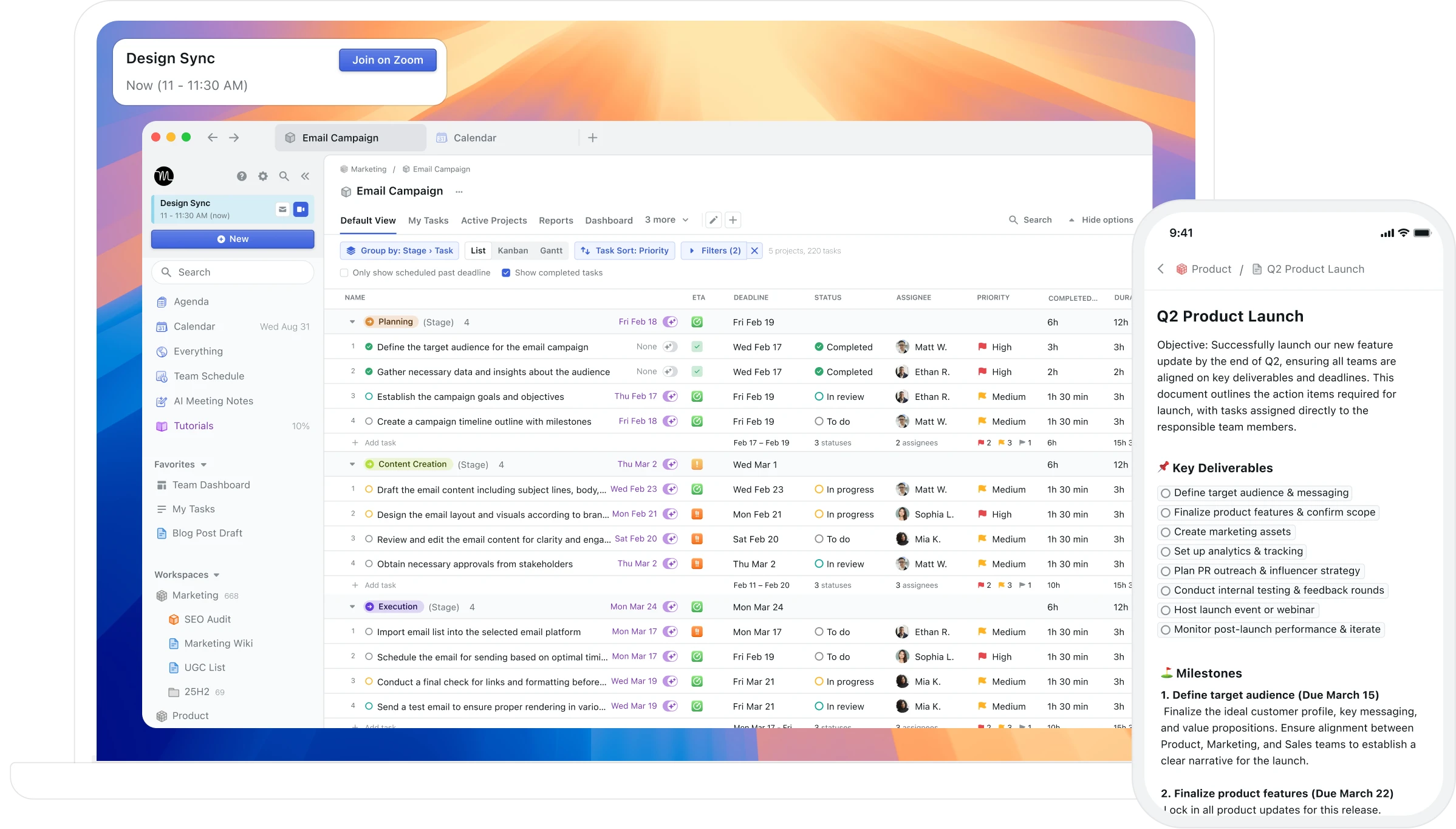
Best for: Users who want full AI auto-scheduling — the AI builds and continuously reshuffles your day based on tasks, deadlines, and priorities
Motion takes full control of your calendar. Give it your tasks and deadlines, and it generates a complete daily schedule. When a meeting appears or a task runs long, the entire day reshuffles automatically. For users whose primary problem is scheduling paralysis — who genuinely cannot convert a task list into an ordered day — this automation addresses a real problem.
Pros:
Full AI auto-scheduling — converts your task list into a complete daily plan
Automatic rescheduling when priorities change or meetings appear
Project management features for team coordination
Cross-platform: Mac, Windows, iOS, Android, web
Cons:
$34/month with no free tier — one of the most expensive personal productivity tools
Unpredictable rescheduling creates a calendar that never feels stable or yours
No feedback on whether the schedule actually worked — no AI analysis of patterns
Dense, cluttered interface that overwhelms users who wanted simpler planning
No Mac-native integration (no Spotlight, Siri, or Apple Watch)
Pricing: $34/month ($19/month annual). No free tier. 7-day trial requires credit card.
Calendars: Google Calendar, Outlook.
Why switch from Reclaim AI: Motion takes a different approach that may better fit your specific workflow and priorities.
3. Morgen — cross-platform users who want ai scheduling suggestions they approve, not automa
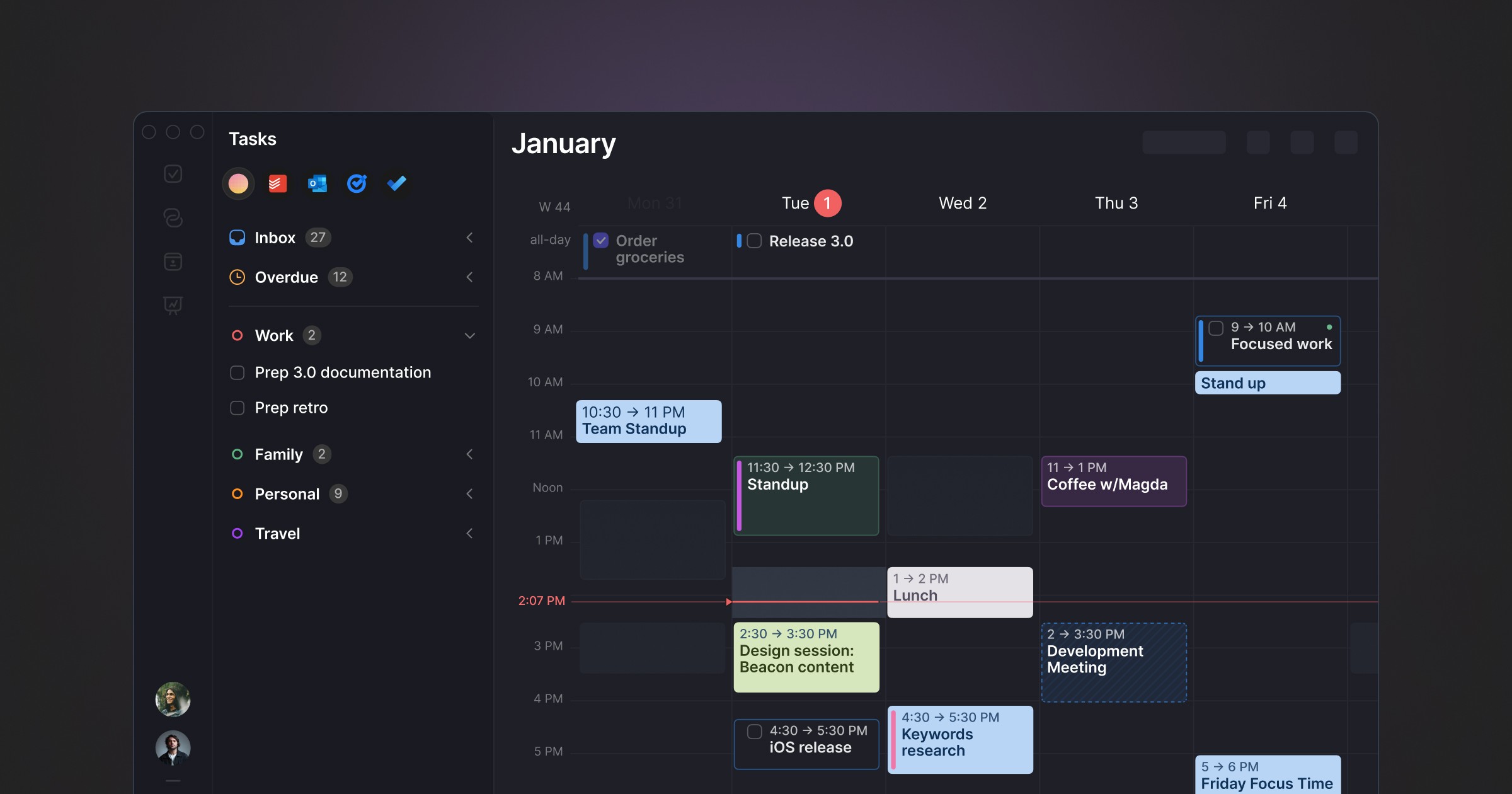
Best for: Cross-platform users who want AI scheduling suggestions they approve, not automation that runs without them
Morgen occupies a distinctive position: AI-powered daily planning without full autopilot. The AI Planner analyses your tasks, priorities, and available time and proposes a day plan — but you review and approve it before it becomes your schedule. Nothing moves without your say. It pulls tasks from Notion, ClickUp, Todoist, Linear, Asana, and others into a unified inbox.
Pros:
AI suggestions with full human approval — no unpredictable reshuffling
Cross-platform: Windows, macOS, Linux, iOS, Android
Strong multi-tool integrations: Notion, Linear, Todoist, ClickUp, Asana, Obsidian
Built-in booking links and meeting scheduler (replaces Calendly)
Buffer and travel time automation
Cons:
No free tier — 14-day trial only
Limited historical feedback on scheduling patterns
Task management is basic — most users pair it with another tool
Electron-based, not Mac-native
Pricing: $15/month billed annually. Team plans from $10/seat/month annually.
Calendars: Google Calendar, Outlook, iCloud, Fastmail.
Why switch from Reclaim AI: Morgen takes a different approach that may better fit your specific workflow and priorities.
4. SkedPal — power users who want motion-style ai scheduling but with energy-aware constraint
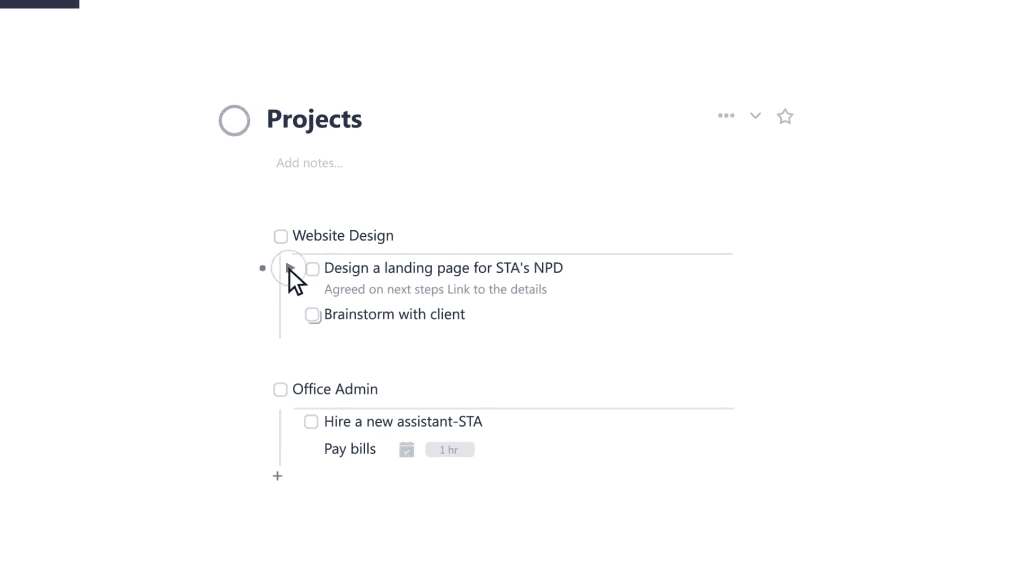
Best for: Power users who want Motion-style AI scheduling but with energy-aware constraints and more structural control
SkedPal has been doing AI-powered task scheduling since before Motion existed. You define Time Maps — which hours can hold which kinds of work based on energy levels and focus capacity — and the AI schedules within those rules. This gives you scheduling efficiency with more control than Motion allows.
Pros:
Time Maps — define energy-aware scheduling windows the AI must respect
Highly customisable — more scheduling constraints than Motion allows
Significantly cheaper than Motion at ~$9.95/month
Works with Google Calendar, Outlook, iCloud
Cons:
Steep learning curve — configuring Time Maps takes upfront investment
Must manually trigger schedule updates — no continuous auto-rescheduling
No native mobile app — web and PWA only
Interface shows its age compared to newer tools
No free tier
Pricing: ~$9.95/month.
Calendars: Google Calendar, Outlook, iCloud.
Why switch from Reclaim AI: SkedPal takes a different approach that may better fit your specific workflow and priorities.
5. FlowSavvy — budget-conscious users who want auto-scheduling for time blocking without motion
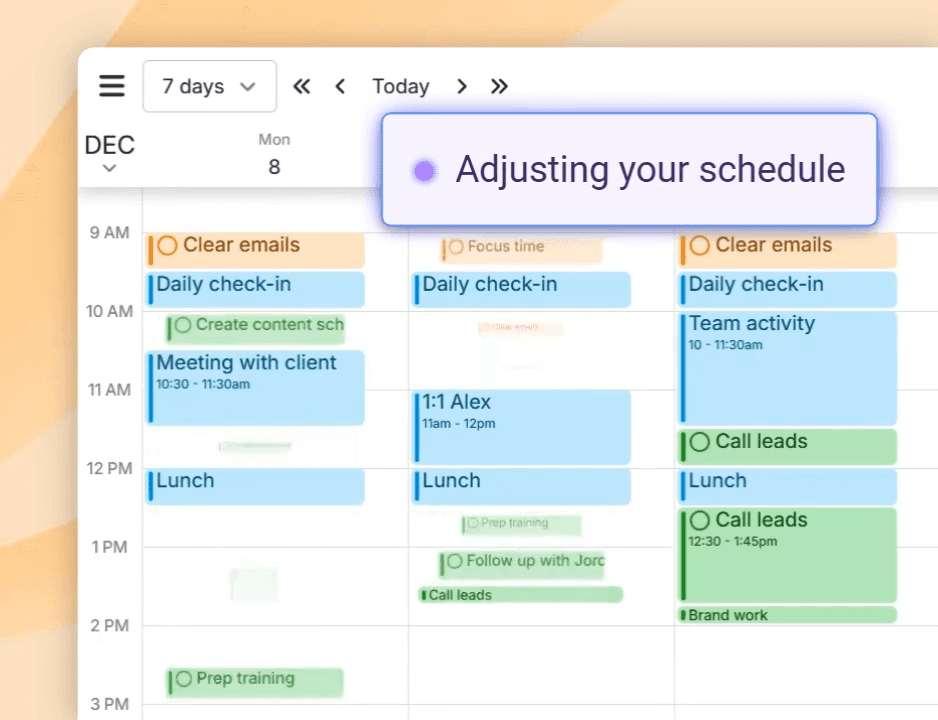
Best for: Budget-conscious users who want auto-scheduling for time blocking without Motion's price tag
FlowSavvy is a time blocking app with auto-scheduling built specifically for individual users. It's simpler than Motion — no project management, no team features — but covers the core auto-scheduling use case at $7/month.
Pros:
Auto-scheduling focused on individual time blocking
Significantly cheaper than Motion at $7/month
Clean, focused interface without feature bloat
Google Calendar integration
Cons:
Less sophisticated AI than Motion or Reclaim
Smaller team and less mature product
Limited integrations
No free tier
Pricing: $7/month.
Calendars: Google Calendar.
Why switch from Reclaim AI: FlowSavvy takes a different approach that may better fit your specific workflow and priorities.
6. Sunsama — people who want intentional daily planning as a deliberate counterpoint to autom
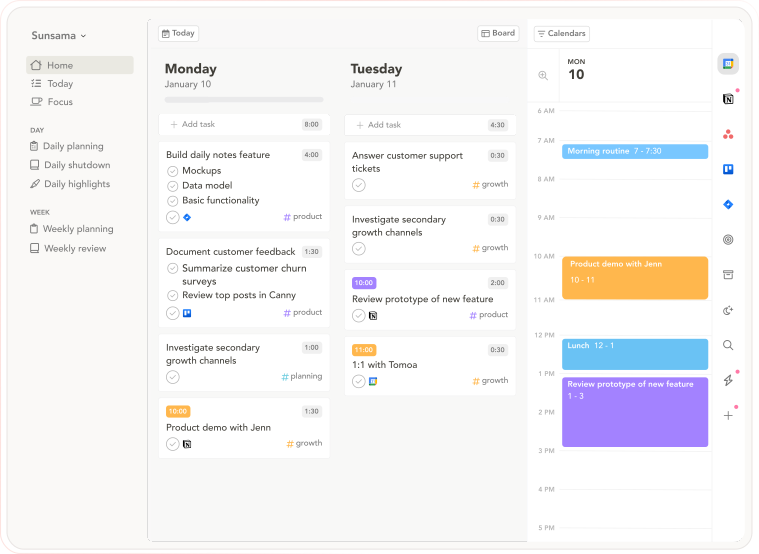
Best for: People who want intentional daily planning as a deliberate counterpoint to automated scheduling — slow, guided, and ritualistic
Sunsama is the philosophical opposite of auto-scheduling tools: instead of AI building your day, Sunsama walks you through building it deliberately yourself. The morning ritual asks you to pull tasks from connected tools, estimate time against your calendar, and commit to the plan. The evening shutdown reviews completion. The commitment is the point — you chose it, which preserves the psychological ownership that automation removes.
Pros:
Guided daily planning ritual — pulls tasks from connected tools, estimates time, locks in a realistic day
Daily Shutdown feature — structured end-of-day review and reflection
Integrations with Asana, Trello, Notion, ClickUp, Todoist, Gmail, Slack, Linear, Jira
Cross-platform: macOS, Windows, web, iOS, Android
14-day free trial, no credit card required
Cons:
$20/month annually — expensive for a planning layer
No AI auto-scheduling — everything is manual
The daily ritual takes 15–20 minutes; speed-oriented users find it slow
No AI analysis of historical scheduling patterns
Pricing: $20/month billed annually ($26/month monthly). 14-day free trial, no credit card required.
Calendars: Google Calendar, Outlook.
Why switch from Reclaim AI: Sunsama takes a different approach that may better fit your specific workflow and priorities.
7. Clockwise — teams who want ai to optimise everyone's schedule together — creating longer foc
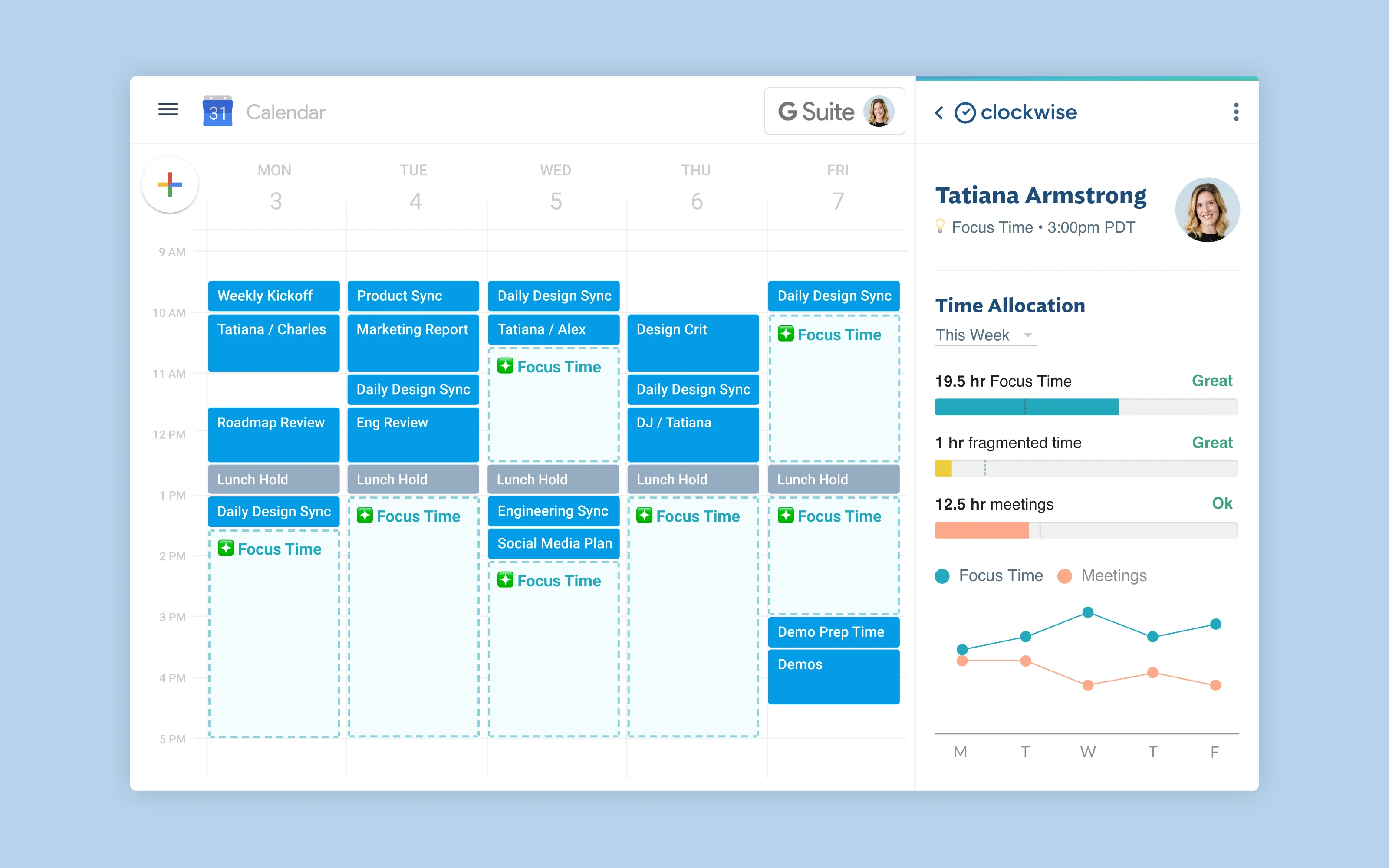
Best for: Teams who want AI to optimise everyone's schedule together — creating longer focus blocks by intelligently moving meetings
Clockwise is an AI-powered calendar assistant that operates at the team level. Where most tools manage personal task lists, Clockwise arranges meetings intelligently so that everyone on a team gets longer uninterrupted focus blocks. Note: Clockwise shut down its standalone product in March 2026 and was acquired — check current availability before relying on it.
Pros:
Team-level schedule optimisation — moves meetings to create focus blocks for everyone
Focus time protection — automatically blocks and defends focus time
Smart meeting scheduling across participants
Free tier available
Cons:
Shut down as standalone product in March 2026
Google Calendar only — no Outlook or iCloud
Individual planning features are limited — team tool first
No personal task management
Pricing: Check current availability — product was acquired in early 2026.
Calendars: Google Calendar only.
Why switch from Reclaim AI: Clockwise takes a different approach that may better fit your specific workflow and priorities.
Who Reclaim AI is still right for
If your primary need is habit scheduling and focus time protection inside Google Calendar, and you don't need a standalone planning interface, Reclaim does that well — especially on the free tier. Teams using Google Workspace who want shared focus time protection across the org also benefit from Reclaim's team features.
Frequently asked questions
What is the best Reclaim AI alternative in 2026?
It depends on your priorities. For Mac users who want behavioral AI and a Focus Screen for deep work, Aftertone is $30/month with a 7-day free trial. For cross-platform users, Morgen and Sunsama are strong options. See the comparison table above to match your specific needs.
Is there a free Reclaim AI alternative?
Clockwise has the strongest free tier. Aftertone provides a free trial of the full system. Check the comparison table for free tier details across all options.
Which Reclaim AI alternative works best on Mac?
Aftertone is the strongest Mac-native option — built specifically for macOS with a Focus Screen, native Google Calendar sync, and AI weekly and daily reports. Fantastical is the best pure calendar for Mac. Both are one-time or annual purchases, not monthly subscriptions.
How much does Aftertone cost?
Yes — Aftertone is $30/month with a 7-day free trial, no card required. Things 3 is a one-time purchase for task management. BusyCal and Structured offer lifetime options for calendar management.
