Best Outlook Calendar Alternatives in 2026: 7 Compared
Outlook Calendar was built for enterprise coordination. The 7 best alternatives in 2026 — for those who want to switch and those stuck using it at work.
Written By The Aftertone Team

Best Outlook Calendar Alternatives in 2026
The right alternative depends on whether you can switch at all. Most professionals using Outlook at work didn't choose it — their organisation did. If that's you, the answer isn't to replace Outlook; it's to add a personal productivity layer on top of it. If you personally chose Outlook and want to replace it, here's where to go:
Locked into Outlook at work, need a layer on top: Aftertone (Mac — task management, Focus Screen, AI weekly and daily reports) or Reclaim AI (auto-schedules focus blocks into your existing Outlook)
Want to replace Outlook entirely — free: Google Calendar — most capable free cross-platform replacement
Want the best Mac-native replacement: Fantastical — polished design, fastest event entry, Exchange sync ($4.75/mo)
Managing Outlook alongside multiple other accounts: Morgen — unifies all calendar accounts on every platform ($15/mo)
Want free and already on Mac: Apple Calendar — native, reliable Exchange sync, zero cost
Two types of Outlook user — and two different answers
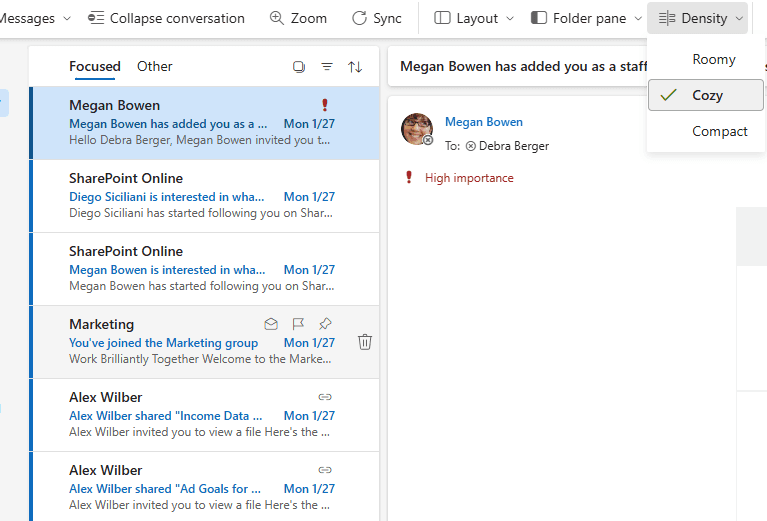
Outlook Calendar was designed for enterprises. It solves enterprise problems: meeting room booking, organisational directory integration, Exchange server sync, delegate access, and the coordination layer that large companies need to function. For those use cases, it's the right tool and there's no real alternative.
For individuals using it to manage their own time, it's a tool designed for a completely different job. It optimises for meeting invites, not for the quality of work between meetings. The interface is dense with features most individuals never use. There's no AI analysis of how your time is being spent, no focus session support, and no task management native to the calendar view. Outlook shows you your obligations. It has no view on whether they're the right ones.
Before choosing an alternative, it helps to identify which situation you're in.
Locked in at work: Most professionals using Outlook Calendar didn't choose it. Their organisation did. Exchange handles meeting invitations, conference room bookings, and shared team calendars. That infrastructure isn't going anywhere — it's an IT policy, not a personal preference. The practical answer for these users isn't to replace Outlook for work coordination. It's to add a personal productivity layer on top that handles everything Outlook was never designed to provide: task management, focus session support, and AI analysis of how your time is actually being used.
Personal choice: Some users personally chose Outlook, often because of Microsoft 365 integration or familiarity. These users have a real choice — they can switch entirely if the alternatives serve them better. The options below address both groups.
Why people look for Outlook alternatives
Designed for enterprise, not individuals. Outlook's feature density makes sense for corporate scheduling. For personal time management, most of that surface area is irrelevance — room booking systems, delegation settings, corporate directory integration — that creates friction rather than reducing it.
No personal productivity intelligence. Outlook shows you meetings. It has no mechanism for showing you the relationship between your meeting load and your productive output, which days tend to produce real work, or whether your focus time is gradually being consumed by scheduling creep.
No native task management. Microsoft To Do integrates with Outlook via a side panel, but tasks and calendar live in separate systems. There's no unified view where tasks understand your actual day.
Mac experience is weaker than Windows. Outlook on Mac has historically lagged behind the Windows version in design quality and performance. For Mac-first users, this is a daily friction point.
Subscription cost. Microsoft 365 is primarily an office suite. Paying for it primarily to access a calendar is hard to justify when capable alternatives exist at lower cost or free.
Interface density. The combination of email, calendar, contacts, and tasks in a single dense window is powerful for users who want everything in one place — and overwhelming for users who wanted a clean calendar.
How we evaluated these alternatives
Exchange and Outlook sync. Whether the app connects to Exchange and Outlook calendars, and how reliably — relevant for users who are locked in at work and need to see their Outlook data in a different interface.
Personal productivity intelligence. Does the app tell you anything about how your time is being used — beyond what's scheduled? This is the gap Outlook never closes.
Mac experience quality. Native macOS app, Electron wrapper, or web-only? For Mac users specifically, this is often the primary reason to look elsewhere.
Task integration. Is task management native to the calendar view, or routed through a third-party app?
Pricing model. Free tiers, one-time purchases, and subscription costs relative to what's delivered.
Platform coverage. Whether the alternative works across all the devices you use — important since Outlook's cross-platform coverage is one of its genuine strengths.
At a glance: all alternatives compared
App | Best for | Exchange sync | Mac experience | Task management | AI insights | Free tier | Price |
|---|---|---|---|---|---|---|---|
Google Calendar | Free cross-platform replacement | No (separate account) | Web only | Via Google Tasks | No | Free | Free |
Fantastical | Best Mac-native design + NLP | Yes (native) | Native Mac app | Via Reminders | No | Limited | $4.75/mo (annual) |
Aftertone | Productivity layer over Outlook | Yes (via Exchange) | Native Mac app | Native, calendar-aware | AI weekly and daily reports | Free trial | $30/month |
Morgen | Multi-account across all platforms | Yes (native) | Electron | Via integrations | AI suggestions | 14-day trial | $15/mo (annual) |
Apple Calendar | Free, native Mac, Exchange sync | Yes (native) | Native Mac app | Via Reminders | No | Free | Free |
Reclaim AI | Auto-protect focus time in Outlook | Yes (Outlook layer) | Web only | Limited | Basic stats | Yes | Free / $8/mo+ |
Akiflow | Task consolidation + time blocking | Yes (native) | Native Mac app | Advanced (multi-source) | No | 7-day trial | $19/mo (annual) |
Notion Calendar | Free, Notion-integrated | No | Native Mac app | Via Notion | No | Free | Free |
1. Google Calendar — best free cross-platform replacement
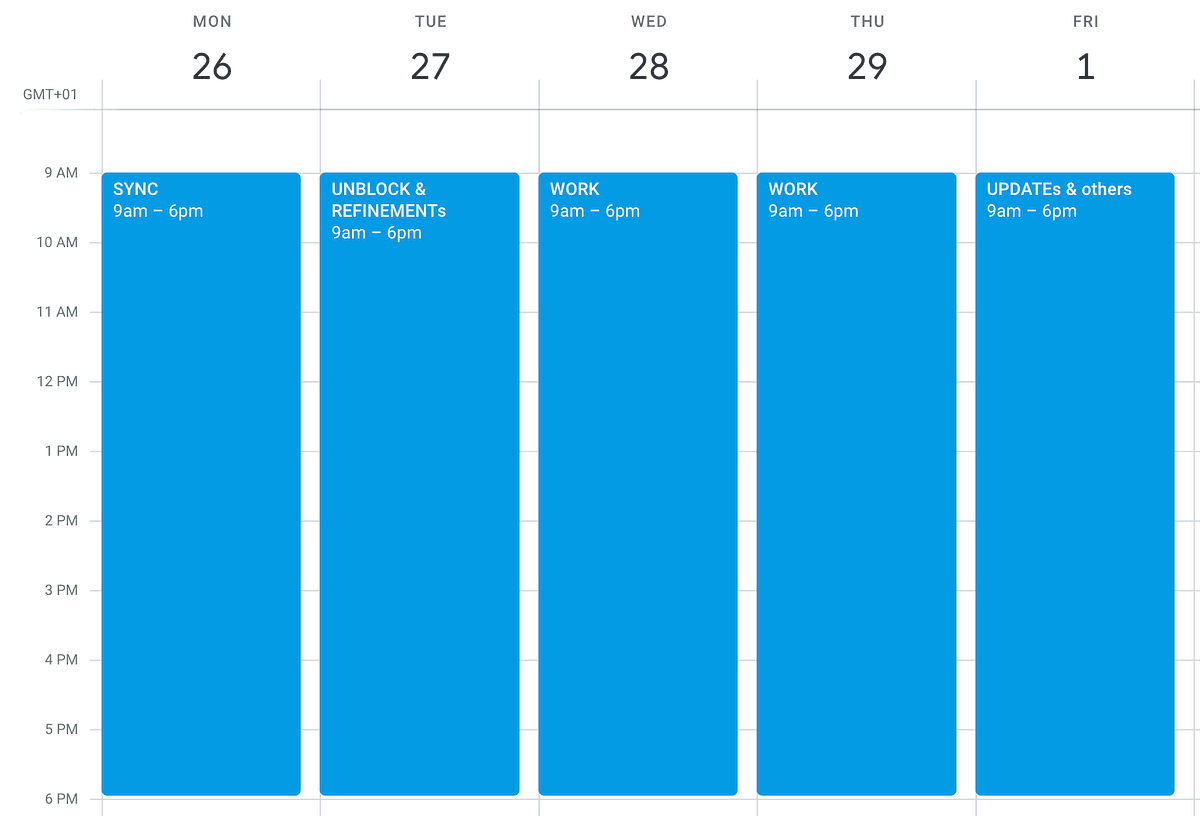
Best for: Outlook users who want free, reliable cross-platform access to a cleaner personal calendar — especially those who are personally responsible for their calendar choice and not locked in by their organisation.
Switching from Outlook to Google Calendar is the most common migration path for individuals who want out. Google Calendar is free, works on every platform and device, has Gmail integration that auto-creates events from email confirmations, and offers collaboration features that work across organisations without requiring everyone to be on Microsoft 365.
The trade-offs from Outlook are worth naming honestly. Google Calendar is a web app — on Mac it runs in the browser, with no native desktop app, no Spotlight integration, no Apple Watch, and no offline access. For Mac users specifically, the browser-tab experience is a meaningful downgrade from native app options. And the privacy trade-off is real: Google processes calendar data as part of its advertising and services infrastructure, in ways that Outlook's corporate model doesn't.
For users leaving Outlook because it's enterprise-heavy and they want a clean personal calendar at zero cost, Google Calendar solves that problem effectively — while introducing different constraints.
Pros:
Free — zero cost, no Microsoft 365 subscription required
Available on every platform: iOS, Android, Mac (web), Windows, Linux
Gmail integration auto-creates events from email confirmations, flight bookings, restaurant reservations
Best browser-based calendar interface available — genuinely good on web
Broadest third-party integration ecosystem of any calendar service
Collaboration and scheduling across organisations without requiring shared infrastructure
Cons:
No native Mac app — web only; no Spotlight, Apple Watch, Siri, or offline access on Mac
Data processed by Google — meaningful privacy trade-off
No AI analysis of how your time is being used
Task management via Google Tasks is basic
Separate from Exchange/Outlook ecosystem — your work meetings stay in Outlook
Pricing: Free. Google Workspace from $6/user/month.
Exchange sync: No — Google Calendar is a separate calendar ecosystem. You can add your Google account to Outlook or vice versa via CalDAV, but it's not a native integration.
Why switch from Outlook: You've personally chosen Outlook and want the most capable free replacement. Google Calendar covers the fundamentals at zero cost with broader platform support.
2. Fantastical — best Mac-native replacement
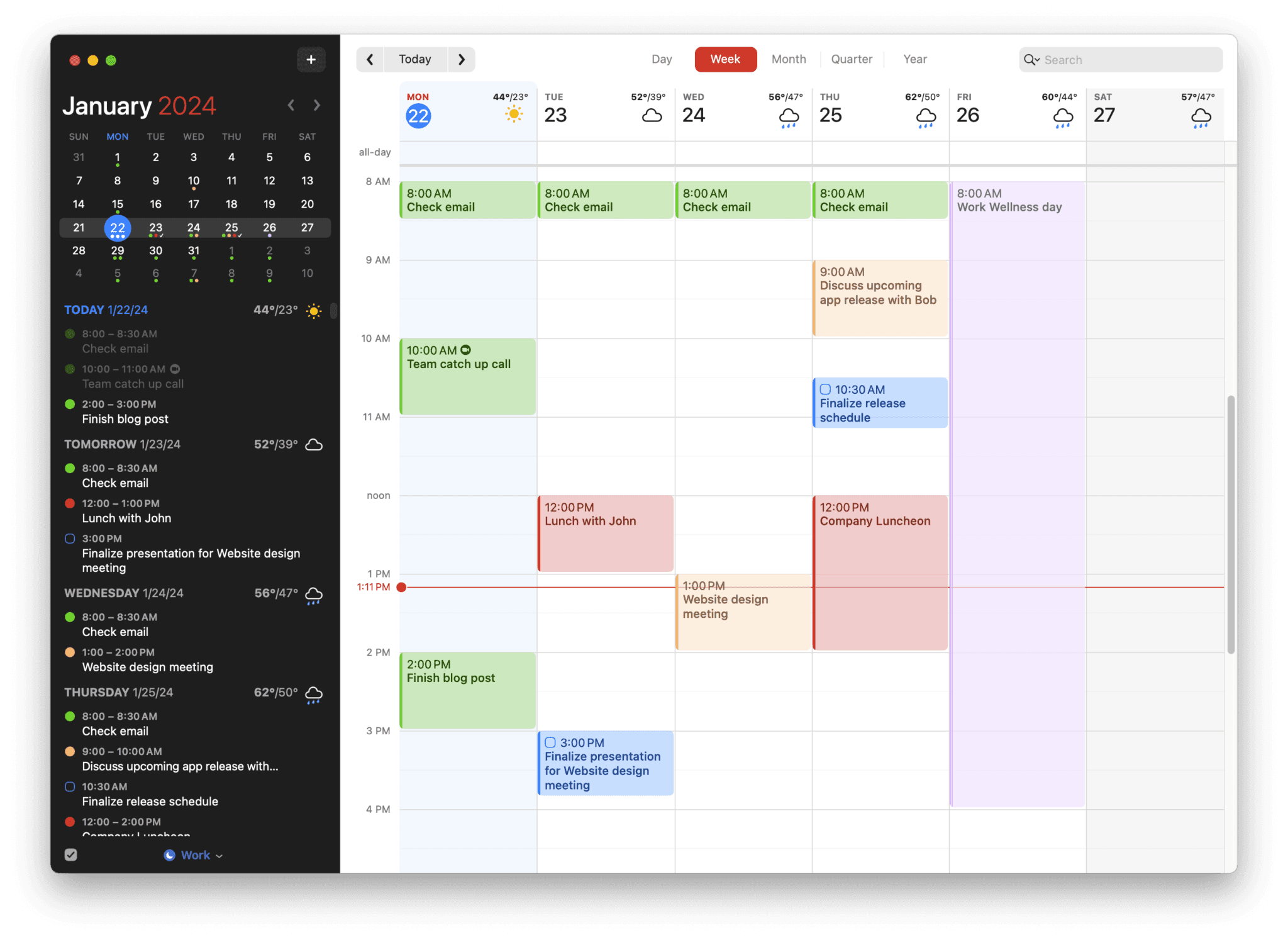
Best for: Mac users who want the best-designed native Mac calendar with native Exchange sync and significantly faster event creation — without Outlook's enterprise complexity.
Fantastical connects to Exchange and Outlook calendars natively and provides a dramatically better Mac experience for the same calendar data. The design is polished and considered — Apple Design Award winner — and the natural language event entry is the fastest in the category by a meaningful margin. Type "Board meeting with Sarah and Tom, Monday 2pm, 90 minutes, Zoom" and Fantastical creates the event with all fields populated in a single action. No clicking through date pickers. No dropdown menus for duration.
For Outlook users on Mac whose primary frustrations are the interface quality and the friction of event creation, Fantastical is the most direct and well-executed improvement. It doesn't add a productivity intelligence layer, doesn't change the underlying Exchange data, and doesn't add task management beyond routing through Apple Reminders. It makes the same Outlook data significantly better to interact with on Mac and iOS.
Pros:
Native Exchange and Outlook sync — your work calendar appears cleanly
The best-designed Mac calendar app available — Apple Design Award, considered at every level
Fastest NLP event entry in the category — handles complex multi-field entries in one pass
Deep Apple ecosystem integration: Siri, Apple Watch, Focus Modes, Widgets, Spotlight
Scheduling links (Openings) for external meeting coordination
$4.75/month annually — significantly cheaper than Microsoft 365 for calendar use only
Cons:
Mac and iOS only — no Windows, Android, or web app
Task management routes through Apple Reminders — not native to the calendar
No AI analysis of productivity patterns or focus session tools
Subscription model — $57/year ongoing
Pricing: $4.75/month billed annually ($57/year). Limited free version available.
Exchange sync: Yes — native Exchange and Outlook support. Your work meetings appear alongside personal calendars.
Why switch from Outlook: You want a significantly better Mac interface over the same Exchange data, with the fastest event creation available.
3. Aftertone — best productivity layer over Outlook on Mac

Best for: Mac professionals locked into Outlook for work coordination who want a personal productivity layer on top of it — with task management, focus session support, and AI analysis of how their time is actually being spent.
Aftertone takes a different position to every other alternative on this list. It doesn't compete with Outlook for the meeting coordination job. It addresses the job Outlook was never designed for: helping you understand and improve the quality of work that happens between the meetings.
The logic starts with what Outlook shows and what it doesn't. Outlook shows your meetings accurately. It has no view on whether those meetings are consuming your most productive hours, whether the gap between Tuesday's 10am and 11:30am is enough to do meaningful work, or whether this week's structure resembles your historically most productive weeks. Research from Gloria Mark at the University of California shows that interruptions to complex cognitive work cost an average of 23 minutes of recovery time before focus is fully restored. A calendar full of meetings scattered across the day isn't four hours of meetings and four hours of work — it's four hours of meetings and four cycles of recovery with progressively shorter productive windows between them. Outlook has no mechanism for making this visible.
Aftertone's AI weekly and daily reports close that visibility gap. They surface patterns across your scheduling history: which time slots consistently produce real output, how your meeting-to-deep-work ratio has trended over the past month, whether this week's structure resembles your most or least productive periods. The data comes from your own calendar history — Aftertone reads the Exchange events synced from Outlook alongside your own time blocks and tasks. James Clear's work on self-monitoring and Phillippa Lally's habit research both converge on the same mechanism: visibility into your own patterns is the prerequisite for changing them.
The Focus Screen addresses what happens in those gaps between meetings. When a focus block arrives, Aftertone narrows to the current task — removing the visual noise of everything else competing for attention at the moment of starting. Roy Baumeister's research on decision fatigue shows that the cognitive cost of visible, unchosen alternatives at task start measurably reduces execution quality. Smart Zoning lets you move tasks onto the calendar with keyboard shortcuts alone. Outlook keeps everything visible at all times. Smart Capture lets you paste text or a screenshot and converts it to structured tasks instantly. Aftertone narrows the view to what matters now.
Native task management lives inside the same calendar view. Tasks understand your actual day — scheduled meetings, available gaps, your declared working hours — rather than sitting in a separate To Do panel. At $30/month, the pricing model is an honest one: you own the software.
Pros:
AI weekly and daily reports — the only alternative on this list that analyses scheduling patterns over time and surfaces what the data reveals about your productivity
Focus Screen — removes visual load at execution time; makes starting work measurably easier in high-meeting environments
Auto-Extend keeps the session live when you finish a task ahead of schedule. Pause holds your place without losing context
Native task management inside the calendar view, not routed through a third-party app
Exchange sync — your Outlook work meetings appear inside Aftertone
$30/month. 7-day free trial, no card required.
Genuinely native macOS — not Electron, not a web app; fast, Spotlight-integrated, offline-capable
Cons:
Mac only — iOS coming; no Windows, Android, or web access
Not a replacement for Outlook's enterprise coordination features — it sits alongside Outlook, not instead of it
Individual tool — not built for team scheduling or project management
Pricing: $30/month. Free trial available. No subscription.
Exchange sync: Yes — Exchange and Outlook calendar data syncs into Aftertone. Your work meetings appear in the same view as your personal tasks and blocks.
Why switch from Outlook: You're locked into Outlook at work and want the layer Outlook was never designed to provide — visibility into how your time is actually being used, plus a focus execution mechanism for the work that has to happen between the meetings.
4. Morgen — best for multi-account across all platforms
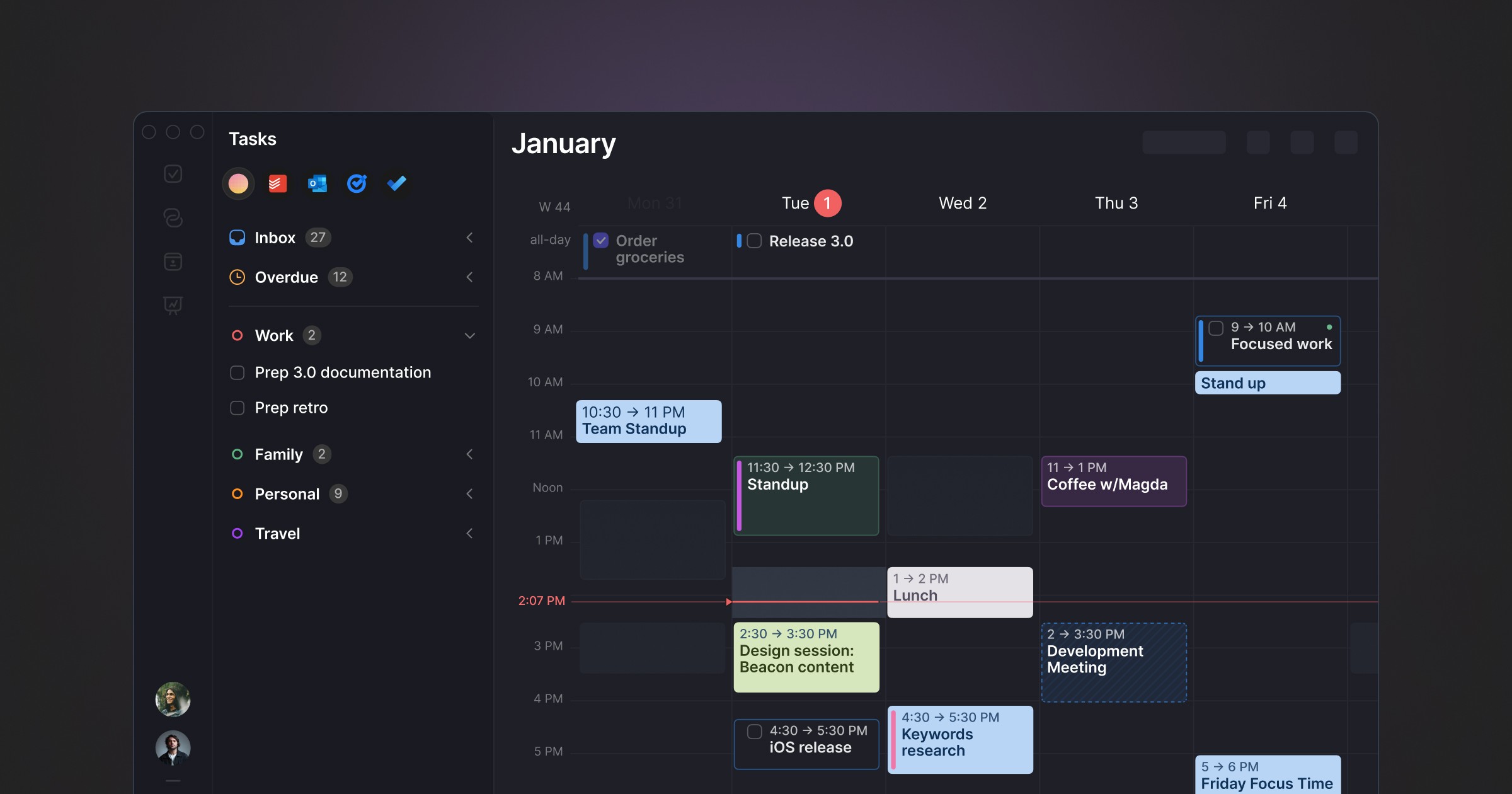
Best for: Professionals managing an Outlook work calendar alongside personal Google or iCloud accounts, across multiple devices including Windows and Android.
Morgen consolidates multiple calendar accounts — Outlook, Exchange, Google Calendar, iCloud, Fastmail — into a single unified interface available on every platform including Mac, Windows, Linux, iOS, Android, and web. An AI Planner suggests where to schedule tasks based on your priorities and available time, with you approving changes before they're made. Frames let you template your ideal week structure. Booking links pull from all connected accounts simultaneously for accurate availability sharing.
For Outlook users whose primary pain is managing work and personal calendars separately — switching between Outlook for work and Google Calendar or iCloud for personal, manually checking both for conflicts — Morgen addresses that directly. The cross-platform coverage is the broadest of any alternative on this list.
Pros:
Unifies Outlook, Google Calendar, iCloud, Fastmail in one view — the best multi-account story on this list
Available on all platforms: Mac, Windows, Linux, iOS, Android, Web
AI Planner suggests daily schedules you approve — smart assistance without automation
Booking links that pull from all connected accounts for accurate availability
Task integrations: Notion, ClickUp, Todoist, Linear, Asana, and more
Less expensive than maintaining Microsoft 365 for calendar use only
Cons:
Electron app — not native macOS; no Apple Watch or Spotlight integration on Mac
Subscription model — $15/month annually, ongoing cost
No AI analysis of historical productivity patterns
No focus execution tools
Team features less developed than enterprise Outlook
Pricing: $15/month billed annually ($30/month monthly). 14-day trial.
Exchange sync: Yes — native Outlook and Exchange support across all platforms.
Why switch from Outlook: You're managing Outlook alongside personal calendars and want a unified view across all accounts on every device you use.
5. Apple Calendar — best free Mac-native option
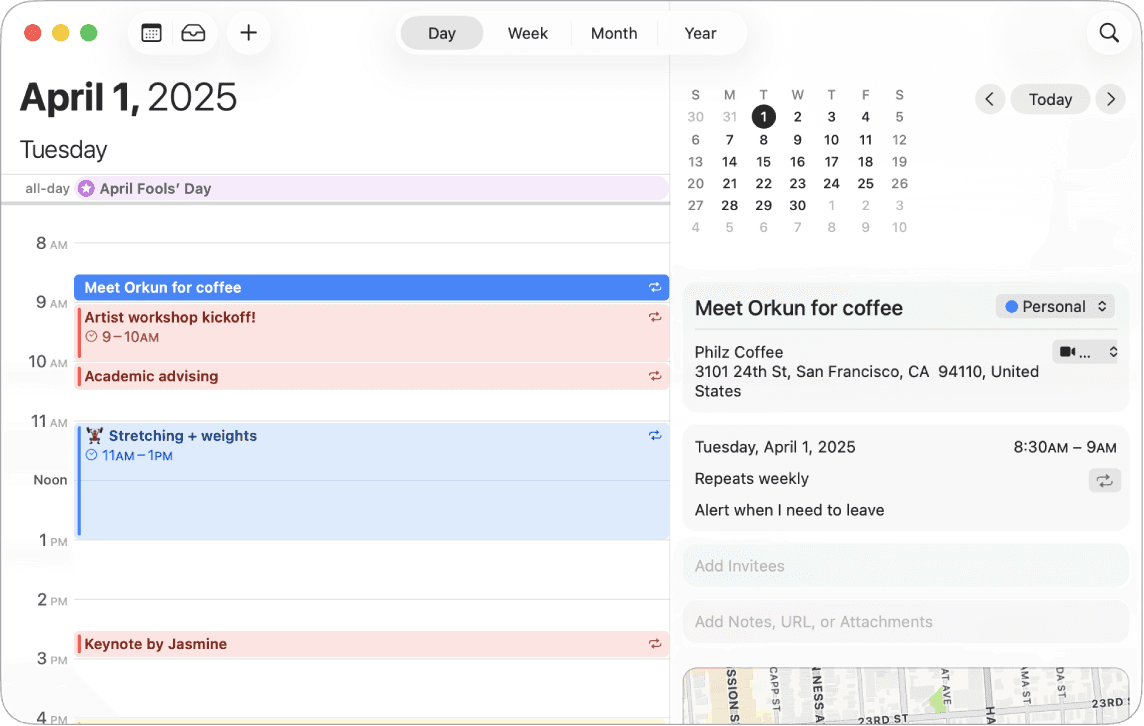
Best for: Mac users who want free, reliable Exchange sync in a native macOS app — and whose actual Outlook usage is standard scheduling that doesn't require enterprise features.
Apple Calendar is pre-installed on every Mac, syncs with Exchange natively and reliably, and has the deepest Apple ecosystem integration of any calendar on this list — Spotlight, Siri, Apple Watch complications, Focus modes, Handoff. For Outlook users on Mac whose primary frustration is the app quality and cost rather than a need for features Outlook specifically provides, Apple Calendar often covers what they actually need at zero cost.
The honest step-down from Outlook: no equivalent to Outlook's scheduling assistant (Find a Time), no Teams integration, limited collaboration features for external guests. But for individual personal scheduling on an Exchange account, Apple Calendar is reliable, native, and free.
Pros:
Free — zero cost
Genuinely native macOS — deepest Apple ecosystem integration available: Spotlight, Siri, Apple Watch, Focus modes
Reliable Exchange and Outlook sync — your work meetings appear cleanly
Pre-installed on every Mac — zero setup for standard Exchange accounts
Offline access, fast launch, minimal system resources
Cons:
No AI productivity analysis
No task management beyond basic Reminders integration
No scheduling assistant (Find a Time equivalent)
Weak collaboration features for external meeting coordination
Limited view customisation compared to Outlook or Fantastical
Pricing: Free — included with macOS.
Exchange sync: Yes — native Exchange and Outlook support. Set up via System Settings → Internet Accounts.
Why switch from Outlook: You want a clean, native Mac calendar that reliably shows your Exchange meetings — at zero cost. An honest audit of which Outlook features you actually use regularly often reveals Apple Calendar covers them.
6. Reclaim AI — best for protecting focus time inside Outlook
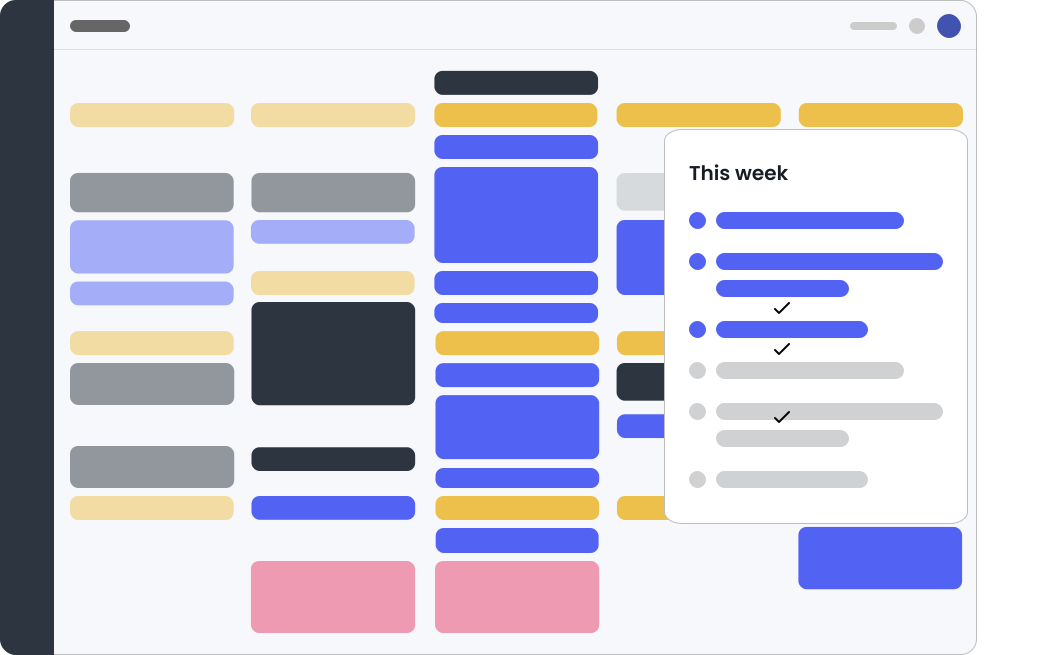
Best for: Outlook users in high-meeting environments who want their focus blocks, habits, and flexible tasks automatically scheduled and defended — without switching away from their existing calendar.
Reclaim AI is notable for being one of the few alternatives that works directly with Outlook rather than replacing it. It sits on top of your existing Outlook calendar and auto-schedules focus blocks, habits, and flexible tasks into available slots — then reschedules them when meetings move. If your primary frustration with Outlook is that meetings consume your day and you have no protection mechanism for focus time, Reclaim addresses this specific problem within the Outlook ecosystem.
The important context: Reclaim is a web app. There's no native Mac or Windows desktop app — it runs in the browser. For Mac users who want native integration, this is a significant limitation. And Reclaim's intelligence is primarily about scheduling around meetings rather than analysing productivity patterns over time.
Pros:
Works directly with Outlook — no migration required
Free tier — functional focus block protection at no cost
Automatically defends focus time around meetings — fills gaps with the right work
Habit scheduling — recurring personal blocks like workouts and lunch protected alongside work
Slack status sync — automatic DND during focus blocks
Cons:
Web app only — no native Mac or Windows desktop app
Automates around your existing Outlook structure — doesn't replace it
No AI analysis of historical productivity patterns
No native task management
Less polished than dedicated calendar apps
Pricing: Free plan. Paid from $8/month (annual).
Exchange sync: Yes — Reclaim works directly with Outlook and Exchange calendars via the Microsoft API.
Why switch from Outlook: You're not switching — you're adding a focus protection layer to your existing Outlook calendar. Best for meeting-heavy professionals who want their time automatically defended without changing their calendar setup.
7. Akiflow — best for task consolidation with Outlook
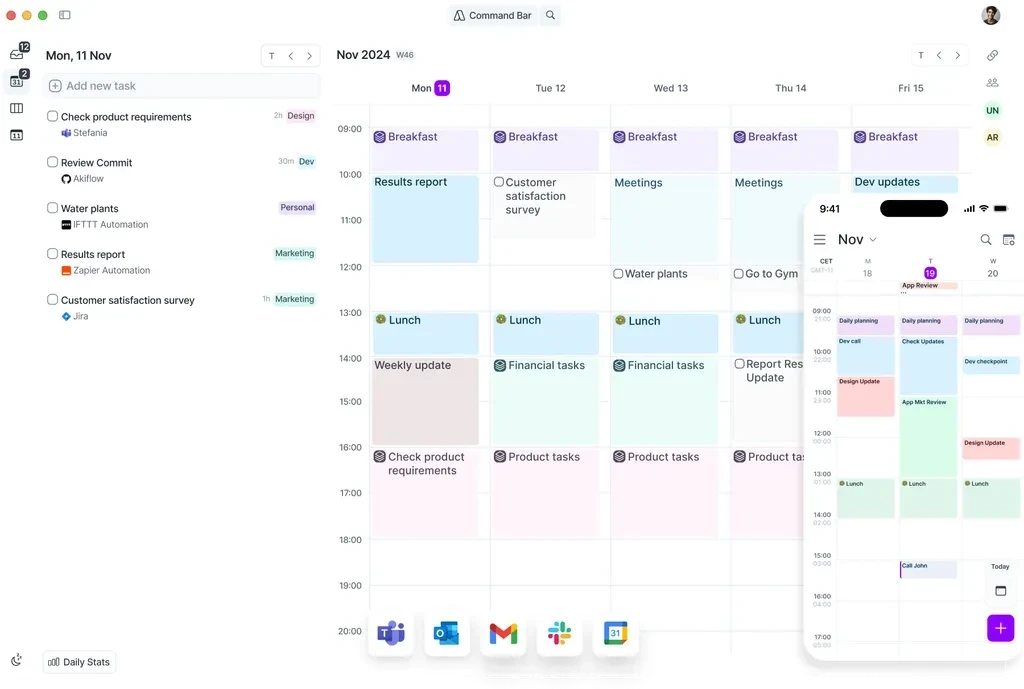
Best for: Outlook users who manage tasks across many platforms — Slack, Notion, Gmail, Jira, Linear — and want them all in one view alongside their calendar with fast time-blocking.
Akiflow builds a unified task inbox from 30+ platforms and connects it to your calendar including Outlook, enabling fast drag-and-drop time blocking. The command bar captures tasks without context switching. For Outlook users whose real frustration is maintaining a separate task system that has no relationship with their schedule, Akiflow addresses the specific problem of disconnection between tasks and calendar in a mature, reliable product.
The design is functional rather than beautiful. At $19/month annually it's not cheap, and there's no AI analysis of patterns over time. But the integration breadth and the speed of the task-to-calendar workflow are the strongest in this category.
Pros:
Task consolidation from 30+ sources into one unified inbox alongside your calendar
Command bar for fast task capture and scheduling without leaving your workflow
Native Outlook and Exchange sync — your work meetings appear alongside your tasks
Time tracking shows actual vs planned time, improving estimation over time
Available on Mac, Windows, and mobile (beta)
Cons:
Design is functional rather than polished — a step down from Fantastical or Aftertone aesthetically
No AI analysis of scheduling patterns
$34/month monthly; $19/month annually — meaningful ongoing cost
No free tier — 7-day trial only
Mobile app still in beta
Pricing: $19/month billed annually ($34/month monthly). 7-day trial.
Exchange sync: Yes — native Outlook and Exchange support alongside Google Calendar and iCloud.
Why switch from Outlook: You want tasks from across your entire tool stack consolidated into the same view as your Outlook calendar, with fast time-blocking as the primary workflow.
8. Notion Calendar — best free option for Notion users
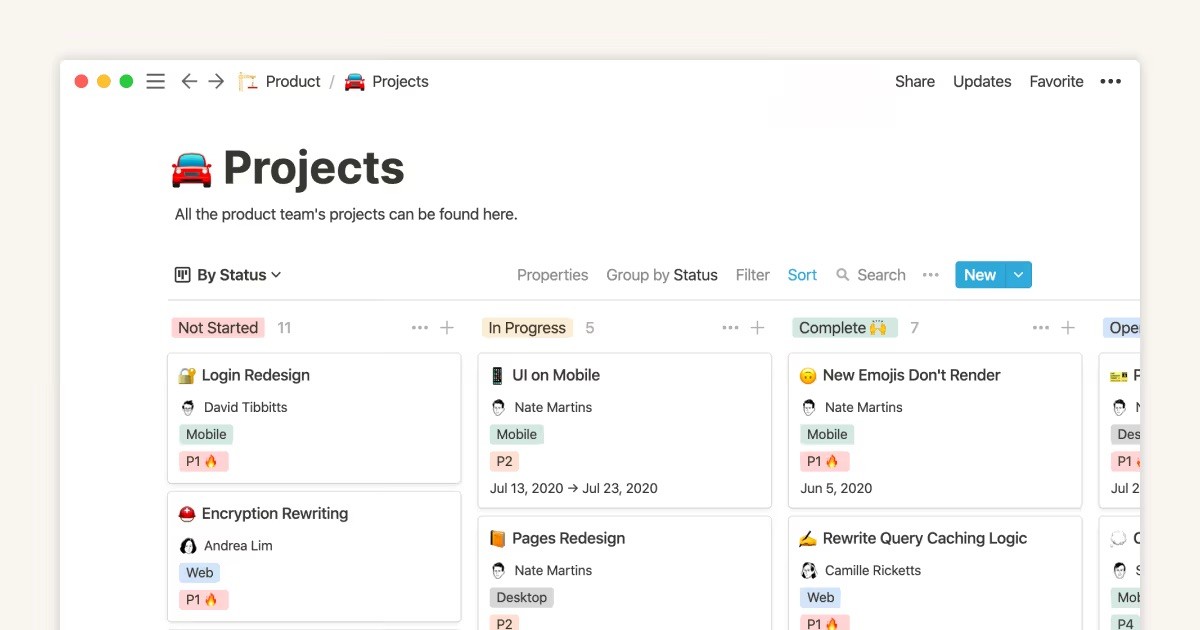
Best for: Outlook users who already organise their work in Notion and want a free, clean calendar that connects those two systems.
Notion Calendar (formerly Cron) is free, has a native Mac app and good cross-platform support, and connects directly to Notion databases and projects. For Outlook users who track work, tasks, and projects in Notion, the calendar integration removes the gap between planning in Notion and scheduling in a calendar. The design is clean and modern — a meaningful improvement over Outlook's interface for personal scheduling.
The important limitation: Notion Calendar connects to Google Calendar, not directly to Outlook or Exchange. For users locked into Exchange at work, this means Notion Calendar won't show their work meetings without a sync workaround.
Pros:
Free — zero cost
Native Mac app — proper macOS design, keyboard-first
Native Notion integration — link events to pages, databases, and projects
Available on Mac, Windows, iOS, Web — broader than Outlook on Mac
Modern, clean design — a meaningful improvement on Outlook's interface
Cons:
Google Calendar only — does not connect to Outlook or Exchange directly
No AI productivity analysis
Full value requires existing Notion usage
No equivalent to Outlook's scheduling assistant or enterprise features
Pricing: Free. Notion plans from $10/user/month for additional workspace features.
Exchange sync: No — Google Calendar only. Not suitable for users whose work calendar is on Exchange without a sync workaround.
Why switch from Outlook: You're personally on Outlook, primarily use Google Calendar or are willing to switch, and want free cross-platform access integrated with your Notion workspace.
The productivity gap Outlook never intended to close
Outlook Calendar was designed around a specific model of professional life: meetings are the primary unit of work, coordination across large teams is the hard problem, and the calendar's job is to handle that coordination reliably. For knowledge workers whose actual bottleneck is protecting deep work time, managing a task list that interacts intelligently with their schedule, and understanding how their week is actually going versus how they planned it, Outlook offers essentially nothing.
This isn't a gap Microsoft has overlooked. Microsoft To Do integrates with Outlook for basic task management. Viva Insights offers some productivity analytics for enterprise users. Microsoft Copilot is being added across the M365 suite. The features exist in the Microsoft ecosystem. They're not the same as a tool built with individual productivity as the primary design goal rather than as an addition to enterprise infrastructure.
The practical upshot for professionals locked into Outlook at work: the tool that handles your meeting coordination and the tool that handles your personal productivity don't have to be the same app. They just need to share calendar data. Every alternative on this list that connects to Exchange does that cleanly. You keep Outlook for the enterprise coordination it was built for, and add a different layer for everything else — without disrupting the IT infrastructure your organisation depends on.
Frequently asked questions
What is the best alternative to Outlook Calendar?
It depends on whether you can actually switch. If you're locked into Outlook at work, the most practical answer is adding a personal productivity layer on top: Aftertone for Mac users who want AI analysis of how their time is being used, or Reclaim AI for automatic focus block protection within your existing Outlook. If you're personally choosing your own calendar, Google Calendar is the best free cross-platform replacement, Fantastical is the best Mac-native option with polished design, and Morgen is best for unifying multiple accounts across every platform.
Can I use a different calendar app with my Outlook or Exchange account?
Yes — Fantastical, Morgen, Akiflow, Apple Calendar, and Aftertone all connect to Exchange and Outlook calendars natively. Your work meetings appear in a different interface while Outlook and Exchange remain the backend. Your organisation's IT infrastructure stays intact — the app is just a different way to view and interact with the same data.
Is there a free alternative to Outlook Calendar?
Yes — Google Calendar is free, works on every platform, and is the most capable free replacement for personal use. Apple Calendar is free and native to every Mac with full Exchange sync. Notion Calendar is free with good cross-platform support. Reclaim AI has a functional free tier for focus block protection within Google Calendar and Outlook.
Why do people look for Outlook Calendar alternatives?
The most common reasons: Outlook is designed for enterprise coordination rather than individual productivity; the interface is dense with features most individuals never use; there's no AI analysis of how time is being spent; task management isn't native to the calendar view; and on Mac specifically, Outlook has historically been less polished than the Windows version. For users who aren't on Microsoft 365, the cost is also hard to justify for a calendar alone.
Which Outlook alternative works best for Mac users?
Fantastical is the most polished Mac-native option — excellent design, fastest NLP event entry, native Exchange sync, $4.75/month. Aftertone is the best Mac option for productivity intelligence: task management inside the calendar, Focus Screen, and AI weekly and daily reports at $30/month. Apple Calendar is the best free Mac option with reliable Exchange sync at zero cost.
