The Best Apps for Deep Work on Mac in 2026
The 13 best apps for deep work on Mac in 2026: from FLOWN and Session to Cold Turkey and Endel. Rated for focus depth, Mac-native quality, and execution.
Written By The Aftertone Team
The Best Deep Work Apps in 2026: Every Layer Covered
A developer I know spent three weeks finding the perfect deep work setup. Website blocker, Pomodoro timer, ambient music playlist, phone in the kitchen. He sat down on Monday morning, fired everything up, and opened his task manager to see what he was supposed to do during the next 90 minutes.
There was nothing there. He'd spent three weeks protecting time he hadn't filled with anything specific.
This is the problem with most deep work app advice. It addresses distraction — which is real — without addressing the thing distraction is supposed to protect. Blocking TikTok doesn't tell you what to work on. Scheduling a focus block doesn't automatically fill it with structured progress on the thing that matters. Running a Pomodoro timer on an empty afternoon doesn't produce the same output as a Pomodoro timer running on a pre-defined task attached to a specific project.
The apps on this list were chosen by evaluating whether they address the full stack of what deep work actually requires — not just the distraction layer. Here's what that looks like.
What makes an app a deep work app?
Cal Newport defined deep work as "professional activity performed in a state of distraction-free concentration that pushes your cognitive capabilities to their limit." His four rules — work deeply, embrace boredom, quit social media, drain the shallows — describe a practice, not a tool. But each rule maps to something a tool can support or undermine.
Working deeply requires protected, scheduled time. Not the intention to protect time, but actual calendar blocks that exist before the day starts and don't get cancelled when something easier presents itself. Embracing boredom means training the reflexive reach for stimulation — distraction blockers help make that reflex more expensive. Draining the shallows requires visibility into where your time actually goes, which most people have less of than they think.
Gloria Mark's research at the University of California, Irvine — the study that produced the widely cited 23-minute figure — showed that after an interruption to complex cognitive work, people require an average of 23 minutes to fully return to their previous level of engagement. Not 23 minutes to get back on task. 23 minutes to get back to the depth of focus they had before the interruption. Every notification, every browser tab switch, every meeting that fragments a morning — each one costs the next 23 minutes of recoverable focus. A distraction blocker that prevents the interruption costs nothing. The interruption itself costs nearly half an hour.
So what does a real deep work app need to do? We evaluated every app on this list against four criteria:
Schedule protection. Can it block time in your calendar and defend it from being filled with shallow work or meetings? Does it integrate with your actual schedule rather than existing as a separate timer divorced from your day?
Focus execution environment. Does it create a single-task context when it's time to work — reducing the visible surface area of competing demands at the moment of starting?
Task clarity. Does it help you know specifically what you're supposed to do during the protected time, or does it protect empty blocks and leave the rest to you?
Post-session review. Does it give you any signal about whether the session produced the output you intended, or whether the protected hours are actually moving things forward over time?
Very few apps address all four. Most address one or two. The ranking below weights them accordingly.
The best deep work apps in 2026, by layer
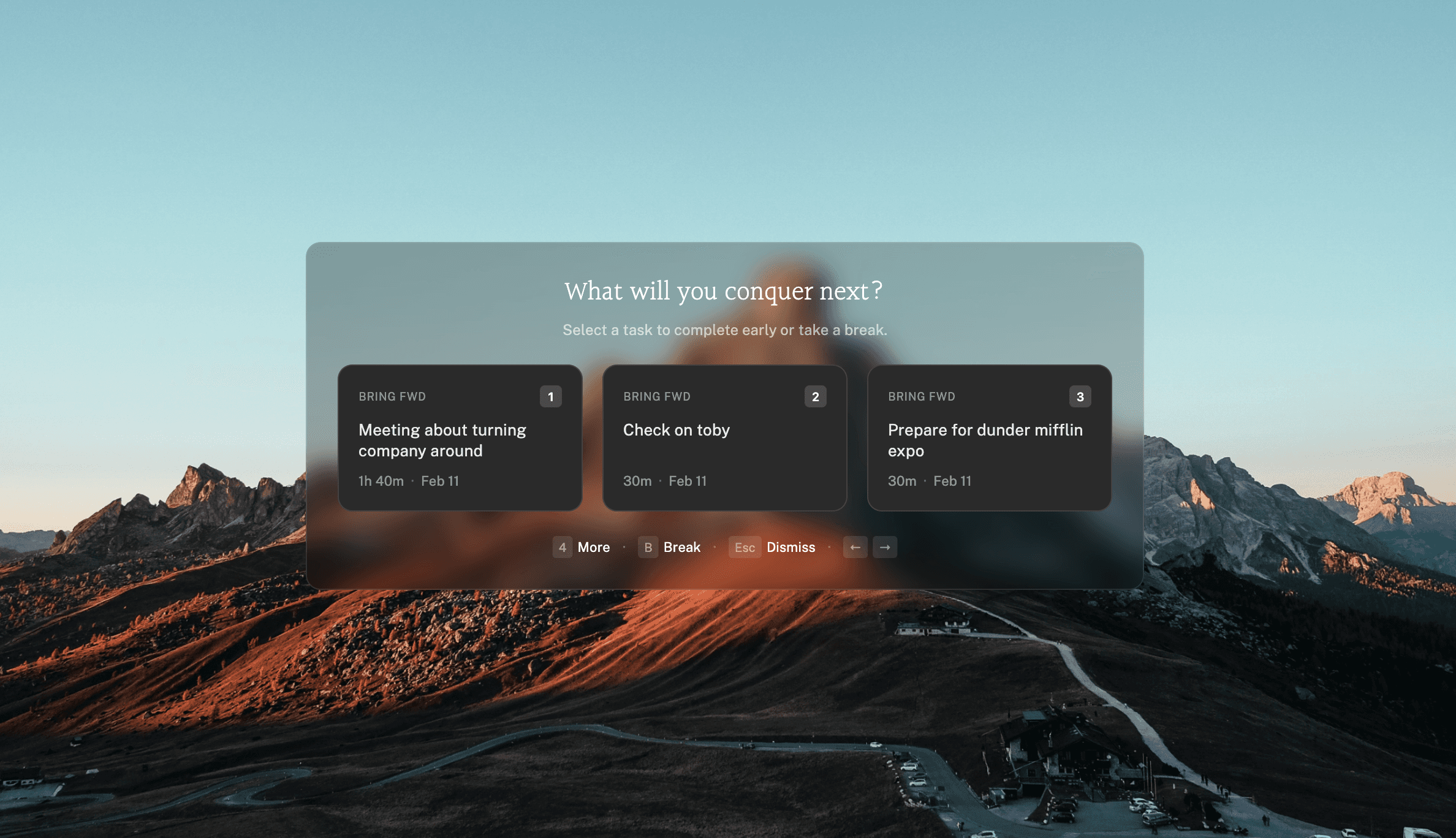
1. Aftertone — best for Mac users who want time blocking, focus mode, and weekly review in one app

Best for: Mac users who want a complete deep work system — calendar blocking, single-task execution environment, and AI analysis of whether the protected time is producing results — without cobbling together separate tools for each layer.
Most deep work app lists treat the scheduling problem and the execution problem as separate. You use one app to block out Tuesday morning, a different app to block distractions when Tuesday arrives, and a third app to understand whether Tuesday was any good. Aftertone is the only Mac app that addresses all three inside a single interface.
The calendar layer is genuinely native macOS — not a web app in a browser tab, not an Electron wrapper, but a proper Mac application that works with Spotlight, offline, and at system speed. Time blocking happens in the same view as your Google Calendar and iCloud events, so deep work blocks exist in the context of your actual day rather than in a separate planning tool you have to reconcile with your calendar. You see the 10am meeting. You see the deep work block before it. They're the same calendar.
The Focus Screen is where the execution layer lives. When a deep work session begins, Aftertone narrows the view to the current task — removing every other event, every other task, every other competing demand from the visible interface. Roy Baumeister's decision fatigue research shows that the cognitive cost of visible, unchosen alternatives at the moment of starting work measurably reduces the quality and persistence of execution. This isn't a preference; it's a documented mechanism. Smart Capture lets you paste text or a screenshot and converts it to structured tasks instantly. The Focus Screen is designed around eliminating that cost at the exact moment it most matters: the transition from "I'm about to work" to "I am working."
The AI weekly and daily reports address the fourth criterion that most apps ignore entirely: did the protected time produce results? The reports surface patterns from your actual calendar and task history — which time slots consistently produce meaningful output, where meeting fragmentation is eroding your best focus hours, whether the blocks you're creating are improving week over week. Most people who build a deep work practice never get feedback on whether it's working. The data exists in their calendar. Nobody has surfaced it for them. Aftertone does.
Phillippa Lally's habit formation research at UCL identifies visibility as the prerequisite for behaviour change — you can't improve what you can't see clearly. Aftertone makes the pattern visible. That's a different proposition from any distraction blocker or timer on this list.
At $30/month, it's priced for people who treat this as infrastructure rather than a monthly experiment.
What it does well:
The only app combining calendar blocking, Focus Screen, and AI weekly review in one native Mac tool
Focus Screen eliminates competing visual demands at task execution time — addresses where focus actually leaks
Auto-Extend keeps sessions live when you finish a task ahead of schedule. Pause holds your place without losing context.
AI weekly and daily reports surface whether protected time is producing results over weeks and months
Native tasks inside the calendar view — you know what you're working on, not just that you're "focused"
Smart Zoning places tasks directly on the calendar with keyboard shortcuts
Genuinely native macOS — Spotlight, offline access, Apple Watch integration
$30/month — 7-day free trial, no card required
Honest limitations:
Mac only — iOS coming; no Windows, Android, or web access
No system-level website blocking (pair with Freedom for a complete distraction barrier)
Not the right answer if you need team-wide focus time coordination
Pricing: $30/month. Free trial available.
Platforms: Mac only.
2. Sunsama — best for daily intention-setting with calm design
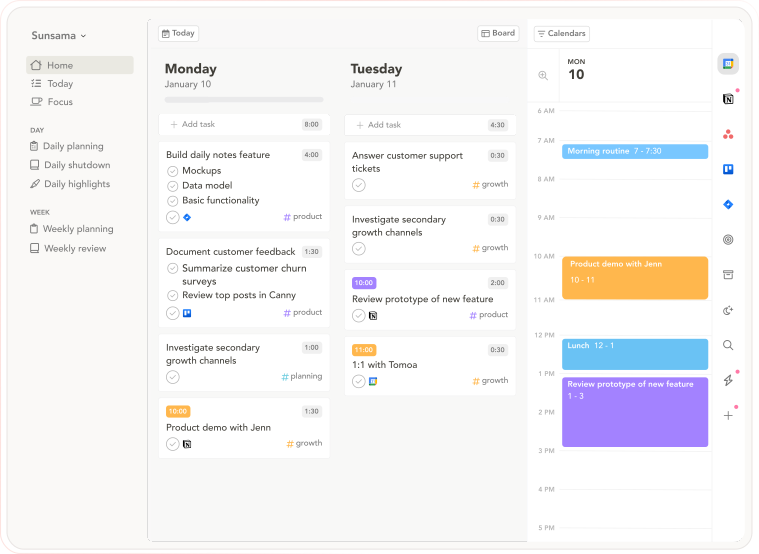
Best for: Knowledge workers who want a structured morning ritual that fills deep work blocks with specific tasks before the day starts — intentional planning as the foundation of focused execution.
Sunsama is the most deliberately calm productivity app available. The philosophy is explicit and unusual: slow down, plan with intention, and close the day deliberately rather than letting it dissolve into reactive work. Each morning, a guided planning session pulls tasks from connected tools (Asana, Notion, ClickUp, Todoist, Gmail, Slack), estimates time against your calendar, and commits you to a specific plan for the day. Each evening, a shutdown ritual reviews what got done and moves unfinished work forward.
This matters for deep work because of the task clarity criterion. Sunsama ensures that when you sit down for a deep work session, you already know exactly what you're working on. The session isn't empty. You committed to it at 8am. That commitment — what Peter Gollwitzer's research calls an implementation intention — produces significantly higher follow-through than a calendar block with no specific task attached.
The Focus Mode (press F during any task) surfaces one task at a time and hides everything else. It's not as complete a single-task environment as Aftertone's Focus Screen — other tasks remain accessible — but it's a meaningful reduction in visual noise during a session.
Sunsama doesn't analyse your weeks or surface patterns over time. It structures your planning but doesn't observe your output. The review is forward-looking (what do I do tomorrow?) rather than backward-looking (what does this week reveal about how I work?). For users who need the planning discipline more than the pattern analysis, that's the right trade-off.
What it does well:
Guided daily ritual fills deep work blocks with specific tasks before sessions start
Daily shutdown routine closes the loop intentionally rather than letting the day drift
Excellent task integrations across the full productivity stack
Cross-platform: Mac, Windows, iOS, Android, Web
Weekly objectives connect daily tasks to meaningful goals
Honest limitations:
15–20 minute daily planning ritual — time cost some users find excessive
$20/month is the most expensive individual subscription on this list
No AI analysis of patterns over time — reviews are daily, not longitudinal
Electron app on desktop — not native macOS
Pricing: $20/month annually. 14-day free trial, no credit card required.
Platforms: Mac, Windows, iOS, Android, Web.
3. Reclaim AI — best for auto-scheduling focus time around meetings
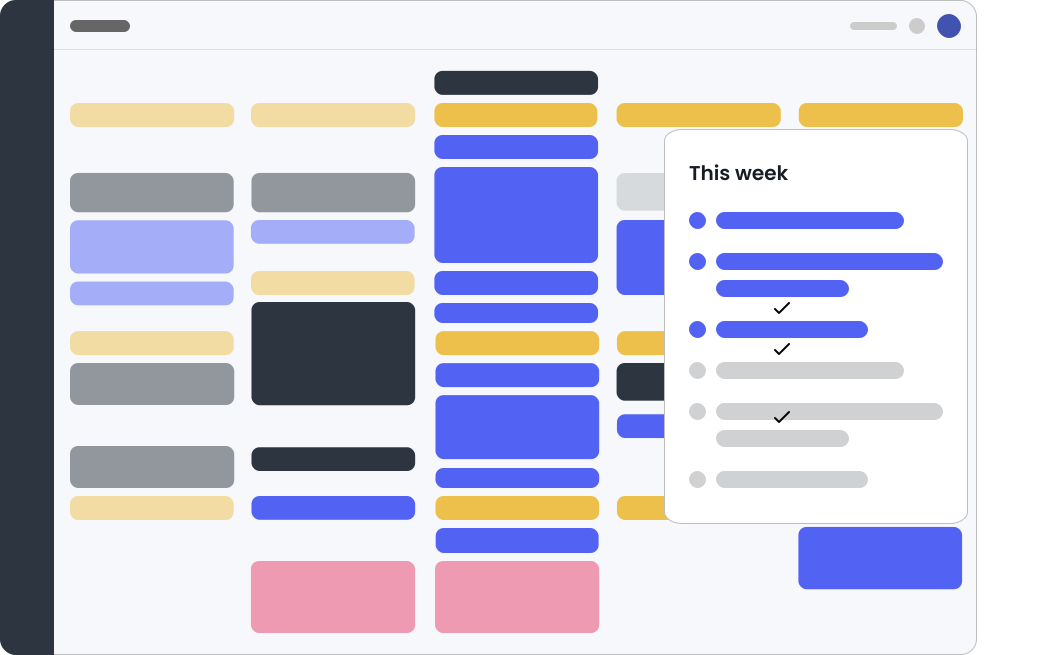
Best for: Google Calendar or Outlook users in high-meeting environments who want focus time defended automatically without manual scheduling — the calendar protection layer handled by AI rather than willpower.
The core problem Reclaim solves: most knowledge workers don't block deep work time proactively. They intend to. Then a meeting request arrives for 10am, another for 11:30, a 2pm sync gets added, and by Thursday there's no contiguous block left. Reclaim breaks this pattern by automatically scheduling Focus Time blocks into available slots before meetings can fill them — and reschedules them in real time when meetings move.
Acquired by Dropbox in 2024, Reclaim operates at 320,000 users across 60,000 companies. The Focus Time feature creates weekly goal-based focus blocks (say, 10 hours per week) and places them in optimal calendar slots, adjusting dynamically as your schedule changes. Habit scheduling protects recurring commitments like lunch, exercise, or personal learning. Task scheduling from Todoist, Asana, Jira, and Linear assigns actual work to focus blocks — addressing the empty-block problem directly.
The limitation is the execution environment. Reclaim schedules the time and puts tasks in it, but doesn't create a single-task focus mode when the session arrives. You still have to manage the transition from "I have a focus block" to "I'm focused" yourself.
What it does well:
Automatically defends focus time against meeting creep — without manual scheduling
Real-time rescheduling when calendar changes occur
Task scheduling assigns specific work to focus blocks
Slack status sync — automatic DND during focus sessions
Free tier available; generous feature set at $8/month
Honest limitations:
Web app only — no native Mac desktop app
No single-task execution environment when sessions start
Google Calendar primary; Outlook requires paid tier
Can over-schedule, making calendars feel fragmented by too many auto-blocks
Pricing: Free plan available. Paid from $8/month annually.
Platforms: Web (all platforms via browser).
4. Freedom — best pure distraction blocker
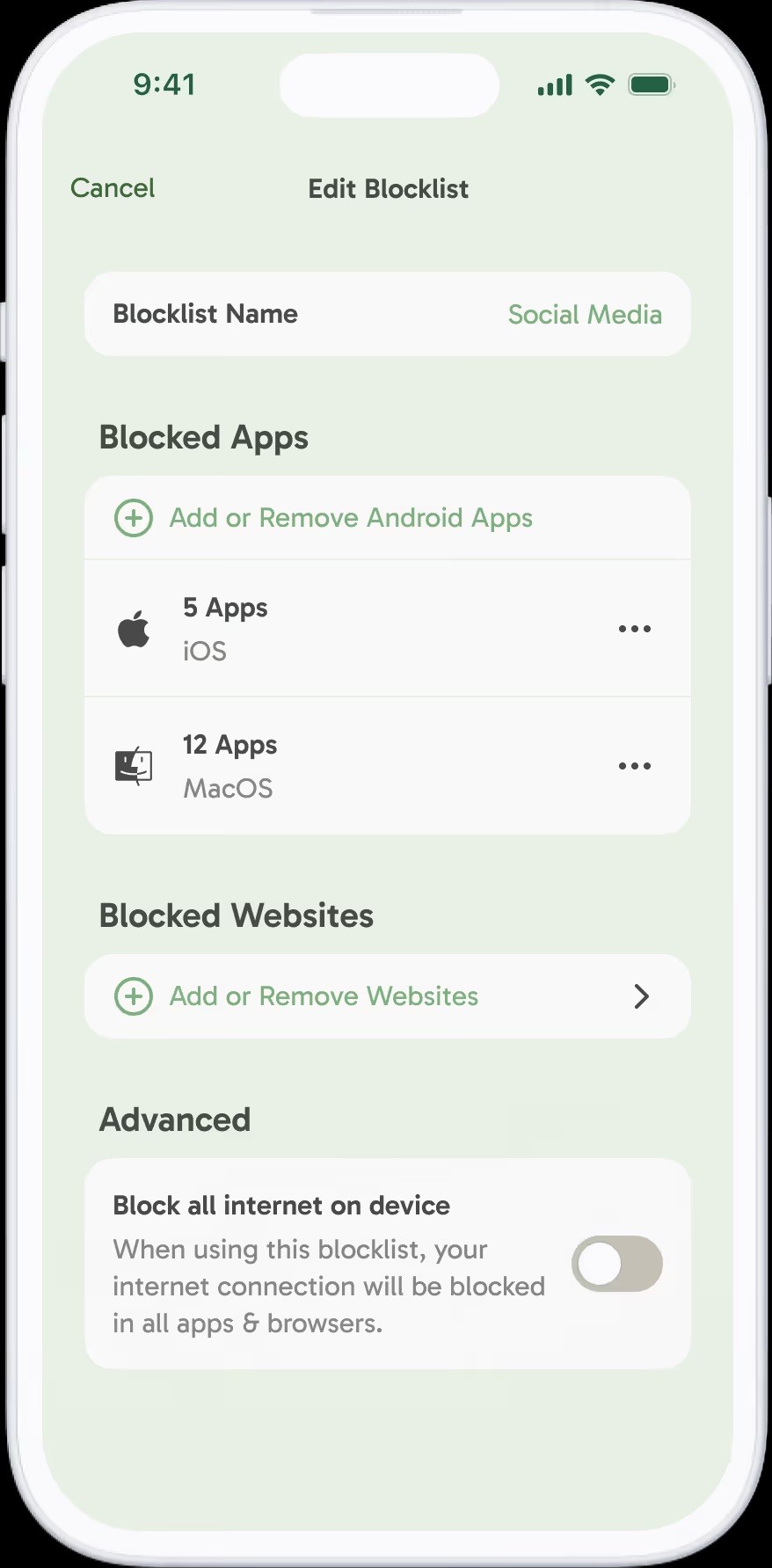
Best for: Anyone who needs reliable, cross-device distraction blocking — the single strongest tool for the distraction layer of a deep work system.
Freedom is the tool most consistently recommended in productivity communities for one reason: it's the only website and app blocker that syncs across Mac, Windows, iOS, Android, and Chrome from a single dashboard simultaneously. Start a session on your laptop and your phone blocks the same sites at the same time. This matters because the phone is usually where focus breaks down after the computer is locked — Freedom closes that escape route.
The scheduling feature matters for deep work specifically. You can set recurring block sessions that activate automatically at your scheduled deep work times — removing the willpower requirement of starting a session when the moment arrives. As Barry Schwartz's paradox of choice research and Baumeister's ego depletion studies both show, decision points are costly. Pre-scheduled blocking eliminates the decision "should I turn this on now?" because the decision was made in advance.
Freedom is specifically a distraction blocker. It does not schedule your time, fill your blocks with tasks, or review your output. It removes one very specific cost — the interruption from accessible distractions — extremely reliably. Pair it with a calendar-integrated tool for a complete system.
What it does well:
Cross-device sync — phone and computer blocked simultaneously, eliminating the escape route
Pre-scheduled recurring sessions — deep work protection happens automatically
Locked mode prevents turning off sessions once started
Custom blocklists for specific sites and apps
$40/year is among the most affordable serious blockers
Honest limitations:
Blocking distractions is only one layer of deep work — doesn't schedule time or fill sessions with work
Determined circumvention is possible on some platforms
No productivity analysis or review features
Pricing: ~$40/year. Free trial includes 7 free sessions.
Platforms: Mac, Windows, iOS, Android, Chrome.
5. Forest — best gamified focus timer
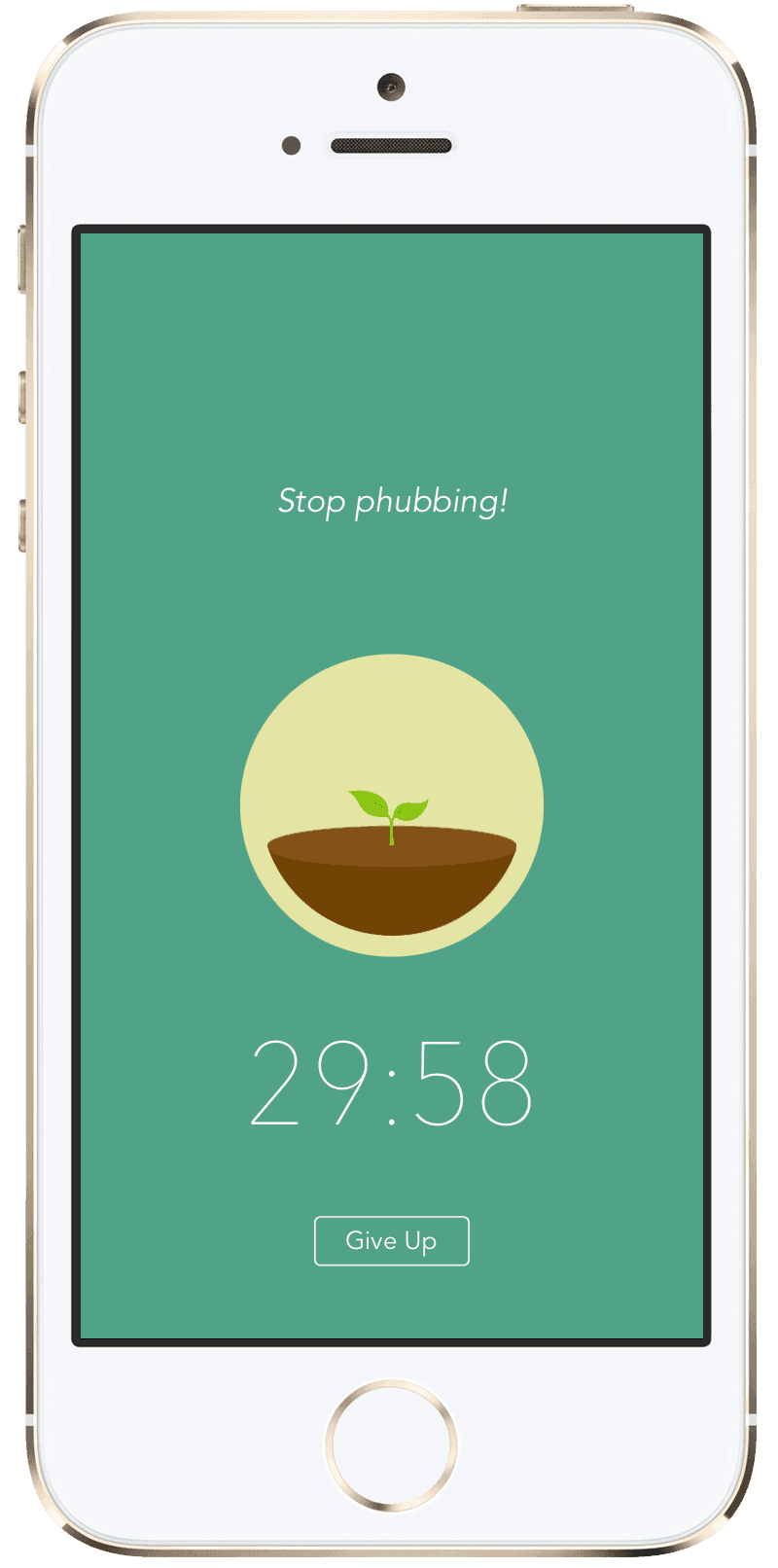
Best for: Users who respond to commitment mechanisms and visual accountability — particularly effective for people who find pure willpower insufficient but respond to light social and aesthetic pressure.
Forest works on a simple commitment mechanism: plant a virtual tree when you want to focus. Leave the app to check Instagram and the tree dies. The dead tree stays in your forest permanently — a visible record of every focus session abandoned. Over weeks, your forest becomes a timeline of your attention: dense growth for productive stretches, bare patches where you broke. It's a surprisingly effective psychological tool because it makes each individual moment of distraction visible and accumulative rather than forgotten.
Behavioral economists call this a commitment device. George Ainslie's research on hyperbolic discounting explains why they work: in the moment of temptation, the immediate reward (checking a notification) outweighs the distant consequence (falling behind on work). A commitment device brings the consequence forward — the tree dies now, not later. The immediate cost changes the calculus.
Forest's deep work credentials are partial. It addresses the distraction and commitment layers well. It doesn't schedule time, fill sessions with specific tasks, or analyse whether your focus sessions are moving meaningful work forward. It is most effective as a companion to a scheduling and review tool — the enforcement mechanism for focus sessions planned elsewhere. Also: actual trees. A portion of Forest Pro profits funds tree planting through Trees for the Future.
What it does well:
Commitment device that makes abandoning focus sessions immediately visible and costly
The forest metaphor creates genuine intrinsic motivation for many users
Available on iOS, Android, Chrome extension, and desktop app
Reasonable price — Forest Pro is $1.99 one-time on mobile
Real environmental impact through tree planting
Honest limitations:
No calendar integration — doesn't schedule deep work time
No task management — blocks don't have specific work attached
The gamification can feel trivial once the novelty fades for some users
Desktop app less robust than mobile experience
Pricing: Free (with ads). Forest Pro $1.99 on mobile. Browser extension free.
Platforms: iOS, Android, Chrome, Firefox, Edge.
6. Brain.fm — best focus audio companion
Best for: Users for whom ambient audio makes a measurable difference to focus quality — particularly in noisy or variable environments where silence isn't available.
The research on music and cognitive performance is mixed, which is why Brain.fm is careful about its claims. The platform uses AI to generate audio specifically structured to reduce mind-wandering rather than entertain — functional music rather than music you'd put on a playlist. The key technical claim is that the audio is engineered with neural phase-locking properties that reduce the brain's tendency to shift attention. Independent researchers have published studies on the approach; the results are encouraging though not definitive at scale.
What's clearer is the practical case. Unlike podcasts (which demand linguistic processing in competition with written work), full-lyric music (which activates language regions and competes with reading and writing), or silence (which many users find makes every ambient sound more disruptive), Brain.fm's functional audio sits in a productive middle ground. The task-specific modes — Deep Work, Light Work, Learning, Creativity — adjust the audio to the cognitive demand of what you're doing. Deep Work mode produces the most strongly structured audio; Creativity mode is looser.
Brain.fm is pure audio infrastructure. It doesn't schedule time, fill blocks with tasks, or track anything. Used alongside a calendar tool and a distraction blocker, it addresses the environmental audio layer that those tools ignore.
What it does well:
Research-backed functional audio designed to reduce mind-wandering rather than entertain
Task-specific modes adjust the audio to your cognitive demand
Offline access — works on planes and in locations without reliable internet
Session timers integrate with Pomodoro-style sessions
Genuinely different from Spotify playlists for focus
Honest limitations:
Audio-only — no scheduling, task management, or review features
The science is promising but not fully settled at scale
$7/month is reasonable but adds to your deep work tool cost
Some users find functional music distracting regardless of the engineering
Pricing: ~$7/month annually. Free trial available.
Platforms: iOS, Android, Web.
7. Centered — best for remote teams needing shared focus sessions
Best for: Remote teams and distributed workers who benefit from social accountability — the virtual body doubling effect that makes focus sessions more likely to start and less likely to be abandoned.
Centered's distinctive feature is the flow coach: an AI assistant that monitors your computer activity during focus sessions and provides real-time nudges when you drift. When you switch to a browser tab that's not on your task list, Centered notices and prompts you to return. It's less aggressive than a hard blocker — it asks rather than prevents — but the real-time awareness creates a form of accountability that pure blockers don't.
The social layer matters more than most productivity tools acknowledge. Body doubling — working alongside another person — has significant evidence for improving focus, particularly for users with ADHD. The Focusmate research and broader accountability partner literature both show that the social presence of someone else working alongside you raises both the likelihood of starting a session and the difficulty of abandoning it. Centered enables virtual body doubling at scale: join a focus session and work alongside other Centered users in real time, with ambient presence but no conversation.
Distraction blocking, task management, and focus music are all included. The integration with Slack to broadcast focus status to your team addresses the shallow interruption problem from the other direction — colleagues know not to message you rather than you having to manage their expectations in real time.
What it does well:
AI flow coach provides real-time nudges when attention drifts
Virtual body doubling with other Centered users
Slack integration broadcasts focus status to teams
Distraction blocking, focus music, and task management in one app
Particularly effective for ADHD users who respond to social accountability
Honest limitations:
No calendar integration — doesn't schedule deep work time
Real-time monitoring of computer activity may feel intrusive
The social layer requires other people to be using Centered simultaneously
Less useful for solo workers who don't need accountability mechanisms
Pricing: Free tier available. Pro plans from ~$8/month.
Platforms: Mac, Windows, Web.
8. Serene — best lightweight Mac focus app
Best for: Mac users who want a simple, all-in-one focus session app — single daily goal, timed sessions, distraction blocking, and focus music — without the calendar integration or analytics of heavier tools.
Serene does something structurally similar to Aftertone but without the calendar and review layers: it asks you to define one goal for the day, break it into sessions, and block everything else while you work. The daily goal structure is a genuine contribution — most distraction blockers start a session with no context about what you're doing during it. Serene forces a prior commitment, which is why it functions somewhat like an implementation intention even without formal calendar integration.
The website and app blocking works at the system level. The built-in focus music playlist handles the audio layer. Session tracking records your progress. At $4/month, it's the most affordable comprehensive Mac focus tool on this list.
The limitation relative to Aftertone or Sunsama is the depth of integration: Serene exists alongside your calendar rather than inside it. Deep work blocks in Serene and events in your calendar are separate systems you have to reconcile manually. For users who primarily need the execution layer (blocking and session structure) and handle scheduling elsewhere, this is an acceptable trade-off at the price.
What it does well:
Daily goal structure creates pre-session commitment before blocking begins
Distraction blocking, focus music, and session planning in one lightweight app
Phone silencer integration via IFTTT automation
$4/month — the most affordable all-in-one Mac focus tool
14-day free trial, no credit card
Honest limitations:
Mac only — no Windows, iOS, or Android app
No calendar integration — scheduling and execution are separate systems
No longitudinal review or pattern analysis
Less actively developed than the top picks on this list
Pricing: $4/month. 14-day free trial.
Platforms: Mac only.
9. Motion — best for teams needing AI-automated deep work blocks
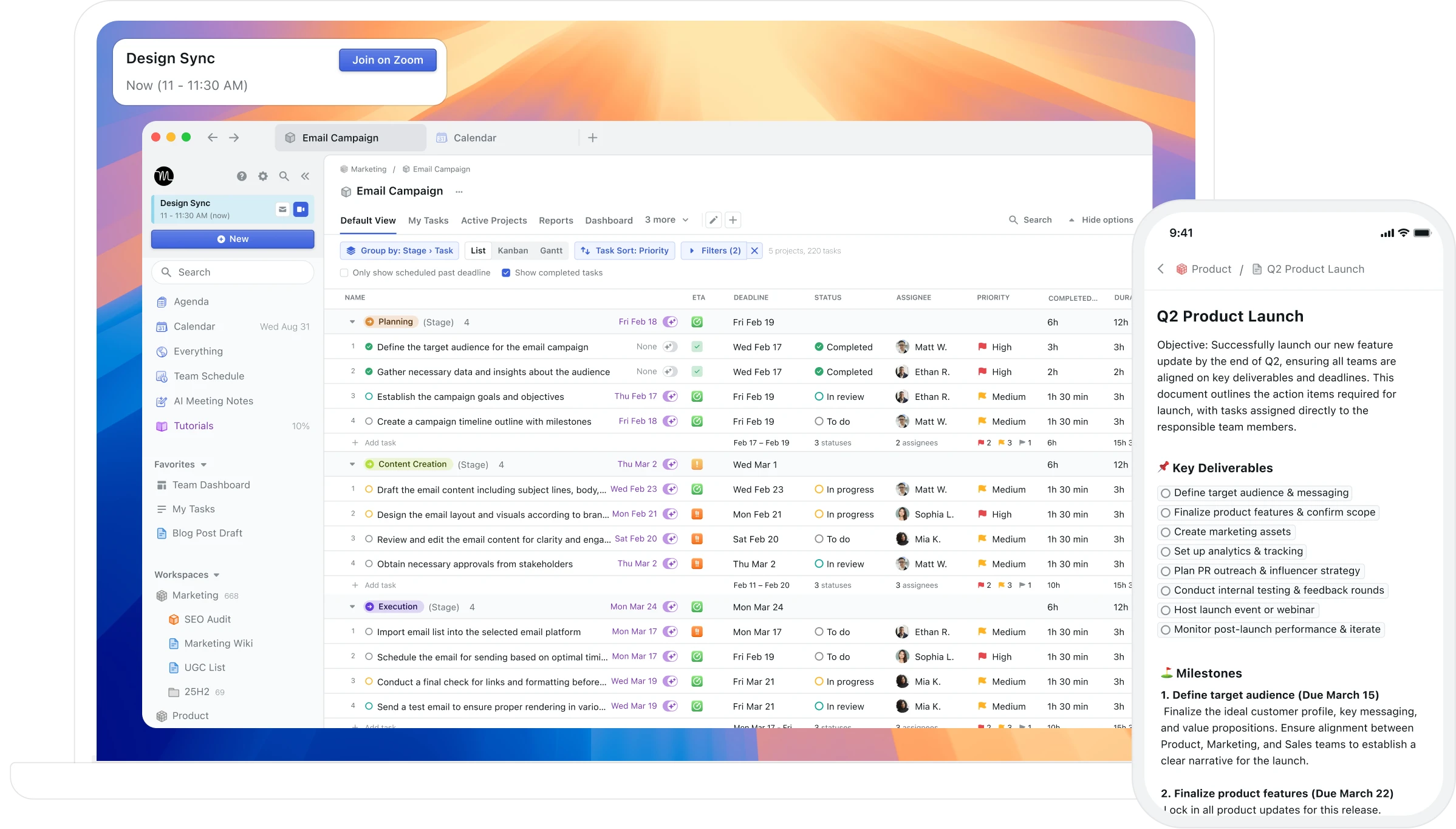
Best for: Teams and individual contributors with heavy task loads who want AI to automatically schedule and protect deep work time — not just suggest it, but place it and defend it without manual input.
Motion is the most ambitious tool on this list in scope. It automatically schedules tasks, meetings, and projects into your calendar without requiring approval of each placement. When a meeting appears, Motion reschedules everything else in real time. Deep work blocks aren't something you create — they're the slots Motion fills with the highest-priority work after placing your meetings. The AI learns your scheduling preferences over time.
For the deep work use case specifically, Motion addresses both scheduling and task clarity simultaneously. You don't create a focus block and then decide what goes in it; Motion places a specific task in a specific slot based on priority and deadline. This is the most complete automated solution to the "empty block" problem on this list.
The trade-offs are real. At $29/month, it's the most expensive option here. The automation can produce a calendar that feels machine-generated rather than intentional — some users find the AI's scheduling decisions don't match their preferences for what to work on when. And the team features, which are Motion's primary value proposition, are overkill for individual contributors who don't need project management capabilities.
What it does well:
Fully automated scheduling — tasks, meetings, and focus blocks placed without manual input
Real-time rescheduling when priorities or meetings change
Project management built in — deep work blocks contain specific tasks from actual projects
Works on Mac, Windows, iOS, and Android
Honest limitations:
$29/month individually — the most expensive option on this list
Less user control — AI makes decisions you may not endorse
Steep setup — needs project and priority configuration to work well
No single-task focus mode during sessions — blocks are scheduled but execution environment isn't addressed
Pricing: $29/month individually (annual). Team plans from $19/member/month.
Platforms: Mac, Windows, iOS, Android.
10. FLOWN — best for body doubling and virtual coworking
Best for: Remote workers, freelancers, and anyone who finds it significantly easier to work when others are working alongside them — even virtually.
FLOWN is a virtual deep work community built around body doubling: working silently alongside others in scheduled focus sessions. The mechanism is well-documented in ADHD research but works broadly — the social presence of others working creates a focus environment that individual willpower cannot reliably replicate. FLOWN hosts structured sessions throughout the day, run by facilitators, with clear start and stop times and a brief check-in on intentions before each session begins.
This is the layer of deep work that none of the scheduling or blocking tools address: the motivational and accountability context of the working environment itself. For knowledge workers who find that they work significantly better in a library, café, or open office than at a home desk with no social context, FLOWN provides that context virtually without requiring location change.
What it does well:
Structured body doubling sessions throughout the day — calendar of focus sessions you can join
Trained facilitators run sessions with pre-session intention setting and post-session reflection
Strong community for accountability and ongoing motivation
Especially effective for ADHD users and those who struggle with solo work initiation
Honest limitations:
Addresses motivational context only — no scheduling, blocking, or review layer
Requires scheduled session times to work — less useful for unstructured focus blocks
Works best as a complement to a scheduling tool, not a standalone system
Pricing: Free trial. Paid plans available (check current pricing at flown.com).
Platforms: Web, iOS.
11. Endel — best focus audio companion (adaptive soundscapes)
Best for: Knowledge workers who use background audio to focus and want soundscapes that adapt to their circadian rhythm and task type rather than a static playlist.
Endel generates real-time adaptive soundscapes using your location, time of day, heart rate (if available), and circadian rhythm data. Unlike Brain.fm's neuroscience-driven approach to engineered audio, Endel creates generative soundscapes that evolve dynamically. The result is audio that feels more natural than looped ambient music while still serving the focus function.
The practical difference between Endel and Brain.fm: Brain.fm is more aggressive about neurological entrainment (specific frequencies designed to produce focus states), while Endel is more adaptive and personal. Both work; the choice is whether you prefer clinically aggressive focus audio or something that feels more ambient and adjusts to your biological context. Endel also includes sleep and relaxation modes, making it a more versatile audio companion beyond the deep work context.
What it does well:
Adaptive soundscapes that change based on time of day, location, and heart rate
ADHD-specific mode using coloured noise for attention regulation
Generative — no loops, no repetition
Sleep and relaxation modes make it a whole-day audio companion
Honest limitations:
More expensive than Brain.fm for similar function
The adaptivity adds complexity — some users prefer Brain.fm's simpler, more direct approach
No scheduling, blocking, or review layer — audio only
Pricing: Free trial. Paid plans from ~$7/month. Lifetime options available.
Platforms: iOS, Android, Mac, Windows, Apple Watch.
12. Opal — best mobile distraction blocker (harder to bypass than Screen Time)
Best for: iPhone users who find Apple's built-in Screen Time easy to ignore or bypass, and want a distraction blocker with genuine enforcement that cannot be circumvented in the moment.
Opal is a mobile-first distraction blocker built specifically because Screen Time is too easy to override. The "Deep Focus" mode, once activated, cannot be turned off until the timer ends — there's no "ignore for 15 minutes" escape. This is the key difference from Freedom's mobile functionality: Opal is phone-native and designed specifically for the bypass problem, while Freedom is desktop-first with mobile as secondary.
For knowledge workers whose primary distraction vector is their iPhone rather than their laptop browser, Opal addresses the correct root cause. A distraction blocker that you can turn off the moment you feel like checking Instagram is a suggestion, not an enforcement. Opal's Deep Focus mode makes the phone inert for the duration of the session.
What it does well:
Deep Focus mode cannot be bypassed mid-session — genuine enforcement, not a suggestion
Focus Score tracks daily distraction reduction
Scheduled blocking so phone is automatically focused during work hours
Native iOS — faster and more reliable than cross-platform blockers on iPhone
Honest limitations:
iPhone only — no Android, no desktop
More expensive than Freedom at ~$8/month (Freedom covers more platforms for similar price)
No scheduling, task clarity, or review layer — blocking only
Pricing: Free basic tier. Pro ~$8/month annual. Lifetime ~$399 one-time.
Platforms: iPhone only.
13. Cold Turkey Blocker — best hardcore website blocker for Mac (cannot be bypassed)
Best for: Mac users who need website blocking that genuinely cannot be circumvented — not even by restarting the browser, using private mode, or uninstalling the app mid-block.
Cold Turkey Blocker is the most aggressive website blocker available on Mac. Once a block session starts, it cannot be cancelled — not by closing the browser, not by restarting the Mac, not by uninstalling the app. The blocking is implemented at a system level that survives all of those attempts. For users who find Freedom's blocks too easy to work around, Cold Turkey is the answer.
The free tier blocks websites indefinitely (scheduled blocking requires the paid Turbo version). The Frozen Turkey feature can lock you out of your entire computer except for whitelisted apps for a defined period — an extreme option that is, for some users, the only thing that works.
What it does well:
Blocking genuinely cannot be bypassed — survives browser restarts, private mode, VPN, and attempted uninstall
Free tier covers indefinite blocking without scheduling
Frozen Turkey mode can lock access to the entire computer except whitelisted apps
One-time purchase for Turbo version ($39) — no subscription
Honest limitations:
Mac and Windows only — no iOS, no Android
Interface is functional but dated
No scheduling, task clarity, or review layer — blocking only
The same enforcement that makes it powerful makes it frustrating when you genuinely need to access a blocked site for work
Pricing: Free (indefinite blocking). Turbo $39 one-time (adds scheduled blocking and Frozen Turkey).
Platforms: Mac, Windows.
Why most focus apps fail at deep work
The uncomfortable thing about distraction blocking is that it's the easiest layer to address, so most "deep work apps" stop there. Block Instagram. Run a Pomodoro timer. Play ambient rain sounds. The category is full of tools that address the distraction problem without touching the harder problems on either side of it.
Before the distraction problem: a blocked calendar. Protected, specific, recurring time that exists in your actual schedule before the day starts. Not a vague intention to do deep work "in the afternoon," but a block on Tuesday from 9 to 11 that contains a specific task and that you treat like a client meeting. Research on attention residue by Sophie Leroy at the University of Washington shows that even incomplete tasks — tasks still open on your mental list — compete for cognitive resources during subsequent work. The distraction blocker can't address that. Only pre-committed, scheduled, task-specific blocks can.
After the distraction problem: a feedback loop. Whether the deep work you're protecting is actually producing results. Whether this week's structure is better or worse than last week's. Whether the pattern of your most productive weeks differs from your least productive ones in ways you can act on.
Apps that only block distractions address the middle layer of a three-layer problem. The ones that earn the "deep work app" label address all three. The ranking above weights accordingly: tools that integrate with your calendar and give you review data score higher than tools that only block websites, regardless of how good the blocking is.
There's also a paradox worth naming: the best focus apps often have the least incentive to make you dependent on them. An app that builds a genuine deep work habit should, in theory, be needed less over time as the habit becomes automatic. The apps that have strong business incentives tend to have engagement mechanics — streaks, notifications, gamification — that keep you opening the app rather than just doing the work. The best deep work system is one that eventually runs without active management. Keep that in mind when evaluating tools that seem to want your attention rather than helping you protect it.
How to build a deep work system, not just pick a tool
The right tool for your deep work practice depends on which layer of the system is actually failing. Before downloading anything, it's worth diagnosing honestly.
If your calendar fills with meetings before you can block focus time — before you've had a chance to protect any window — the scheduling layer is broken. Reclaim automates this. Aftertone or Sunsama address it through discipline and planning tools. Google Calendar's manual blocking costs nothing if you're willing to do it proactively.
If you schedule deep work time but don't show up to it — you start the session and drift within ten minutes — the execution layer is broken. Freedom handles the distraction side. Aftertone's Focus Screen handles the single-task environment. Forest handles the commitment mechanism. Centered handles the accountability if social presence is your unlock.
If you don't know what to work on during the block — the time is protected but empty — the task clarity layer is broken. Sunsama's morning ritual, Akiflow's time-blocking from a consolidated task list, or Aftertone's native calendar-aware tasks all address this. The fix is specific: a named task attached to a specific session before the session starts.
If you're doing all of this and still not sure it's working — not sure whether the deep work hours are actually moving meaningful projects forward — the review layer is broken. This is the rarest layer to have addressed, and the most valuable to fix. Aftertone's AI weekly and daily reports address it empirically from your calendar history. Sunsama's weekly review addresses it through structured reflection. Most tools don't address it at all.
A complete deep work system needs something for each layer. For most Mac users, that means Aftertone for scheduling and execution combined with Freedom for distraction blocking and Brain.fm or focus music for the audio environment. For users without Mac constraints, Reclaim plus Sunsama plus Freedom covers the three layers well.
The system matters more than any individual tool. Pick one from each layer, run it for four weeks, and review whether your deep work output actually changed. That review is the practice. The apps are just infrastructure.
Frequently asked questions
What is the best deep work app?
For Mac users who want a complete system — calendar blocking, single-task focus mode, and weekly review in one app — Aftertone is the most integrated option. For distraction blocking across every device, Freedom is the gold standard. For automatic scheduling of focus time around meetings, Reclaim AI handles that well. For ambient audio that supports focus, Brain.fm is research-backed. Most people need more than one tool: a calendar-integrated app for scheduling and execution, paired with a distraction blocker for enforcement.
What did Cal Newport say about deep work apps?
Newport doesn't prescribe specific apps, but his four rules map directly to what a deep work tool should support: scheduled protected blocks, trained resistance to distraction, visibility into shallow work to compress it. His own practice is deliberately low-tech. The apps that best support his framework enforce structure rather than adding complexity — they make deep work the default, not the exception that requires active management.
Is there a free deep work app?
Forest has a free mobile tier. Reclaim AI has a functional free plan for focus time scheduling. Google Calendar with manual time blocking costs nothing. Cold Turkey Blocker has a free website blocking version. The most capable deep work tools have paid tiers, but most offer free trials long enough to evaluate whether they address your specific failing layer.
How do you schedule deep work?
Block it first — before meetings fill the day. Make it specific: a named task in the block, not just "deep work." Protect it structurally with a distraction blocker rather than relying on willpower when the session arrives. Gollwitzer's implementation intention research shows that "I will work on X at 9am on Tuesday at my desk" produces significantly higher follow-through than an open intention to do deep work.
What is the difference between a focus app and a deep work app?
A focus app typically does one thing: block distractions, run a timer, or play audio. A deep work app addresses the full stack: scheduling protected time in your calendar, creating a single-task execution environment when that time arrives, filling the block with structured work rather than leaving it empty, and reviewing whether the protected time produced results. Most apps marketed as deep work apps are really focus apps. Blocking TikTok doesn't tell you what to work on.
What is body doubling and does it help with deep work?
Body doubling is working alongside another person — physically or virtually — which creates a social focus environment that many people find dramatically easier to sustain than solo work. It's well-documented in ADHD research but works broadly. The social presence of another person working changes the nervous system's state in ways that make task initiation and sustained focus easier to maintain. FLOWN is the main dedicated platform for virtual body doubling. Online communities like Focusmate offer the same mechanism as a free peer-to-peer alternative. For knowledge workers who consistently work better in libraries or cafés than at home, body doubling addresses the actual constraint.
What is the difference between Freedom and Cold Turkey Blocker?
Both block websites and apps, but with different enforcement levels. Freedom works well for most users and covers Mac, Windows, iOS, and Android in a single subscription — the broadest platform coverage of any blocker. Cold Turkey Blocker is for users who find Freedom too easy to bypass: once a Cold Turkey block starts, it cannot be cancelled by any method, including restarting the computer. Freedom is the right default; Cold Turkey Blocker is for users who've proven to themselves they need harder enforcement. Freedom costs $3.33/month; Cold Turkey Turbo is $39 one-time.
Is Endel or Brain.fm better for focus?
Both work; they use different mechanisms. Brain.fm uses engineered audio at specific frequencies designed to produce neurological focus states — more aggressive and clinically oriented. Endel generates adaptive soundscapes based on your circadian rhythm, time of day, and biometric data — more ambient and personalised. Brain.fm is better if you want maximum focus intensity and don't mind audio that sounds processed. Endel is better if you want something that feels more natural and adapts to your biology across the day. Both offer free trials long enough to test which works for your nervous system.
