Best Clockwise Alternatives in 2026: What Replaces It
Clockwise shut down March 2026. The 9 best replacements: Reclaim AI, Motion, Morgen, SkedPal, Sunsama, and Aftertone — with migration steps and honest.
Written By The Aftertone Team
Best Clockwise Alternatives in 2026: What to Use After the Shutdown
Clockwise shut down on March 27, 2026 — acquihired by Salesforce, product killed in one week. 40,000 organisations are migrating now. The right replacement depends on which Clockwise feature actually mattered to you:
Need automatic meeting rescheduling and team Focus Time: Reclaim AI — Clockwise's official recommendation, 100% price match through June 30, 2026 (free tier / $8/mo+)
Need full AI auto-scheduling for tasks and meetings: Motion — more powerful, more expensive ($29/mo)
Want focus blocks that are actually full of work, not just empty time: Aftertone (Mac, $30/month) or Sunsama ($20/mo, all platforms)
Need cross-platform multi-account calendar with AI suggestions: Morgen ($15/mo, all platforms)
Individual user, want simpler focus time blocking: FlowSavvy ($12/mo)
On Microsoft 365 and can wait: Microsoft Copilot is adding basic auto-rescheduling (not yet fully rolled out)
What happened — and why it matters for your migration
On March 20, 2026, Clockwise notified users they had one week. The team was joining Salesforce's Agentforce division. The product would cease to exist on March 27. All data would be deleted. No export path.
For the 40,000 organisations that had embedded Clockwise into their scheduling infrastructure — including teams at Uber, Netflix, and Atlassian — this was a forced migration with almost no lead time. Prorated refunds were offered for prepaid accounts. Clockwise partnered with Reclaim as their official migration recommendation. Then the product went dark.
It's worth understanding the context before choosing a replacement. The Clockwise co-founders had previously built RelateIQ, which Salesforce acquired in 2014 for $390 million. They left to build Clockwise in 2016, raised $76 million over nine years, and got to a product used by 40,000 organisations. Then Salesforce acquired the team again. The product was incidental. The expertise in building production-grade autonomous scheduling agents was what Salesforce wanted for Agentforce.
The one-week shutdown is also a reminder that the AI calendar market is consolidating fast. Reclaim was acquired by Dropbox in 2024. Notion acquired Cron (now Notion Calendar) in 2022. Rise Calendar shut down in 2025. No independent venture-scale AI calendar player remains. When choosing a Clockwise replacement, platform stability is a legitimate selection criterion alongside features.
What Clockwise actually did — and what it didn't
Before choosing an alternative, it helps to be clear about what Clockwise was actually good at, because the tools that replace it well vary considerably depending on which piece you used.
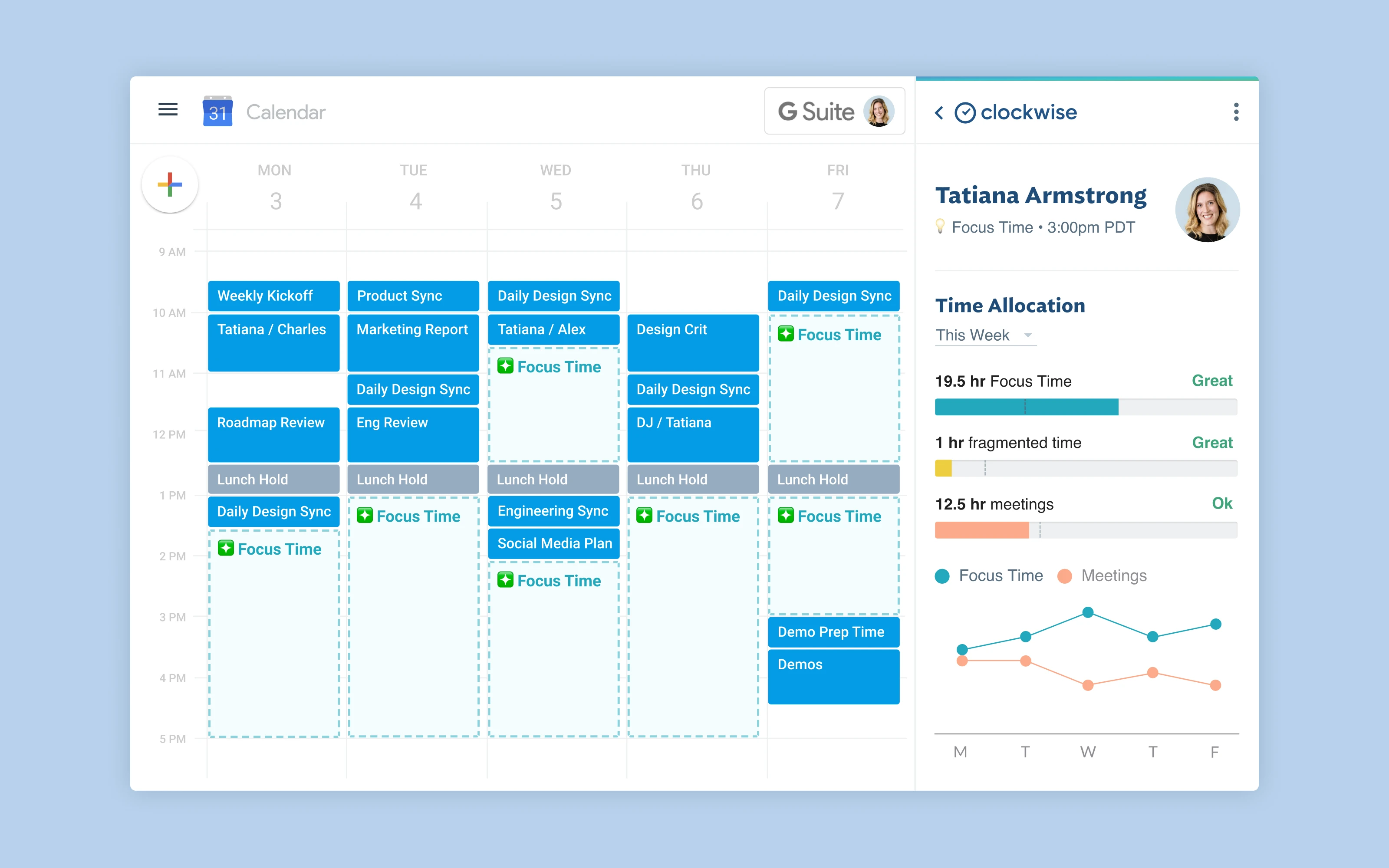
Clockwise was a team-wide calendar optimisation tool. Its core capability was running up to one million calendar permutations per team per day to reorganise internal meetings and carve out uninterrupted Focus Time blocks. If your engineering team had six meetings scattered across Tuesday, Clockwise would compress them and hand you back three contiguous focus hours. The Flexible Meetings feature moved meetings automatically. The Focus Time blocks created protected windows. The Slack integration synced your calendar status and could set Do Not Disturb during focus periods.
What it couldn't do was tell you what to put inside those blocks. Clockwise focus blocks were empty. You had the time carved out but no structure for the work. There was no task management, no intelligence about what you should prioritise during the session, and no feedback on whether the protected time was actually producing results. Smart Capture converts pasted text or a screenshot into a structured task instantly. For large teams drowning in meeting fragmentation, this was fine — recovering the time was the hard part. For individuals and small teams who were using Clockwise as a personal productivity tool, the empty block was the limitation they kept hitting.
Clockwise also rescheduled once per day, not in real time. A new meeting added at 10am wouldn't trigger a reorganisation until the next daily optimisation cycle.
Understanding these two things — where it was excellent and where it fell short — is the right starting point for choosing what replaces it.
Two types of Clockwise user — and two different answers
The most important split in the Clockwise user base is between teams and individuals.
Team users — organisations with 20+ people, dense internal meeting calendars, and scheduling complexity that played across multiple team members' availability — were where Clockwise was at its best. The team-wide optimisation capability required everyone to be on the tool for it to work well. The coordination across calendars, the automatic meeting reshuffling, the focus block creation for the whole team at once — none of this scales to one person's calendar. For these users, the true Clockwise replacement is Reclaim, which is also the official endorsed migration path.
Individual and small-team users — professionals who used Clockwise's focus blocks as personal calendar protection rather than for team coordination — found less distinctive value in the tool, and several alternatives serve them better. The empty focus block is particularly felt here: an individual who blocks 10am to noon for deep work and then sits down to a blank Focus Time event has protected the time without specifying what it's for. The best alternatives for this group add the missing layer — task intelligence that fills the blocks with actual work.
How we evaluated these alternatives
Clockwise feature parity. Focus Time creation, meeting rescheduling, scheduling links, Slack integration, calendar sync — how closely does the alternative cover what Clockwise did?
Real-time vs batch rescheduling. Clockwise ran optimisations once per day. Reclaim and Motion reschedule in real time. This is a meaningful functional difference for users with volatile calendars.
Individual vs team value. Several alternatives only make sense at team scale. We note which tools deliver value for individuals and which require broad adoption.
What fills the focus blocks. The gap Clockwise always left. We evaluated whether each alternative adds task intelligence to protected time.
Platform stability. Given the Clockwise shutdown, we noted acquisition status and ownership for each tool.
At a glance: all alternatives compared
App | Best for | Scheduling type | Fills focus blocks? | Team or individual? | Calendar support | Price |
|---|---|---|---|---|---|---|
Reclaim AI | Direct Clockwise replacement | Automatic, real-time | Partial (task scheduling) | Both | Google + Outlook | Free / $8/mo+ |
Motion | Full AI auto-scheduling + PM | Automatic, real-time | Yes (native tasks) | Both | Google + Outlook | $29/mo (annual) |
Morgen | Multi-account, all platforms | Advisory (AI suggestions) | Via integrations | Individual | Google, Outlook, iCloud, more | $15/mo (annual) |
Aftertone | Focus block intelligence + AI reports | Manual + AI analysis | Yes (native tasks + AI weekly and daily reports) | Individual (Mac) | Google + iCloud | $30/month |
Sunsama | Guided daily planning ritual | Manual (structured) | Yes (guided task planning) | Individual | Google + Outlook | $20/mo (annual) |
Akiflow | Task consolidation + time blocking | Manual (keyboard-driven) | Yes (30+ task sources) | Individual | Google, Outlook, iCloud | $19/mo (annual) |
FlowSavvy | Simple AI task scheduling, individuals | Automatic (tasks only) | Yes (auto-scheduled tasks) | Individual | Google + Outlook | $12/mo |
SkedPal | Personal auto-scheduling + time maps | Automatic (tasks into preferred windows) | Yes (task scheduling) | Individual | Google + Outlook | $9.95/mo |
Google Calendar Focus Time | Free fallback, Workspace users | Manual (recurring blocks) | No | Both | Google Workspace only | Free (Workspace) |
Microsoft Copilot | Outlook users, native integration | Automatic (emerging) | No | Teams (enterprise) | Outlook / M365 only | Included in M365 plans |
1. Reclaim AI — the official Clockwise replacement
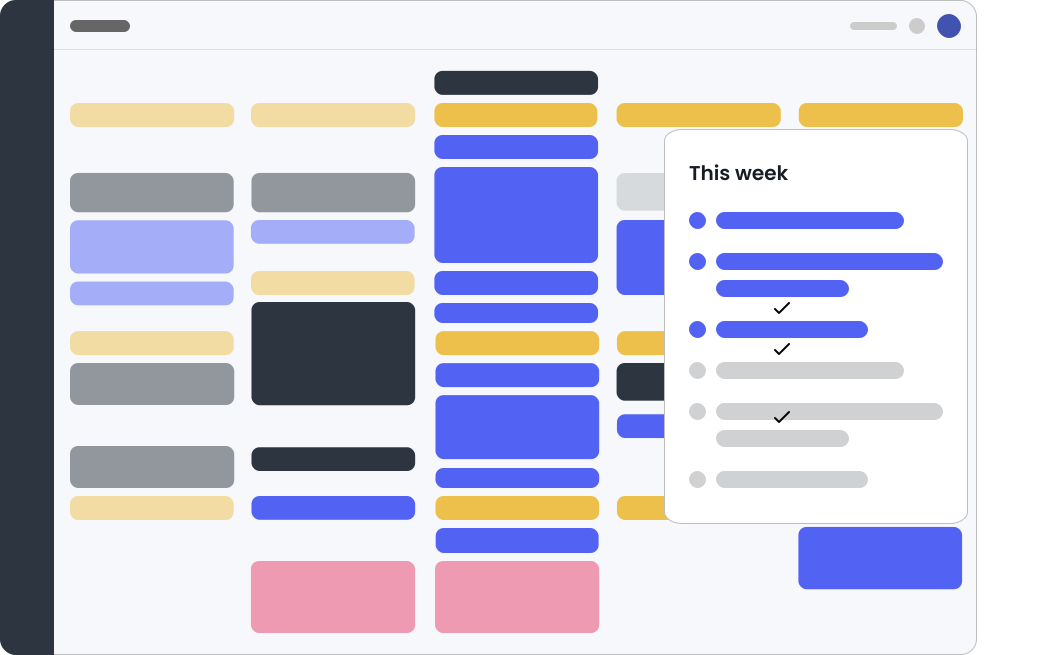
Best for: Clockwise users who need the closest feature-for-feature migration — especially teams who relied on automatic meeting rescheduling, Focus Time blocks, and Slack status sync.
Reclaim is the tool Clockwise itself recommended. Their partnership comes with a 100% price match for former Clockwise accounts through June 30, 2026, priority migration support, fast-tracked security reviews for enterprise accounts, and a built-in Clockwise Import tool that maps your Clockwise configuration directly into Reclaim's equivalents. This is the most frictionless migration path available.
On features, Reclaim matches and extends most of Clockwise's core functionality. Focus Time becomes Reclaim's Focus Time — dynamic weekly goal blocks that automatically re-optimise around meetings in real time, rather than Clockwise's once-per-day batch cycle. Flexible Meetings become Smart Meetings. Scheduling links are built in. Slack status sync works. The critical improvements over Clockwise: real-time rescheduling (not once-per-day), full Microsoft Outlook support (Clockwise's Outlook was in beta), habit scheduling for recurring personal routines, and task scheduling from Todoist, Asana, Jira, ClickUp, and Linear that places actual work into focus sessions.
Reclaim was acquired by Dropbox in 2024 and currently serves 320,000 users across 60,000 companies. Platform stability is better than Clockwise's was at shutdown — Dropbox is a public company with no obvious incentive to wind down a product this size. The risk isn't zero, but it's lower than standalone calendar AI startups.
Pros:
Official Clockwise recommended migration path — 100% price match through June 30, 2026
Real-time rescheduling, not once-per-day like Clockwise
Covers all core Clockwise features: Focus Time, Smart Meetings, scheduling links, Slack sync, calendar sync
Full Microsoft Outlook support (Clockwise's was beta)
Task scheduling from Todoist, Asana, Jira, ClickUp, Linear — fills the focus blocks
Free tier available; paid from $8/month
Acquired by Dropbox (2024) — more stable than standalone startup
Cons:
Web app only — no native desktop app on Mac or Windows
AI scheduling is automatic but can over-schedule, making calendars feel crowded
Less value for users who don't have dense internal meeting loads
Platform is Dropbox-owned — long-term product direction subject to Dropbox priorities
Pricing: Free plan available. Paid from $8/month (annual). 100% price match for Clockwise accounts through June 30, 2026.
Calendar support: Google Calendar + Microsoft Outlook.
Why choose over Clockwise: Real-time rescheduling, full Outlook support, habit and task scheduling, and the smoothest migration path available. The closest replacement for teams who used Clockwise's core features.
2. Motion — best for teams wanting full AI auto-scheduling
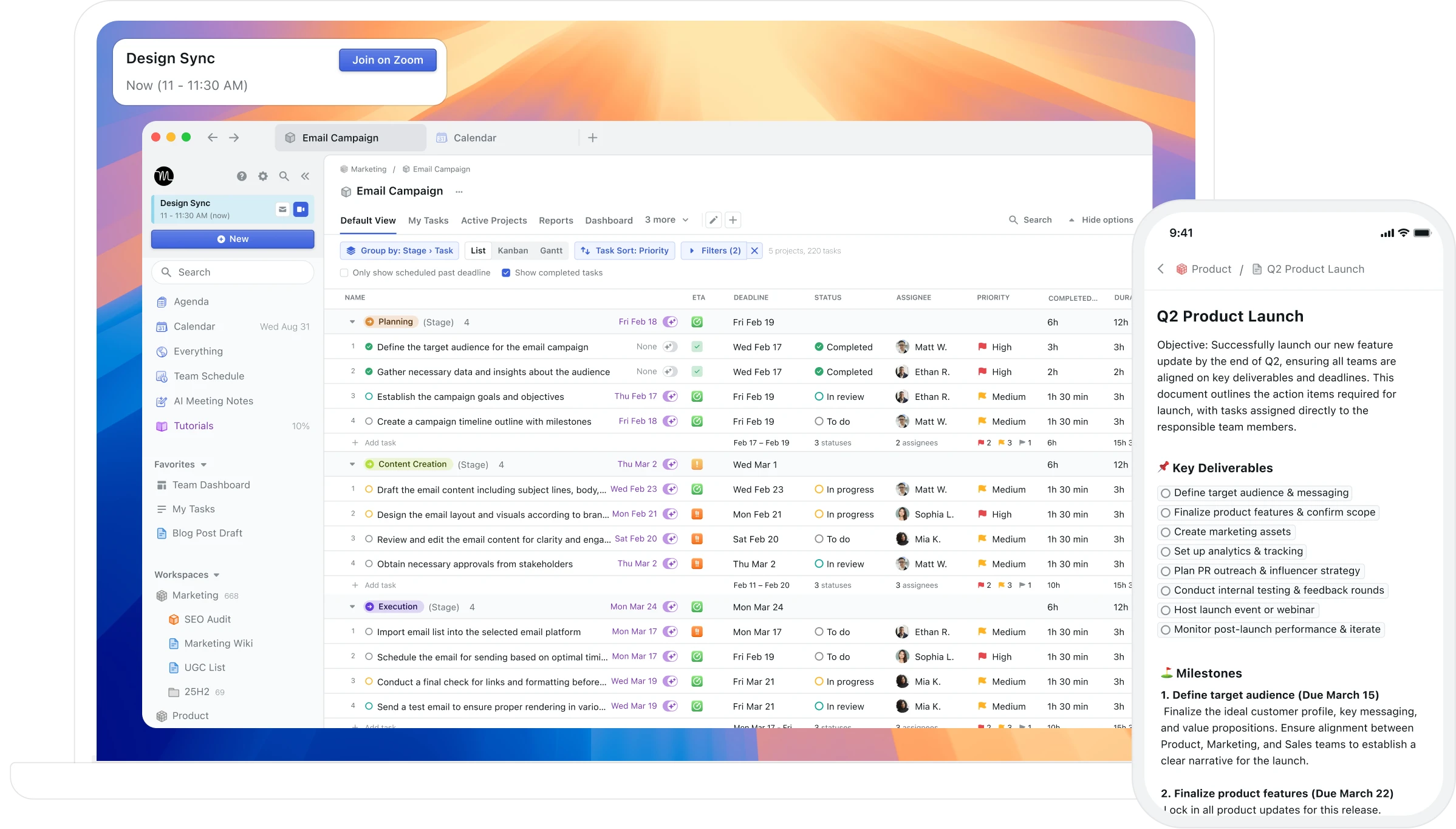
Best for: Clockwise users who want to go further — automatically scheduling not just meeting coordination but tasks, projects, and deadlines into a fully AI-managed calendar.
Motion is what Clockwise was for teams, plus everything Clockwise explicitly didn't build. Where Clockwise carved out focus time and left the blocks empty, Motion fills those blocks automatically. You create tasks, assign deadlines and priorities, and Motion schedules them into available time slots — rescheduling everything in real time when meetings appear or deadlines change. It also includes a full project management layer with Kanban boards, Gantt views, and project dependencies.
For Clockwise teams who found the empty focus blocks frustrating — who wanted the AI to not just protect time but populate it — Motion addresses that directly. The trade-off is control: Motion makes scheduling decisions without asking, which some users find liberating and others find disorienting. It's also considerably more expensive at $29/month for individuals, though it replaces both your calendar tool and your project management tool.
Motion is independently owned and has not been acquired as of March 2026 — though given the pattern of Clockwise (Salesforce), Reclaim (Dropbox), and Cron (Notion), it is a plausible future acquisition target.
Pros:
True AI auto-scheduling — tasks, meetings, and projects scheduled automatically without approval
Real-time rescheduling when meetings move or priorities change
Full project management built in — replaces separate PM tools
Works on Mac, Windows, iOS, and Android
AI Meeting Notetaker, AI Docs, and AI Chat included in recent plans
Cons:
$29/month individually — roughly 3x the cost of Clockwise's team plan
Less user control than Clockwise; AI makes decisions without explicit approval
Steep setup — requires project and priority configuration to schedule well
Can feel overwhelming for users who want calendar optimisation rather than full AI automation
Independently owned — acquisition risk in a consolidating market
Pricing: $29/month individually (annual). Team plans from $19/member/month. Free trial available.
Calendar support: Google Calendar + Microsoft Outlook.
Why choose over Clockwise: You want the full AI experience — not just protected time, but AI-scheduled work inside it. Motion goes further than Clockwise ever did.
3. Morgen — best for multi-platform multi-account scheduling
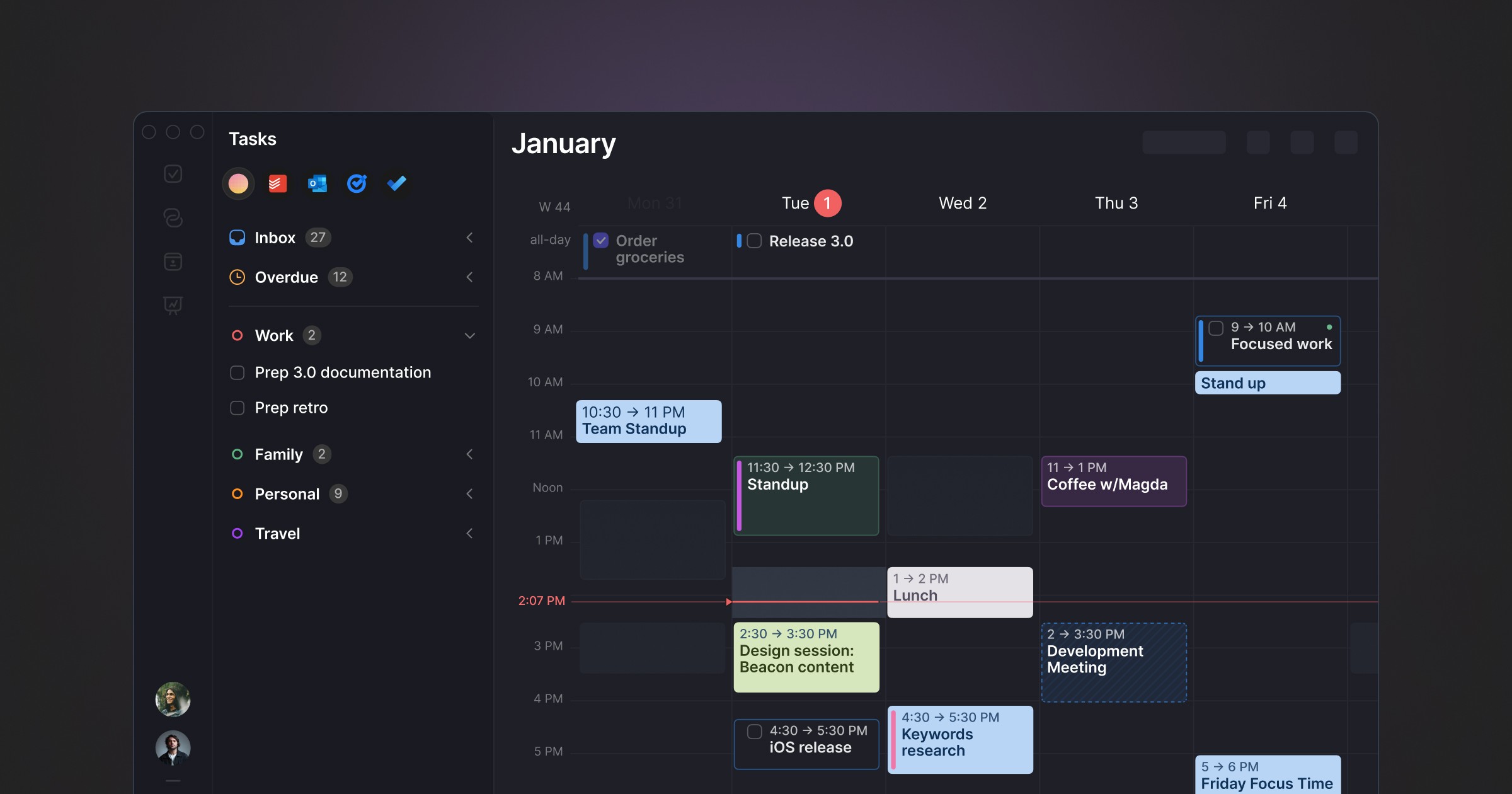
Best for: Clockwise users managing multiple calendar accounts across Google, Outlook, and iCloud who want AI-assisted scheduling on every platform, including Linux and Android.
Morgen is built for multi-account professionals. It unifies Google Calendar, Outlook, iCloud, Exchange, and Fastmail in one interface available on Mac, Windows, Linux, iOS, Android, and web — broader platform coverage than any other tool on this list. The AI Planner suggests where to schedule tasks based on your priorities (you approve changes). Frames let you template ideal week structures. Scheduling links pull availability from all connected accounts.
Unlike Clockwise's team-wide optimisation model, Morgen is primarily an individual productivity tool. The AI is advisory rather than automatic — closer to intelligent assistance than Clockwise's autonomous rescheduling. For former Clockwise users who primarily used it as a personal focus time tool on multiple devices, Morgen covers that use case at $15/month.
Pros:
Broadest platform coverage: Mac, Windows, Linux, iOS, Android, Web
Unifies Google, Outlook, iCloud, Fastmail — more calendar providers than any competitor
AI Planner suggests schedules with user approval — intelligent without being autonomous
Frames for templating ideal week structure
Task integrations: Notion, Todoist, ClickUp, Linear, Asana
15% discount for users switching from Clockwise
Cons:
Electron app on desktop — not native macOS; no Apple Watch or Spotlight
AI suggests rather than automates — less autonomous than Clockwise's core feature
Limited value for team-wide meeting coordination (Clockwise's primary use case)
No AI analysis of whether the schedule is producing results over time
Pricing: $15/month billed annually. 14-day trial. 15% off switching from Clockwise.
Calendar support: Google Calendar, Outlook, iCloud, Exchange, Fastmail.
Why choose over Clockwise: You need all your calendars in one place across every device you use, and you want AI assistance without full automation.
4. Aftertone — best for understanding whether your focus time is working

Best for: Mac users who used Clockwise for focus block protection and found that the blocks were empty — who want focus time that comes pre-loaded with task intelligence and feedback on whether it's producing results.
Clockwise protected your time. Aftertone uses it.
This distinction cuts to the core of what Clockwise couldn't do. A focus block on a Clockwise calendar was a defended window. It kept meetings out. What happened inside it was entirely up to you — and if you sat down to a blank "Focus Time" event with no clear task attached, you'd experienced Clockwise's ceiling. The time was reclaimed but the work wasn't automatically structured.
Aftertone approaches focus time from the other direction. Tasks live natively inside the calendar view, not in a separate system. When a focus block arrives, the Focus Screen narrows the view to the current task — removing the visual noise and the decision load at the moment of execution that quietly destroys momentum. Roy Baumeister's research on decision fatigue shows the gap between "I have a focus block" and "I am focused" is where enormous amounts of productivity leak. Clockwise handled the first half. Auto-Extend keeps the session running when you finish ahead of schedule. Pause holds your place. Smart Zoning lets you move tasks onto the calendar with keyboard shortcuts alone. Aftertone handles the second.
The AI weekly and daily reports address what neither Clockwise nor any other alternative on this list provides: feedback on whether the schedule you're building is actually working. Which time slots consistently produce real output across your week? Where is meeting fragmentation still eroding focus despite the blocks you've created? Are your most and least productive weeks structurally different in ways that are visible in the data? Clockwise ran a million permutations to find you focus time. Aftertone analyses what you did with it.
At $30/month, it also removes the recurring cost calculation entirely. No subscription decision, no platform risk from an acquihire.
Pros:
Focus blocks with native task management — the time is protected AND filled with structured work
AI weekly and daily reports — the only tool on this list that analyses whether your schedule is producing results
Focus Screen — reduces decision load at task execution; addresses where productivity actually leaks
Genuinely native macOS — Spotlight, offline, Apple Watch integration
$30/month. 7-day free trial, no card required.
Built on 45 principles from behavioural science
Cons:
Mac only — iOS coming; no Windows, Android, or web access
Does not do team-wide meeting rescheduling — not a direct Clockwise replacement on the enterprise use case
No automatic scheduling of focus blocks (you place them; Aftertone analyses and executes within them)
No Slack status sync
Pricing: $30/month. Free trial available. No subscription.
Calendar support: Google Calendar (two-way), Apple Calendar / iCloud.
Why choose over Clockwise: Clockwise found you focus time. Aftertone fills it with actual work and tells you if it's working. The intelligence moved from protecting the time to using it well.
5. Sunsama — best for structured daily planning
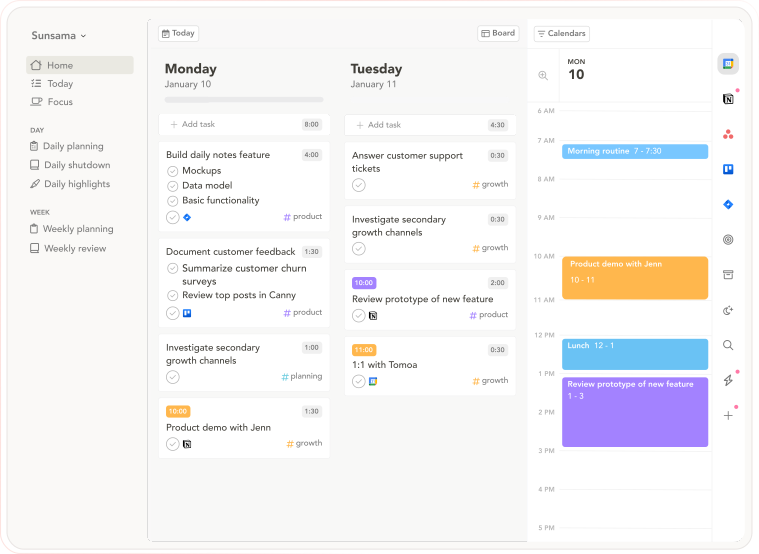
Best for: Clockwise users who want their focus blocks pre-planned with specific tasks each morning — through structure and ritual rather than automation.
Sunsama takes the opposite approach to Clockwise's automation. Rather than having AI reorganise your calendar, it guides you through a morning planning ritual that fills each day's calendar with specific committed work before the day starts. You pull tasks from connected tools, estimate time against your calendar, commit to a daily plan. The evening shutdown routine closes the loop. The focus blocks aren't empty — they're explicitly assigned.
For Clockwise users whose frustration was the empty block rather than the missing focus time itself, Sunsama addresses the root cause. The daily ritual is the replacement for Clockwise's automation: instead of AI finding your focus time and leaving you to figure out what to do with it, Sunsama makes you decide what goes in it each morning. The friction is the feature — intentional planning instead of automated protection.
Pros:
Guided daily planning ritual — focus blocks are explicitly filled before the day starts
Daily shutdown routine — structured end-of-day review closes the loop Clockwise never did
Broad integrations: Asana, Notion, ClickUp, Todoist, Gmail, Slack, Linear, Jira
Cross-platform: Mac, Windows, iOS, Android, Web
14-day free trial, no credit card required
Cons:
$20/month — the most expensive individual subscription on this list
15–20 minute daily planning ritual required — time cost Clockwise's automation didn't have
No automatic meeting rescheduling — does not replace Clockwise's team coordination features
Electron app on desktop — not native macOS
Pricing: $20/month billed annually ($26/month monthly). 14-day trial, no credit card.
Calendar support: Google Calendar + Microsoft Outlook.
Why choose over Clockwise: You want the discipline of committed daily planning to fill your focus time — not empty AI-protected blocks, but blocks with specific tasks attached before the day starts.
6. Akiflow — best for task consolidation with time blocking
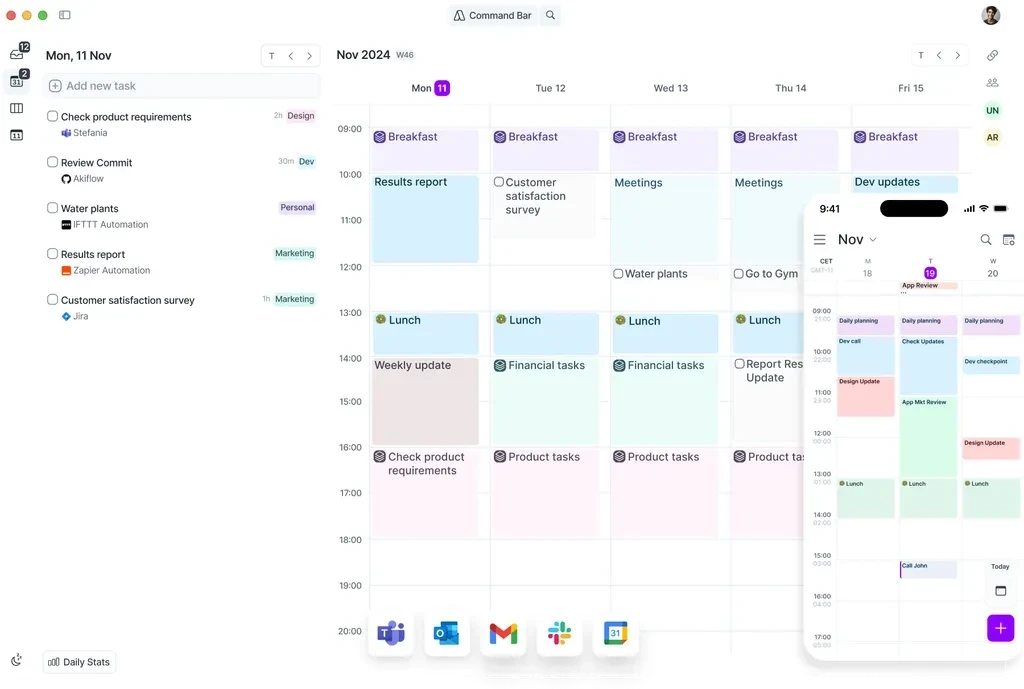
Best for: Clockwise users whose main frustration was that Clockwise didn't fill focus blocks with work — and who have tasks scattered across Slack, Notion, Gmail, Linear, and Jira they want pulled into one view.
Akiflow consolidates tasks from 30+ sources into a unified inbox alongside your calendar, with fast drag-and-drop time blocking as the primary workflow. For Clockwise users who used focus blocks to protect time for multi-tool task work, Akiflow provides the unified task view that Clockwise never had — all the work from all the tools, placed into time slots on a single calendar interface. The keyboard-driven command bar (Cmd+K) handles task capture without context switching.
Pros:
Task consolidation from 30+ sources: Slack, Notion, Gmail, Linear, Jira, Asana, Trello
Drag-and-drop time blocking from unified task inbox to calendar
Command bar for fast keyboard-driven task capture and scheduling
Focus sessions with Pomodoro timer integration
Scheduling links for external meeting coordination
Cons:
No automatic meeting rescheduling — does not replace Clockwise's team coordination
Manual time blocking — more user effort than Clockwise's automation
Design is functional rather than polished
Mobile app still in beta
Pricing: $19/month billed annually ($34/month monthly). 7-day trial.
Calendar support: Google Calendar, Outlook, iCloud.
Why choose over Clockwise: You want your focus blocks filled with tasks from across your entire tool stack — manually assigned but consolidated, not empty and guessed.
7. FlowSavvy — best for simple individual task scheduling
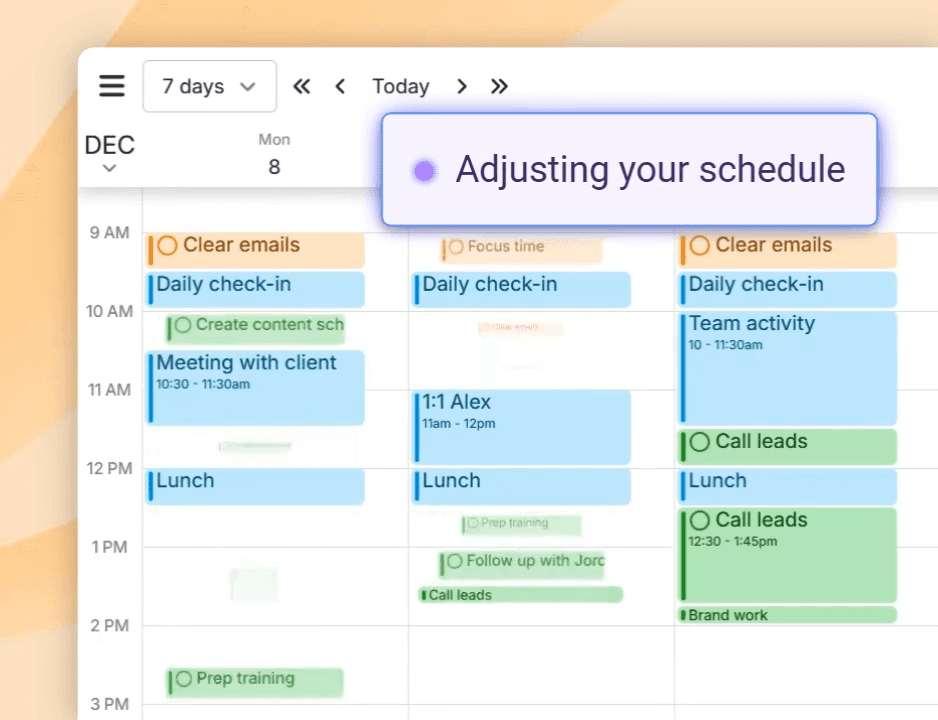
Best for: Individual Clockwise users who primarily used the flexible time blocking feature and want a simpler, cheaper tool that automatically schedules tasks into available calendar slots.
FlowSavvy auto-schedules tasks from your to-do list into your calendar and reschedules them if meetings appear or tasks are missed. It's the closest functional equivalent to Clockwise's "Flexible Holds" feature for individuals — time blocks that are automatically placed and automatically moved. The focus is narrower than other alternatives on this list (no project management, no team features, no habit scheduling), but the core workflow is clean: add tasks, set deadlines and durations, let FlowSavvy find the time.
At $12/month, it's the most affordable paid option for individual users who primarily want automatic task scheduling. The co-founder of FlowSavvy has been one of the most informative sources about the Clockwise shutdown context, given his position in the same space.
Pros:
Automatically schedules tasks into available calendar slots and reschedules when things change
$12/month — most affordable paid AI scheduling option for individuals
Simple, focused workflow — less overwhelming than Motion or Reclaim
40% discount for former Clockwise users with code CLOCKWISE
Cons:
Individual tool only — no team coordination features
No habit scheduling, no meeting rescheduling
Less breadth than Reclaim or Motion
Smaller company — platform risk is higher than Reclaim (Dropbox-owned) or Motion
Pricing: $12/month. 40% discount for Clockwise users with code CLOCKWISE.
Calendar support: Google Calendar + Outlook.
Why choose over Clockwise: You're an individual who used Clockwise's flexible holds feature and want a simpler, cheaper alternative that does just that one thing well.
8. SkedPal — best for personal auto-scheduling with time maps
Best for: Individual Clockwise users who want intelligent auto-scheduling of tasks into preferred time windows, with granular control over where different work types land.
SkedPal is the most feature-complete personal auto-scheduler outside of Reclaim and Motion. Its core mechanism — Time Maps — lets you define when different types of work should happen (deep work in the morning, admin in the afternoon, calls on Tuesdays) and then automatically fills those windows with tasks from your list. When something shifts, SkedPal reschedules the cascade automatically.
This is closer to Clockwise's Flexible Holds philosophy than most alternatives: work blocks that adapt to reality rather than requiring manual rebuilding when the day changes. Where FlowSavvy offers a simpler version of this, SkedPal adds Time Map sophistication and time budgeting — the ability to ensure you spend the right proportions of time on different work categories each week.
Pros:
Time Maps give granular control over where different work types land — closer to Clockwise's flexible scheduling philosophy than most alternatives
Time budgeting ensures correct proportions across work types, not just individual task placement
$9.95/month — the most affordable paid option with true adaptive scheduling
Good integration with Google Calendar and Outlook
Cons:
Individual tool — no team coordination features
Interface is functional but less polished than newer competitors
No habit scheduling or meeting auto-rescheduling (tasks only)
Smaller company — platform stability risk to monitor
Pricing: $9.95/month.
Calendar support: Google Calendar + Outlook.
Why choose over Clockwise: You want adaptive auto-scheduling for tasks with real control over time window preferences — not just a scheduler that fills available gaps wherever it finds them.
9. Google Calendar Focus Time — the free fallback for Workspace users
Best for: Teams already on Google Workspace who need a zero-cost immediate fallback while evaluating paid alternatives.
Google Calendar includes a native Focus Time event type for eligible Google Workspace accounts (work or school — not available on personal Gmail). Create a Focus Time event and Google automatically declines meeting invitations that conflict with it and mutes Chat notifications. Make it recurring and your focus hours are defended each week without any additional tool.
This is not a Clockwise replacement — it has none of the automatic meeting reshuffling, task scheduling, habit tracking, or analytics that made Clockwise valuable. But it is immediate, free, and visible to colleagues who check your availability before booking. For teams that need something working on March 27, 2026 while deciding on a paid alternative, Google Calendar Focus Time is the right starting point.
Pros:
Free for all eligible Google Workspace accounts — no new tool, no onboarding
Built into Google Calendar — colleagues see it when booking, reducing friction
Auto-declines conflicting meetings and mutes Chat notifications natively
No platform risk — Google is not going anywhere
Cons:
No automatic rescheduling — if a meeting overrides a focus block, the block is gone and must be recreated manually
No task integration — focus blocks are empty, like Clockwise's
Not available on personal Gmail accounts — Workspace only
No analytics, no AI, no habit scheduling
Pricing: Free with eligible Google Workspace accounts.
Calendar support: Google Workspace only.
Why use it: Immediate, free, and visible to your team. Use it while you evaluate Reclaim, Motion, or another paid alternative — not as a permanent Clockwise replacement.
10. Microsoft Copilot — worth watching for Outlook users
Best for: Enterprise Microsoft 365 users who want native calendar optimisation inside Outlook without an additional tool — and are willing to wait for the feature to fully roll out.
Microsoft is rolling out auto-rescheduling capabilities through Copilot inside Outlook. As of March 2026, this feature has been announced and has a Microsoft support page, but has not fully rolled out — early testers with business Copilot licences have not been able to access it. The functionality appears to offer basic 1:1 meeting auto-rescheduling similar to what Clockwise provided, integrated natively into Microsoft 365.
For enterprise users already paying for Microsoft 365 Copilot (from $30/user/month), this may eventually deliver Clockwise's core value without an additional tool. The honest position in March 2026: it isn't ready yet, but it's the direction Microsoft is moving, and for large organisations on M365, it's worth monitoring before committing to a third-party subscription for team-wide scheduling.
Pros:
Native to Microsoft 365 — no additional tool, no data leaving the M365 ecosystem
Included in M365 Copilot subscription already being paid
Long-term platform stability (Microsoft is not an acquihire risk)
Cons:
Not fully available as of March 2026 — cannot be used as an immediate Clockwise replacement
Microsoft 365 and Outlook only — no Google Calendar support
Limited to basic 1:1 meeting rescheduling based on current announcements
Requires M365 Copilot licence
Pricing: Included in Microsoft 365 Copilot plans (from $30/user/month).
Calendar support: Microsoft 365 / Outlook only.
Why watch this: For M365-committed enterprise teams, this is the long-term native answer. For anyone who needs a working Clockwise replacement today, use Reclaim while monitoring Copilot's rollout.
How to migrate from Clockwise to Reclaim: feature-by-feature
If you decide Reclaim is your replacement — which most former Clockwise users and Clockwise itself recommend — here is how each Clockwise feature maps over. Work through these in order.
Focus Time → Reclaim Habits. Create a Focus Time habit in Reclaim with the same daily duration you protected in Clockwise. Set it to high priority so it resists rescheduling, and choose the same time window (morning or afternoon) you preferred in Clockwise.
Flexible Meetings → Reclaim Smart Meetings. Any recurring internal meeting that used to be marked as Clockwise Flexible should become a Reclaim Smart Meeting. Reclaim will shift it automatically when conflicts arise — replicating Clockwise's behaviour, but in real time rather than once per day.
No-meeting hours → Reclaim Working Hours + buffer time. Use Reclaim's working hours settings to block the no-meeting windows Clockwise enforced, then add buffer time between meetings to preserve context-switching gaps.
Slack status sync → Reclaim Slack integration. Connect Reclaim to Slack in settings. Your status will auto-update during focus blocks and habit time, the same way Clockwise handled it.
Clockwise Import tool. Reclaim's official Clockwise migration tool maps your existing Clockwise configuration directly into Reclaim equivalents. Available in Reclaim's settings for accounts with the 100% price match applied.
Team analytics → no direct equivalent yet. Reclaim shows individual focus time stats but does not yet replicate Clockwise's organisation-wide meeting heat maps. No current tool in this list fully matches that feature.
How to protect team focus time without Clockwise
Team-wide focus coordination was Clockwise's most distinctive capability, and no single tool has fully replicated it. The good news is that most of it can be rebuilt with three explicit team habits that don't depend on any tool.
Create a shared "Team Focus Hours" calendar. Add recurring blocks for the hours your team agrees to protect — for example, 9–11am Monday through Thursday. Everyone subscribes. When someone tries to book a meeting during those hours, they see the block and route around it. This replicates the visibility layer Clockwise provided without requiring a paid tool.
Use Reclaim Smart 1:1s for flexible recurring meetings. Reclaim's Smart 1:1 Meetings automatically schedule recurring internal syncs at the best time for both attendees and reschedule when conflicts appear — covering Clockwise's flexible meeting behaviour for recurring internal meetings.
Set a Slack reminder at the start of focus hours. A simple Slack workflow that posts a "focus hours starting" message to the team channel at the agreed window creates the social norm that Clockwise's automation previously enforced. Social pressure does significant work here, and the norm survives any future tool shutdown.
This approach requires more explicit team agreement than Clockwise demanded. It is also more resilient — your calendar strategy doesn't depend on a single vendor's survival.
The Clockwise gap that most alternatives still don't fill
Nine years of Clockwise produced a product that was genuinely good at one hard thing: carving uninterrupted time out of a team calendar that had been fragmented by a decade of meeting culture. Running a million permutations to compress six scattered meetings into three so you could have two contiguous focus hours — that's a real engineering achievement, and 40,000 organisations found it valuable enough to pay for.
What Clockwise never solved was the question after the block was created: what are you doing in it?
Most of the alternatives on this list solve the same problem Clockwise solved — protecting time from meetings. Reclaim protects it automatically. Motion protects it and fills it. Sunsama fills it through planning discipline. Morgen gives you a clean view of it across accounts. None of them, except Aftertone, address the question of whether the protected and filled time is actually producing results — whether the deep work sessions you've carved out are creating the output you intended, and whether the structure of your week is improving or quietly degrading week over week.
Clockwise gave you the time. The alternatives on this list give you the time, the tasks, and the structure. Aftertone adds the feedback loop — the AI weekly and daily reports that tell you what the data from your own calendar reveals about how you work. That's the layer the category has mostly left unanswered. It's also the one most likely to matter once the immediate migration crisis from Clockwise's shutdown is resolved.
A note on platform risk — the lesson Clockwise teaches
The Clockwise shutdown followed a pattern. Salesforce wanted the team's expertise in autonomous scheduling agents for Agentforce. The product was incidental. 40,000 organisations got one week's notice.
This pattern has repeated: Rise Calendar shut down in 2025. Clockwise shut down in March 2026. Reclaim was acquired by Dropbox in 2024 and continues operating, but is no longer independent. Notion acquired Cron. The standalone AI calendar market is largely gone.
When choosing a replacement, platform stability deserves explicit weight. Reclaim (Dropbox-owned) and Motion (independently owned but an obvious acquisition target) carry different risk profiles than Aftertone (bootstrapped, subscription model, no VC runway to maintain). None of this makes one tool better than another on features. But for teams that spent time embedding Clockwise into their workflows only to face a forced migration with seven days' notice, the platform risk calculation is a legitimate part of the evaluation.
Frequently asked questions
Why did Clockwise shut down?
Clockwise was acquihired by Salesforce in March 2026. The entire team joined Salesforce's Agentforce division to build agentic AI capabilities. As part of the deal, the Clockwise product shut down on March 27, 2026, with one week's notice. All user data was deleted. The co-founders previously built RelateIQ, which Salesforce acquired in 2014 — this was their second acquisition by the company.
What is the best replacement for Clockwise?
For automatic meeting rescheduling and team Focus Time, Reclaim AI is the most direct replacement — Clockwise officially endorsed it and a 100% price match is available through June 30, 2026. For individuals who primarily used Clockwise's focus blocks and want those blocks filled with actual task structure, Aftertone (Mac) or Sunsama add the task intelligence Clockwise's empty blocks never had. For full AI auto-scheduling of tasks and meetings, Motion is the most capable option.
Does Reclaim AI replace Clockwise?
More closely than any other single tool. Reclaim covers all core Clockwise features (Focus Time, Smart Meetings, scheduling links, Slack sync, calendar sync) and improves on several: real-time rescheduling instead of once-per-day, full Outlook support, habit scheduling, and task scheduling from project management tools. Reclaim is acquired by Dropbox and offers a 100% price match for Clockwise accounts through June 30, 2026.
What was Clockwise's biggest weakness?
Focus blocks were empty. Clockwise carved out uninterrupted time brilliantly but added no structure for what to do inside it — no task management, no prioritisation, no feedback on whether the protected time produced results. For large teams recovering time from meeting fragmentation, this was acceptable. For individuals and small teams, the empty block was the ceiling they kept hitting.
Is there a free alternative to Clockwise?
Reclaim AI has a free tier covering basic Focus Time and habit scheduling — the closest free Clockwise equivalent. Google Calendar Focus Time is the zero-cost immediate fallback for Google Workspace users — no setup, auto-declines conflicting meetings. Most tools matching Clockwise's full automation depth require paid plans: Reclaim from $8/month, FlowSavvy from $12/month (40% off with code CLOCKWISE), SkedPal from $9.95/month, Motion from $29/month.
How do I migrate from Clockwise to Reclaim?
Use Reclaim's built-in Clockwise Import tool, which maps your existing Clockwise configuration to Reclaim equivalents. Then: convert Clockwise Focus Time to Reclaim Habits with the same duration and time window; convert Flexible Meetings to Reclaim Smart Meetings; recreate no-meeting hours via Reclaim Working Hours settings; reconnect Slack status sync in Reclaim's integrations. The 100% price match offer for Clockwise accounts is available through June 30, 2026 — apply it first before migrating.
What is SkedPal and is it a good Clockwise alternative?
SkedPal is a personal auto-scheduling tool that fills calendar windows with tasks based on defined Time Maps — preset rules about when different types of work should happen. At $9.95/month it is the most affordable option with true adaptive task scheduling. It is a good Clockwise alternative for individuals who primarily used Clockwise's flexible time blocking and want tasks to automatically land in preferred time windows, but it does not reschedule meetings and has no team features.
