Best Calendars 5 by Readdle Alternatives for Mac (2026)
Calendars 5 by Readdle is polished and reliable but narrow. The 6 best alternatives in 2026 for Mac users who want AI insights, time blocking, and pattern.
Written By The Aftertone Team

Best Calendars 5 by Readdle Alternatives (2026)
Readdle has built a loyal following across their app suite, and Calendars 5 reflects the same design discipline they bring to Spark and PDF Expert: clean, consistent, and reliable across iOS and Mac. The sync between devices is smooth. The visual design is polished. The recurring event handling is solid. For a large number of users, it does exactly what they need.
The ceiling appears the moment you want your calendar to do something about your schedule rather than just show it. Calendars 5 was designed to display and manage events. It wasn't designed to analyse how your time is being spent, protect your focus sessions, or surface patterns in your productivity across weeks of data. Those needs require a different category of tool.
What Calendars 5 does well
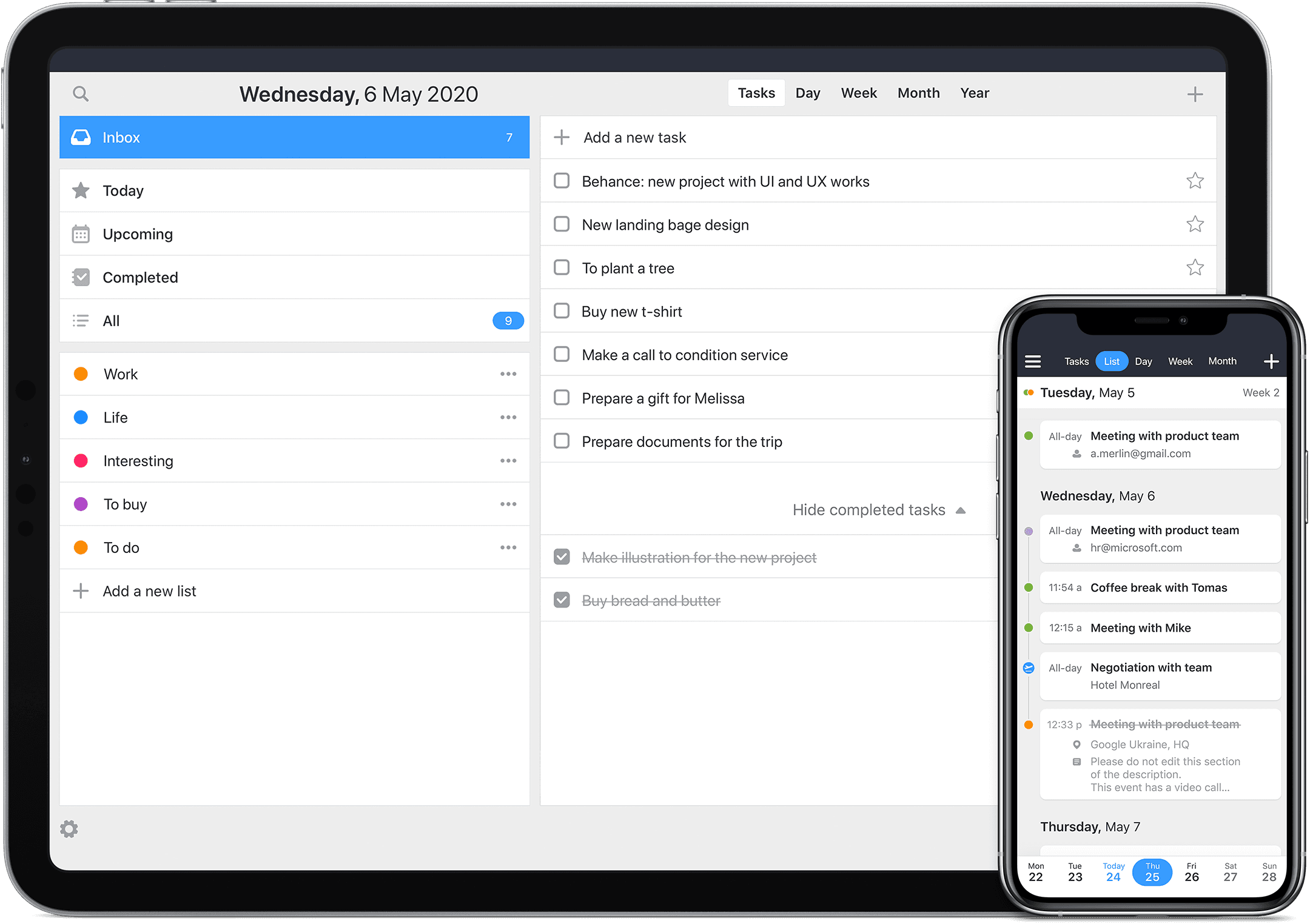
Calendars 5 earns its reputation on execution quality. The natural language event entry is fast. The list view is one of the best available for scanning an upcoming week at a glance. iOS and Mac sync is reliable and well-maintained. Readdle's track record of keeping their apps updated through major OS transitions gives users confidence the app won't be abandoned or break on a new macOS release.
The task integration is a genuine addition. Tasks can be created and displayed alongside calendar events in the same view. For users who want basic task visibility without a separate task app, this covers simple use cases without requiring them to leave the calendar.
The ceiling is the same one most calendar apps share: Calendars 5 organises your schedule. It has no view on whether that schedule is working. No AI analysis. No focus session tools. No weekly reporting on the relationship between your intentions and your actual behaviour. For users who've reached that ceiling, here are the alternatives.
Aftertone

Best for
Calendars 5 users who want productivity intelligence alongside the calendar
Aftertone is a Mac-native calendar and task manager built on behavioural science. It's the answer for Calendars 5 users who want the next layer beyond display and organisation.
The AI weekly and daily reports surface patterns in your productivity data across the full week: which time slots consistently produce real output, which days are being fragmented beyond recovery by meeting load, and whether your intended schedule and actual behaviour are tracking each other over time. BJ Fogg's research on behaviour design and Phillippa Lally's habit formation work at UCL both converge on the same mechanism: visibility into your own patterns is the precondition for changing them. Calendars 5 can show you your schedule. Aftertone shows you what's happening inside it.
The Focus Screen removes everything from view except the current task during work sessions. Roy Baumeister's research on decision fatigue shows that reducing visible alternatives at the moment of starting work measurably improves execution quality. Auto-Extend keeps the session live if you finish ahead of schedule. Pause holds your place without breaking context. Smart Capture lets you paste text or a screenshot and converts it to structured tasks instantly. For Calendars 5 users who have their schedule organised and find they're still not executing as well as the schedule suggests they should, the Focus Screen addresses the gap between planning and doing.
Native task management is built in and calendar-aware. Smart Zoning lets you place tasks directly on the calendar with keyboard shortcuts. It doesn't route through Reminders or any third-party dependency. $30/month with a 7-day free trial.
The limitation
Aftertone is Mac-only. Calendars 5 users who depend on the iOS app as their primary interface will feel that absence.
Who it's for
Mac-primary Calendars 5 users who want the productivity intelligence and focus tools that Readdle chose not to build. Aftertone is available at aftertone.io with a free trial.
Fantastical
Best for
Calendars 5 users who want a more feature-rich native calendar across Apple devices
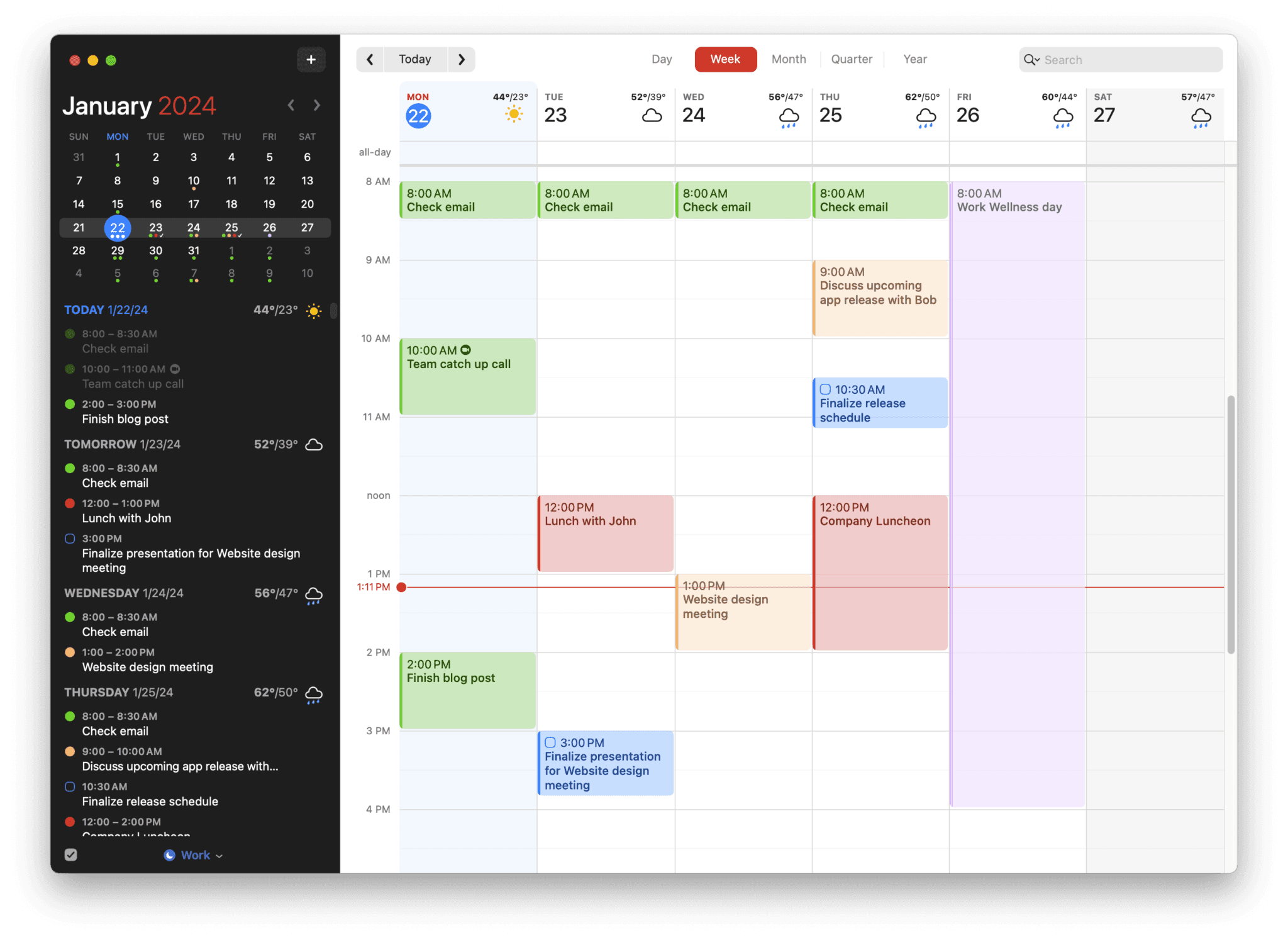
Fantastical is the most direct comparison for Calendars 5 users on Apple devices. Both are polished, well-maintained, and work cleanly across iOS and Mac. Fantastical's natural language event entry is faster and more accurate. The design quality is excellent. For Readdle users who want a more capable calendar without changing platforms, Fantastical is the obvious step up.
At £54/year it's a subscription. Task management runs through Apple Reminders. No AI productivity analysis. No focus session tools. Fantastical improves on Calendars 5 in calendar quality and NLP entry. It doesn't add the productivity intelligence layer.
Who it's for
Calendars 5 users who want a more polished, feature-complete calendar across Apple devices and are comfortable with a subscription.
If productivity analysis and pattern insights matter alongside scheduling, Aftertone addresses that gap directly.
Morgen
Best for
Calendars 5 users managing multiple calendar accounts
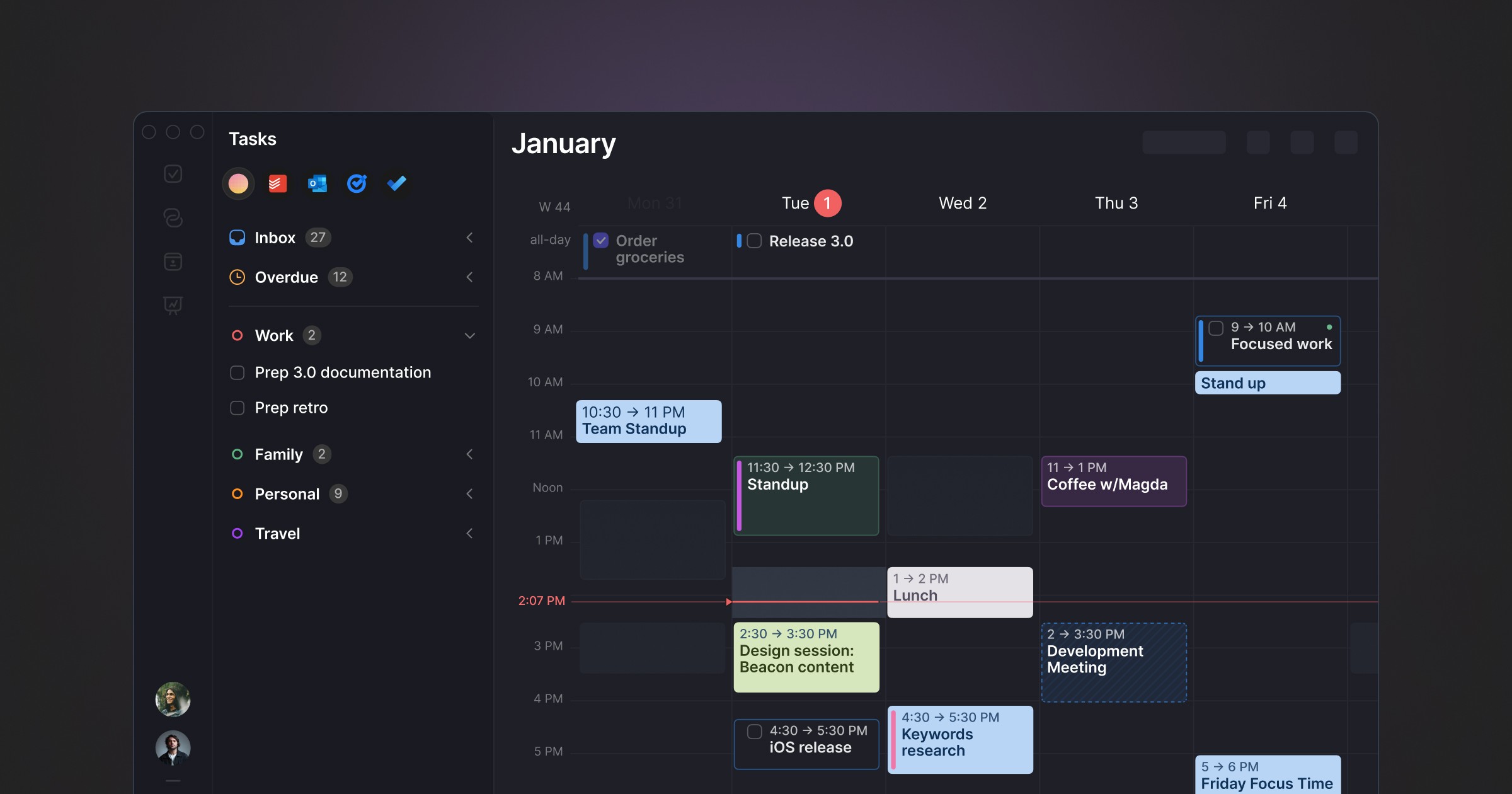
Morgen addresses a specific use case that Calendars 5 handles adequately but not exceptionally: managing multiple calendar accounts across providers simultaneously. The unified view, scheduling assistant, and time zone handling are all more comprehensive than what Calendars 5 offers for complex multi-account setups. For users whose frustration with Calendars 5 is specifically the multi-account management, Morgen is the most direct answer.
At up to €180/year it's the most expensive option on this list. It runs on Electron rather than native macOS frameworks. No AI productivity analysis or focus tools.
Who it's for
Calendars 5 users managing five or more calendar accounts across providers who need unified scheduling as the primary upgrade.
If productivity analysis and pattern insights matter alongside scheduling, Aftertone addresses that gap directly.
BusyCal
Best for
Power users who want advanced Mac calendar features at $30/month
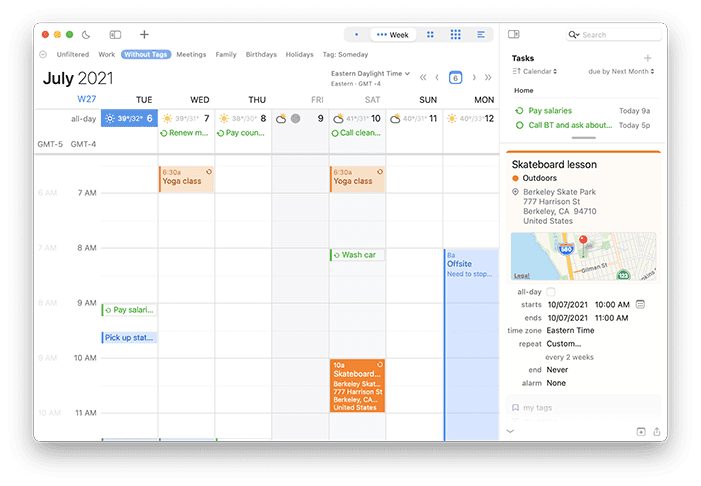
BusyCal goes deeper on calendar functionality than Calendars 5 in several specific areas: CalDAV support with custom server configuration, event templates, travel time calculations, and granular repeating event rules. It's Mac-native and a one-time purchase. For Calendars 5 users whose need is calendar depth rather than productivity intelligence, BusyCal is a strong one-time alternative.
No task management beyond calendar functionality, no AI analysis, no focus tools. The argument is calendar feature depth and native Mac quality at $30/month.
Who it's for
Calendars 5 users who need advanced calendar features, particularly CalDAV support, at $30/month.
If productivity analysis and pattern insights matter alongside scheduling, Aftertone addresses that gap directly.
Comparison table
App | Price | iOS support | Tasks | AI insights | Focus tools | Mac-native | Free trial |
|---|---|---|---|---|---|---|---|
One-time | Yes | Basic | No | No | Yes | Yes | |
$30/month | No | Native | Yes | Yes | Yes | Yes | |
£54/year | Yes | Via Reminders | No | No | Yes | Yes | |
Up to €180/year | Yes | Basic | No | No | No (Electron) | Yes | |
~£50 one-time | No | No | No | No | Yes | Yes |
The Readdle design sensibility and what comes after it
Readdle's apps are built for users who appreciate design quality and are willing to pay for it. That sensibility is worth acknowledging rather than dismissing. An app that looks considered and works consistently is a real daily quality-of-life difference from an app that doesn't.
The alternatives above vary in how much they carry that sensibility forward. Fantastical and Aftertone are both built with clear design care for Mac. BusyCal is functional rather than beautiful. Morgen is cross-platform and shows it. For Calendars 5 users who care about design as a first-order criterion, Fantastical is the step up in calendar quality. For those who want design plus the productivity intelligence layer Readdle never built, Aftertone is the answer.
The iOS question
One genuine advantage Calendars 5 holds over most Mac-focused alternatives is its iOS app. Readdle's cross-platform execution is strong, and the iOS version of Calendars 5 is as well-maintained as the Mac version. For users who do significant calendar management on iPhone, this matters.
Most of the Mac-native alternatives on this list don't have iOS equivalents. Aftertone is Mac-only. BusyCal is Mac-only. The apps that do have strong iOS presence, Fantastical and Morgen, are the ones to consider if continuity across devices is a primary requirement.
The practical question is how much of your calendar work actually happens on iOS versus Mac. For users whose primary interaction is on Mac, with iOS used mainly for glancing at events rather than creating or managing them, the Mac-only alternatives are a reasonable trade. For users who genuinely manage their calendar from iPhone as often as from Mac, the cross-device options narrow the list considerably.
The most important question is what you actually want your calendar to do that Calendars 5 doesn't do. That question has a specific answer, and the answer determines which alternative is worth switching to. Switching to something better-looking or cheaper is lateral. Switching to something that adds a genuinely new capability is the move that changes how you work.
Frequently asked questions
What is the best Calendars 5 Readdle alternative in 2026?
It depends on your priorities. For Mac users wanting behavioral AI and focus protection, Aftertone offers a unique system at $30/month. See the comparison table above.
Is there a free Calendars 5 Readdle alternative?
Several alternatives offer free tiers. Aftertone provides a free trial. Check the comparison table for details.
Which Calendars 5 Readdle alternative works on Mac?
Aftertone is Mac-native. Most alternatives also support macOS. See platform details in the comparison table.
How much does Aftertone cost?
Aftertone is $30/month with a 7-day free trial. No card required.
