Best BusyCal Alternatives for Mac in 2026: 7 Compared
The best BusyCal alternatives for Mac in 2026. Fantastical for design, Aftertone for AI insights, Morgen for multi-account: ranked by what you need.
Written By The Aftertone Team

Best BusyCal Alternatives for Mac in 2026
Quick answer: BusyCal is a genuinely excellent calendar — the most configurable native Mac option available. People leave it for three distinct reasons, each pointing to a different alternative:
Want better design and faster event entry? → Fantastical ($4.75/mo, Mac-native)
Want productivity intelligence beyond scheduling? → Aftertone ($30/month, Mac-native) — task management, Focus Screen, AI weekly and daily reports
Want multi-account scheduling across many tools? → Morgen ($15/mo, all platforms)
Want free? → Notion Calendar or Apple Calendar — both capable for standard use
What BusyCal does well — and the ceiling it hits
BusyCal users are not casual users. They chose BusyCal specifically — often after testing most of what's available — because they wanted advanced CalDAV support for custom calendar servers, smart filters with nested rule groups, highly configurable repeating event rules, event templates that save setup time on recurring meetings, and calendar views that go meaningfully deeper than Apple Calendar or the mainstream alternatives. These are people who had opinions about how list views should work.
BusyCal delivers on all of that. Its smart filters with ALL/ANY/NONE nested logic are unmatched in the Mac calendar category. The flexible week view — customisable from 2 to 90 days — is genuinely useful for planning in non-standard spans. Sunrise and sunset shading, travel time with live traffic, multiple time zones in the time ruler, and a configurable info panel all reflect a product built by people who live in their calendar. The one-time purchase model is honest pricing in a subscription-heavy market.
The ceiling is specific: BusyCal is a calendar, and a very good one. It organises and displays your schedule with more depth than almost anything else. It has no view on whether that schedule is producing results — no task management layer, no focus execution tools, no AI analysis of your time patterns. Everything it does is in service of showing you what's scheduled. Nothing it does addresses what happens once you sit down to work on it.
That's not a criticism. It's a precise description of what BusyCal is, and understanding it is the starting point for knowing whether you need an alternative, a complement, or both.
Why people switch from BusyCal
Design and modernity. BusyCal is functional rather than refined. For users who care about the visual quality of tools they use daily, Fantastical's design is meaningfully better — and the NLP event entry is noticeably faster. This is the most common reason experienced Mac users switch.
No productivity intelligence. BusyCal shows you the plan. It has no mechanism for understanding whether the plan is working — which time slots produce real output, how your meeting-to-focus ratio has trended, whether this week's structure resembles your most or least productive periods. For users who've reached the ceiling of calendar optimisation and want the next layer, BusyCal can't provide it.
No task management. BusyCal syncs with Apple Reminders and Todoist, but tasks live outside the calendar view in a routed-through experience. Users who want tasks native to the calendar — not bolted on via a third-party sync — find themselves maintaining two systems.
Cost reconsideration. At $49.99 for Mac plus $9.99 for iOS, the multi-device cost adds up. Users who discover their actual day-to-day usage doesn't require BusyCal's power features often find Apple Calendar or Notion Calendar sufficient and cheaper.
Cross-platform needs. BusyCal is Mac and iOS only. Users who've added Windows or Android to their device mix find it doesn't follow them.
How we evaluated these alternatives
We evaluated each alternative against what BusyCal actually delivers, and what it doesn't:
Calendar depth. Does it match BusyCal's CalDAV support, smart filters, and view customisation? Most don't — and we say so honestly.
Mac experience quality. Native macOS app or Electron wrapper? Keyboard shortcuts, Apple Watch support, Spotlight integration, offline access? BusyCal users have high standards here.
Productivity intelligence. Does the app tell you anything about whether your schedule is working — task completion, time patterns, execution quality? This is where BusyCal's ceiling is, and where the most interesting alternatives diverge.
Task management. Is task-calendar integration native or routed through a third party?
Pricing model. One-time purchase vs subscription, and whether the value justifies the cost.
At a glance: all alternatives compared
App | Best for | Mac experience | Task management | Productivity AI | Free tier | Price |
|---|---|---|---|---|---|---|
Fantastical | Design + NLP event entry | Native Mac app | Via Reminders | No | Limited free | $4.75/mo (annual) |
Aftertone | Productivity intelligence + focus | Native Mac app | Native, calendar-aware | AI weekly and daily reports | Free trial | $30/month |
Morgen | Multi-account scheduling | Electron | Basic, via integrations | AI suggestions only | 14-day trial | $15/mo (annual) |
Notion Calendar | Free, clean, Notion-integrated | Native Mac app | No | No | Yes (free) | Free |
Apple Calendar | Free, native, zero friction | Native Mac app | Via Reminders | No | Free | Free |
Vimcal | Keyboard-speed meeting scheduling | Native Mac app | No | No | Yes (iOS) | $15/mo |
Reclaim AI | Auto-scheduled focus blocks | Web only | No | Basic stats | Yes | Free / $8/mo+ |
Google Calendar | Free, cross-platform, Gmail-integrated | Web only | Via Google Tasks | No | Free | Free |
1. Fantastical — best for design and natural language event entry
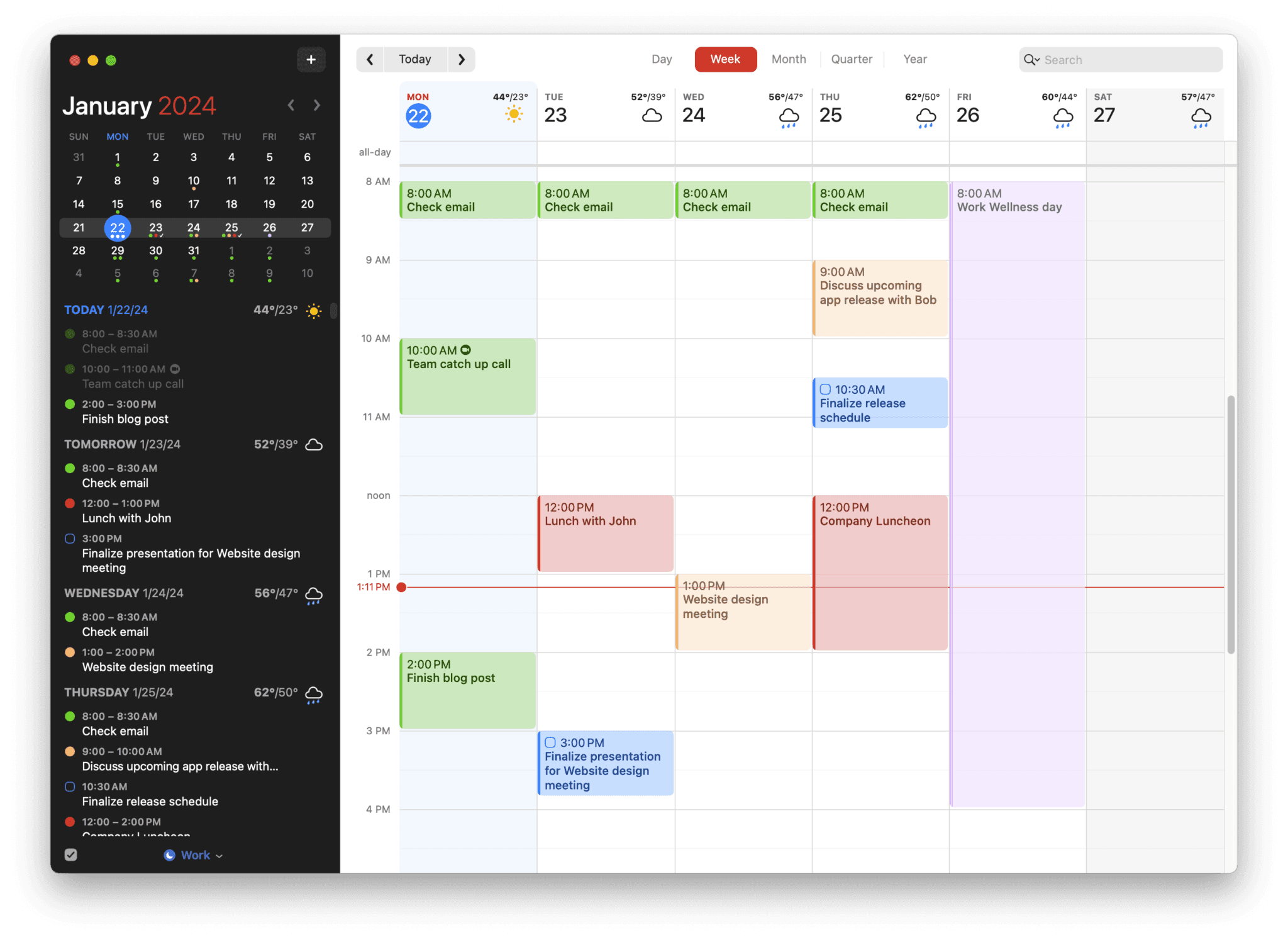
Best for: BusyCal users who want a more polished interface and the fastest event creation available on Mac — and are willing to move from a one-time purchase to a subscription.
Fantastical is the most direct BusyCal competitor and the most common destination for BusyCal users who leave. Both are premium Mac-native calendar apps aimed at power users who need more than Apple Calendar. Fantastical wins decisively on design quality — it's genuinely beautiful in a way BusyCal isn't — and on natural language event entry, which remains the fastest method in the category. Type "Lunch with Alex next Thursday at 1pm, 90 minutes, Zoom link" and Fantastical parses and creates the event without a single additional click. BusyCal has NLP entry too, but Fantastical's parser is more capable and faster.
The trade-offs from BusyCal are real: Fantastical doesn't match BusyCal's smart filter depth, nested rule groups, or CalDAV customisation. Task management routes through Apple Reminders rather than being native to the calendar view. There's no productivity intelligence layer. And the pricing model changes from one-time ($49.99) to subscription ($4.75/month billed annually, or $57/year) — a switch that many BusyCal users find philosophically uncomfortable even when the absolute cost is comparable.
Pros:
The best-designed Mac calendar app in this category — Apple Design Award winner
Fastest natural language event entry available — more capable parser than any competitor
Excellent menu bar integration — quick event preview and creation without opening the full app
Scheduling links (Openings) for sharing availability with external contacts
Calendar Sets that auto-switch by location or time
Full Mac, iOS, iPadOS, and watchOS support — seamless Apple ecosystem experience
Cons:
Subscription model — $57/year vs BusyCal's one-time $49.99
Smart filter depth doesn't match BusyCal's nested rule groups
No productivity intelligence or AI analysis of scheduling patterns
Task management routes through Apple Reminders rather than native to the calendar
No equivalent to BusyCal's custom CalDAV server configuration depth
Pricing: $4.75/month billed annually ($57/year). Limited free version available.
Calendars: iCloud, Google Calendar, Outlook, Exchange, CalDAV, Yahoo, Fastmail.
Why switch from BusyCal: You want the best-designed native Mac calendar available and the fastest event creation — and you're comfortable moving to a subscription model.
2. Aftertone — best for productivity intelligence beyond calendar management

Best for: BusyCal users who have their calendar architecture well-configured and want the next layer — understanding their productivity patterns and having a focus execution mechanism built into the same tool as their schedule.
Aftertone addresses the ceiling that BusyCal hits rather than competing with it on the same ground. Where BusyCal optimises the scheduling layer — the configuration, the views, the CalDAV depth — Aftertone is built for what happens when you sit down to work on the schedule you've built.
The starting point for understanding why this matters is research on implementation intentions from Peter Gollwitzer at New York University. Three decades of studies show consistently that the specificity of "I will do X at time Y in context Z" produces dramatically higher follow-through than "I will do X this week." A well-configured calendar creates the specificity. The question is what happens to that specificity when the work block arrives.
Aftertone's Focus Screen answers that question with design rather than willpower. When it's time to work on a block, the app narrows to the current task — removing the visual noise of the full calendar, other tasks, and everything competing for attention at the moment of starting. Roy Baumeister's research on decision fatigue shows why the visible surface area of options at task start matters: unchosen alternatives at the moment of beginning work measurably reduce the quality and persistence of execution. The Focus Screen is not a design preference. Smart Capture lets you paste text or a screenshot and converts it to structured tasks instantly. Auto-Extend keeps the session running when you finish ahead of schedule. Pause holds your place. It's a response to a consistent finding about how productive work breaks down.
The AI weekly and daily reports close a loop that BusyCal — and every other calendar app on this list — leaves open. They surface patterns across your scheduling history that you cannot easily notice in the moment: which time slots consistently produce real output, how your meeting-to-deep-work ratio has trended over the past month, whether this week's structure resembles your most or least productive periods. James Clear's work on self-monitoring and Phillippa Lally's habit formation research at UCL both show the same mechanism: visibility into your own patterns is the prerequisite for changing them. BusyCal gives you visibility into your schedule. Aftertone gives you visibility into your productivity.
Task management is native and calendar-aware — tasks live inside the same view as calendar events, not routed through Reminders. Smart Zoning lets you place tasks directly onto the calendar using only keyboard shortcuts. At $30/month, the pricing model matches BusyCal's philosophy: you own the software.
Mac experience: Genuinely native macOS — not Electron, not a web app. Fast to launch, Spotlight-integrated, offline-capable, designed for macOS throughout.
Pros:
AI weekly and daily reports — the only calendar-adjacent tool that analyses scheduling patterns over time and surfaces what the data reveals about your productivity
Focus Screen — removes visual load at execution time, making starting work easier
Native task management built directly into the calendar view, not routed through a third-party app
$30/month. 7-day free trial, no card required.
Genuinely native macOS — faster and more integrated than any Electron alternative
Two-way Google Calendar and Apple Calendar sync
Built on 45 principles from behavioural science and cognitive psychology
Cons:
Won't match BusyCal's CalDAV depth or smart filter customisation — different product category
Mac only — iOS coming; no Windows, Android, or web access
No advanced repeating event rules or event templates
Individual tool — not built for team scheduling or project management
Pricing: $30/month. Free trial available. No subscription.
Calendars: Google Calendar (two-way sync), Apple Calendar / iCloud.
Why switch from BusyCal: You have your calendar architecture configured and want what comes next — understanding whether the schedule you've built is actually working, with a focus execution mechanism built in.
3. Morgen — best for multi-account scheduling
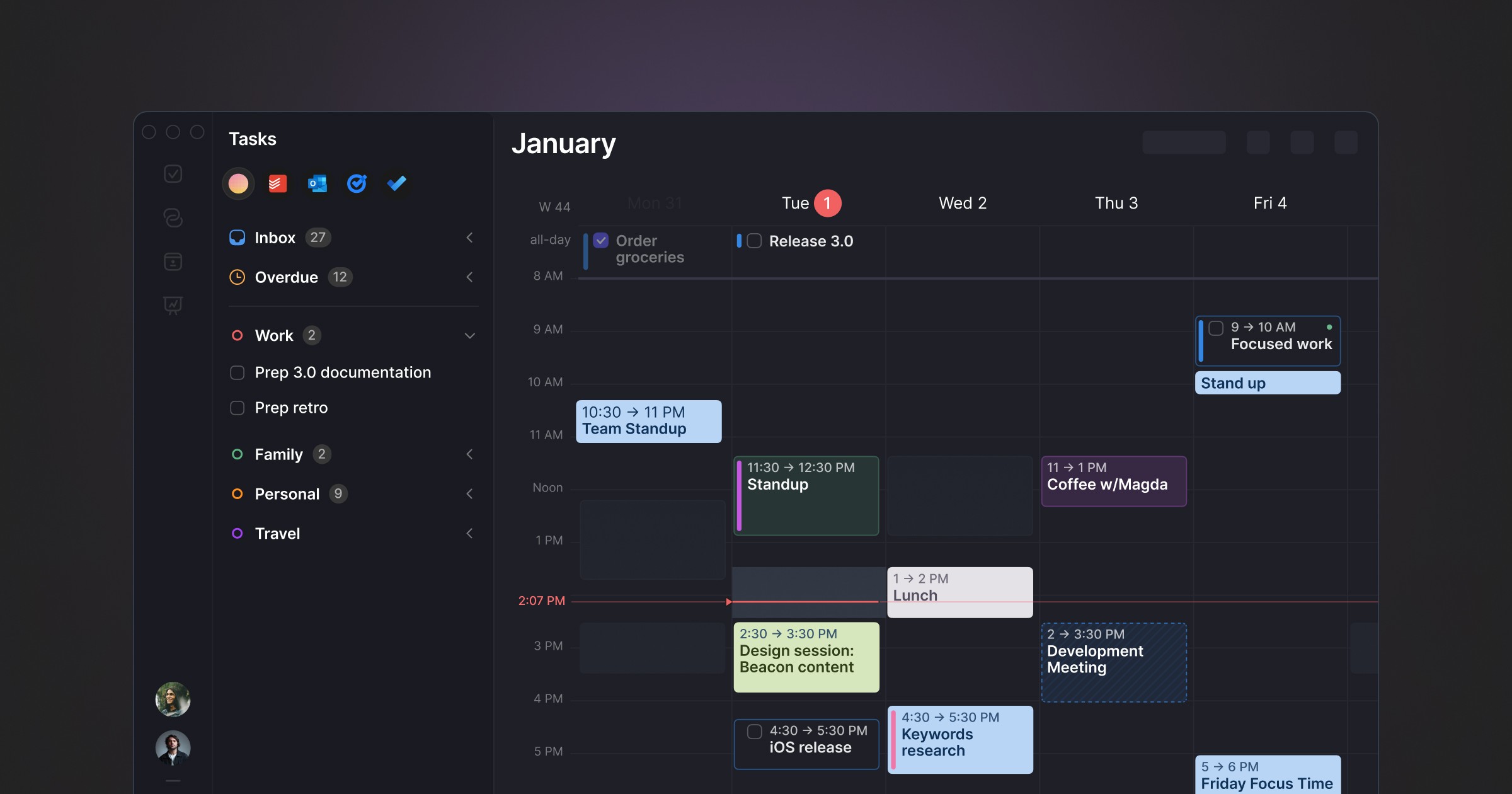
Best for: BusyCal users whose primary friction is managing multiple calendar accounts across Google, Outlook, iCloud, and other services simultaneously.
Morgen solves a different problem from BusyCal. Where BusyCal goes deep on calendar features for a single well-configured setup, Morgen is built for professionals managing multiple accounts simultaneously. It pulls calendars from Google, Outlook, iCloud, Fastmail, and others into a unified interface, handles scheduling links for external meeting coordination, and includes an AI Planner that suggests where to schedule tasks — with you approving changes before they happen. The cross-platform support — Mac, Windows, Linux, iOS, Android — is broader than any other app on this list.
The trade-offs from BusyCal: Morgen runs on Electron rather than native macOS frameworks, which means it's heavier on system resources and doesn't have the snap of a native app. There's no equivalent to BusyCal's smart filter depth or CalDAV customisation. At up to $15/month (annually), the subscription cost is ongoing rather than one-time.
Pros:
Best multi-account management on this list — Google, Outlook, iCloud, Fastmail all unified cleanly
AI Planner suggests daily schedules for you to approve — smart assistance without automation
Frames — recurring weekly templates that structure your ideal week for the AI to plan within
Broad task integrations: Notion, ClickUp, Todoist, Linear, Asana, Obsidian
Cross-platform: Mac, Windows, Linux, iOS, Android — the most device coverage on this list
Booking links and meeting scheduler built in
Cons:
Electron app — not native macOS; heavier on resources, no Apple Watch or Spotlight integration
Subscription model — ongoing cost vs BusyCal's one-time purchase
No smart filter depth comparable to BusyCal's nested rule groups
No productivity analysis of historical scheduling patterns
No focus execution tools
Pricing: $15/month billed annually ($30/month monthly). 14-day trial.
Calendars: Google Calendar, Outlook, iCloud, Fastmail.
Why switch from BusyCal: Your main friction is managing multiple accounts across different calendar providers, and you want AI scheduling suggestions alongside that coordination.
4. Notion Calendar — best free option with a modern feel
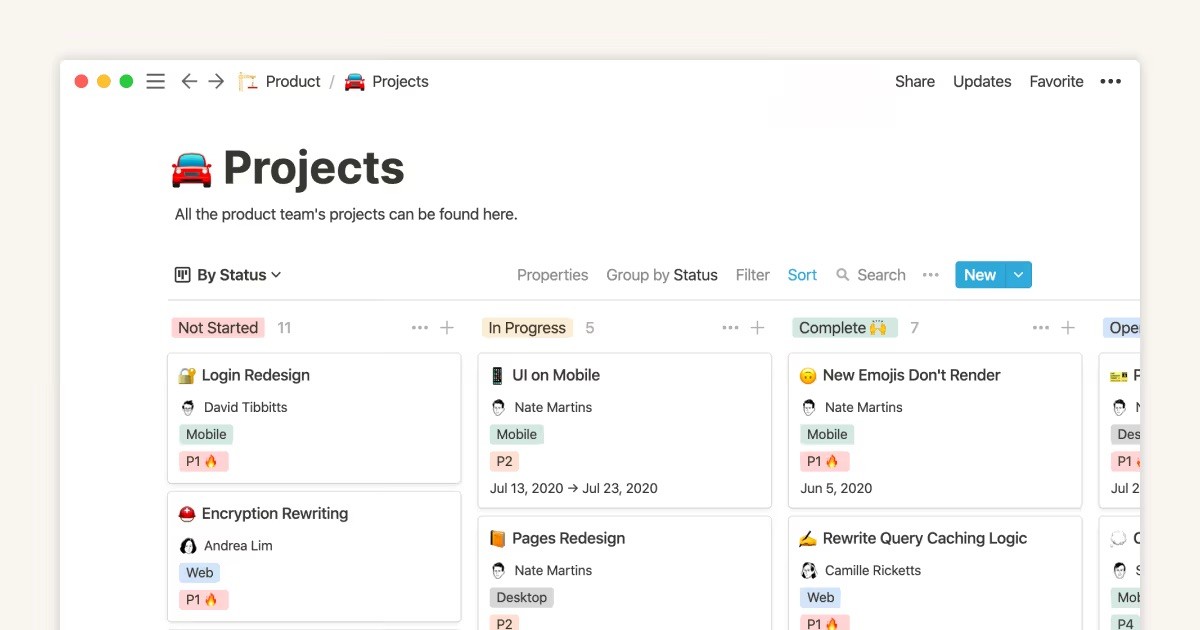
Best for: BusyCal users who want to reduce cost and already use Notion, or who want a cleaner, more modern calendar interface at no ongoing expense.
Notion Calendar (formerly Cron) is a fast, well-designed Mac and iOS calendar app that connects natively to Google Calendar and the Notion workspace. It's free, has a proper native Mac app, and feels more contemporary than Apple Calendar without the complexity of BusyCal or the cost of Fantastical. For BusyCal users who, on reflection, find that their actual day-to-day usage doesn't require smart filters and advanced CalDAV configuration, Notion Calendar is a significant step down in depth but a significant step up in accessibility.
The honest limitation: Notion Calendar is primarily a calendar viewer and event manager. There's no equivalent to BusyCal's customisation depth, no task management, and no productivity intelligence.
Pros:
Completely free
Native Mac app — proper macOS design, keyboard-first
Native Notion integration — link calendar events to Notion pages, databases, and projects
Clean two-way Google Calendar sync
Dual time zone view built in
Cons:
No CalDAV depth — nowhere near BusyCal's customisation options
No smart filters, no event templates, no advanced repeating event rules
No task management native to the calendar view
Google Calendar only — no Outlook or other CalDAV servers
No productivity intelligence or scheduling analysis
Pricing: Free.
Calendars: Google Calendar.
Why switch from BusyCal: You want to cut costs and find that a clean, free calendar app covers your actual usage. Not suitable if BusyCal's power features are genuinely in use.
5. Apple Calendar — best zero-cost native option
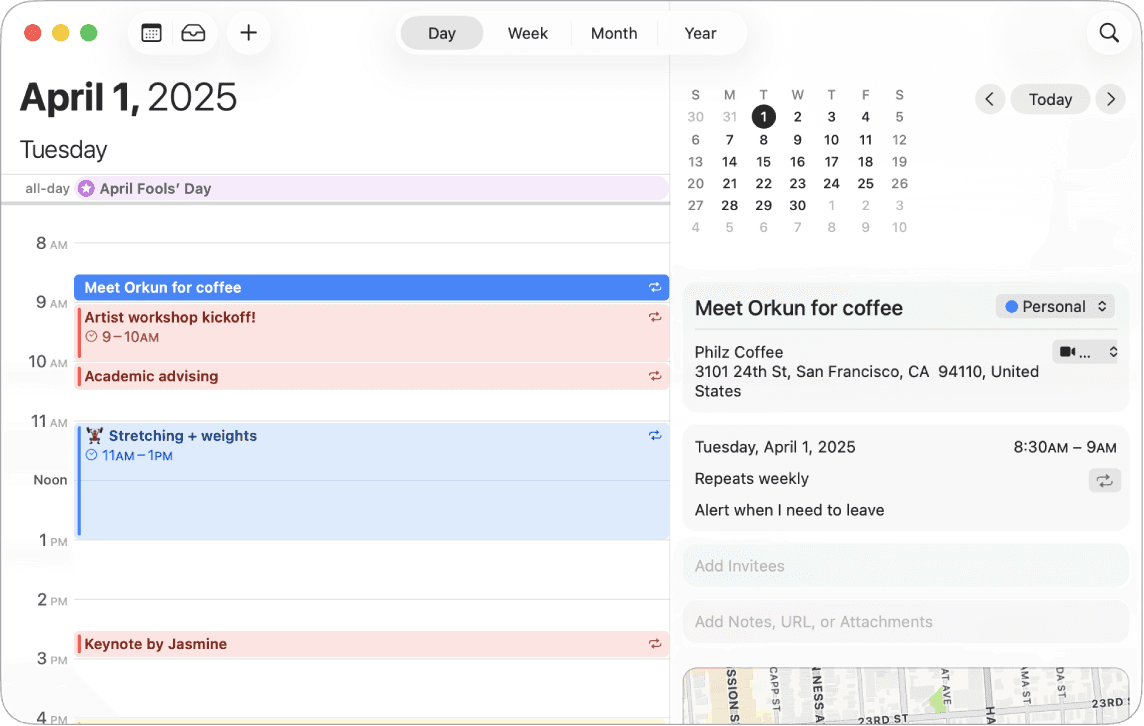
Best for: BusyCal users whose honest assessment of their usage is that they don't need BusyCal's advanced features and want to remove an app they're paying for.
Apple Calendar is free, native to every Mac, and handles the fundamentals reliably: iCloud, Google Calendar, and Exchange sync; standard event creation; basic recurring events; Siri integration; Apple Watch, Spotlight, and Focus mode integration. For BusyCal users whose actual workflow doesn't use smart filters, custom CalDAV configuration, or event templates, Apple Calendar covers what they're actually doing — at zero cost.
The honest step-down: Apple Calendar's NLP is weaker than BusyCal's, the views are less customisable, there's no equivalent to smart filters, and the CalDAV implementation is more limited. If you're actively using BusyCal's power features, this isn't an upgrade or even a lateral move — it's a meaningful reduction in capability.
Pros:
Free — zero cost
Genuinely native macOS — the deepest Apple ecosystem integration available
Apple Watch complications, Spotlight, Siri, Focus modes — all work natively
Reliable sync with iCloud, Google Calendar, and Exchange
Zero setup — already on every Mac
Cons:
No smart filters, no event templates, no advanced repeating event rules
Limited CalDAV customisation compared to BusyCal
Weaker NLP event entry
No task management beyond basic Reminders integration
No productivity intelligence or scheduling analysis
Minimal view customisation
Pricing: Free.
Calendars: iCloud, Google Calendar, Exchange, CalDAV (basic).
Why switch from BusyCal: Your actual usage doesn't require the power features. A periodic honest audit of which BusyCal features you use regularly often reveals the answer.
6. Vimcal — best for keyboard-speed meeting scheduling
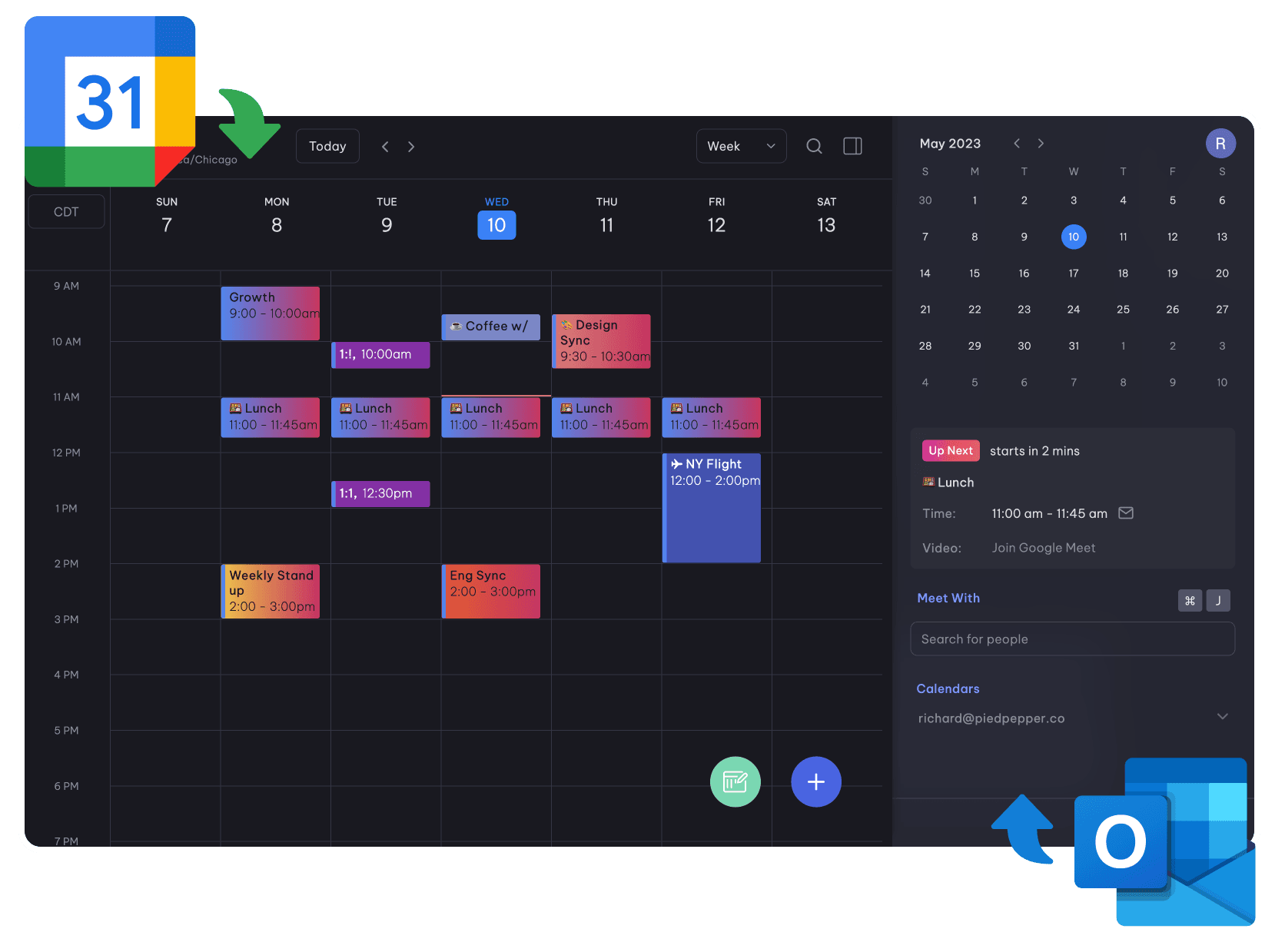
Best for: BusyCal users whose primary calendar activity is scheduling and managing meetings, and who want keyboard-first speed as the core design principle.
Vimcal has earned the "Superhuman for calendars" label among professionals who schedule a lot of meetings. The keyboard-first design means most actions — creating events, sharing availability, checking time zones — happen via shortcuts without touching the mouse. Time zone coordination for distributed teams is built-in and excellent. Booking links are fast and configurable.
What Vimcal isn't: a power calendar in BusyCal's sense. There's no CalDAV depth, no smart filters, no advanced view customisation, no task management, and no productivity intelligence. It's built for one specific workflow — fast, keyboard-driven meeting management — and executes it very well. If that's your primary BusyCal use case, Vimcal is worth evaluating. If BusyCal's value comes from its customisation depth, Vimcal doesn't address it.
Pros:
Fastest keyboard-driven scheduling in the category
Excellent time zone coordination — overlay multiple zones, find overlapping availability instantly
Booking links with granular availability configuration
Native Mac app, iOS, web, and Chrome extension
Clean, fast interface designed specifically for heavy calendar users
Cons:
No CalDAV depth or smart filter customisation
No task management
No productivity analysis of scheduling patterns
Optimised for meeting scheduling — not a BusyCal replacement for power calendar users
$15/month subscription with no free tier for Mac
Pricing: Free on iOS. $15/month for Mac and full features.
Calendars: Google Calendar, Outlook.
Why switch from BusyCal: Meeting scheduling speed is your primary calendar activity and you want the fastest keyboard-driven workflow available.
7. Reclaim AI — best for automated focus block protection

Best for: BusyCal users who want their focus time automatically scheduled and defended in Google Calendar — without any manual planning.
Reclaim AI occupies a different category from BusyCal entirely. Rather than a power calendar client, it's a scheduling layer that sits on top of Google Calendar: it auto-schedules focus blocks, habits, and flexible tasks around your existing meetings, and reschedules them when meetings move. The free tier is genuinely functional.
The important context: Reclaim is a web app, not a Mac calendar app. There's no native Mac application, no Apple ecosystem integration, no CalDAV support, and no calendar customisation comparable to BusyCal. If you're leaving BusyCal specifically because you want a better calendar client, Reclaim doesn't answer that need. If you're interested in automatic focus block protection alongside whatever calendar you use, and you're on Google Calendar, Reclaim is worth knowing about.
Pros:
Free tier — functional auto-scheduling at no cost
Automatically schedules and defends focus blocks around meetings
Smart rescheduling — when meetings move, focus blocks adjust automatically
Habit scheduling — recurring personal commitments like workouts protected alongside work
Integrates with Todoist, Asana, Linear, ClickUp, Google Tasks
Cons:
Web app only — no native Mac app, no Apple ecosystem integration
Google Calendar only — no iCloud, no Outlook, no CalDAV
Not a BusyCal replacement — solves a different problem
No advanced calendar views or customisation
No productivity analysis of historical patterns
Pricing: Free plan. Paid from $8/month (annual).
Calendars: Google Calendar only.
Why switch from BusyCal: You primarily want automated focus block protection in Google Calendar and you're comfortable moving from a desktop-native calendar client to a web-based scheduling layer.
8. Google Calendar — best free cross-platform option
Best for: BusyCal users who work across multiple platforms or who want Gmail-integrated event creation at zero cost.
Google Calendar is the world's most-used calendar service, and its browser interface is stronger than any other calendar's web experience. Gmail integration creates events automatically from email confirmations. Collaboration features — sharing, guest availability, scheduling across organisations — are excellent. If you're leaving BusyCal partly because you need Windows or Android access alongside Mac, Google Calendar follows you everywhere.
For BusyCal power users, Google Calendar represents a significant step down in desktop calendar depth — no CalDAV client configuration, no smart filters, no advanced repeating event rules, no customisable views. But for users whose BusyCal usage was primarily standard event management, it covers the fundamentals at no cost with the strongest cross-platform story available.
Pros:
Free
Best-in-class browser interface — strong even on Mac via web
Gmail integration auto-creates events from email confirmations
Best cross-platform coverage — Android, iOS, Windows, web, Mac
Collaboration and scheduling across organisations is unmatched
Cons:
No native Mac app — web only; no Spotlight, Apple Watch, or Siri integration
No CalDAV depth or advanced repeating event rules
No task management comparable to a dedicated app
Data processed by Google — meaningful privacy trade-off vs BusyCal's local-first architecture
No productivity intelligence
Pricing: Free (Google account).
Calendars: Google ecosystem; CalDAV export available.
Why switch from BusyCal: You need cross-platform access and zero cost, and your actual BusyCal usage was standard enough that Google Calendar covers it.
The case for running two apps
For BusyCal users whose requirements genuinely split across two categories — advanced calendar architecture and productivity intelligence — the most honest answer is often not a single replacement. BusyCal's CalDAV depth, smart filter configuration, and event templates don't have a direct equivalent elsewhere. If those features are genuinely in use, keep BusyCal for them.
Add Aftertone for the layer BusyCal doesn't provide: native task management inside your calendar, a Focus Screen execution mechanism, and AI weekly and daily reports that surface what your scheduling patterns reveal about your productivity. The two apps don't overlap meaningfully. BusyCal handles the scheduling architecture. Aftertone handles everything that happens when you sit down to work on it.
What a power calendar can't do
BusyCal users have already answered one question: they need a serious calendar, not a casual one. The question worth sitting with is what comes after the scheduling is well-configured.
Getting your schedule organised is a solved problem once you've done it. The unsolved problem — the one that doesn't go away regardless of how good the calendar is — is usually the one that follows: whether the scheduled work is actually happening, and what the patterns of your most and least productive weeks have in common. A power calendar shows you the plan. It has no view on whether the plan is working.
BJ Fogg's behaviour design research and James Clear's work on habit loops both arrive at the same mechanism: what gets measured gets improved. BusyCal doesn't measure execution. It measures intention. For users for whom the gap between intention and execution is the actual problem, the answer isn't a better calendar. It's a system that closes the loop — planning, execution, and feedback — and tells you honestly what the data shows.
Frequently asked questions
What is the best alternative to BusyCal for Mac?
It depends on what you want beyond BusyCal. Fantastical is the closest direct alternative — better design, faster event entry, same Mac-native philosophy, subscription model. Aftertone is the best alternative if you want productivity intelligence that BusyCal doesn't provide: task management native to the calendar, a Focus Screen, and AI weekly and daily reports on your scheduling patterns. Morgen is best if multi-account scheduling is the core friction. Notion Calendar and Apple Calendar are strong free options.
Why are people switching away from BusyCal?
The most common reasons are: design preference (Fantastical is more polished and modern), a desire for productivity intelligence beyond calendar management (Aftertone addresses this), needing cross-platform access BusyCal doesn't provide, and cost reconsideration after auditing which features are actually in use. BusyCal is a genuinely excellent product — switches are usually driven by wanting something different rather than something better.
Is there a free alternative to BusyCal?
Yes — Apple Calendar is free, native, and reliable for standard scheduling. Notion Calendar is also free with a cleaner modern interface and strong Google Calendar integration. Neither matches BusyCal's customisation depth, but both cover standard scheduling needs competently. Google Calendar is free with the best cross-platform story if you need access beyond Mac and iOS.
How does BusyCal compare to Fantastical?
BusyCal wins on customisation depth: nested smart filters, advanced CalDAV support, custom repeating event rules, flexible view spans, one-time purchase pricing. Fantastical wins on design quality, NLP event entry speed, and polish. Both are Mac-native calendar apps without productivity intelligence. Most users who care primarily about design go to Fantastical; users who depend on BusyCal's power features have no equivalent destination.
Can I use BusyCal and Aftertone together?
Yes — and for some users this is the most honest answer. BusyCal's CalDAV depth and event configuration don't have a direct equivalent elsewhere. Keep BusyCal for the scheduling architecture if you need it. Add Aftertone for native task management, focus execution, and AI weekly and daily reports. The two apps don't overlap meaningfully — they address different parts of the productivity workflow.
